
1. Киришүү
The AIYIMA H4 is a high-fidelity portable DAC (Digital-to-Analog Converter) and headphone amplifier designed to elevate your audio experience. It integrates a premium ES9039Q2M DAC chip, supporting high-resolution audio playback up to 768kHz/32bit PCM and DSD512. With its dual 3.5mm single-ended and 4.4mm balanced headphone outputs, the H4 delivers powerful and clear sound, capable of driving a wide range of headphones.
This manual provides essential information for setting up, operating, and maintaining your AIYIMA H4 to ensure optimal performance and longevity.
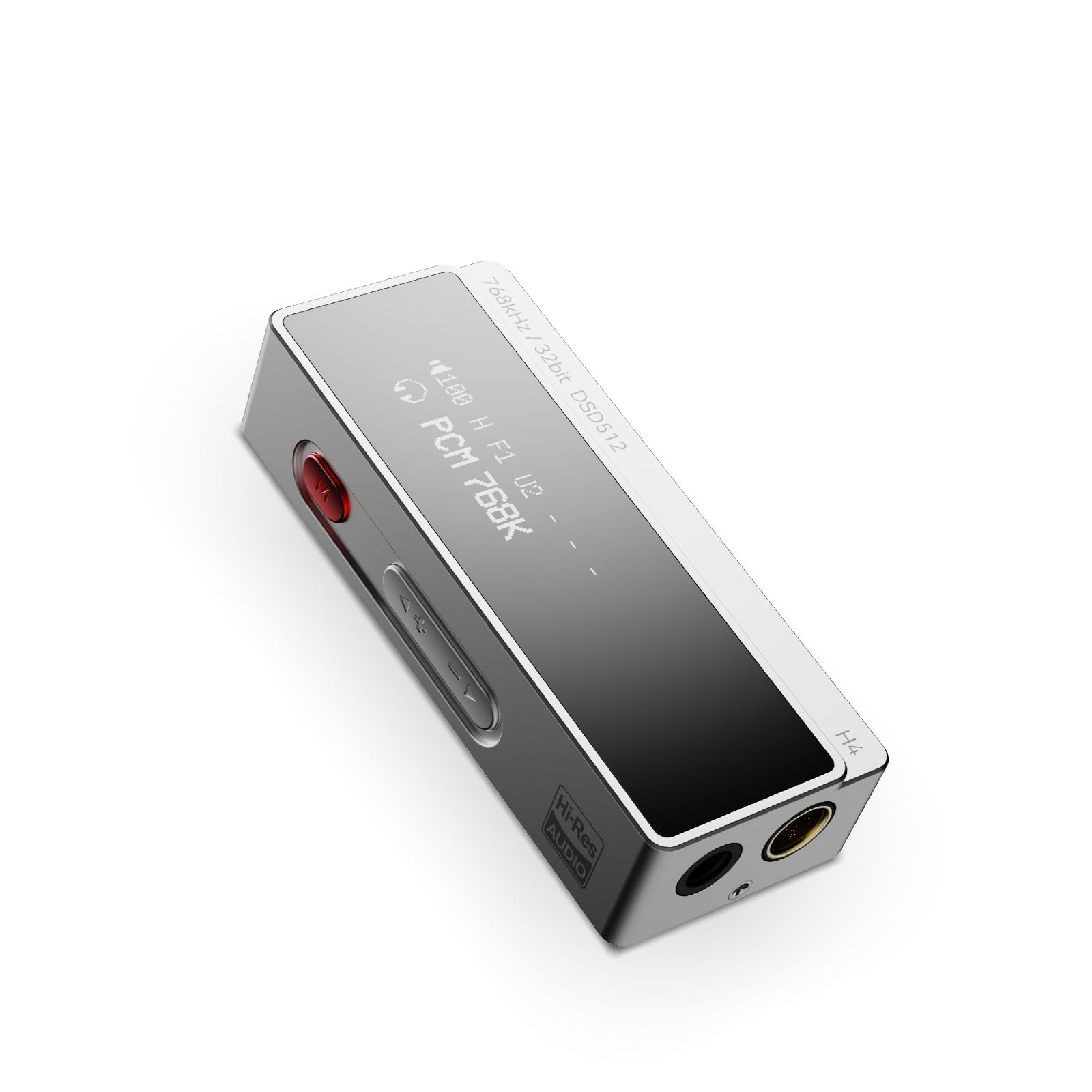
Figure 1: AIYIMA H4 Portable DAC Headphone Ampөмүрлүү
2. Пакеттин мазмуну
Сураныч, пакетте төмөнкү нерселерди текшериңиз:
- AIYIMA H4 Unit x 1
- Колдонмо колдонмо x 1
- USB Type-C to C Cable x 1
- USB A to Type-C Adapter x 1

Figure 2: AIYIMA H4 Package Contents
3. Продукт бүтүп калдыview
The AIYIMA H4 features a compact design with essential controls and connectivity options.
3.1. Компонентти идентификациялоо

Figure 3: Labeled Diagram of AIYIMA H4 Components
- Дисплей: 0.91-inch OLED screen showing current settings and audio information.
- USB Type-C киргизүү: For connecting to source devices and power.
- Menu Button (Red): Used to access and navigate the device settings menu.
- Үн баскычтары (+/-): Adjusts the output volume. Also used for navigation in menu.
- 4.4 мм салмактуу гарнитуранын чыгышы: салмактуу гарнитура байланыштары үчүн.
- 3.5mm Single-ended Headphone Output: For standard single-ended headphone connections. This port also supports S/PDIF output.
3.2. Негизги өзгөчөлүктөрү
- ES9039Q2M DAC Chip: High-performance DAC for superior audio decoding.
- Жогорку чечилиштеги аудио: Supports up to 768kHz/32bit PCM and DSD512.
- Эки кулакчындын чыгышы: 3.5mm single-ended and 4.4mm balanced outputs.
- Күчтүү чыгаруу: Balanced output delivers up to 240mW into 32Ω.
- 8 Digital Filters: Customizable PCM digital filter modes for varied sound profiles.
- 2-Сtage Пайда: High/Low gain settings to match different headphone impedances.
- Компакт жана жеңил: Weighs approximately 22.5g for portability.

Figure 4: ES9039Q2M DAC Chip

Figure 5: Dual Headphone Output Ports
4. Орнотуу
The AIYIMA H4 is designed for plug-and-play compatibility with various devices.
4.1. Баштапкы түзмөккө туташуу
- Identify the USB port on your source device (smartphone, tablet, computer).
- Use the provided USB Type-C to C cable or USB A to Type-C adapter to connect the AIYIMA H4 to your source device.
- The H4 will power on automatically once connected to a compatible USB power source.
- Connect your headphones to either the 3.5mm single-ended or 4.4mm balanced output port on the H4.
The H4 is compatible with macOS, iPadOS, iOS, Android, and Windows operating systems. For Windows versions prior to Windows 10, driver installation may be required. Please refer to the AIYIMA official website for driver downloads if necessary.

Figure 6: Connecting H4 to a Smartphone

Figure 7: Connecting H4 to a Laptop

8-сүрөт: Көп платформалуу шайкештик
5. Иштөө нускамалары
The AIYIMA H4 offers intuitive controls for audio playback and settings adjustments.
5.1. Күйгүзүү/өчүрүү
The device powers on automatically when connected to a USB power source. Disconnect the USB cable to power off the unit.
5.2. Үндү башкаруу
колдонуу + жана - buttons on the side of the device to adjust the volume. The H4 features a 100-step precision volume control.
5.3. Меню багыттоо жана орнотуулар
басыңыз red Menu button Орнотуулар менюсуна кирүү үчүн колдонуңуз. + жана - buttons to navigate through the options and change values. Press the Menu button again to confirm a selection or exit a sub-menu.

Figure 9: H4 Display and Menu Options
Жеткиликтүү меню параметрлери:
- Пайда режими: Select between High and Low gain settings. High gain is suitable for high-impedance or low-sensitivity headphones, while Low gain is for more sensitive headphones.
- Чыпкалоо режими: Choose from 8 different PCM digital filter modes to fine-tune the sound characteristics. Note: Digital filter modes are only active during PCM decoding and do not apply to DSD decoding.
- Аткаруу режими: Adjust performance settings (specific options may vary, refer to on-screen display).
- Чыгуу түрү: Configure the output behavior.
- S/PDIF режими: Enable or disable S/PDIF output via the 3.5mm port.
- Үндү башкаруу режими: Adjust how volume is controlled.
- HID режими: Human Interface Device mode settings.
- Дисплей жарыктыгы: OLED дисплейинин жарыктыгын тууралаңыз.
- Дисплейдин инверсиясы: Invert the display colors.
6. Техникалык шарттар
Detailed technical specifications for the AIYIMA H4.
| Өзгөчөлүк | Спецификация |
|---|---|
| Бренд | АЙЫМА |
| Модел | H4 |
| DAC чип | ESS ES9039Q2M |
| Max PCM Support | 768кГц/32бит |
| Максималдуу DSD колдоосу | DSD512 |
| Гарнитуранын чыгышы | 3.5 мм бир учтуу, 4.4 мм тең салмактуу |
| Balanced Output Power | 240мВт @ 32Ω |
| Interface Type | USB |
| Дисплей | 0.91 дюймдук OLED |
| Үндү көзөмөлдөө | 100-step precision |
| Санарип чыпкалар | 8 types (for PCM decoding only) |
| Жөндөөлөрдү алуу | 2-сtage (High/Low) |
| Салмагы | Болжол менен 22.5г |
| Келип чыккан өлкө | Кытай |

Figure 10: AIYIMA H4 Lightweight Design
7. Техникалык тейлөө
Proper care and maintenance will ensure the longevity and performance of your AIYIMA H4.
- Тазалоо: Use a soft, dry, lint-free cloth to clean the device. Avoid using abrasive cleaners, solvents, or chemical sprays.
- Сактагыч: Store the H4 in a cool, dry place away from direct sunlight and extreme temperatures.
- Колдонуу: Avoid dropping the device or subjecting it to strong impacts. Do not attempt to disassemble or modify the unit, as this will void the warranty.
- Нымдуулук: Аппаратты суудан жана жогорку нымдуулуктан алыс кармаңыз.
8. Кыйынчылыктарды
If you encounter any issues with your AIYIMA H4, please refer to the following troubleshooting guide:
8.1. Үн чыгышы жок
- Ensure the H4 is properly connected to your source device and receiving power.
- Check that your headphones are securely plugged into the correct output port (3.5mm or 4.4mm).
- Verify the volume level on both the H4 and your source device. Increase the volume gradually.
- Confirm that the audio output settings on your source device are configured to use the AIYIMA H4 as the primary audio device.
- Башка USB кабелин же адаптерди колдонуп көрүңүз.
8.2. Distorted or Poor Sound Quality
- Аудиону текшериңиз file quality and ensure it is not corrupted.
- Experiment with different digital filter modes in the H4's menu to see if it improves sound.
- Adjust the gain setting (High/Low) to match your headphones. Using too high a gain for sensitive headphones can cause distortion.
- Ensure the volume is not set too high, which can lead to clipping and distortion.
- Кулакчындардын көйгөйлөрүн жокко чыгаруу үчүн ар кандай кулакчындар менен сынап көрүңүз.
8.3. Түзмөктү компьютер тааныбайт
- For Windows 10 and older operating systems, ensure that the necessary drivers are installed. Drivers can typically be found on the AIYIMA official webсайт.
- Try connecting the H4 to a different USB port on your computer.
- Restart your computer and reconnect the H4.
- USB кабели бузулбагандыгын текшериңиз.
9. Кепилдик жана колдоо
The AIYIMA H4 comes with a 24 айлык кепилдик сатып алынган күндөн тартып. Бул кепилдик өндүрүштүк кемчиликтерди жана нормалдуу колдонуудагы бузулууларды камтыйт.
For warranty claims, technical support, or any inquiries, please contact your retailer or visit the official AIYIMA website for customer service. Please retain your proof of purchase for warranty validation.