
Introduction
The Ipega PG-9218 Gold Soldier BT Gamepad is a versatile wireless controller designed to enhance your gaming experience across multiple platforms. It offers dual connectivity via Bluetooth and a 2.4G receiver, ensuring compatibility with Android, iOS, smartphones, tablets, Smart TVs, PS3, Nintendo Switch, and Windows PCs. This manual provides essential instructions for setup, operation, and maintenance of your gamepad.
Негизги өзгөчөлүктөрү
- Жалпы шайкештик: Supports Android, iOS, smartphones, tablets, Smart TV, PS3, Nintendo Switch, and Windows PC.
- Кош туташуу режимдери: Features Bluetooth and an included 2.4G USB receiver for stable wireless connectivity up to 10 meters.
- Эргономикалык дизайн: Anti-slip textured grips provide comfort during extended gaming sessions, complemented by colored buttons and a high-precision golden D-pad.
- Комплекстүү башкаруу: Equipped with two analog joysticks, triggers, ABXY action buttons, SELECT, START, and a Home button for full in-game navigation.
- Кайра заряддалуучу батарея: Built-in long-lasting battery with USB charging, offering hours of continuous gameplay.
Пакеттин мазмуну
Сураныч, пакетте төмөнкү нерселерди текшериңиз:
- Ipega PG-9218 Wireless Gamepad
- 2.4G USB кабыл алгыч
- USB заряддоо кабели
- Колдонуучунун Колдонмосу (бул документ)

Image: The Ipega PG-9218 Gamepad shown in its retail packaging, highlighting the product and its features.
Продукт бүттүview
Familiarize yourself with the layout of your Ipega PG-9218 Gamepad:
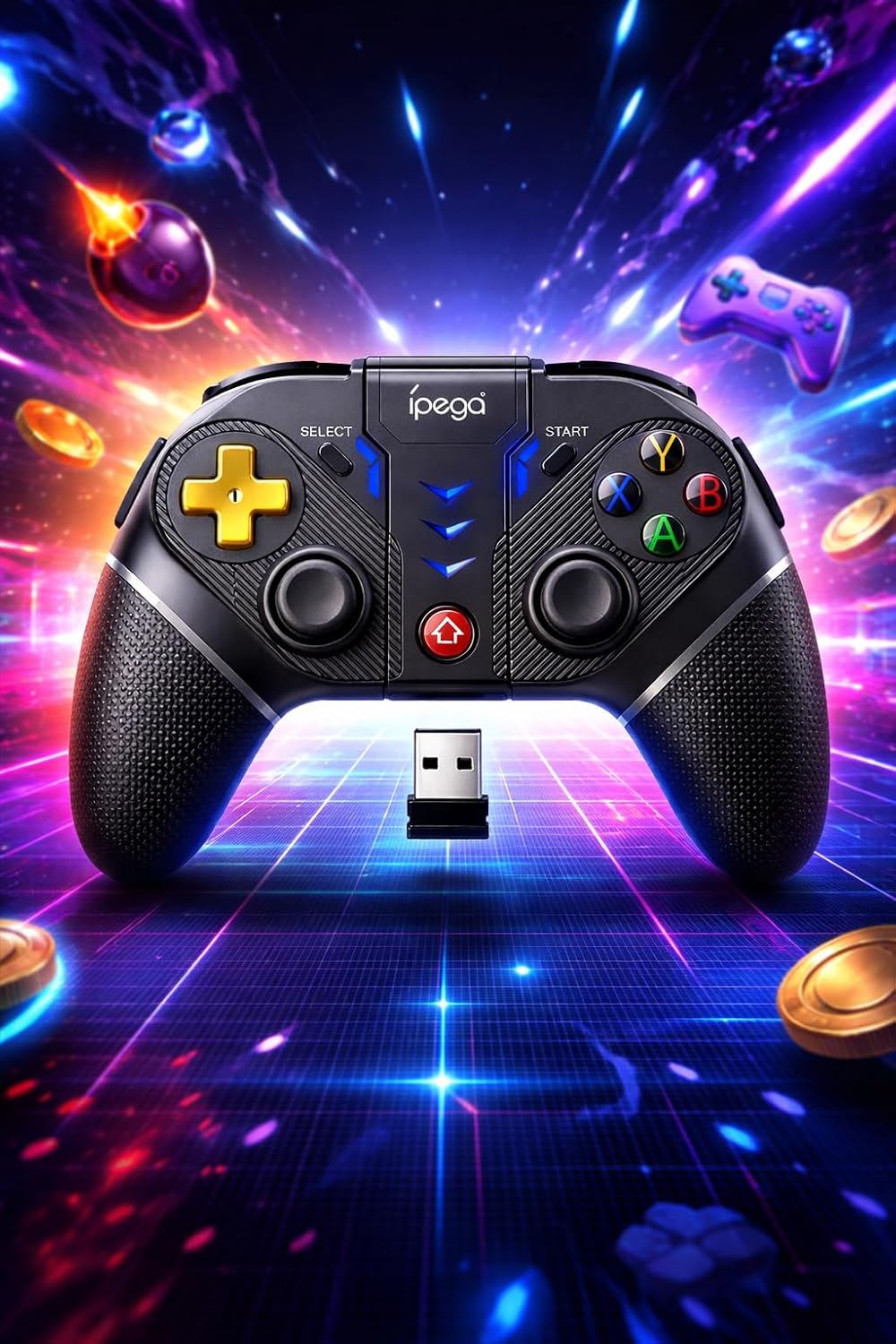
Сүрөт: деталдуу view of the Ipega PG-9218 Gamepad, displaying its dual analog joysticks, D-pad, ABXY buttons, SELECT, START, and Home buttons, along with the 2.4G USB receiver.
- Left Analog Joystick: Кыймылды жана камераны башкаруу үчүн.
- Right Analog Joystick: For camera control or specific in-game actions.
- D-Pad (багыттоочу такта): Так багыт киргизүү үчүн.
- ABXY баскычтары: Стандарттык аракет баскычтары.
- L1/L2, R1/R2 Triggers/Shoulder Buttons: Оюндагы ар кандай аракеттер үчүн.
- ТАНДОО баскычы: Typically for menu navigation or specific functions.
- START баскычы: Адатта, оюндарды тындыруу же баштоо үчүн.
- Үй баскычы: To return to the system's home screen or activate pairing mode.
- Заряддоо порту: USB port for charging the gamepad.
- 2.4G USB Receiver Slot: Storage for the USB receiver.
Орнотуу жана туташуу
1. Геймпадды заряддоо
- Берилген USB кубаттоо кабелин геймпаддын кубаттоо портуна туташтырыңыз.
- USB кабелинин экинчи учун USB кубат булагына туташтырыңыз (мисалы, компьютердин USB порту, USB дубал адаптери).
- Индикатор жарыгы заряддоо абалын көрсөтүп, толук заряддалганда өчөт же түсүн өзгөртөт.
2. Connecting via Bluetooth (Android, iOS, PS3, Nintendo Switch, Smart TV)
- Геймпад жетиштүү заряддалганын текшериңиз.
- басып, кармап туруңуз ҮЙ button (or a specific combination, refer to device-specific instructions if provided by Ipega) until the indicator light starts flashing rapidly, indicating pairing mode.
- On your device (smartphone, tablet, Smart TV, Nintendo Switch, PS3), go to Bluetooth settings.
- Издөө new devices and select "PG-9218" or a similar name from the list.
- Once paired, the indicator light on the gamepad will become solid.
Note: Specific pairing instructions may vary slightly depending on the operating system or device. For Nintendo Switch, ensure "Pro Controller Wired Communication" is enabled in system settings if connecting via USB, or follow standard Bluetooth pairing for wireless.
3. Connecting via 2.4G USB Receiver (PC, Smart TV)
- Геймпад жетиштүү заряддалганын текшериңиз.
- Insert the 2.4G USB receiver into an available USB port on your PC or Smart TV.
- Геймпадды күйгүзүңүз. Ал автоматтык түрдө ресиверге туташышы керек.
- The indicator light on the gamepad will become solid once connected.
- Your system should automatically recognize the gamepad as a standard input device.
Операция
After successful connection, your Ipega PG-9218 Gamepad is ready for use. The gamepad functions as a standard controller for compatible games and applications.
- Күйгүзүү/өчүрүү: басып, кармап туруңуз ҮЙ button for a few seconds to power on or off the gamepad.
- Автоматтык уйку режими: The gamepad will enter sleep mode if inactive for a certain period to conserve battery. Press the ҮЙ аны ойготуу үчүн баскычты басыңыз.
- Которуу режими: The gamepad automatically detects the connection type (Bluetooth or 2.4G). If you need to switch between modes, you may need to disconnect from one and initiate pairing for the other.
- Оюндун шайкештиги: Ensure the game you are playing supports gamepad input. Some games may require specific controller configurations within their settings.
Техникалык тейлөө
- Тазалоо: Use a soft, dry cloth to clean the surface of the gamepad. Do not use harsh chemicals or abrasive cleaners.
- Сактагыч: Геймпадды күн тийбеген жана экстремалдуу температурадан алыс, салкын, кургак жерде сактаңыз.
- Батареяга кам көрүү: Батареянын иштөө мөөнөтүн узартуу үчүн, бат-баттан батарейканы толук зарядсыздандырбаңыз. Узак убакыт колдонулбаса да, геймпадды үзгүлтүксүз заряддап туруңуз.
- Тамчылардан качуу: Геймпадды ички компоненттерге зыян келтирүүчү тамчылардан жана таасирлерден коргоңуз.
Проблемаларды чечүү
- Gamepad does not turn on:
- Ensure the gamepad is fully charged. Connect it to a power source using the USB cable and try again.
- Gamepad does not connect via Bluetooth:
- Ensure the gamepad is in pairing mode (indicator light flashing rapidly).
- Түзмөгүңүздө Bluetooth иштетилгенин текшериңиз.
- Delete any previous pairings of the gamepad from your device's Bluetooth list and try pairing again.
- Ensure the gamepad is within the 10-meter range of your device.
- Геймпадды да, түзмөгүңүздү да өчүрүп күйгүзүңүз.
- Gamepad does not connect via 2.4G USB receiver:
- USB кабыл алгычтын иштеген USB портуна бекем сайылганын текшериңиз.
- Башка USB портун колдонуп көрүңүз.
- Ensure the gamepad is turned on.
- Restart your PC or Smart TV.
- Input lag or unresponsive controls:
- Ensure the gamepad is fully charged. Low battery can affect performance.
- Reduce the distance between the gamepad and your device/receiver.
- Башка зымсыз түзмөктөрдөн (Wi-Fi роутерлери, башка Bluetooth түзмөктөрү) тоскоолдуктарды азайтыңыз.
- Ensure your device's operating system and game drivers are up to date.
Техникалык шарттар
| Модел: | PG-9218 |
| Байланыш: | Bluetooth, 2.4G зымсыз (USB кабыл алгычы менен) |
| Шайкештик: | Android, iOS, Smartphones, Tablets, Smart TV, PS3, Nintendo Switch, Windows PC |
| Зымсыз диапазон: | 10 метрге чейин |
| Батарея: | Built-in Rechargeable (USB charging) |
| Продукциянын өлчөмдөрү: | 10.5 x 16.5 x 10.5 см |
| Продукт Салмагы: | 250 г |
| ASIN: | B0GRC8TWY5 |