
1. Орнотуу
1.1 Кутудан чыгаруу жана Пакеттин мазмуну
Carefully remove the television and all components from the packaging. Ensure all items listed below are present.
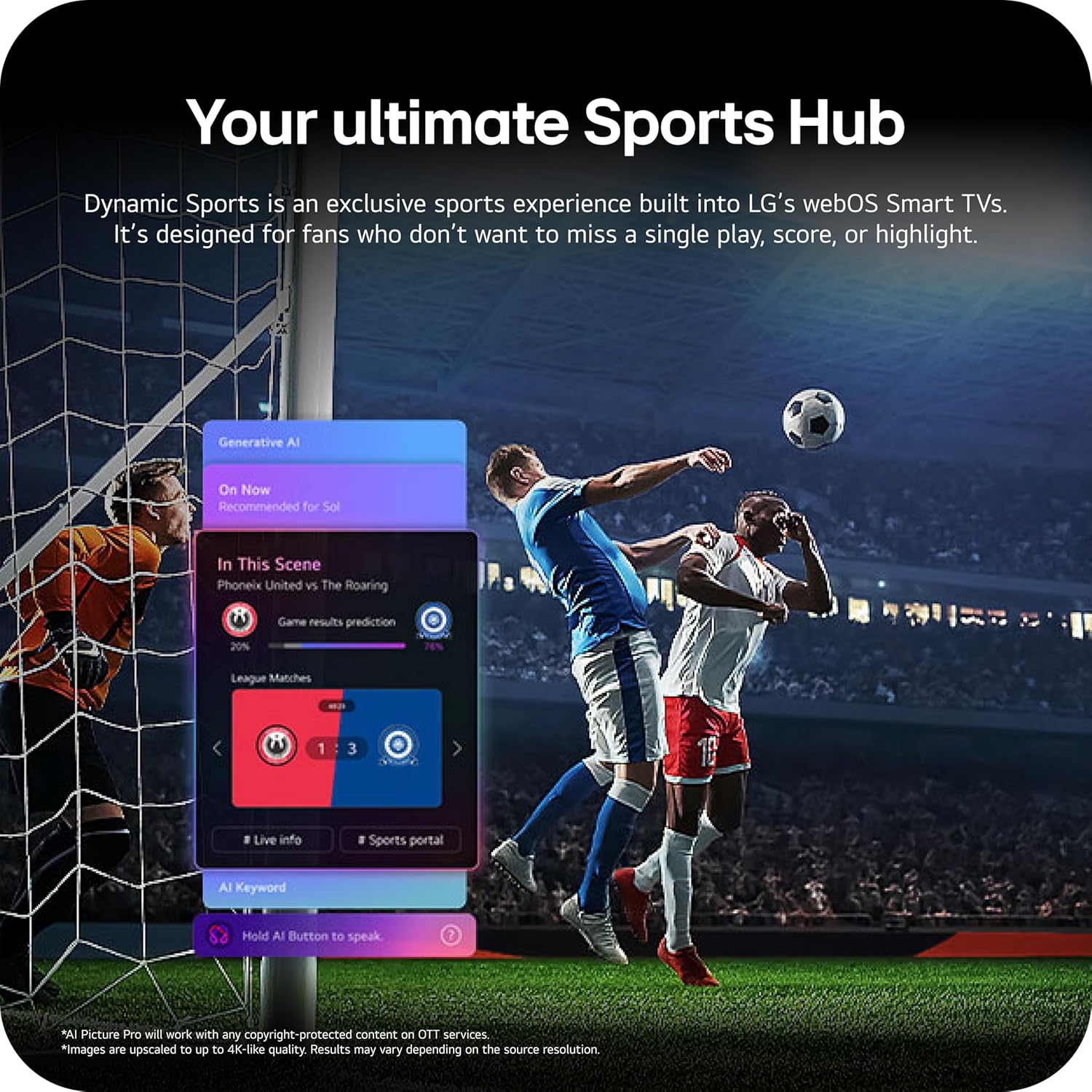
Image: The LG 65-inch OLED TV showing its dimensions with and without the stand, and a list of included accessories such as the Magic Remote, batteries, power cable, stand, and quick start guide.
Камтылган компоненттер:
- LG 65-Inch Class OLED evo AI 4K C6 Series Smart TV
- Сыйкырдуу Алыстан
- Алыстан башкаруунун батареялары (2 AAA)
- Электр кабели
- Тур
- Колдонуучунун Колдонмосу (бул документ)
1.2 Физикалык орнотуу
The LG OLED65C6PUA can be installed using the included stand or mounted on a wall. Refer to the separate Installation Manual (PDF) for detailed wall mounting instructions.
Стенд орнотуу:
- Телевизордун экранын ылдый каратып жумшак, тегиз жерге коюңуз.
- Attach the stand to the designated area on the bottom of the TV using the provided screws. Ensure it is securely fastened.
- Телевизорду этияттык менен көтөрүп, туруктуу, тегиз жерге коюңуз.
Өлчөмдөрү:
- TV Dimensions with Stand (WxHxD): 56.7" x 34.6" x 9.1"
- TV Dimensions without Stand (WxHxD): 56.7" x 32.5" x 1.8"
- Stand Footprint: 18.5"
1.3 Байланыш
Connect your external devices to the appropriate ports on the rear and side of the television.

Image: The back panel of the LG OLED TV, displaying multiple HDMI ports, USB ports, Ethernet port, and antenna input for connecting various devices.
- HDMI порттору (4): Blu-ray ойноткучтарын, оюн консолдорун, саундбарларды жана башка HDMI иштетилген түзмөктөрдү туташтырыңыз.
- USB порттору (2): Медиа ойнотуу же программалык камсыздоону жаңыртуу үчүн USB сактагыч түзмөктөрдү туташтырыңыз.
- Ethernet (LAN) порту: Зымдуу интернет байланышы үчүн.
- Антенна/кабель киргизүү: Антеннаны же кабелдик ТВ сигналын туташтырыңыз.
- Optical Digital Audio Out (S/PDIF): Тышкы аудио системаларына туташуу үчүн.
1.4 Баштапкы күйгүзүү жана тармакты орнотуу
- Электр кабелин сыналгыга, андан кийин розеткага сайыңыз.
- Пульттун же сыналгыдагы кубат баскычын басыңыз.
- Баштапкы орнотууну аяктоо үчүн экрандагы көрсөтмөлөрдү, анын ичинде тилди тандоону, убакыт алкагын жана тармактык туташууну (Wi-Fi же Ethernet) аткарыңыз.
- An LG account may be required to access network-based smart services.
2. Иштөө нускамалары
2.1 Magic Remote Control
The Magic Remote allows for intuitive control of your TV with point, click, scroll, and voice commands.

Image: The LG Magic Remote, featuring a central scroll wheel, directional buttons, and dedicated buttons for various functions and streaming services.
- Кубат баскычы: Телевизорду күйгүзөт же өчүрөт.
- Сан баскычтары: Түздөн-түз каналга кирүү.
- Үнүн жогорулатуу/төмөндөтүү: Үн көлөмүн тууралайт.
- Канал өйдө/төмөн: Каналдарды өзгөртөт.
- Үй баскычы: кире алат webOS Smart TV башкы экраны.
- Pointer/Scroll Wheel: Менюларды багыттоо жана пункттарды тандоо.
- Үн буйругу баскычы: Activates intelligent voice recognition.
2.2 webOS Smart TV Platform (AI Hub)
The webOS 2026 platform provides access to streaming services, apps, and AI-powered features.

Сүрөт: LG компаниясынын визуалдык чагылдырылышы webOS Smart TV interface, highlighting AI features like Multi AI Search, AI Concierge, AI Voice ID, AI Picture Wizard, AI Chatbot, and AI Sound Wizard, all accessible via the remote's AI button.
- AI Hub: Press the AI button on your remote to access personalized recommendations and AI features.
- Агым кызматтары: Access popular apps like Netflix, Disney+, Prime Video, Apple TV, and YouTube.
- LG каналдары: Enjoy over 400 free channels and 10,000+ movies & shows on-demand.
- Multi AI Search: Powered by Google Gemini & Microsoft Copilot for broader, more relevant search results.
2.3 Сүрөт жана үн орнотуулары
Сиздин оптималдаштыруу viewing and listening experience with advanced picture and sound technologies.

Image: A split screen on an LG OLED TV illustrating the difference between an anti-glare matte display and a Perfect Black & Perfect Color display, emphasizing the deep blacks and vibrant colors achieved by OLED technology.
- Жарыктыкты күчөткүч: Enhances visuals for brighter, more vivid detail, powered by the α11 AI Processor Gen 3.
- Кемчиликсиз кара жана идеалдуу түс: Over 8.3 million self-lit pixels deliver infinite contrast and accurate colors.
- Dolby Vision, HDR10, HLG: Supports multiple HDR formats for enhanced contrast and color.
- Режиссёр режими: Кыймылды тегиздөө жана башка кийинки иштетүүнү өчүрүү менен режиссёрдун баштапкы көрүнүшүн сактайт.
- Dolby Atmos: Имерсивдүү, көп өлчөмдүү үн менен камсыз кылат.
- AI Picture & AI Sound: AI-assisted deep learning analyzes content to optimize picture and sound settings.
2.4 Оюн функциялары
Experience responsive and fluid gameplay with dedicated gaming enhancements.

Image: A dynamic image of a race car on a track, overlaid with logos for 165Hz refresh rate, NVIDIA G-Sync, and AMD FreeSync Premium, indicating the TV's advanced gaming capabilities.
- 165Hz жаңыртуу ылдамдыгы: Provides ultra-smooth motion for gaming (up to 165Hz for PC gaming).
- 0.1ms жооп берүү убактысы: Minimizes input lag for quick reactions.
- NVIDIA G-Sync жана AMD FreeSync Premium: Reduces screen tearing and stuttering for compatible graphics cards.
- Төрт HDMI 2.1 киргизүүлөрү: Supports high bandwidth features required for next-gen gaming.
2.5 Dynamic Sports Hub
Access an exclusive sports experience built into LG's webOS Smart TVs.

Image: A soccer match displayed on an LG webOS Smart TV, with an overlay showing the 'Dynamic Sports Hub' interface, offering game results predictions, live info, and a sports portal.
The Dynamic Sports Hub is designed for fans to track scores, highlights, and relevant information without missing live action.
3. Техникалык тейлөө
3.1 OLED кам көрүү
The OLED Care feature helps protect your OLED display and maintain picture quality over time.

Image: A simple graphic displaying the 'OLED Care' logo with the LG brand, indicating a feature designed for display maintenance.
Access OLED Care settings through the TV menu to manage features like Pixel Cleaning and Screen Shift, which help prevent image retention.
3.2 Телевизорду тазалоо
- Тазалоодон мурун дайыма сыналгыдан ажыратыңыз.
- Use a soft, dry microfiber cloth to gently wipe the screen and cabinet.
- өжөр белгилери үчүн, жеңил гampen the cloth with water or a specialized screen cleaner (ensure it is safe for OLED displays). Do not spray liquid directly onto the screen.
- Абразивдүү тазалагычтарды, момдорду же эриткичтерди колдонуудан алыс болуңуз.
4. Кыйынчылыктарды
Бул бөлүмдө сиз кабылышы мүмкүн болгон жалпы маселелерди чечүү жолдору каралган.
4.1 Кубат жок / Телевизор күйбөйт
- Кубат кабелинин телевизорго да, иштеп жаткан дубал розеткасына да бекем сайылганын текшериңиз.
- Check if the wall outlet is receiving power by plugging in another device.
- Жөн гана пульттун эмес, сыналгыдагы кубат баскычын басып көрүңүз.
4.2 Сүрөт жок же бурмаланган сүрөт
- Туура киргизүү булагы тандалганын текшериңиз (мисалы, HDMI 1, HDMI 2).
- Check all cable connections between the TV and external devices (HDMI, antenna, etc.). Ensure they are firmly seated.
- Эгер антеннаны колдонсоңуз, анын туташуусун жана абалын текшериңиз.
- Туташкан түзмөктү кайра күйгүзүңүз (мисалы, кабелдик куту, оюн консолу).
4.3 Алыстан башкаруу иштебейт
- Replace the batteries in the Magic Remote (requires 2 AAA batteries).
- Пульт менен сыналгынын ортосунда эч кандай тоскоолдук жок экенин текшериңиз.
- Re-pair the Magic Remote if it has become disconnected. Point the remote at the TV and press the Wheel (OK) button.
4.4 No Sound or Low Sound
- Сыналгынын үнүн текшерип, анын үнү өчүп калганын текшериңиз.
- Тышкы аудио шаймандарды (саундбар, ресивер) колдонсоңуз, алардын күйгүзүлгөнүн жана туура туташтырылганын текшериңиз.
- Check the audio output settings in the TV menu to ensure the correct output is selected (e.g., TV Speaker, Optical Out).
4.5 Тармакка туташуу маселелери
- For Wi-Fi, ensure the router is on and within range. Try restarting the router.
- Зымдуу туташуу үчүн Ethernet кабели сыналгыга да, роутерге да бекем туташып турганын текшериңиз.
- Check network settings in the TV menu to ensure correct configuration.
5. Техникалык шарттар
| Өзгөчөлүк | Спецификация |
|---|---|
| Модель аты | LGOLED65C6PUA |
| Модель номери | OLED65C6PUA |
| Screen Size | 65 дюйм |
| Дисплей технологиясы | OLED |
| Резолюция | 4K (3840 x 2160) |
| Жаңыртуу ылдамдыгы | 120 Hz (Native), up to 165Hz for PC gaming |
| Процессор | α11 AI Processor 4K Gen3 (Dual AI Engine) |
| HDR форматы колдоого алынат | Dolby Vision, HDR10, HLG |
| Жооп убактысы | 0.1 миллисекунд |
| Операция системасы | webOS 2026 |
| Байланыш технологиясы | Bluetooth (v5.3), Ethernet, HDMI, USB, Wi-Fi |
| Жалпы HDMI порттору | 4 2.1 (HDMI XNUMX) |
| Жалпы USB порттору | 2 2.0 (USB XNUMX) |
| Аудио чыгаруу | Оптикалык (S/PDIF) |
| Speaker Description | Dolby Atmos (2.2 Channel) |
| Өзгөчөлүктөр | AMD FreeSync, Built-In Speaker, Chromecast, Intelligent Voice Recognition, NVIDIA G-Sync |
| Электр камсыздоо | 120 вольт |
| Элементтин Салмагы (стендсиз) | 36.6 фунт |
| Буюмдун өлчөмдөрү (стенд менен) | 9.1"D x 56.7"W x 34.6"H |
| VESA тоо стандарты | 300 x 200 мм |
6. Кепилдик жана колдоо
6.1 Продукциянын кепилдиги
This LG OLED TV (Model OLED65C6PUA) comes with a 1 жылдык тетиктер жана эмгек чектелген кепилдик сатып алынган күндөн тартып. Кепилдик дооматтары үчүн сатып алганыңыздын далилин сактап коюңуз.
6.2 Кошумча коргоо пландары
Кеңейтилген коргоо пландарын өзүнчө сатып алууга болот:
- 4 жылдык коргоо планы: 48 айга камтууну камсыз кылат.
- Толук коргоо: Ай сайын жазылуу планы, мурунку жана келечектеги сатып алууларды камтыйт.
For details on coverage and terms, please refer to the respective plan documentation or contact the provider.
6.3 Кардарларды колдоо
For technical assistance, troubleshooting beyond this manual, or warranty service, please contact LG Customer Support. You can find contact information on the official LG website or in the Quick Start Guide included with your TV.
Сиз ошондой эле расмий кайрылууга болот Колдонуучунун колдонмосу (PDF) жана Орнотуу боюнча колдонмо (PDF) кененирээк маалымат алуу үчүн.