
NIIMBOT D11H
NIIMBOT D11H Label Maker Instruction Manual
Модель: D11H
Introduction
Thank you for choosing the NIIMBOT D11H Label Maker. This portable thermal label printer is designed for efficient and clear label printing for various organizational needs in home, office, and small business environments. This manual provides detailed instructions for setup, operation, and maintenance to ensure optimal performance of your device.

Image: A user operating the NIIMBOT D11H label maker with a smartphone, demonstrating its compact size and app-based functionality. The image highlights the device's portability and ease of use for creating various labels.
Кутуда эмне бар
Сураныч, кутудан чыкканда пакеттин мазмунун текшериңиз:
- NIIMBOT D11H Label Maker
- 3 Rolls of Label Tapes (14x30mm clear, 14x40mm white, 12x40mm green)
- Extra 6 Rolls of Mixed Label Paper (White 0.47" x 1.57", Clear 0.47" x 4.29", 0.55" x 1.18")
- USB заряддоо кабели (Type-C)
- Колдонуучунун Колдонмосу (бул документ)

Image: A collection of NIIMBOT label rolls in different sizes and colors, illustrating the variety of labels included with the D11H label maker.
Продукт бүттүview
The NIIMBOT D11H is a compact, portable thermal label printer. It features a 300 DPI print resolution for clear text and graphics, a 1500mAh battery, and a Type-C USB port for charging. It connects via Bluetooth to your mobile device for label design and printing.

Image: A visual comparison between the NIIMBOT D11 and D11H models, highlighting the D11H's improved specifications such as 1500mAh battery, 300dpi resolution, Type-C USB, and 50mm/s printing speed.
Жайгашуу
1. Аппаратты заряддоо
Before first use, fully charge the label maker. Connect the provided USB Type-C cable to the charging port on the device and to a standard USB power adapter (not included).
- Заряддоо индикатору заряддоо абалын көрсөтөт.
- Толук кубаттоо адатта болжол менен 2-3 саатты талап кылат.
2. Installing Label Rolls
- Open the label compartment cover by sliding it open or pressing the release button (refer to device diagram if available).
- Insert the label roll with the printing surface facing upwards, ensuring the labels feed smoothly into the printer mechanism.
- Бөлүмдүн капкагын чыкылдагыча бекем жабыңыз.
- Ensure a small portion of the label tape extends out of the printer's output slot.
3. Колдонмону жүктөп алуу жана Bluetooth туташуу
- Колдонмону жүктөп алыңыз: Издөө "NIIMBOT" or "NIIM" in your mobile app store (iOS App Store or Google Play Store) and download the official application.
- Turn On the Label Maker: Индикатор жарыгы күйгүчө кубат баскычын басып, кармап туруңуз.
- Bluetooth иштетүү: Мобилдик түзмөгүңүздө Bluetooth иштетилгенин текшериңиз.
- Колдонмо аркылуу туташуу: Open the NIIMBOT app. The app will automatically search for nearby NIIMBOT devices. Select your D11H from the list to pair. Note: Do not pair directly through your phone's Bluetooth settings; connect only via the NIIMBOT app.
- Once connected, the app will display the device status.
Иштөө нускамалары
1. Күйгүзүү/өчүрүү
- Күйгүзүү: Press and hold the power button for approximately 2 seconds. The indicator light will illuminate.
- Өчүрүү: Индикатор жарыгы өчкөнгө чейин кубат баскычын болжол менен 2 секунд басып туруңуз.
2. Белгилерди түзүү жана түзөтүү
Use the NIIMBOT app to design your labels:
- Open the NIIMBOT app and ensure your D11H is connected.
- Select a template or create a new label from scratch.
- The app offers various features including text, symbols, logos, barcodes, QR codes, images, and time stamps.
- Customize font, size, alignment, and other label properties.
- The D11H supports automatic calibration, meaning the first label will not be wasted during printing.

Image: An illustration showing the NIIMBOT D11H's self-calibration feature, which automatically rewinds the first label to prevent waste, ensuring efficient use of label paper.
3. Этикеткаларды басып чыгаруу
- After designing your label in the app, tap the "Print" button.
- Confirm the number of copies and other print settings.
- The label maker will print the labels. The D11H prints at a speed of 50mm/s.
- Тиштүү чети боюнча басылган этикетканы айрып салыңыз.
Note: This label maker produces monochrome printouts, meaning it only prints in black text.

Сүрөт: жакын план view of the NIIMBOT D11H printing a label, emphasizing its 300 dpi high-resolution thermal printing capability for clear and sharp text.
Техникалык тейлөө
1. Басып чыгаруу башын тазалоо
- Тазалоодон мурун аппараттын өчүрүлгөнүн текшериңиз.
- Энбелгилер бөлүмүн ачыңыз.
- Басып чыгаруучу башты кебез таякча менен акырын сүртүңүзampизопропил спирти менен жасалган.
- Капкагын жаап, түзмөктү күйгүзүүдөн мурун, басып чыгаруучу баштын толугу менен кургашына мүмкүнчүлүк бериңиз.
2. Сактоо
- Этикетка жасоочу каражатты салкын, кургак жерде, күндүн түз нурунан жана өтө жогорку температурадан алыс сактаңыз.
- Remove label rolls if the device will not be used for an extended period.
Проблемаларды чечүү
| Көйгөй | Мүмкүн себеп | Чечим |
|---|---|---|
| Түзмөк күйбөйт | Батареянын аздыгы; Аппараттын бузулушу | Түзмөктү кубаттаңыз; Көйгөй чечилбесе, кардарларды колдоо кызматына кайрылыңыз. |
| Bluetooth аркылуу туташуу мүмкүн эмес | Bluetooth иштетилген эмес; Туура эмес жупташтыруу ыкмасы; Колдонмодо көйгөй бар | Ensure Bluetooth is on; Connect via NIIMBOT app only; Restart app and device. |
| Басып чыгаруу сапаты начар | Басып чыгаруу башы кир; Этикетканын туура эмес багыты; Батареянын кубаты аз | Clean the print head; Reinstall label roll correctly; Charge the device. |
| Labels not feeding | Label roll incorrectly installed; Empty roll; Jammed mechanism | Reinstall label roll; Replace with new roll; Check for obstructions. |
| First label wasted | Automatic calibration not functioning | Ensure the app and firmware are updated. The D11H model is designed to prevent this. |
Техникалык шарттар
- Модел: NIIMBOT D11H
- Басып чыгаруу чечими: 300 DPI
- Басып чыгаруу технологиясы: Термикалык басып чыгаруу
- Байланыш: Bluetooth
- Батарея сыйымдуулугу: 1500mAh
- Заряддоо порту: USB Type-C
- Басып чыгаруу ылдамдыгы: 50мм/сек
- Колдоого алынган OS: iOS, Android (via NIIMBOT App)
- Басма Түсү: Монохром (кара текст гана)
- Автоматтык калибрлөө: Supported (no first label waste)
Тиркемелер
The NIIMBOT D11H label maker is suitable for a wide range of labeling tasks:
- Үйдү уюштуруу: Labeling kitchen containers, storage boxes, pantry items.
- Office колдонуу: Уюштуруу files, folders, stationery, cables.
- Чакан бизнес: Product labeling, price tags, inventory management, jewelry labels.
- Жеке колдонуу: Labeling cosmetics, medicine, gifts, school supplies.

Image: Demonstrates various uses of the NIIMBOT D11H labels, including organizing kitchen items, setting reminders for medication, and labeling office supplies.
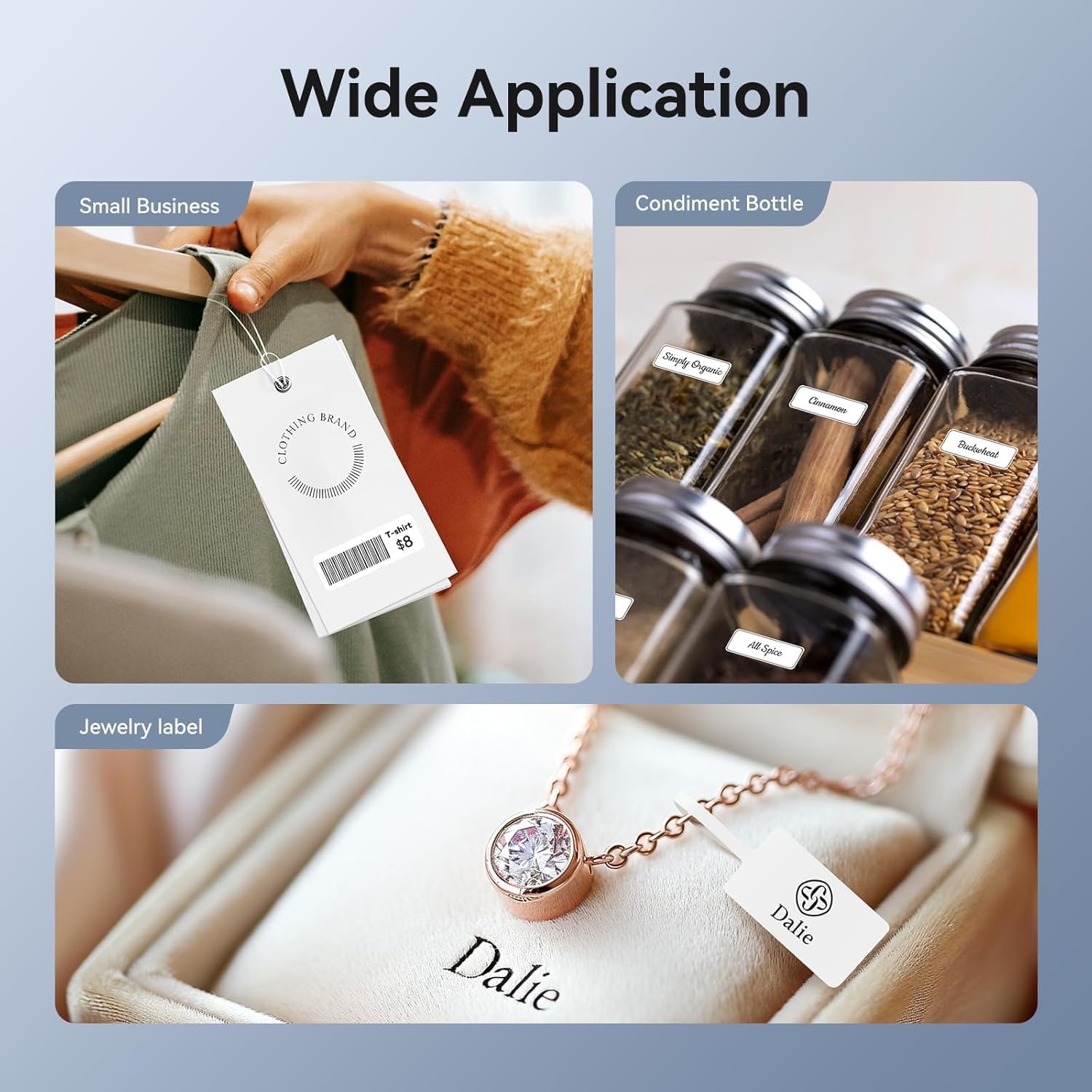
Image: Shows the versatility of the NIIMBOT D11H for small business applications, such as creating price tags for clothing, labeling condiment bottles, and making elegant jewelry labels.

Сүрөт: Коллаж көрсөтүүasing diverse labeling applications for the NIIMBOT D11H, covering kitchen organization, office filing, cosmetic storage, gift personalization, stationery identification, and medicine management.
Кепилдик жана колдоо
NIIMBOT products typically come with a standard manufacturer's warranty. Please refer to the warranty card included in your package or visit the official NIIMBOT webатайын кепилдик шарттары жана шарттары үчүн сайт.
For technical support, troubleshooting assistance, or warranty claims, please contact NIIMBOT customer service through their official website or the contact information provided in your product packaging. When contacting support, please have your product model (D11H) and purchase details ready.
Ask a question about this manual
Ask about setup, troubleshooting, compatibility, parts, safety, or missing instructions. Manuals+ will review the question and use this page’s manual context to help answer it.