
1. Киришүү
The Monster Mission 350 is a versatile wireless gaming headset designed for an immersive audio experience across various platforms. It features dual connectivity options (2.4GHz wireless and Bluetooth 6.0), a detachable microphone, and comfortable over-ear design. This manual provides instructions for setup, operation, maintenance, and troubleshooting to ensure optimal use of your headset.
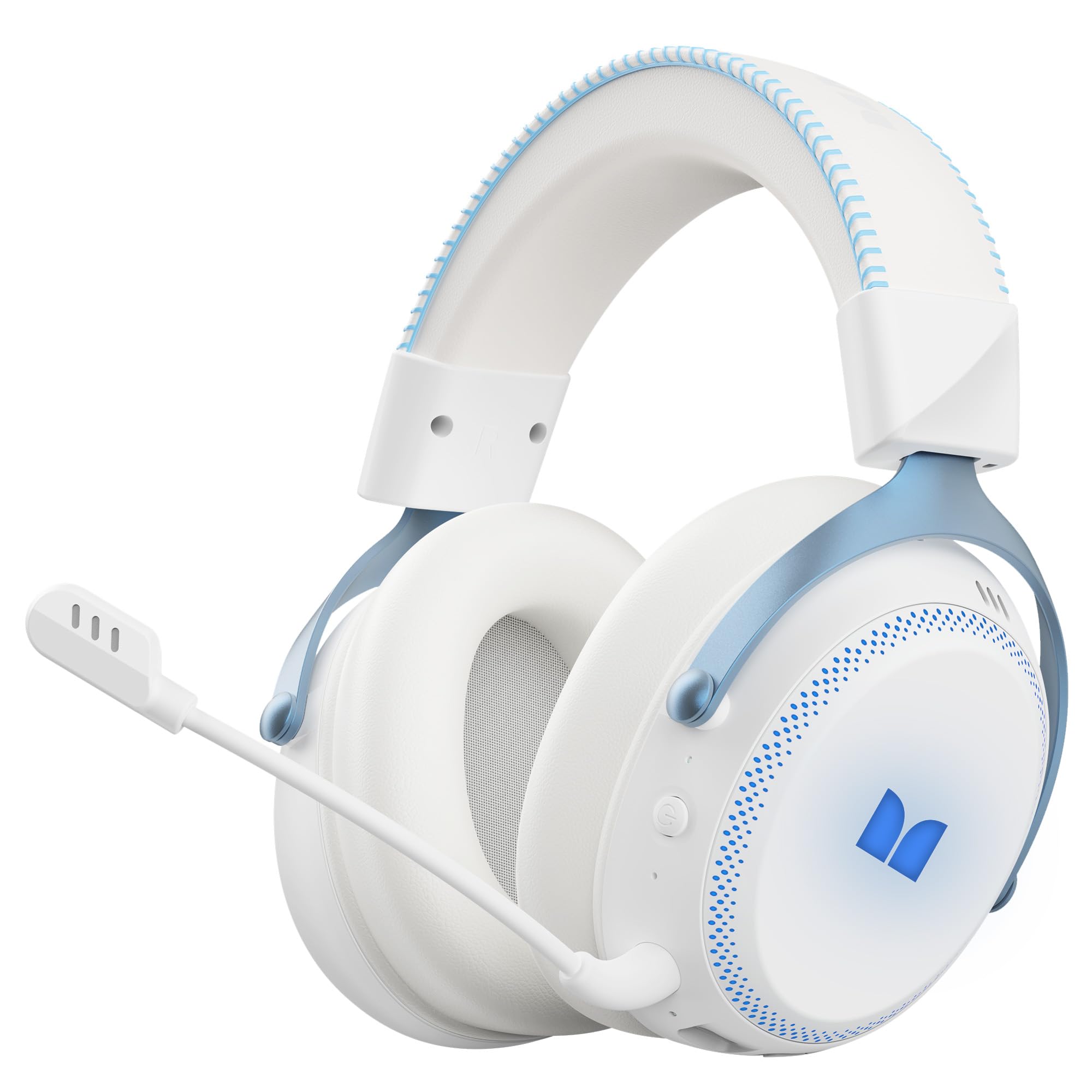
1.1-сүрөт: The Monster Mission 350 headset providing 7.1 surround sound, allowing users to pinpoint audio cues like gunshots, explosions, vehicle sounds, and enemy footsteps for an immersive gaming experience.
2. Пакеттин мазмуну
Сураныч, пакетте төмөнкү нерселерди текшериңиз:
- Monster Mission 350 Wireless Gaming Headset x1
- 2.4GHz USB Wireless Dongle x1
- Detachable Microphone x1
- USB кубаттоо кабели x1
- 3.5 мм аудио кабель x1
- Колдонуучунун колдонмосу x1
3. Продукт бүтүп калдыview
Familiarize yourself with the components and controls of your Monster Mission 350 headset.
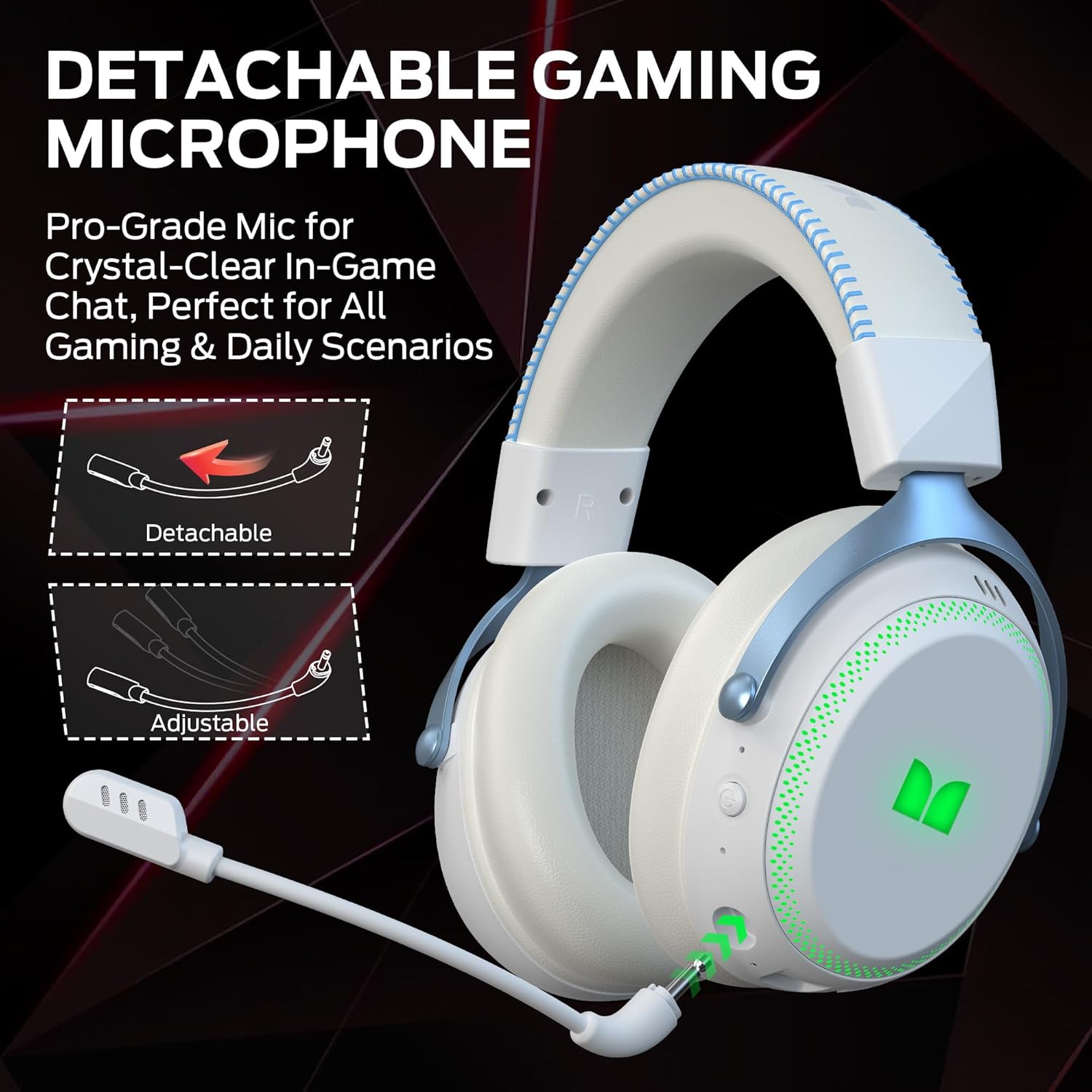
3.1-сүрөт: The headset features a detachable and adjustable gaming microphone, designed for clear in-game communication and versatile use in various scenarios.

3.2-сүрөт: The headset includes customizable RGB lighting effects on the earcups, allowing users to personalize their gaming setup and enhance the aesthetic appeal.
Headset Controls (Refer to diagram in physical manual for exact placement)
- Кубат баскычы: Күйгүзүү/өчүрүү үчүн басып туруңуз.
- Көлөм дөңгөлөгү: Аудио чыгаруу деңгээлин тууралайт.
- Микрофондун үнүн басуу баскычы: Микрофонду күйгүзөт/өчүрөт.
- RGB Lighting Button: Cycles through lighting modes or turns RGB off.
- 3.5 мм аудио уячасы: Зымдуу туташуу үчүн.
- USB-C заряддоо порту: Гарнитураны заряддоо үчүн.
4. Орнотуу
4.1. Гарнитураны заряддоо
Before first use, fully charge the headset. Connect the USB charging cable to the headset's USB-C port and the other end to a USB power source (e.g., computer, wall adapter). The charging indicator light will show charging status and turn off or change color when fully charged. A full charge takes approximately 2 hours.
4.2. 2.4 ГГц зымсыз байланыш аркылуу туташуу
This method provides a low-latency connection ideal for gaming.
- Insert the 2.4GHz USB wireless dongle into an available USB port on your gaming console, desktop, or laptop.
- Power on the Monster Mission 350 headset.
- The headset should automatically connect to the dongle. A status indicator light on the headset will confirm the connection.
- Adjust audio settings on your device to ensure the headset is selected as the input and output device.
4.3. Bluetooth аркылуу туташуу
Use Bluetooth for connecting to mobile devices, tablets, or other Bluetooth-enabled devices.
- Power on the Monster Mission 350 headset.
- Press and hold the Bluetooth pairing button (refer to physical manual for location) until the indicator light flashes, indicating pairing mode.
- On your device, go to Bluetooth settings and search for "Monster Mission 350".
- Select the headset to pair. The indicator light on the headset will become solid when connected.
4.4. Connecting via 3.5mm Audio Cable
For wired connections to devices with a 3.5mm audio jack, or when the battery is depleted.
- 3.5 мм аудио кабелдин бир учун гарнитуранын 3.5 мм аудио уячасына туташтырыңыз.
- Экинчи учун түзмөгүңүздөгү 3.5 мм аудио чыгарууга туташтырыңыз.
- The headset will operate in passive mode, and power is not required for audio playback.

4.1-сүрөт: The Monster Mission 350 supports dual audio connections, featuring Bluetooth 6.0 for mobile devices and a dedicated 2.4GHz wireless dongle for low-latency gaming on compatible platforms.
5. Иштөө нускамалары
5.1. Күйгүзүү/өчүрүү
Press and hold the Power button for approximately 3 seconds to turn the headset on or off. An audible prompt or indicator light will confirm the status.
5.2. Үндү башкаруу
Rotate the Volume wheel located on the earcup to increase or decrease the audio volume.
5.3. Микрофонду колдонуу
Attach the detachable microphone to the designated port on the headset. Press the Microphone Mute button to toggle the microphone on or off. The microphone can be adjusted for optimal positioning.
5.4. RGB жарыкты башкаруу
Press the RGB Lighting button to cycle through different lighting effects or to turn the RGB lighting off. This feature allows for customization of the headset's appearance.
5.5. Battery Life and Indicators
The headset provides approximately 70 hours of battery life for general use, or 45 hours with RGB lights continuously on. A low battery indicator will alert you when charging is required.

5.1-сүрөт: The Monster Mission 350 headset offers extended battery performance, with a 2-hour charge providing up to 90 hours of gaming, 45 hours with RGB lights active, or 70 hours for calls.
6. Техникалык тейлөө жана кам көрүү
Тийиштүү кам көрүү гарнитураңыздын узак мөөнөттүү иштешин жана иштешин камсыз кылат.
- Тазалоо: Use a soft, dry cloth to clean the headset. For earcups, gently wipe with a slightly damp cloth if necessary, and allow to air dry completely before use. Avoid harsh chemicals or abrasive materials.
- Сактагыч: Гарнитураны күн нурунан жана экстремалдык температурадан алыс салкын, кургак жерде сактаңыз.
- Суу каршылык: Гарнитура жок суу өткөрбөйт. Суюктуктарга тийгизбеңиз.
- Батареяга кам көрүү: Батареянын иштөө мөөнөтүн сактоо үчүн, батареянын тез-тез толук зарядын жоготуп алуудан алыс болуңуз. Гарнитураны көпкө чейин колдонулбаса дагы, аны үзгүлтүксүз кубаттап туруңуз.

6.1-сүрөт: The Monster Mission 350 headset is designed for all-day comfort, featuring comfortable memory foam earcups, an adjustable headband, and soft, breathable earpads to reduce fatigue during extended use.
7. Кыйынчылыктарды
If you encounter issues with your Monster Mission 350 headset, refer to the following common problems and solutions:
| Көйгөй | Мүмкүн чечим |
|---|---|
| Гарнитура күйбөйт. | Ensure the headset is fully charged. Press and hold the Power button for 3-5 seconds. |
| Үн жок же үнү төмөн. | Check headset volume wheel. Verify device's audio output settings. Ensure headset is properly connected (2.4GHz dongle, Bluetooth, or 3.5mm cable). |
| Микрофон иштебей жатат. | Ensure microphone is securely attached and not muted. Check device's input settings to confirm the headset microphone is selected. |
| 2.4 ГГц зымсыз байланыш аркылуу туташуу мүмкүн эмес. | Ensure the USB dongle is fully inserted. Try a different USB port. Power cycle both the headset and the device. |
| Bluetooth аркылуу жупташтыруу мүмкүн эмес. | Ensure headset is in pairing mode. Turn off and on Bluetooth on your device. Forget the device from your Bluetooth list and try pairing again. |
| RGB чырактары иштебей жатат. | Press the RGB Lighting button to cycle through modes. Ensure the headset has sufficient battery charge. |
8. Техникалык шарттар
Detailed technical specifications for the Monster Mission 350 Wireless Gaming Headset:
| Өзгөчөлүк | Деталь |
|---|---|
| Модель номери | Монстр Миссия 350 |
| Байланыш технологиясы | 2.4GHz Wireless, Bluetooth 6.0, 3.5mm Jack |
| Зымсыз диапазон | Up to 33 Feet (Bluetooth) |
| Аудио драйверинин өлчөмү | 55 мм динамикалык драйвер |
| Импеданс | 32 Ом |
| Сезимталдуулук | 120 дБ |
| Кулак жайгаштыруу | Кулак үстүндө |
| Коргоочу материал | Булгаары (кулак жапкычтар) |
| Батареянын иштөө мөөнөтү | Up to 70 Hours (general use), 45 Hours (with RGB lights on) |
| Батареяны заряддоо убактысы | Болжол менен 2 саат |
| Башкаруу түрү | Button Control (Push Button, Siri compatible) |
| Шайкеш түзмөктөр | Gaming Consoles, Desktops, Tablets, Laptops, Cellphones |
| Элемент Салмагы | 0.54 килограмм |
| Сууга туруктуулук деңгээли | Сууга чыдамдуу эмес |

8.1-сүрөт: The Monster Mission 350 headset is equipped with a 55mm dynamic driver, engineered to deliver clear and powerful audio performance for gaming and multimedia.
9. Кепилдик маалыматы
The Monster Mission 350 Wireless Gaming Headset comes with a 3 айлык кепилдик from the date of purchase. This warranty covers manufacturing defects under normal use. It does not cover damage caused by misuse, accidents, unauthorized modifications, or normal wear and tear. Please retain your proof of purchase for warranty claims.
10. Кардарларды колдоо кызматы
For further assistance, technical support, or warranty inquiries, please refer to the contact information provided with your product packaging or visit the official Monster website. When contacting support, please have your product model number (Monster Mission 350) and proof of purchase readily available.