
SIHOO C300-PRO-V2
SIHOO Doro C300 Pro V2 Ergonomic Office Chair User Manual
Model: C300-PRO-V2
Introduction
Welcome to the SIHOO Doro C300 Pro V2 Ergonomic Office Chair user manual. This chair is designed to provide full-body adaptive support, featuring 8D armrests and breathable mesh for comfort during long hours of use. It offers a 135° recline capability and is engineered for optimal ergonomic support.
The Doro C300 Pro V2 incorporates a DynaCore Full-Body Support system that adapts to your movements, ensuring continuous support. Its SynchroFlex Backrest and Self-Adaptive Lumbar Support 2.0 are designed to conform to your spine's natural curve, reducing pressure and fatigue. The chair also features a 3D Superwide Headrest and 8D Bionic Armrests for comprehensive upper body support.

Image: The SIHOO Doro C300 Pro V2 Ergonomic Office Chair in black, positioned in an office environment next to a desk and computer monitor.
Орнотуу жана чогултуу
Assembly of the SIHOO Doro C300 Pro V2 chair requires following the provided step-by-step instructions. All necessary tools are included. Ensure all parts are securely attached with screws and tightened appropriately.
- Бардык компоненттерди таңгактан чыгарып, бөлүктөрдүн тизмесине каршы текшериңиз.
- Дөңгөлөктөрдү отургучтун негизине бекитиңиз.
- Газ көтөргүч цилиндрди отургучтун негизинин ортосуна салыңыз.
- Assemble the seat mechanism to the seat cushion.
- Аркалык таянычты отургучтун топтомуна бекитиңиз.
- Колтук таянычтарын отургучка жана арткы таянычка бекитиңиз.
- Баш тирөөчтү жөлөнгүчтүн үстүнкү бөлүгүнө орнотуңуз.
- Place the assembled chair onto the gas lift cylinder.
- Perform a final check to ensure all screws are tightened and the chair is stable.
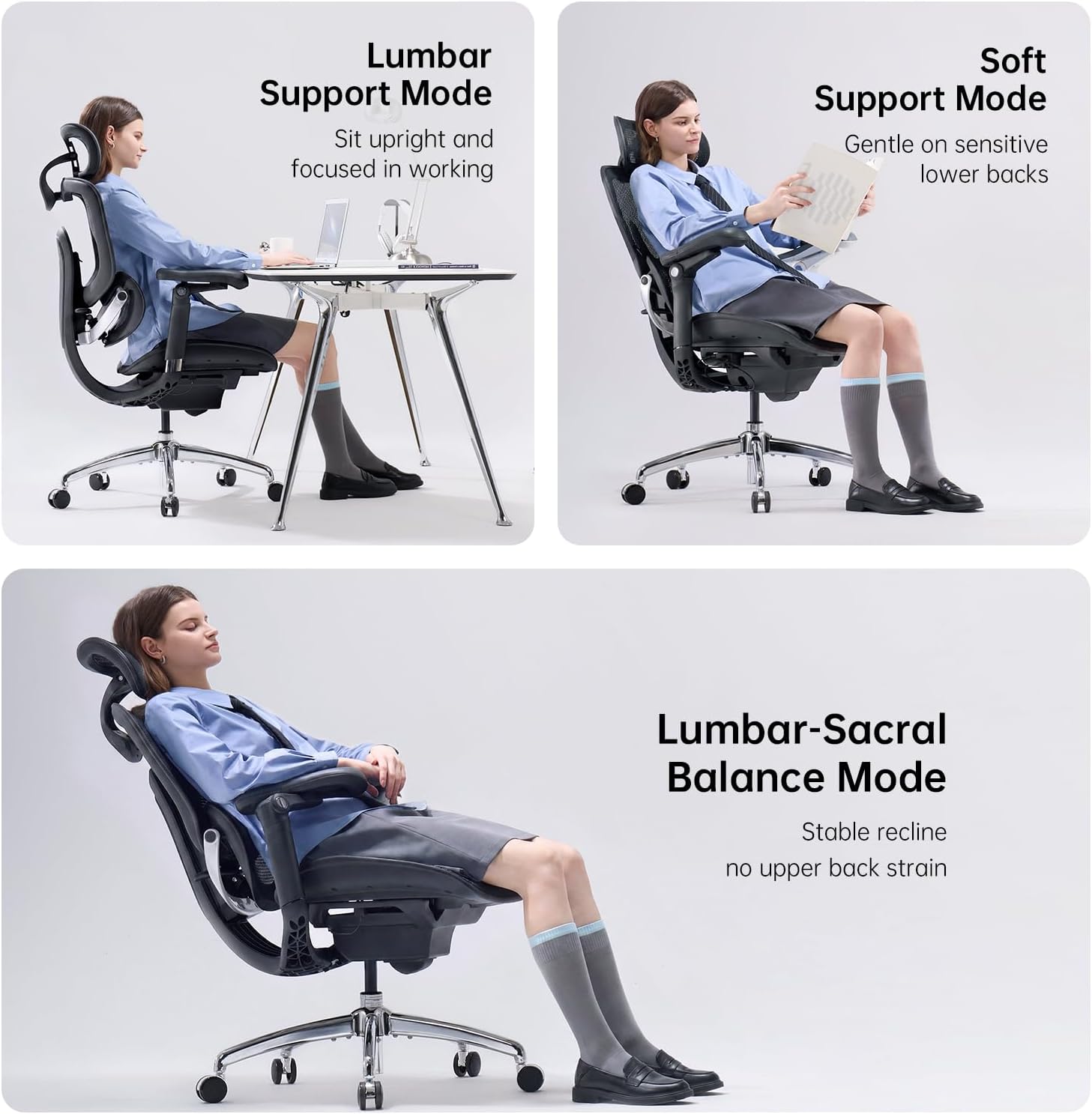
Image: Detailed dimensional diagram of the SIHOO Doro C300 Pro V2 ergonomic office chair, including height, width, and depth measurements, along with recommended user height and weight ranges.
Иштөө жана тууралоо
The SIHOO Doro C300 Pro V2 offers multiple adjustment options to customize your seating experience for optimal comfort and support.
1. Орундуктун бийиктигин жөндөө
To adjust the seat height, locate the lever on the right side beneath the seat. Pull the lever upwards while seated to lower the seat, or stand up and pull the lever to raise the seat. Release the lever at the desired height.

Image: A diagram illustrating the single lever control for adjusting seat height, recline angle, and seat depth on the SIHOO Doro C300 Pro V2 chair.
2. Recline Function and Tension
The chair features a 135° recline with a Smart Adaptive Mechanism 2.0 that automatically adjusts recline resistance based on your weight. To recline, pull the same right-side lever outwards and lean back. The chair can lock at 105°, 125°, or 135° angles. Push the lever inwards to lock the recline position.
Video: This video demonstrates the recline function and how the chair adapts to different postures, highlighting its versatility for work, relaxation, and other activities.

Image: Visual representation of the three recline positions (105°, 120°, 135°) and their recommended uses for focus, creativity, and deep relaxation.
3. Орундуктун тереңдигин тууралоо
To adjust the seat depth, use the same right-side lever. Push the lever forward to slide the seat forward or backward to accommodate your leg length, reducing pressure on your thighs and improving blood flow.
4. Lumbar Support (Self-Adaptive Lumbar Support 2.0)
The chair features a self-adaptive lumbar support system that automatically adjusts to your lower back's curve as you move. No manual adjustment is typically needed for this feature, as it dynamically cradles your spine.
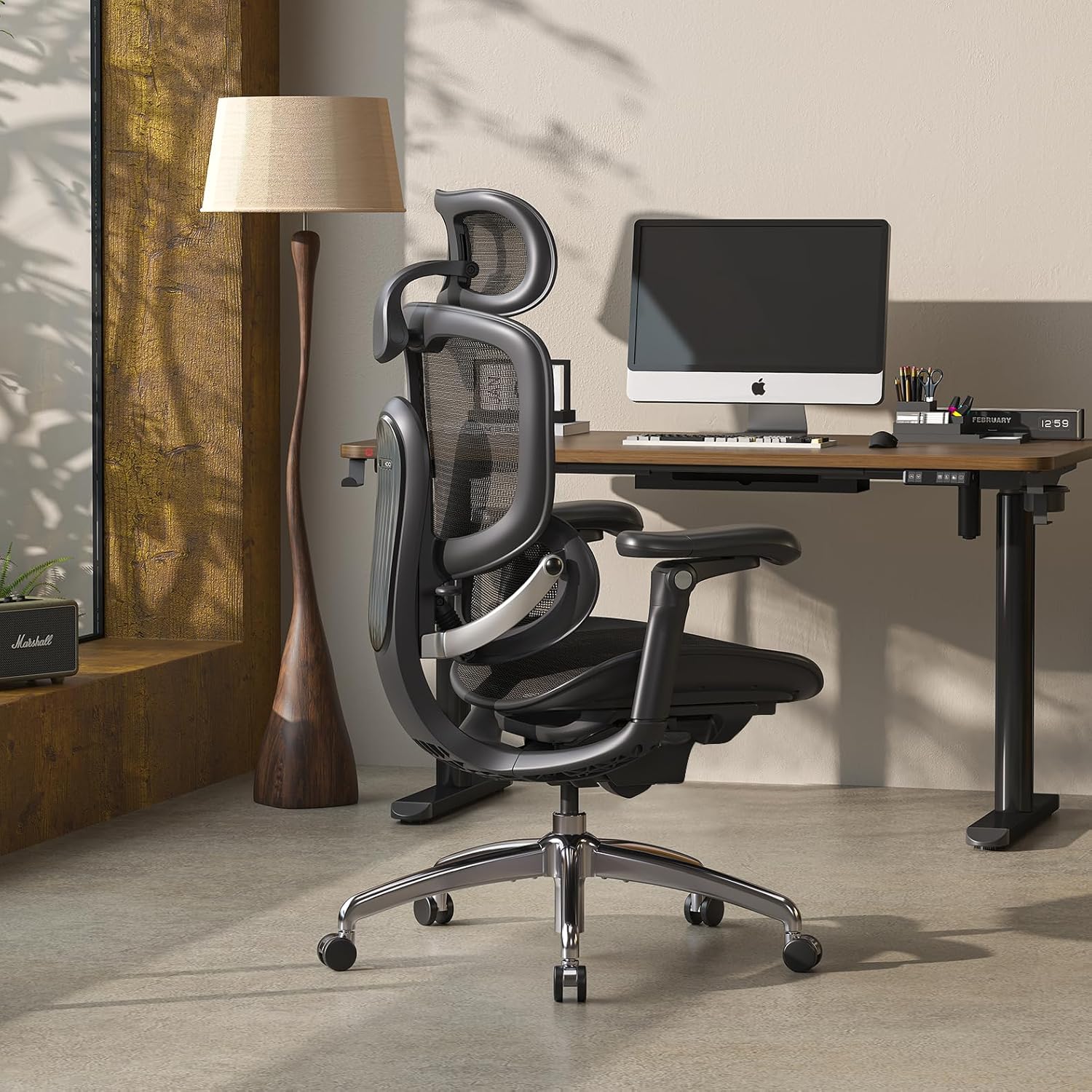
Image: A woman seated in the SIHOO Doro C300 Pro V2 chair, with an overlay highlighting the precise and adaptive lumbar support mechanism conforming to her lower back.
5. Headrest Adjustment (3D Superwide Headrest)
The 3D Superwide Headrest can be adjusted for height and angle. To adjust the height, grasp the headrest and slide it up or down. To adjust the tilt, push it forward until it clicks into the desired position. To reset, push it all the way forward to release the mechanism, allowing it to return to its furthest back position.
6. Armrest Adjustment (8D Bionic Armrests)
The 8D Bionic Armrests offer multi-directional adjustments. They can be raised or lowered by lifting them to the desired height. To reset to the lowest position, lift them to their highest point and release. The armrests also swivel inwards and outwards, and can slide forward/backward to support various postures, including gaming, typing, or relaxing.
Видео: Кыска видео көрсөтүүasing the various adjustments of the SIHOO Doro C300 Pro V2 chair, including armrests, headrest, and recline, demonstrating its customizable nature.

Image: Illustrations detailing the 8D armrest functionality, showing how they can be tilted for gaming, moved closer to the desk, or adjusted for a relaxed recline.
Техникалык тейлөө
To ensure the longevity and optimal performance of your SIHOO Doro C300 Pro V2 ergonomic office chair, follow these simple maintenance guidelines:
- Тазалоо: Жарнама менен тазалаңызamp cloth. Avoid harsh chemicals or abrasive cleaners, as these may damage the mesh fabric or frame.
- Текшерүү: Бардык бурамаларды жана болттордун бекем бекем турганын мезгил-мезгили менен текшерип туруңуз. Туруктуулукту жана коопсуздукту сактоо үчүн зарыл болсо, кайра бекемдеңиз.
- Роликтер: Жылмакай тоголонууну камсыз кылуу үчүн дөңгөлөктөрдү чачтан жана таштандылардан таза кармаңыз.
- Стулду жылдыруу: When moving the chair, lift it by the base rather than pulling on the armrests or backrest to prevent damage to adjustment mechanisms.
Проблемаларды чечүү
This section addresses common issues you might encounter with your SIHOO Doro C300 Pro V2 chair.
| Көйгөй | Мүмкүн себеп | Чечим |
|---|---|---|
| Кресло туруксуз же солкулдап сезет. | Бошогон монтаж бурамалары. | Check and tighten all assembly screws, especially those connecting the seat, backrest, and armrests to the mechanism and base. |
| Armrests move too easily or don't stay in position. | This is a characteristic of the 8D adjustable armrests, designed for fluid movement. | While a locking mechanism is not present, ensure you are not applying excessive force when repositioning. Adjust gently to the desired position. Avoid using armrests to move the chair. |
| Газ көтөргүч бийиктикти жөнгө салбайт. | Gas lift cylinder malfunction or lever not engaged correctly. | Ensure the height adjustment lever is fully engaged. If the issue persists, contact customer support for a replacement gas lift cylinder. |
| Дөңгөлөктөр жылмакай тоголонбойт. | Дөңгөлөктөргө тыгылып калган таштандылар (чач, чаң). | Отургучту оодарып, дөңгөлөктөрдөгү тоскоолдуктарды этияттык менен алып салыңыз. |
Техникалык шарттар
| Өзгөчөлүк | Деталь |
|---|---|
| Бренд | ООБА |
| Модель аты | C300-PRO-V2 (C-V2-Line) |
| Түс | Кара |
| Материал | Mesh (Upholstery: Nylon, Polyester) |
| Frame Material | Полипропилен |
| Продукциянын өлчөмдөрү (D x W x Y) | 28.93"D x 27.6"W x 51.18"H |
| Элемент Салмагы | 25.15 килограмм |
| Максималдуу салмак боюнча сунуш | 330 фунт |
| Орундуктун бийиктиги | 20.87 дюйм |
| Отуруучу тереңдик | 18.5 дюйм |
| Арткы отургучтун ички бийиктиги | 23.62 дюйм |
| Колдун бийиктиги | 28.74 дюйм |
| Стулдун аркасынын туурасы | 21.46 дюйм |
| Жаткан позициялары | 3 (105°, 125°, 135°) |
| Жөнгө салынуучу өзгөчөлүктөр | Headrest, Height, Lumbar, Armrests (8D), Recline, Seat Depth |
| Сунушталган Колдонуулар | Computer, Drafting, Gaming, Office, Reading, Relaxing, Sleeping, Video Game |
| Ассамблея талап кылынат | Ооба |

Image: Two people, one tall and one shorter, seated in the SIHOO Doro C300 Pro V2 chair, illustrating its adaptability to various body types and sizes.
Кепилдик жана колдоо
Кепилдик: The SIHOO Doro C300 Pro V2 ergonomic office chair comes with a 3-year free parts replacement warranty. This covers manufacturing defects and component failures under normal use.
Кардарларды колдоо: SIHOO provides lifetime customer support. For any inquiries, assistance with assembly, troubleshooting, or warranty claims, please contact SIHOO customer service. Contact information can typically be found on the SIHOO official webсайт же сатып алуу платформасы аркылуу.

Image: A visual representation of SIHOO's customer support, emphasizing lifetime assistance, delivery, return policy, and product quality assurance.
Ask a question about this manual
Ask about setup, troubleshooting, compatibility, parts, safety, or missing instructions. Manuals+ will review the question and use this page’s manual context to help answer it.