
1. Киришүү
Welcome to the user manual for your new TCL 65A400 Pro 65-inch 4K UHD MiniLED Smart TV. This guide provides essential information for setting up, operating, maintaining, and troubleshooting your television. Please read these instructions carefully to ensure proper use and to maximize your viewтажрыйбасы.
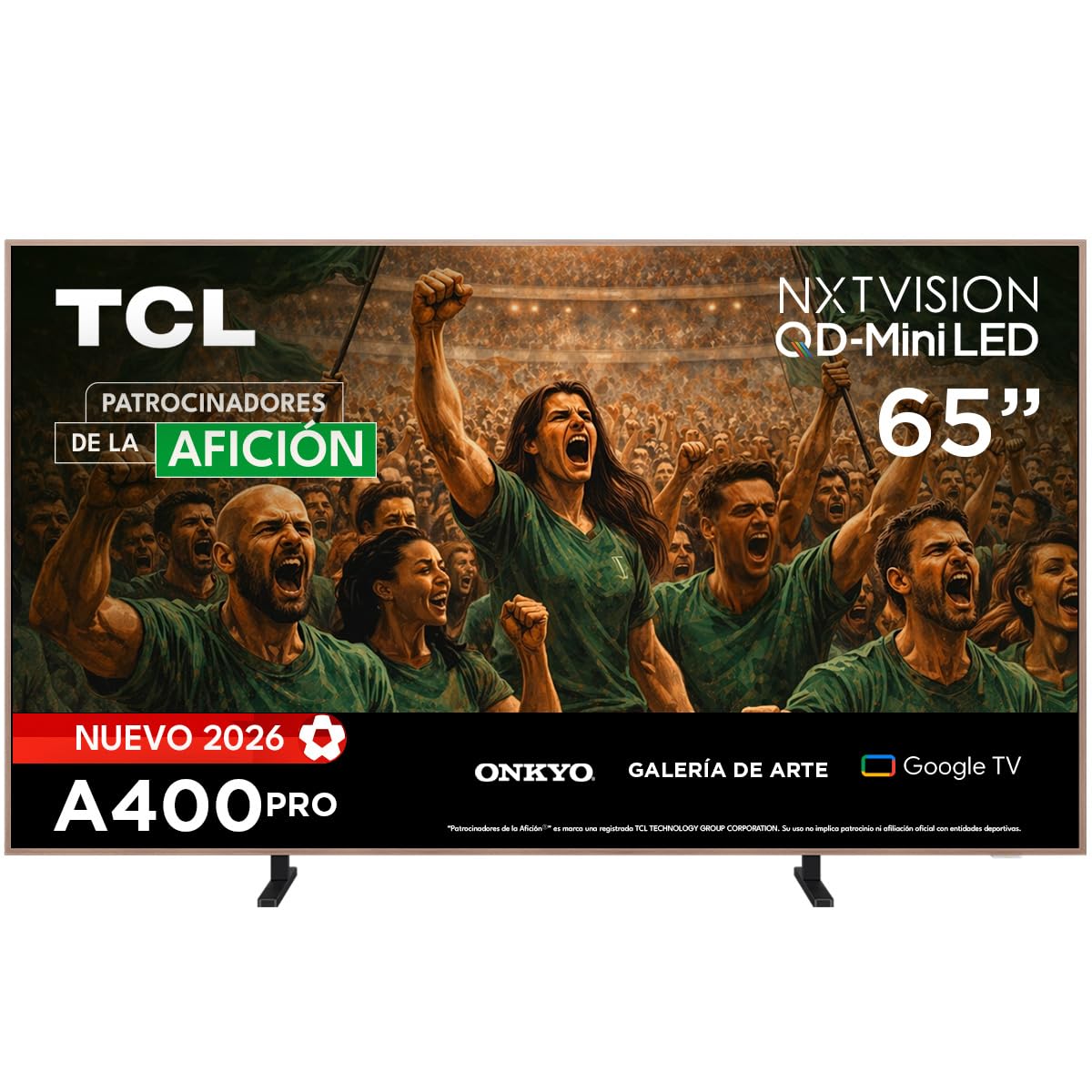
Сүрөт: алдыңкы view of the TCL 65A400 Pro 65-inch Smart TV.
2. Кутуда эмне бар
Баштоодон мурун, пакеттин мазмунун текшерип, бардык элементтер бар экенин текшериңиз:
- TCL Smart TV with Google TV
- Стол стенди
- Электр кабели
- Quick Start Guide
- Алыстан башкаруу жана батареялар

Image: Diagram showing the TV dimensions and a list of included accessories.
3. Орнотуу
3.1 Физикалык орнотуу
Your TCL 65A400 Pro TV offers flexible installation options:
- Стол стенди: Attach the included table stand according to the Quick Start Guide for placement on a flat surface.
- Дубалга орнотуу: The TV supports flush wall mounting. Ensure you use a compatible VESA wall mount (sold separately) and follow its installation instructions carefully.
- Easel Bases: Optional easel-style bases are available for a unique display (sold separately).

Image: The ultra-thin design of the TV, suitable for flush wall mounting.
3.2 Түзмөктөрдү туташтыруу
Тышкы түзмөктөрүңүздү жеткиликтүү портторду колдонуп телевизорго туташтырыңыз:
- HDMI: Use one of the four HDMI ports for high-definition devices like Blu-ray players, game consoles, or cable boxes.
- USB: Two USB ports are available for connecting USB storage devices to play media.
- Күч: Электр кабелин сыналгыга, андан кийин розеткага туташтырыңыз.
3.3 Баштапкы күйгүзүү жана тармакты орнотуу
After connecting all devices and power, press the power button on the remote control. Follow the on-screen instructions to complete the initial setup, including connecting to your Wi-Fi network and logging into your Google account for Google TV features.
4. Сыналгыңызды иштетүү
4.1 Google TV интерфейси
Your TV runs on Google TV, providing a personalized experience with access to streaming services, apps, and content recommendations. Use the remote control to navigate the interface, search for content, and manage your smart home devices.

Image: The Google TV home screen displaying various streaming applications and content.
4.2 Art Mode
Transform your TV into a digital art display with Art Mode. Access a collection of famous paintings and photographs in stunning 4K UHD. This mode allows your screen to blend seamlessly into your home decor when not actively watching content.

Image: The TV in Art Mode, showcasing a painting in a gallery environment.
4.3 Дисплейдин өзгөчөлүктөрү
- QD-Mini LED: Experience deep blacks and intense brightness with Quantum Dot and Mini LED technology, offering superior cinematic realism.
- 4K UHD токтому: Укмуштай деталдуу жана курч сүрөттөрдөн ырахат алыңыз.
- 144 Hz VRR: Variable Refresh Rate at 144 Hz provides smooth motion, especially beneficial for gaming.
- Matte Panel: The HVA Matte finish reduces glare from natural or artificial light, maintaining color fidelity and protecting your eyes.

Image: Illustration of QD-Mini LED technology enhancing picture precision, brightness, and contrast.
4.4 Аудио системасы
The integrated Onkyo audio system with Dolby Atmos delivers powerful and clear sound, creating an immersive audio experience for all your entertainment.
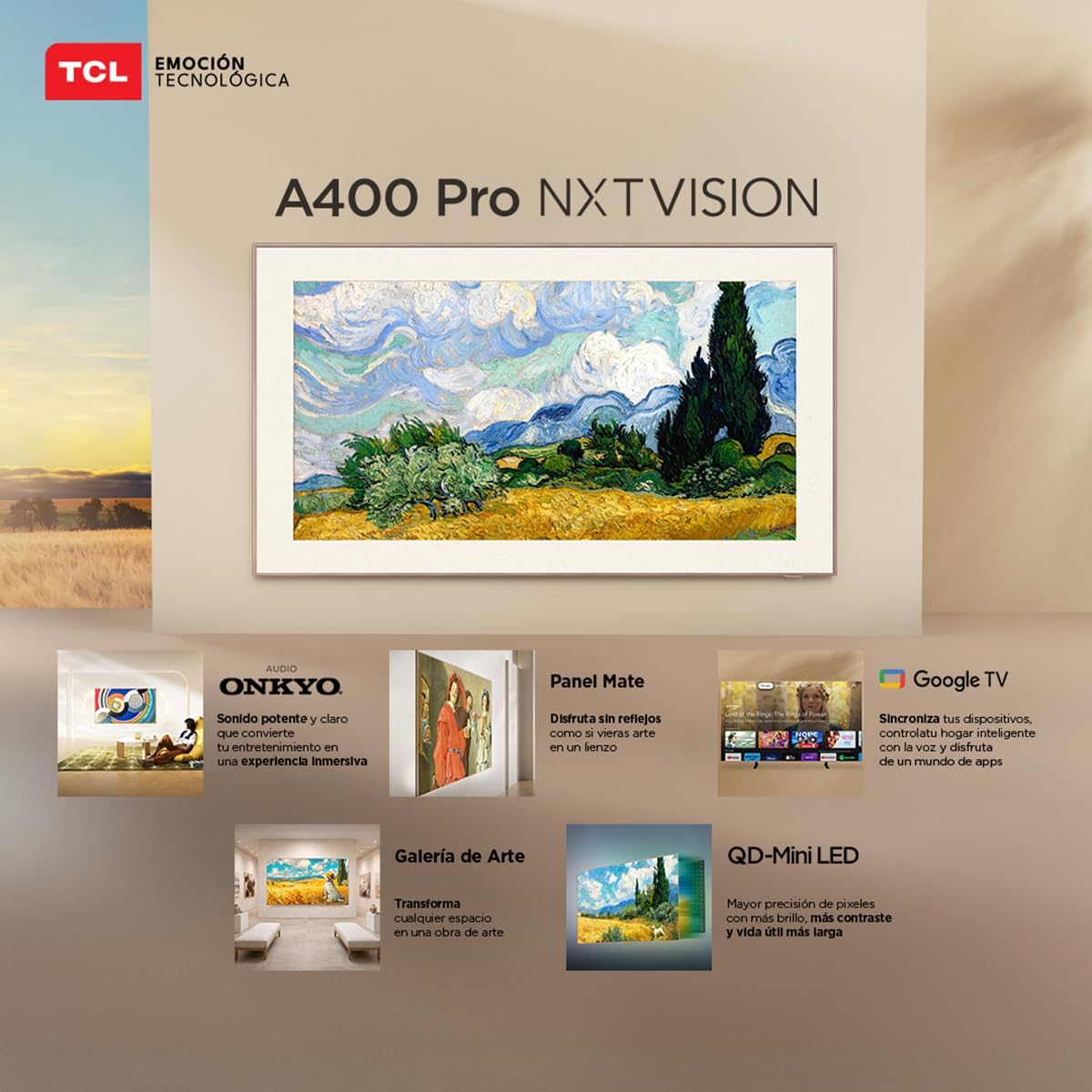
Image: A person enjoying immersive audio from the TV, highlighting the Onkyo sound system.
4.5 Байланыш
Телевизор ар кандай байланыш параметрлерин колдойт:
- Wi-Fi: Интернетке кирүү жана агым аркылуу агылтуу үчүн үй тармагыңызга туташыңыз.
- Bluetooth 5.4: Pair wireless headphones, soundbars, or other Bluetooth-enabled devices.
- Chromecast: Built-in Chromecast allows you to cast content from your mobile devices to the TV.
- Alexa шайкештиги: Control your TV using voice commands through compatible Alexa devices.
5. Техникалык тейлөө
To ensure the longevity and optimal performance of your TCL TV, follow these maintenance guidelines:
- Экранды тазалоо: Экранды жумшак, кургак, түксүз чүпүрөк менен акырын сүртүңүз. өжөр белгилери үчүн, бир аз гampчүпүрөккө суу же атайын экран тазалоочу каражат. Катуу химиялык заттардан же абразивдүү материалдардан алыс болуңуз.
- Рамканы тазалоо: Телевизордун кадрын тазалоо үчүн жумшак, кургак чүпүрөктү колдонуңуз.
- Вентиляция: Ашыкча ысып кетүүнүн алдын алуу үчүн телевизордун артындагы желдетүү тешиктери жабылбагандыгын текшериңиз.
- Электр кабели: Электр шнурунун кандайдыр бир бузулууларын үзгүлтүксүз текшерип туруңуз. Эгерде бузулган болсо, алмаштыруу үчүн кардарларды колдоо кызматына кайрылыңыз.
6. Кыйынчылыктарды
Телевизоруңузда көйгөйлөргө туш болсоңуз, төмөнкү жалпы көйгөйлөрдү жана аларды чечүү жолдорун караңыз:
| Көйгөй | Мүмкүн чечим |
|---|---|
| Күч жок | Ensure the power cable is securely connected to both the TV and a working power outlet. Check if the power outlet is functional. |
| Сүрөт жок, бирок Үн бар | Check the input source. Ensure the connected device is powered on and its video output is correctly configured. Try a different HDMI cable. |
| Үн жок, бирок Сүрөт бар | Check the TV's volume and mute settings. Ensure external audio devices (soundbar, receiver) are properly connected and powered on. Check audio output settings on the TV. |
| Пульт иштебейт | Алыстан башкаруу пультундагы батареяларды алмаштырыңыз. Алыстан башкаруу пульту менен сыналгынын инфракызыл сенсорунун ортосунда эч кандай тоскоолдуктар жок экенин текшериңиз. Эгер ал Bluetooth пульту болсо, аны кайра жупташтырыңыз. |
| Wi-Fi туташуу маселелери | Restart your router and modem. Go to the TV's network settings and try reconnecting to your Wi-Fi network. Ensure the Wi-Fi password is correct. |
Эгерде бул чечимдерди колдонуп көргөндөн кийин көйгөй чечилбесе, TCL кардарларды колдоо кызматына кайрылыңыз.
7. Техникалык шарттар
Key technical specifications for the TCL 65A400 Pro 65-inch Smart TV:
| Өзгөчөлүк | Деталь |
|---|---|
| Screen Size | 65 дюйм |
| Дисплей технологиясы | 4K, Mini LED |
| Резолюция | 4K UHD |
| Жаңыртуу ылдамдыгы | 144 Гц (VRR) |
| HDR Format колдоо | Dolby Vision, HDR10+ |
| Операция системасы | Google TV |
| Аудио чыгаруу режими | Курчап |
| Integrated Surround Sound Format | Dolby Atmos |
| HDMI порттору | 4 |
| USB порттору | 2 |
| Bluetooth версиясы | 5.4 |
| Байланыш технологиясы | Bluetooth, HDMI, USB, Wi-Fi |
| Өзгөчөлүктөр | Chromecast, Art Mode |
| Продукциянын өлчөмдөрү (DxWxH) | 4 x 145.2 x 83.3 см |
| Салмагы (турбастан) | 17.6 килограмм |
| Түс | Кара |
| Screen Finish | Мт |
| Модель жылы | 2026 |
| UPC | 840464047636 |
8. Кепилдик маалыматы
Your TCL 65A400 Pro Smart TV comes with a 2 жылдык чектелген кепилдик from the date of purchase. This warranty covers manufacturing defects under normal use. Please retain your proof of purchase for warranty claims. For full terms and conditions, refer to the warranty card included with your product or visit the official TCL webсайт.
9. Кардарларды колдоо кызматы
Техникалык жардам, мүчүлүштүктөрдү оңдоо же кепилдик боюнча суроолоруңуз болсо, TCL кардарларды колдоо кызматына кайрылыңыз:
- Телефон: 800 112 4656
- WhatsApp: 55 7005 5159
- Электрондук почта: servicio.mx@tcl.com
- Иштөө сааттары: Monday to Saturday, 8:00 a.m. to 8:00 p.m. (local time)

Image: TCL Technical Support contact details including phone, WhatsApp, and email.