
1. Орнотуу жана орнотуу
1.1 Кутуда эмне бар
Carefully unpack your new TCL 55T6D television and ensure all components are present. The package should contain the following items:
- 1N LED телевизор
- 1N Stand
- 1N алыстан башкаруу
- 2N AAA Batteries

Image: Contents of the TCL 55T6D TV box, showing the television, remote control, and two AAA batteries.
1.2 Стендди орнотуу / Дубалга орнотуу
Your TCL 55T6D television supports both table-top stand installation and wall mounting. The table-top stand is included in the box. A fixed or adjustable wall mount is not included and must be purchased separately.

Image: Diagram illustrating the dimensions and weight of the TCL 55T6D television, both with and without its stand, for installation planning.
1.3 Түзмөктөрдү туташтыруу
The TCL 55T6D TV offers various connectivity options for external devices:
- HDMI порттору: 3 ports for connecting devices like Blu-ray players, gaming consoles, or set-top boxes.
- USB порт: 1 port for connecting USB storage devices.
- Антенна киргизүү: Жер үстүндөгү антеннаны туташтыруу үчүн.
- Спутник киргизүү: Спутниктик антеннаны туташтыруу үчүн.
- AV IN адаптери: For older devices using composite video/audio.
- Ethernet: Зымдуу тармак туташуусу үчүн.
- Wi-Fi: Built-in Wi-Fi 5 for wireless network connection.
- Bluetooth: Version 5.0 for wireless audio devices and remote control.

Сүрөт: деталдуу view of the TCL 55T6D television's connectivity ports, including HDMI, USB, Antenna/Cable In, and Satellite Input.
2. Иштөө нускамалары
2.1 Баштапкы күйгүзүү жана Google TV орнотуу
After connecting the power cable, press the power button on the remote control or the TV. Follow the on-screen instructions to complete the initial setup, including network connection, Google account login, and channel scanning. The TV runs on the Google TV operating system.

Image: The Google TV interface displayed on the TCL 55T6D, showing various streaming applications and content recommendations.
2.2 Алыстан башкаруу функциялары
The included remote control allows for easy navigation and control of your TV. It features dedicated buttons for popular streaming services and integrates Google Assistant for voice commands.

Image: The TCL remote control, highlighting the Google Assistant button for voice commands and quick access buttons for streaming services like Netflix and Prime Video.
2.3 Smart TV өзгөчөлүктөрү
The TCL 55T6D is equipped with advanced smart features:
- Процессор: 64-bit Quad Core Processor for smooth performance.
- Эстутум: 2GB RAM and 16GB ROM for apps and system operations.
- Агым кызматтары: Access to Prime Video, Netflix, Hotstar, Zee5, YouTube, and many more.
- Google Жардамчысы: Издөө, башкаруу жана акылдуу үйгө интеграциялоо үчүн үн буйруктарын колдонуңуз.
- Экранды чагылдыруу: Мазмунду шайкеш келген түзмөктөрдөн чыгарыңыз.
- Alexa менен иштейт: Integrate with Amazon Alexa-enabled devices.
- Оюн мастери: Optimized settings for an enhanced gaming experience.

Image: The 'Game Master' feature on the TCL 55T6D, designed to optimize the television for a responsive and immersive gaming experience.
2.4 Display and Audio Technologies
Experience superior picture and sound quality with the following technologies:
- 4K UHD QLED Panel: Delivers vibrant colors and sharp details.
- HDR 10+: Динамикалык сүрөт үчүн контрастты жана түстүн тактыгын жакшыртат.
- AiPQ процессору: Сүрөттү жана үндү реалдуу убакыт режиминде акылдуу түрдө оптималдаштырат.
- Dolby Atmos: Provides immersive, three-dimensional audio.
- MEMC 60 Hz: Motion Estimation, Motion Compensation for smoother fast-moving scenes.
- Металлдык алкаксыз дизайн: Offers a sleek, modern aesthetic with an expansive viewаймак.
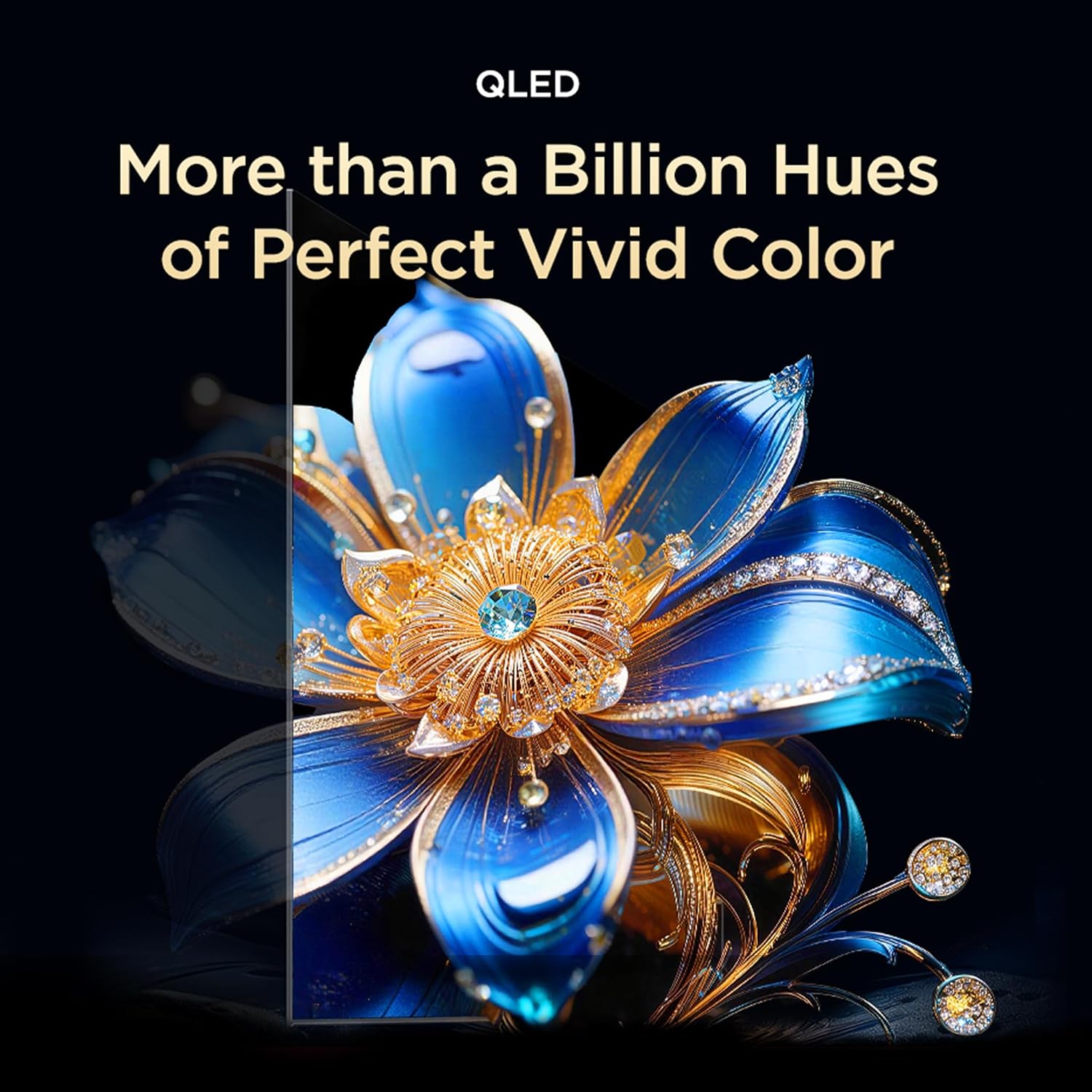
Image: Visual representation of QLED technology, emphasizing its ability to produce over a billion hues for vivid color reproduction.

Image: A graphic depicting the AiPQ Processor, highlighting its role in intelligent picture and sound processing.

Image: A visual demonstrating the immersive audio experience provided by Dolby Atmos, with sound waves emanating from the screen.
3. Техникалык тейлөө
3.1 Телевизоруңузду тазалоо
Экранды тазалоо үчүн аны жумшак, кургак, түксүз чүпүрөк менен акырын сүртүңүз. өжөр белгилери үчүн, жеңил гampen the cloth with water or a specialized screen cleaner. Avoid using harsh chemicals or abrasive materials. For the TV body, use a soft, dry cloth.
3.2 Көзгө кам көрүүнүн өзгөчөлүктөрү
The TCL 55T6D includes Multiple Eye Care features designed to reduce eye strain during prolonged viewing. These features include low blue light emission and natural light protection technology.
4. Кыйынчылыктарды
Эгерде сиз телевизоруңузда көйгөйлөргө туш болсоңуз, колдоо кызматына кайрылуудан мурун төмөнкү кеңири таралган чечимдерди карап чыгыңыз:
- Кубат жок: Ensure the power cable is securely plugged into both the TV and a working power outlet. Try a different outlet.
- Сүрөт/үн жок: Check all cable connections (HDMI, antenna, etc.). Ensure the correct input source is selected on the TV. Restart the TV by unplugging it for a few minutes and plugging it back in.
- Пульт иштебейт: Replace the AAA batteries in the remote control. Ensure there are no obstructions between the remote and the TV's IR sensor.
- Тармакка туташуу маселелери: For Wi-Fi, ensure your router is working and within range. For Ethernet, check the cable connection. Try restarting your router and the TV.
- Сүрөттүн сапаты маселелери: Check the source content resolution. Adjust picture settings (brightness, contrast, color) in the TV menu.
Эгерде көйгөйлөр чечилбесе, байланыш маалыматын алуу үчүн Кепилдик жана колдоо бөлүмүн караңыз.
5. Техникалык шарттар
| Өзгөчөлүк | Деталь |
|---|---|
| Модель аты | 55T6D |
| Screen Size | 55 дюйм (139 см) |
| Дисплей технологиясы | QLED |
| Резолюция | 4K UHD (3840 x 2160) |
| Жаңыртуу ылдамдыгы | 60 Гц |
| Операция системасы | Google TV |
| Процессор | 64-bit Quad Core |
| RAM | 2 ГБ |
| ROM | 16 ГБ |
| Байланыш | 3 HDMI Ports, 1 USB Port, Ethernet, Wi-Fi 5, Bluetooth 5.0 |
| Аудио чыгаруу | 28 Watts, Dolby Atmos |
| Продукциянын өлчөмдөрү (D x W x Y) | 25.5D x 122.6W x 75H Centimeters (with stand) |
| Салмагы | 9.2 Kilograms (with stand) |
| Энергия рейтинги | 3 Star |
| Жылдык энергия керектөө | Жылына 160 кВт |
| Камтылган компоненттер | 1N LED TV, 1N Stand, 1N Remote Control, 2N Batteries |

Image: Energy rating label for the TCL 55T6D television, indicating a 3-star rating and an annual energy consumption of 160 kWh.
6. Кепилдик жана колдоо
6.1 Кепилдик маалыматы
The TCL 55T6D television comes with a 2 жылдык кепилдик provided by the manufacturer from the date of purchase. The remote control has a 6 айлык кепилдик.
To avail warranty services, please retain your purchase invoice. Warranty claims can be processed using the Amazon e-invoice.
6.2 Кардарларды колдоо
For assistance, service requests, or any queries regarding your TCL TV, please contact the brand's customer support:
- Акысыз номерлер: 180-0102-0622 / 180-0419-0622
- Электрондук почта: indiasupport@tcl.com
When contacting support, please provide the product's model name (55T6D) and the seller's details as mentioned on your invoice. The service center will schedule a convenient slot for service.
6.3 Өндүрүүчүнүн маалыматы
Өндүрүүчү: TTE ELECTRONICS INDIA PRIVATE LIMITED, Vikruthamala Village, Papanaidupeta Post, Yerpedu Mandal, Tirupati, Vikruthamala Village, Chittoor, Andhra Pradesh, INDIA-517527
Келип чыккан өлкө: Индия