
1. Киришүү
Thank you for choosing the KENT Grand IoT RO Water Purifier. This manual provides essential information for the installation, operation, maintenance, and troubleshooting of your new water purification system. Please read it thoroughly before use to ensure optimal performance and longevity of the product.
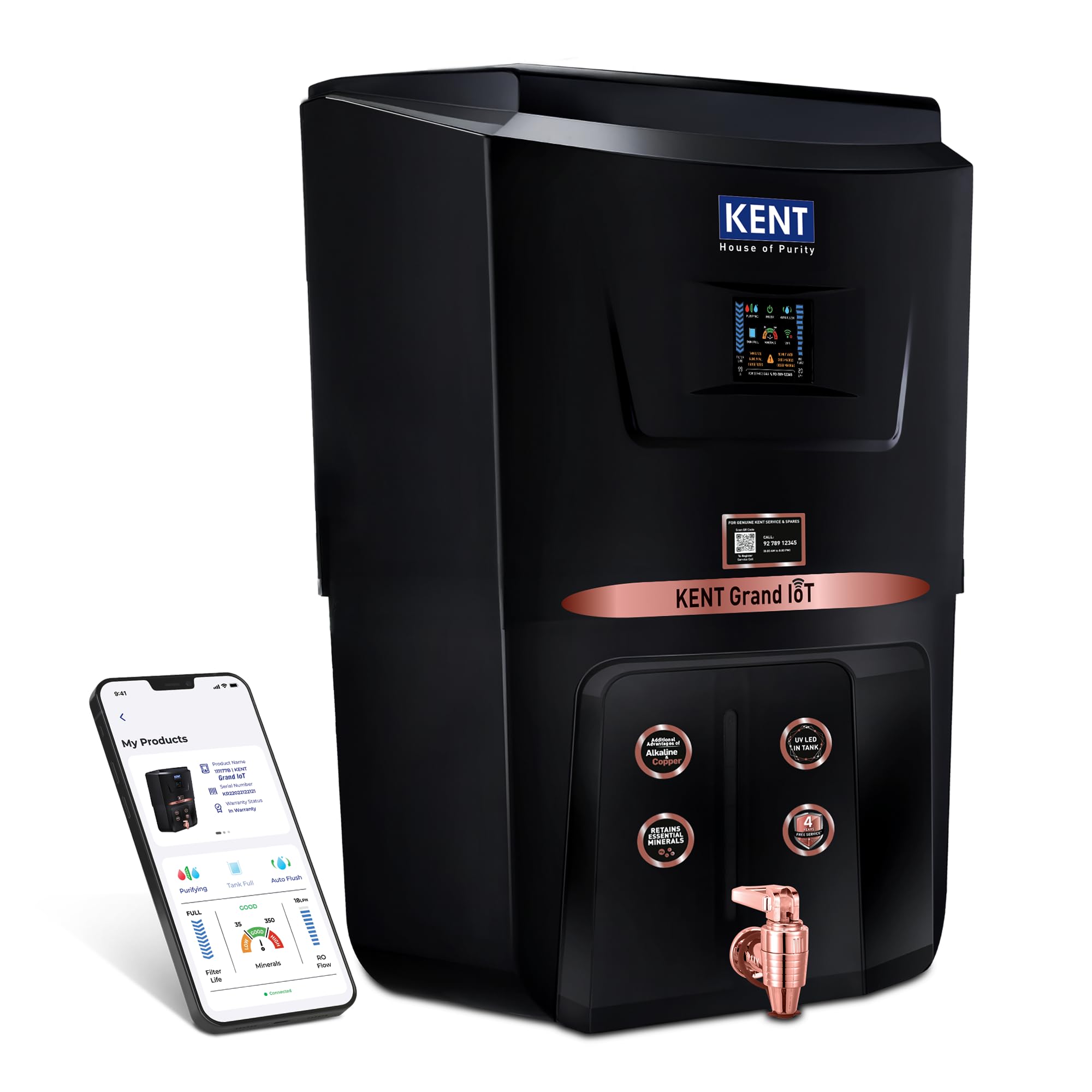
Image 1: KENT Grand IoT RO Water Purifier main unit.
2. Продукт бүтүп калдыview жана өзгөчөлүктөрү
The KENT Grand IoT RO Water Purifier is an advanced system designed to provide pure and healthy drinking water. It incorporates multiple purification technologies and smart IoT features for enhanced user experience.
2.1. Multiple Purification Process
This purifier utilizes a comprehensive purification process including RO (Reverse Osmosis), UV (Ultraviolet), UF (Ultra Filtration), Alkaline, Copper, and TDS Control, with an additional UV LED in the storage tank. This multi-stage process ensures the removal of dissolved impurities, bacteria, viruses, and other contaminants, while retaining essential minerals.

Image 2: Detailed diagram illustrating the six stages of purification technology.
2.2. IoT Technology and Digital Display
The integrated IoT technology provides real-time monitoring of water quality, filter life, and RO flow rate directly on a digital display and via a mobile application. It also facilitates automatic service call registration and timely notifications for filter/membrane replacement.
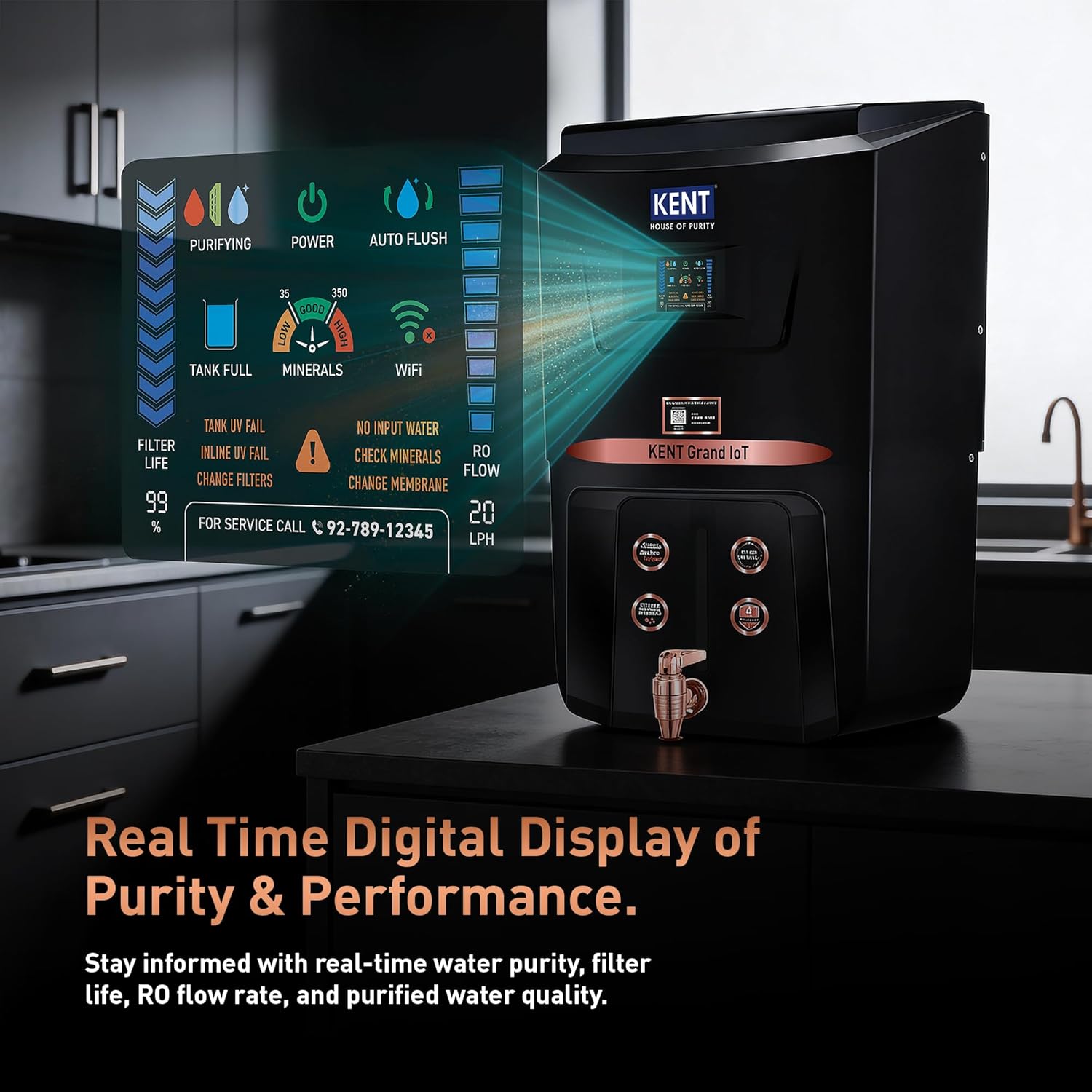
Image 3: Close-up of the digital display showing real-time water purity and performance data.
2.3. Mineral Retention and Enhanced Water Quality
- TDS Control Valve: Allows adjustment of the desired TDS (Total Dissolved Solids) level to ensure essential natural minerals are retained in the purified water.
- Alkaline Filter: Helps neutralize harmful acids in the body, promotes pH balance, and acts as an antioxidant.
- Copper Filter: Adds pure copper to the water, which is known for various health benefits including improving heart health and supporting the digestive system.

Image 4: Visual representation of essential minerals being retained in purified water.
2.4. Кошумча функциялар
- Автоматтык жуу: Prevents scaling or fouling of the RO membrane by regularly rinsing it, extending membrane lifespan and efficiency.
- UV in Tank: An intelligent UV LED in the storage tank continuously protects stored water from secondary contamination, ensuring purity that lasts.
- Толугу менен автоматтык иштөө: The purifier operates automatically, turning on and off as needed to maintain the water level in the storage tank.
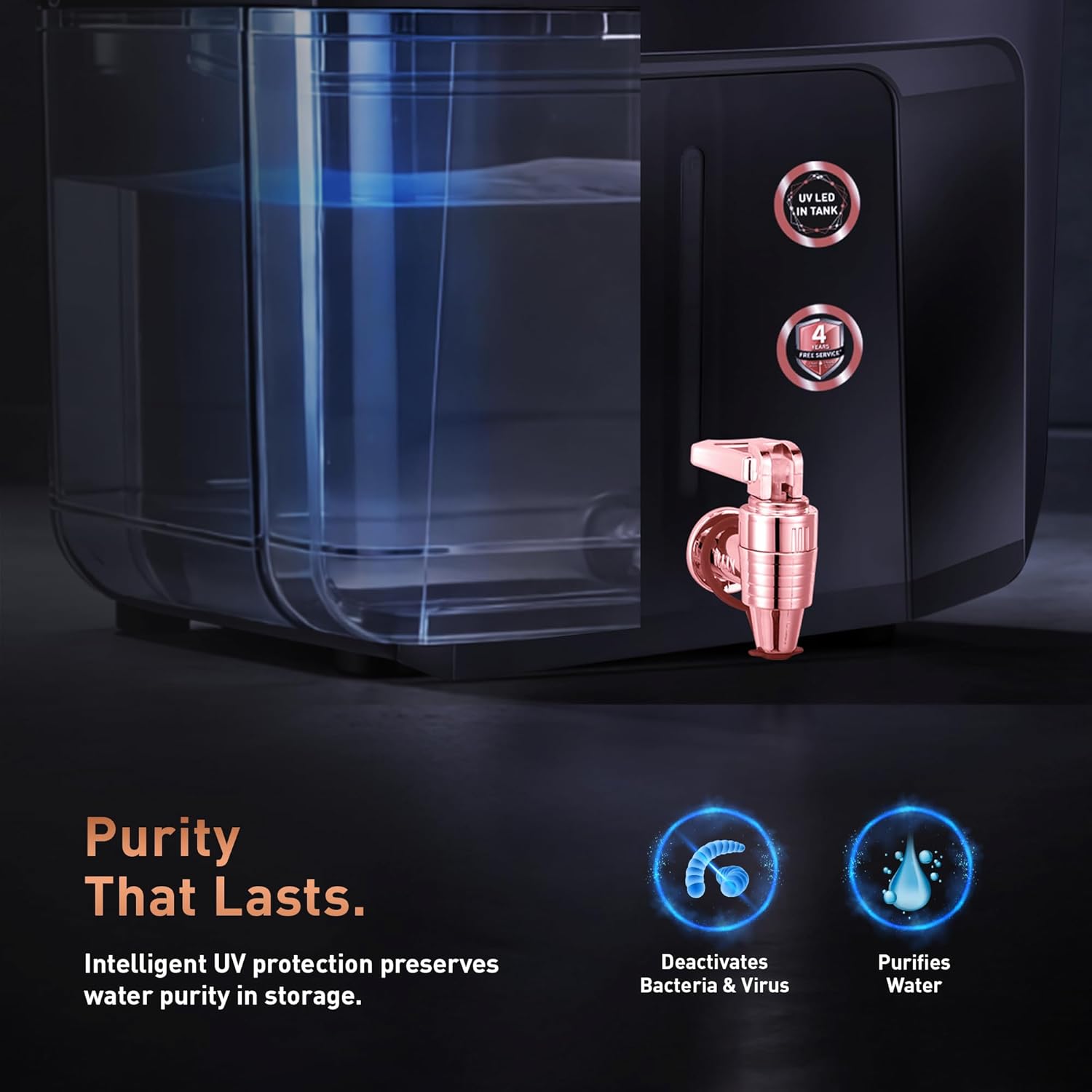
Image 5: The UV LED in-tank feature, highlighting continuous water purification in storage.
3. Орнотуу нускамалары
Proper installation is crucial for the performance of your water purifier. It is recommended to have the installation performed by a certified KENT service technician.
3.1. Сайтты тандоо
- Choose a location near a water inlet and a power outlet.
- Ensure the surface is flat and stable, capable of supporting the purifier's weight when full.
- Күндүн түз нурунан же экстремалдуу температурадан сактаныңыз.
3.2. Орнотууга чейинки текшерүүлөр
- Unpack the unit and check for any damage.
- Таңгактоо тизмесинде саналган бардык компоненттердин бар экенин текшериңиз.
- Verify the raw water pressure is within the recommended range (typically 0.3-3 kg/cm²).
3.3. Installation Steps (Technician Recommended)
- Mount the purifier securely on the wall using the provided mounting template and hardware.
- Connect the raw water inlet to the pre-filter unit, then to the purifier's inlet.
- Connect the purified water outlet to the storage tank.
- Connect the reject water line to a drain.
- Электр шнурын жерге туташтырылган электр розеткасына сайыңыз.
- Open the raw water supply and check for leaks.
- Allow the storage tank to fill and drain the first few tanks of water to flush the system.
4. Иштөө нускамалары
Once installed, operating your KENT Grand IoT RO Water Purifier is straightforward.
4.1. Алгачкы ишке киргизүү
- Ensure the power supply is connected and the water inlet valve is open.
- The purifier will automatically start the purification process.
- The digital display will show the purification status, water quality, and other relevant information.
4.2. Суу чыгаруу
- Place a clean container under the dispenser tap.
- Turn the tap to dispense purified water.
- Close the tap once the desired amount of water is collected.
4.3. Using the IoT App
Download the KENT IoT app from your smartphone's app store. Follow the in-app instructions to connect your purifier. The app allows you to:
- Monitor real-time water quality and filter life.
- Receive notifications for filter replacement or system faults.
- Access service and parts replacement history.
- Register service requests automatically.

Image 6: The KENT Grand IoT RO Water Purifier demonstrating its IoT connectivity with a mobile app.
5. Техникалык тейлөө
Үзгүлтүксүз тейлөө сиздин суу тазалагычтын үзгүлтүксүз натыйжалуулугун жана коопсуздугун камсыздайт.
5.1. Фильтрди алмаштыруу
- The digital display and IoT app will indicate when filters or the RO membrane need replacement.
- Filter life depends on the quality of raw water and usage.
- Always use genuine KENT spare parts for replacement. Contact a certified KENT service technician for filter changes.
5.2. Cleaning the Purifier
- Тазалоочу аппараттын сыртын жумшак менен сүртүңүз, гamp кездеме. Катуу химиялык заттарды же абразивдүү тазалагычтарды колдонбоңуз.
- Periodically clean the storage tank. This should ideally be done by a service technician during routine maintenance.
5.3. Auto Flush Feature
The auto flush feature operates automatically to clean the RO membrane. No manual intervention is required for this function.
6. Кыйынчылыктарды
This section addresses common issues you might encounter with your water purifier.
| Көйгөй | Мүмкүн себеп | Чечим |
|---|---|---|
| No purified water output | No water supply, power off, clogged filters/membrane, faulty pump. | Check water inlet valve, power connection. If filters are clogged, contact service. |
| Төмөн суунун агымы | Clogged filters/membrane, low inlet water pressure. | Check inlet pressure. Contact service for filter/membrane inspection and replacement. |
| Unpleasant taste/odor in water | Expired carbon filter, contaminated storage tank. | Contact service for filter replacement or tank cleaning. |
| Суунун агып чыгышы | Loose connections, damaged O-rings or components. | Immediately turn off water supply and power. Contact service for inspection and repair. |
| Санарип дисплей иштебейт | Power issue, display malfunction. | Check power supply. If issue persists, contact service. |
For any issues not listed here or if the problem persists after attempting the solutions, please contact KENT customer support.
7. Техникалык шарттар
Key technical specifications for the KENT Grand IoT RO Water Purifier.
| Өзгөчөлүк | Деталь |
|---|---|
| Бренд | шаары |
| Модель номери | 111184B |
| Тазалоо ыкмасы | RO+UV+UF+Alkaline+Copper+TDS Control+UV in Tank |
| Кубаттуулугу | 8 литр |
| Максималдуу агым ылдамдыгы | Саатына 20 литр |
| Продукциянын өлчөмдөрү (L x W x Y) | 40L x 23W x 54H Сантиметр |
| Элемент Салмагы | 8.6 килограмм |
| Материал | Пластик |
| Өзгөчөлүктөр | Automatic Shut-Off, Change Filter Indicator, IoT Enabled, Self Cleaning |
| кутуда эмне бар? | Water Purifier Unit, Remote |
8. Кепилдик жана колдоо
KENT provides comprehensive support for your water purifier.
8.1. Free Service Plan
Your KENT Grand IoT RO Water Purifier includes a genuine service plan with free installation, routine health check calls, and unlimited repair visits for one year from the purchase date. This plan ensures access to India's largest service network across 19,000+ pin codes.
8.2. Колдоо кызматы менен байланышуу
For service requests, queries, or support, you can reach KENT through:
- WhatsApp: Use the dedicated WhatsApp service.
- Мобилдик колдонмо: Utilize the KENT IoT mobile application for service requests.
- Акысыз номер: Refer to your product documentation for the specific toll-free number.
- Электрондук почта: Contact via the official KENT email support.
Please have your model number (111184B) and purchase details ready when contacting support.