
Introduction
The Leadjoy R20 2.4GHz Wireless USB Adapter is designed to enhance your gaming experience on Xbox Series S/X consoles by providing a robust and reliable wireless connection for compatible controllers. This manual will guide you through the installation, operation, and maintenance of your R20 adapter.
Пакеттин мазмуну
Төмөндө тизмеленген нерселердин баары пакетиңизге камтылганын текшериңиз:
- Leadjoy R20 Wireless USB Adapter
- Көрсөтмө (бул документ)
The image below illustrates the R20 Wireless USB Adapter and its key features.
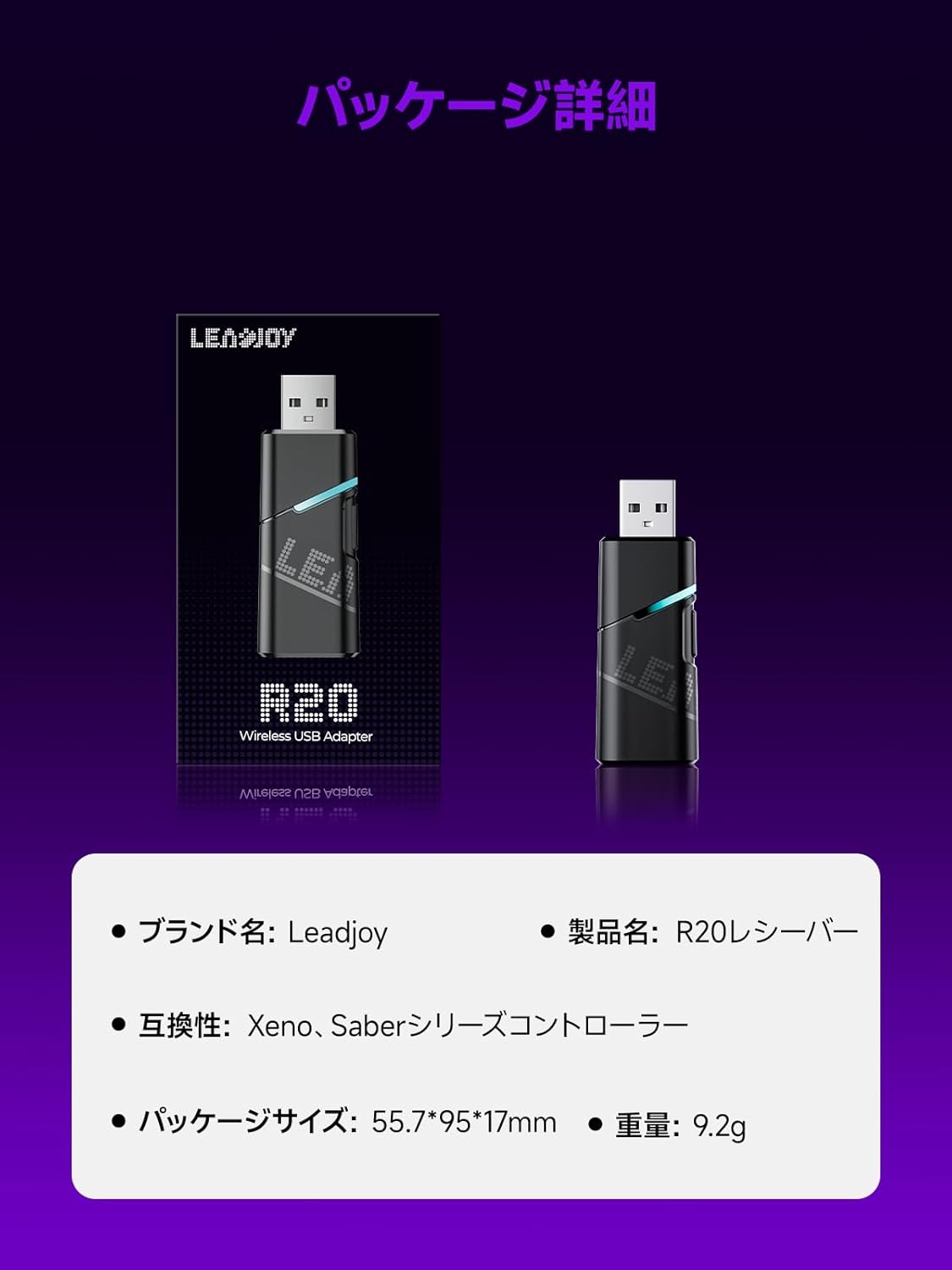
Image: Leadjoy R20 Wireless USB Adapter. This image displays the R20 adapter in its packaging, highlighting its compact design. Text overlays indicate the brand name 'Leadjoy', product name 'R20 Receiver', compatibility with 'Xeno, Saber series controllers', package size '55.7*95*17mm', and weight '9.2g'.
Орнотуу жана орнотуу
Follow these steps to connect your Leadjoy R20 Wireless USB Adapter to your Xbox console:
- 1-кадам: Insert the R20 receiver into an available USB port on your Xbox console. Ensure the console is powered on.
- 2-кадам: Connect your original Xbox controller to the R20's USB port using a USB cable.
- 3-кадам: Once the controller's indicator light remains steadily lit, the connection is successful. You can now pair your Leadjoy controller with the R20 receiver.
The diagram below visually explains the connection process.

Image: Connection Method. This diagram illustrates the three steps for connecting the R20 adapter. Step 1 shows inserting the R20 into the Xbox console. Step 2 shows connecting an original Xbox controller to the R20 via a cable. Step 3 shows pairing a Leadjoy controller with the R20 receiver after successful connection.
Эскертүү: Do not disconnect the original controller from the R20 receiver during use to maintain a stable connection.
Иштөө нускамалары
The R20 receiver provides a stronger signal compared to the original R10 receiver, offering improved performance. If you find the functions of the original Xbox controller insufficient or the operation feel unsatisfactory, and wish to enjoy games on your Xbox console using Xeno Plus, this R20 receiver makes it possible.
After successful setup, your compatible Leadjoy controller will connect wirelessly to the Xbox console via the R20 adapter, allowing for seamless gameplay.
Техникалык шарттар
| Бренд | Leadjoy |
| Модель номери | LJR2001-1 (R20) |
| Түс | Кара |
| Байланыш | 2.4GHz Зымсыз |
| Шайкештик | Xbox Series S/X, Xeno, Saber series controllers |
| Элемент Салмагы | 9.2г |
| Пакеттин өлчөмдөрү | 55.7 x 95 x 17 мм |
| Келип чыккан өлкө | Кытай |
Техникалык тейлөө
To ensure the longevity and optimal performance of your Leadjoy R20 Wireless USB Adapter, please observe the following maintenance guidelines:
- Адаптерди таза жана чаңдан алыс кармаңыз. Тазалоо үчүн жумшак, кургак чүпүрөктү колдонуңуз.
- Адаптерди экстремалдык температурага, нымдуулукка же тике күн нуруна тийгизүүдөн сактаңыз.
- Do not attempt to disassemble or repair the adapter yourself. This may void your warranty.
- Адаптерди физикалык зыянга учуратпоо үчүн колдонулбаган учурда коопсуз жерде сактаңыз.
Проблемаларды чечүү
If you encounter issues with your Leadjoy R20 Wireless USB Adapter, please try the following steps:
- Байланыш жок: Ensure the R20 adapter is fully inserted into the Xbox console's USB port and the original Xbox controller is securely connected to the R20. Check if the controller's indicator light is steadily lit.
- Үзгүлтүксүз туташуу: Ensure there are no obstructions between your Leadjoy controller and the R20 adapter. Avoid placing the adapter near other wireless devices that may cause interference.
- Контроллер жооп бербей жатат: Try disconnecting and reconnecting both the R20 adapter from the console and the original controller from the R20. Restart your Xbox console if necessary.
- Орнотулган программаны жаңыртуу: Check the official Leadjoy website for any available firmware updates for the R20 adapter, which may resolve performance issues.
Бул кадамдарды жасагандан кийин көйгөй чечилбесе, кардарларды колдоо менен байланышыңыз.
Кепилдик жана колдоо
The Leadjoy R20 Wireless USB Adapter comes with a standard manufacturer's warranty. Please refer to the warranty card included in your product packaging for specific terms and conditions, including the warranty period and coverage details.
For technical support, troubleshooting assistance, or warranty claims, please contact Leadjoy customer service through their official webсайт же продукт документациясында көрсөтүлгөн байланыш маалыматы.
Сураныч, кепилдик максаттары үчүн сатып алганыңыздын далилин сактап коюңуз.