
Introduction
This manual provides essential information for setting up, operating, maintaining, and troubleshooting your new OPPO A6 5G smartphone. Please read this guide carefully to ensure optimal performance and longevity of your device.
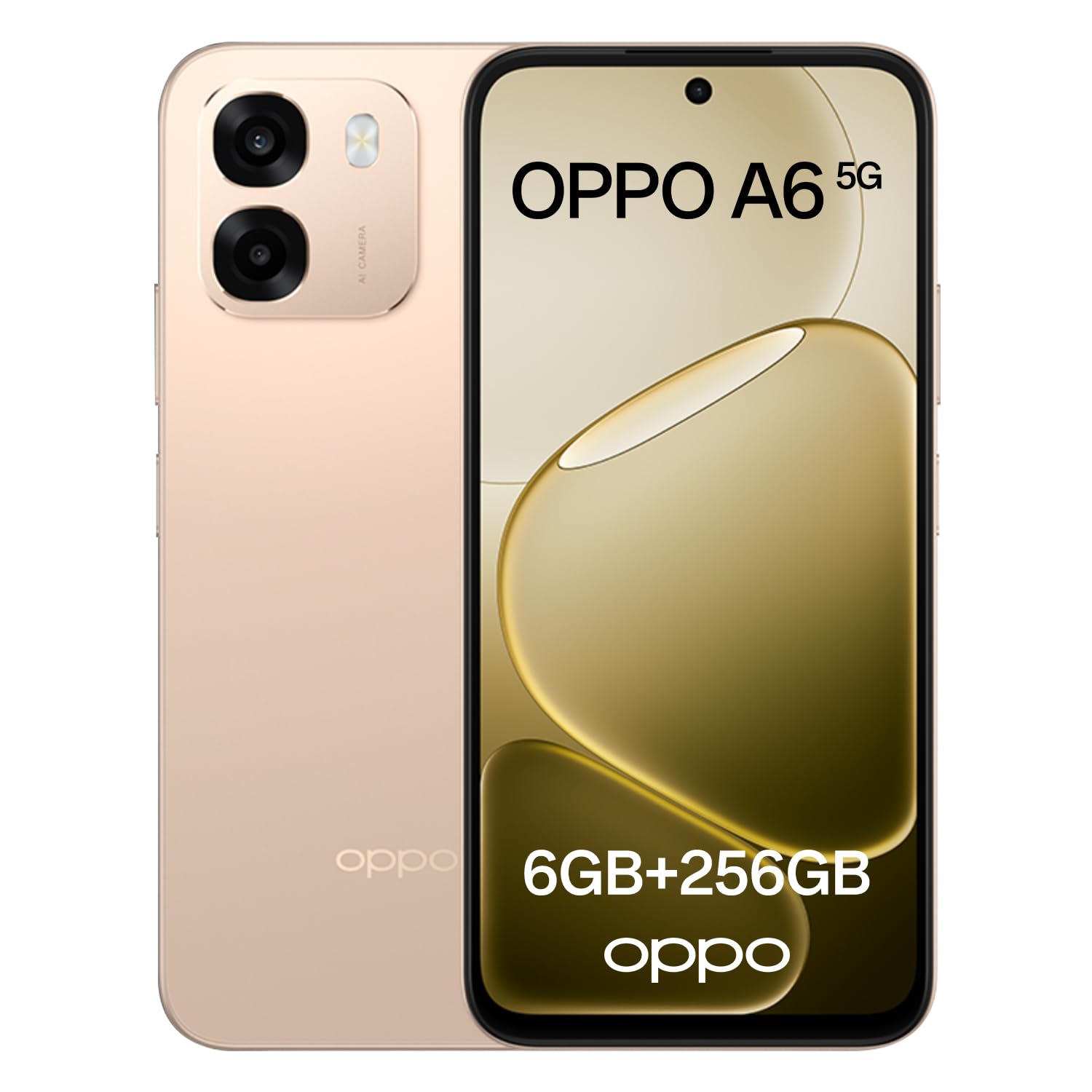
Image: The OPPO A6 5G smartphone in Aurora Gold, showcasing анын кооз дизайны.
Кутуда эмне бар
Пакетте бардык буюмдар бар экенин текшериңиз:
- OPPO A6 5G смартфону
- USB кабели
- Ыкчам баштоо колдонмосу (аймакка жараша өзгөрүшү мүмкүн)
- Коопсуздук жөнүндө маалымат (аймакка жараша өзгөрүшү мүмкүн)
Жайгашуу
1. Баштапкы төлөм
Before first use, fully charge your OPPO A6 5G. Connect the provided USB cable to the phone's USB-C port and the other end to a compatible power adapter (sold separately) or a computer's USB port. The device supports 45W SUPERVOOC Flash Charge for rapid charging.

Image: The OPPO A6 5G display showing 100% charge with the 45W SUPERVOOC Flash Charge indicator.
2. SIM картаны орнотуу
Locate the SIM card tray on the side of your device. Use the SIM ejector tool (if provided) to open the tray. Insert your Nano-SIM card(s) and/or microSD card (if applicable) into the tray with the gold contacts facing down. Carefully reinsert the tray into the phone.
3. Күйгүзүү/өчүрүү
- Күйгүзүү үчүн: OPPO логотиби пайда болгонго чейин Кубат баскычын басып, кармап туруңуз.
- Өчүрүү үчүн: Press and hold the Power button, then select 'Power off' on the screen.
- Кайра баштоо үчүн: Press and hold the Power button, then select 'Restart' on the screen.
4. Баштапкы конфигурация
Upon first power-on, follow the on-screen instructions to set up your device. This includes selecting your language, connecting to Wi-Fi, setting up your Google account, and configuring security features like fingerprint or face unlock.
OPPO A6 5G менен иштөө
1. Дисплей жана навигация
The OPPO A6 5G features a 6.75-inch 120Hz Ultra Bright LCD display. This high refresh rate ensures smooth scrolling and fluid visuals. The display offers up to 1125 nits of brightness for clear visibility even in direct sunlight.

Image: The OPPO A6 5G display highlighting its 120Hz refresh rate, 6.75-inch size, and 1125 nit brightness.
Outdoor Mode 2.0 + GloveTouch: Outdoor Mode automatically increases screen brightness for better visibility outdoors. GloveTouch allows for screen interaction even when wearing gloves, useful in cold weather or specific work environments.
2. Камеранын өзгөчөлүктөрү
The device is equipped with a 50MP AI Dual Camera system, designed to capture clear and detailed photos in various conditions.

Сүрөт: Арткы view of the OPPO A6 5G, detailing its camera specifications: 8MP front, 50MP wide, and 2MP monochrome lenses.
- AI түнкү режими: Enhances low-light photos, improving brightness, shadows, and clarity.
- Суу астындагы сүрөткө тартуу режими: Capture clear photos and videos underwater by using the volume keys as shutter buttons.
- AI Perfect Shot: Corrects imperfect expressions in photos using AI.
- AI Eraser 2.0: Removes unwanted objects or people from your photos and fills the background seamlessly.

Image: A collage demonstrating the AI Perfect Shot and AI Eraser 2.0 features, showing before and after comparisons of photo edits.
3. Батареяны башкаруу
The OPPO A6 5G is equipped with a large 6550mAh battery, providing extended usage time. The 45W SUPERVOOC Flash Charge technology allows for quick recharging.

Сүрөт: ички view of the OPPO A6 5G, highlighting the 6550mAh battery and its 5-year durability claim.
4. Performance
Powered by the MediaTek Dimensity 6300 processor and 6GB of RAM, the OPPO A6 5G delivers smooth multitasking and efficient performance. It comes with 256GB of internal storage for your apps, photos, and files.

Image: A close-up of the MediaTek Dimensity 6300 chip, alongside 256GB ROM and 6GB RAM components within the smartphone.
5. Аудио
The device features dual stereo speakers, offering an immersive and detailed audio experience for gaming, movies, and music.
6. Узактыгы
The OPPO A6 5G boasts IP69 water and dust protection, making it resistant to splashes, rain, and even hot water jets up to 80°C. It can withstand immersion in water up to 1.5 meters for 30 minutes.

Image: The OPPO A6 5G demonstrating its IP69 rating against water and dust, along with an illustration of the internal SuperCool VC System.
Water Ejection Function: Micro-vibrations expel water and dust, protecting speakers and ports and maintaining clear audio.
7. Программалык камсыздоо
The OPPO A6 5G runs on ColorOS 15, offering a smart and smooth user experience. Key features include:
- Trinity Engine: Optimizes system fluidity for today and tomorrow.
- Luminous Rendering Engine: Ensures smooth movements and transitions.
- 60-Month Fluidity Protection: Guarantees consistent smooth performance over five years.
- Уурулукка каршы коргоо: Provides security features to protect your device and data in case of loss or theft.

Image: A visual representation of ColorOS 15 features, including Trinity Engine, Luminous Rendering Engine, 60-month fluidity protection, and anti-theft protection.
Техникалык тейлөө
1. Аппаратыңызды тазалоо
Use a soft, lint-free cloth to gently wipe the screen and body of your phone. Avoid using harsh chemicals or abrasive materials, as these can damage the screen or finish. For stubborn smudges, slightly dampчүпүрөккө суу же электроника үчүн арналган экран тазалагыч.
2. Программалык камсыздоону жаңыртуу
Regularly check for and install software updates to ensure your device has the latest features, security patches, and performance improvements. You can usually find this option in your phone's Settings menu under 'About phone' or 'Software update'.
3. Батареяга кам көрүү
To prolong battery life, avoid exposing your phone to extreme temperatures. It is recommended to keep the battery charge between 20% and 80% for daily use. While the device supports fast charging, occasional slower charging can also benefit battery health.
Проблемаларды чечүү
If you encounter issues with your OPPO A6 5G, try the following common troubleshooting steps:
| Көйгөй | Чечим |
|---|---|
| Түзмөк күйбөйт | Батарея заряддалганын текшериңиз. Өчүрүп күйгүзүүгө мажбурлоо үчүн Кубат баскычын жок дегенде 10 секунд басып туруңуз. |
| Колдонмолор бузулуп же катып жатат | Clear the cache of the problematic app (Settings > Apps > [App Name] > Storage > Clear cache). If the issue persists, uninstall and reinstall the app. |
| Батареянын иштөө мөөнөтү начар | Кубатты көп сарптаган колдонмолорду аныктоо үчүн Жөндөөлөрдөн батареянын колдонулушун текшериңиз. Колдонулбай турганда экрандын жарыктыгын азайтыңыз, GPS же Bluetooth сыяктуу керексиз функцияларды өчүрүңүз. |
| Wi-Fi/Мобилдик дайындарга туташуу мүмкүн эмес | Toggle Wi-Fi/Mobile Data off and on. Restart your phone. For Wi-Fi, restart your router. For mobile data, ensure your SIM card is properly inserted and your plan is active. |
| Экран жооп бербей жатат | Force restart the device by holding the Power button. If the issue continues, consider a factory reset (back up your data first). |
If these steps do not resolve your issue, please contact OPPO customer support for further assistance.
Техникалык шарттар
Key technical specifications for the OPPO A6 5G:
| Өзгөчөлүк | Деталь |
|---|---|
| Бренд | OPPO |
| Модель аты | A6 5G |
| Операция системасы | Android |
| Memory Capacity | 256 ГБ |
| Уюлдук технология | 5G |
| Түс | Aurora Gold |
| Форма фактору | Бар |
| Дисплей түрү | LCD |
| Батарея сыйымдуулугу | 6550 мАч |
| Камтылган компоненттер | USB кабели |
| Analog RGB Input | USB-C |
Кепилдик жана колдоо
Your OPPO A6 5G smartphone comes with a standard manufacturer's warranty. Please refer to the warranty card included in your product packaging or visit the official OPPO webСиздин аймакка тиешелүү деталдуу кепилдик шарттары жана шарттары үчүн сайт.
For technical support, service, or further inquiries, please contact OPPO customer service through their official website or the contact information provided in your product documentation. Ensure you have your device's model number and serial number ready when contacting support.