
Introduction
Thank you for choosing the Leadjoy Saber Plus Game Controller. This manual provides detailed instructions for setting up, operating, maintaining, and troubleshooting your new controller. Please read this manual carefully before use to ensure optimal performance and longevity of your device.
Продукт бүттүview
The Leadjoy Saber Plus is a versatile game controller designed for multi-platform compatibility, offering wired, 2.4G wireless, and Bluetooth connectivity. It features advanced components for precise control and an immersive gaming experience.

Image: The Leadjoy Saber Plus Game Controller in black, showcasing анын эргономикалык дизайны жана баскычтардын жайгашуусу.
Негизги өзгөчөлүктөрү:
- Microswitch ABXY Buttons: Equipped with professional-grade microswitches for short travel and crisp tactile feedback, eliminating the mushy feel of traditional rubber buttons. Ideal for rapid combos and quick input changes in FPS games.
- High-Friction Rubber Stick Caps & TMR High-Precision Sticks: Stick tops feature high-friction rubber material for 300% more grip, preventing thumb slippage even with sweaty hands. Custom TMR sticks offer ultra-low latency (2.6ms) and maintain neutral accuracy over time.
- Dual-Mode Triggers (Micro / Hall Linear): Instantly switch between Hall-effect linear input for racing games (smooth acceleration) and microswitch short-travel mode for FPS games (instant activation) with a single back switch.
- Customizable Shoulder & Back Buttons: Features 4 additional buttons (2 shoulder, 2 back) that can be freely remapped or programmed with macros via the dedicated app.
- 1000Гц добуш берүү ылдамдыгы: Achieves a 1000Hz polling rate in wired mode, ensuring a button response delay of only 2.7ms for lag-free, instantaneous reactions in competitive environments.
- Мульти-Сtage Adjustable Vibration Motors: Independent left and right vibration motors with fine-tuned intensity levels provide realistic haptic feedback for gunshots, collisions, and other in-game events.
- Infinitely Adjustable RGB Breathing Lights: RGB ring lights around the sticks offer customizable lighting patterns and colors to enhance your gaming atmosphere.
Жайгашуу
Пакеттин мазмуну:
- Leadjoy Saber Plus Game Controller
- USB-C заряддоо/дата кабели
- User Manual
Контроллерди заряддоо:
Connect the supplied USB-C cable to the controller's charging port and the other end to a USB power source (e.g., PC, USB wall adapter). The RGB lights will indicate charging status and turn off when fully charged. A full charge typically takes approximately 2-3 hours.
Контроллерди туташтыруу:

Image: Diagram illustrating wired, 2.4G wireless, and Bluetooth connectivity options for various platforms.
1. Зымдуу туташуу:
Connect the USB-C cable from the controller to your PC or Nintendo Switch (Switch 1 mode). The controller will be automatically recognized and ready for use. This mode supports a 1000Hz polling rate.
2. 2.4G зымсыз байланышы:
This mode requires a 2.4G receiver (sold separately). Plug the 2.4G receiver into your Windows PC or Xbox Series S/X console. Turn on the controller, and it should automatically pair with the receiver. Refer to the receiver's manual for specific pairing instructions if needed.
3. Bluetooth туташуу:
- For Nintendo Switch (Switch 1 & 2): Go to the Switch's 'Controllers' menu, select 'Change Grip/Order', then press and hold the pairing button on the controller until the indicator lights flash.
- PC үчүн: Go to 'Bluetooth & other devices' settings, select 'Add Bluetooth or other device', then 'Bluetooth'. Press and hold the pairing button on the controller. Select 'Leadjoy Saber Plus' from the list of available devices.
- iOS/Android үчүн: Enable Bluetooth on your mobile device. Press and hold the pairing button on the controller. Select 'Leadjoy Saber Plus' from the list of available devices in your Bluetooth settings.
Иштөө нускамалары
Joystick Tuning and Precision:
The controller features Leadjoy's exclusive JS13 Pro TMR sticks, offering high-precision sampling and enhanced resolution for finer control. The ultra-low latency ensures responsive, true-to-input movement.

Сүрөт: жарылды view of the joystick mechanism, highlighting features like high-precision sampling, enhanced resolution, superior linearity, ultra-low latency, durability, and full customization.
Кош режимдүү триггерлер:
The triggers can be switched between two modes using a physical switch on the back of the controller:
- Холлдун сызыктуу режими: Provides a full range of motion (0-255 levels) for precise acceleration control in racing games.
- Microswitch Short-Travel Mode: Offers instant activation with a 0.45mm ultra-short stroke, ideal for rapid firing in shooting games.

Image: Visual representation of the dual-mode triggers, showing the extended stroke for racing and rapid reaction for shooting games.
Ыңгайлаштырылган баскычтар:
The controller features two shoulder buttons and two back buttons that are fully customizable. Use the dedicated Leadjoy app to:
- Remap any button to the customizable buttons.
- Record and assign macros for complex command sequences.

Сүрөт: Арткы view of the controller highlighting the transparent design and the four customizable back buttons.
RGB Ambient Lighting:
The controller includes multi-mode RGB lighting around the joysticks. You can customize the color, brightness, and light speed using the companion app to match your gaming setup or mood.

Image: Multiple Leadjoy Saber Plus controllers with vibrant RGB lighting, demonstrating the customizable ambient effects.
Кыймылды башкаруу:
The controller supports simulated motion control, compatible with various platform games. It offers different modes, such as standard mode (yaw control) and mobile mode (invert Y-axis), which can be configured via the app.
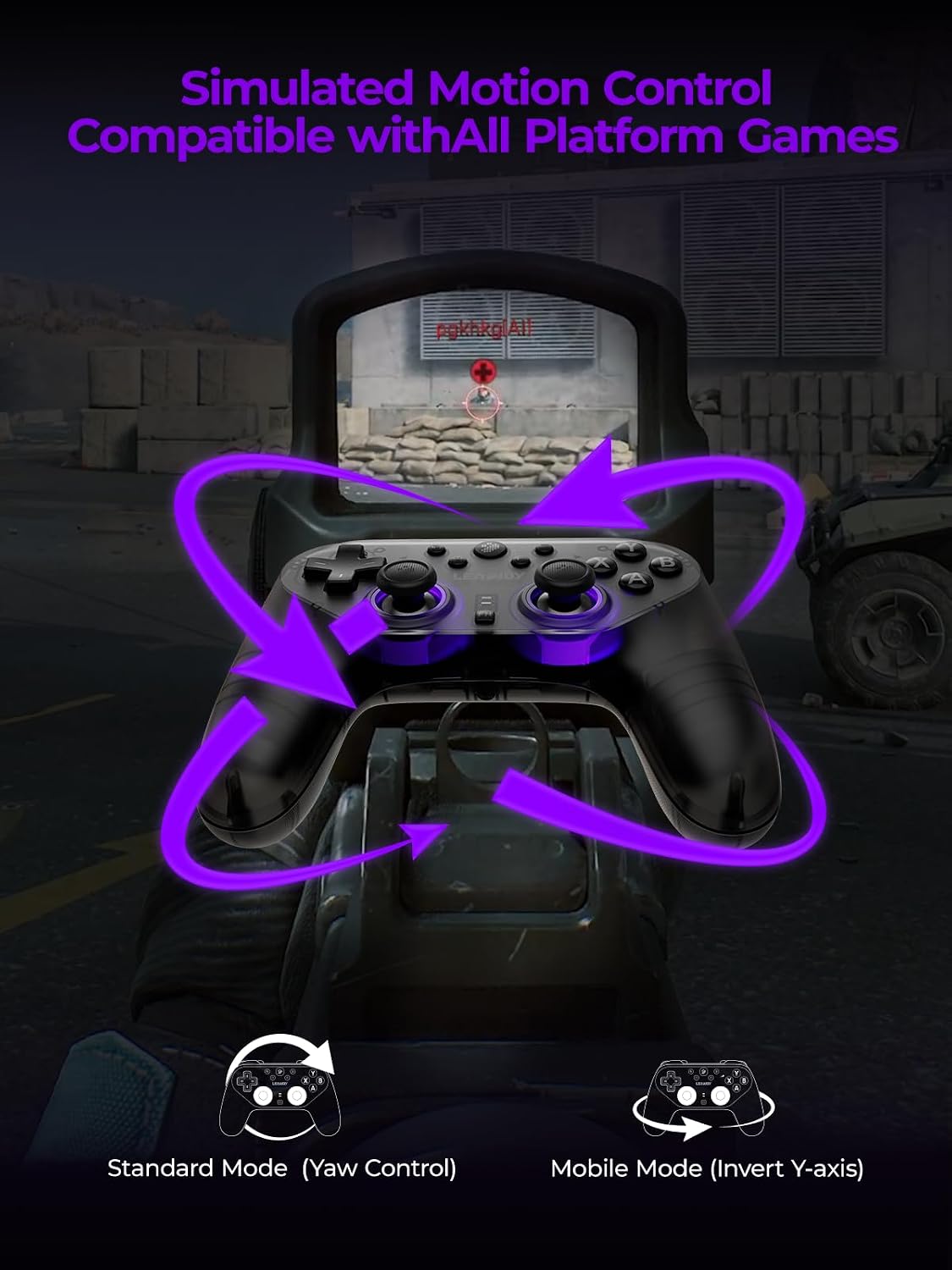
Image: A first-person shooter perspective showing the controller being used with motion controls, indicated by purple arrows.
Техникалык тейлөө
- Тазалоо: Контроллерди тазалоо үчүн жумшак, кургак чүпүрөктү колдонуңуз. Катуу химиялык заттарды же абразивдүү материалдарды колдонбоңуз.
- Сактагыч: Контроллерди түз күн нурунан жана экстремалдык температурадан алыс салкын, кургак жерде сактаңыз.
- Батареяга кам көрүү: Батареянын иштөө мөөнөтүн узартуу үчүн, контроллерди тез-тез толук зарядсыздандырбаңыз. Аны көпкө чейин колдонбосоңуз да, үзгүлтүксүз кубаттап туруңуз.
Проблемаларды чечүү
Контроллер туташпай жатат:
- Контроллер заряддалганын текшериңиз.
- Verify the correct connection mode (wired, 2.4G, Bluetooth) is selected for your device.
- Bluetooth үчүн, түзмөгүңүздүн Bluetooth функциясы иштетилгенин жана контроллер жупташтыруу режиминде экенин текшериңиз.
- For 2.4G wireless, ensure the receiver is properly plugged in and the controller is paired.
- Try restarting both the controller and your gaming device.
Buttons Unresponsive or Laggy:
- Ensure the controller's firmware is up to date via the companion app.
- Баскычтардын айланасында кандайдыр бир физикалык тоскоолдуктарды же таштандыларды текшериңиз.
- If using wireless, ensure you are within range and there is no significant interference.
- Зымсыз байланыш көйгөйлөрүн болтурбоо үчүн зымдуу туташууну колдонуп көрүңүз.
кубаттоо маселелери:
- USB-C кабелинин контроллерге да, кубат булагына да бекем туташканын текшериңиз.
- Башка USB-C кабелин же кубат адаптерин колдонуп көрүңүз.
- Ensure the power source is providing sufficient power.
Техникалык шарттар
| Өзгөчөлүк | Деталь |
|---|---|
| Модель номери | LJSBP001 |
| Байланыш | 2.4G Wireless, Bluetooth, Wired |
| Добуш берүү көрсөткүчү | 1000Гц (зымдуу) |
| Батарея | 1 Non-standard Battery (included) |
| Продукциянын өлчөмдөрү | 20 x 11 x 5 см |
| Салмагы | 362.87 г |
| Жашы боюнча сунуш | 12 жаш жана андан жогору |
| Origin | Кытай |
Кепилдик маалымат
The Leadjoy Saber Plus Game Controller comes with a standard manufacturer's warranty. Please refer to the warranty card included in your package or visit the official Leadjoy webдеталдуу кепилдик шарттары жана шарттары үчүн сайт. Кепилдик дооматтар үчүн сатып алганыңыздын далилин сактаңыз.
Кардарларды колдоо
If you encounter any issues or have questions regarding your Leadjoy Saber Plus Game Controller that are not covered in this manual, please contact Leadjoy customer support. Contact information can typically be found on the official Leadjoy webсайтында же продуктунун таңгагында.
Расмий продукт Videos
No official seller videos were found in the provided product data.


