
Introduction
This manual provides comprehensive instructions for the setup, operation, and maintenance of your BLAUPUNKT 24WGC5501S 24-inch HD Ready Smart TV. This compact television features Google TV with integrated Chromecast, a clear 1366x768 LED display, Dolby Audio, Wi-Fi, Bluetooth 5.0, and various connectivity options. Please read this manual thoroughly before using your TV to ensure proper functionality and safety.
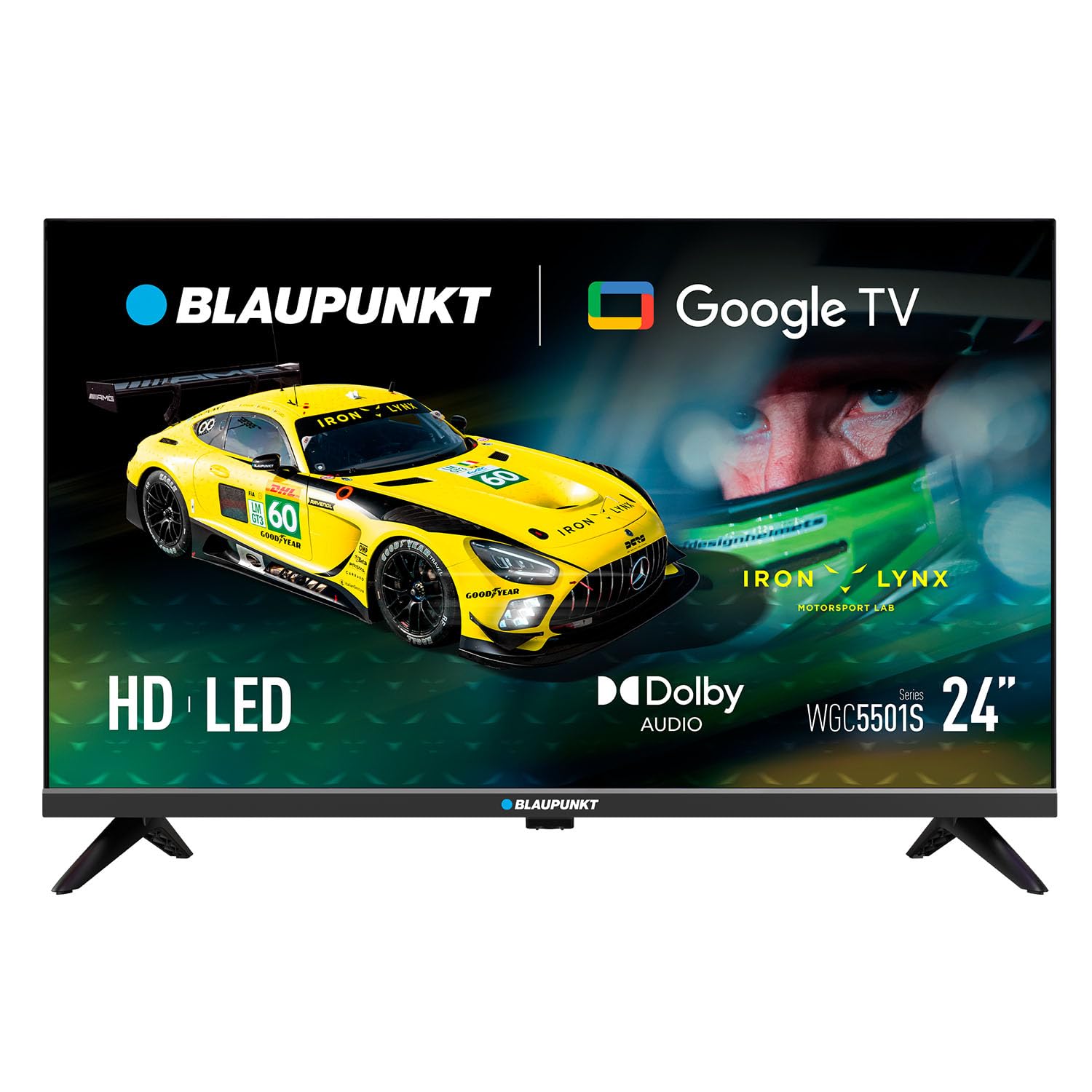
Сүрөт: алдыңкы view of the BLAUPUNKT 24WGC5501S 24-inch Smart TV, showcasing анын кооз дизайны жана дисплейи.
Коопсуздук маалыматы
Always follow basic safety precautions when using this television to reduce the risk of fire, electric shock, and injury. Keep the TV away from water and moisture. Do not block ventilation openings. Use only attachments/accessories specified by the manufacturer. Unplug the TV during lightning storms or when unused for long periods. Refer to the full safety guidelines in the included printed manual.
Негизги өзгөчөлүктөрү
The BLAUPUNKT 24WGC5501S Smart TV offers a range of features designed for a comprehensive entertainment experience:
- HD даяр дисплей: 24-inch LED LCD screen with 1366 x 768 pixel resolution for clear visuals.
- Google TV 5.0: Intuitive smart TV platform with access to a wide array of streaming applications.
- Chromecast камтылган: Easily cast content from your mobile devices directly to the TV.
- Dolby Audio: Enhanced sound quality with 8W (2x4W) stereo speakers.
- Ар тараптуу байланыш: Includes Wi-Fi, Bluetooth 5.0, 2 HDMI ports, 1 USB port, Ethernet, AV Mini, and SPDIF Optical Out.
- Integrated Tuner: Supports DVB-T/T2/C/S/S2 for various digital broadcasting standards.
- Практикалык функциялар: Features like EPG, Teletext, PVR recording, HDMI-ARC, and HDMI-CEC for convenience.
- Компакт дизайн: Lightweight and VESA compatible (200 x 100 mm) for flexible placement.
Кутуда эмне бар
Таңгактан чыгарууда бардык компоненттер бар экенин текшериңиз:
- BLAUPUNKT 24WGC5501S Smart TV
- Алыстан башкаруу
- Электр кабели
- User manual (printed version)
- Стенд (2 даана)
Жайгашуу
1. Стендди бекитүү
- Экрандын бузулуп калышына жол бербөө үчүн, телевизорду бетин ылдый каратып жумшак, тегиз жерге этияттык менен коюңуз.
- Ар бир стенд бөлүгүн телевизордун түбүндөгү тиешелүү уячаларга тууралаңыз.
- Secure the stands using the screws provided (typically included with the stand pieces).

Сүрөт: Арткы view of the TV, illustrating the VESA mounting points and the areas where the stand legs attach.
2. Дубалга орнотуу (кошумча)
This TV supports VESA standard 200 x 100 mm wall mounts. Ensure you use a compatible wall mount bracket and follow the instructions provided with the mount. Disconnect the stand before wall mounting.
3. Тышкы түзмөктөрдү туташтыруу
Сыналгы тышкы түзмөктөрдү туташтыруу үчүн ар кандай портторду сунуш кылат:
- HDMI (x2): Blu-ray ойноткучтарын, оюн консолдорун же приставкаларды туташтырыңыз.
- USB 2.0 (x1): USB дисктерден медиа ойнотуу үчүн.
- LAN (RJ45): Зымдуу интернет байланышы үчүн.
- AV Mini: Эски аналогдук түзмөктөр үчүн.
- SPDIF Optical Out: Саундбарларга же үй кинотеатрынын системаларына санарип аудио чыгаруу үчүн.
- CI+ Slot: Шифрленген каналдар үчүн шарттуу кирүү модулдары (CAM) үчүн.
- Антенна/Спутник киргизүү: For DVB-T/T2/C/S/S2 tuner connection.

Сүрөт: сол жагы view of the TV, detailing the HDMI, USB, and CI+ ports for various connections.

Сүрөт: оң жак view of the TV, showing the power input connection.
4. Power Connection
Connect the power cable to the TV's AC input and then plug it into a suitable wall outlet (100–240 V AC).
5. Баштапкы орнотуу
Биринчи жолу күйгүзүлгөндө, сыналгы сизди баштапкы орнотуу процессине жетектейт:
- Тил тандоо: Өзүңүзгө жаккан тилди тандаңыз.
- Тармак туташуусу: Wi-Fi тармагыңызга туташыңыз же Ethernet кабелин колдонуңуз.
- Google аккаунтуна кирүү: Google TV функцияларына жана колдонмолоруна кирүү үчүн Google аккаунтуңуз менен кириңиз.
- Каналды сканерлөө: The TV will scan for available digital channels via the connected antenna or satellite.
Иштөө нускамалары
1. Алыстан башкаруу
Use the provided remote control to navigate the TV's functions. Insert two AAA batteries (not included) into the remote control, observing polarity.
- Кубат баскычы: Телевизорду күйгүзөт же өчүрөт.
- Көлөм +/-: Үн деңгээлин тууралайт.
- Канал +/-: Телеканалдарды өзгөртөт.
- Чабыттоо баскычтары: Менюлар боюнча жылдыруу жана параметрлерди тандоо үчүн колдонулат.
- Үй баскычы: Google TV башкы экранына жетет.
- Колдонмо баскычтары: Direct access to popular streaming services like Netflix, YouTube, Prime Video, Disney Plus.
2. Google TV интерфейси
The Google TV interface provides a personalized experience with recommendations based on your viewing habits. From the home screen, you can access:
- Колдонмолор: Download and manage your favorite streaming applications.
- Түз ТВ: Access broadcast channels.
- Китепкана: Сиз сатып алган же ижарага алган мазмун.
- Сен үчүн: Жекелештирилген мазмун боюнча сунуштар.

Image: The Google TV 5.0 interface, showing various streaming app icons and content recommendations.
3. Chromecast камтылган
With Chromecast built-in, you can cast content from your compatible smartphone, tablet, or computer directly to your TV. Look for the Cast icon (a rectangle with three curved lines in the bottom-left corner) within supported apps on your mobile device.
4. Tuner Functions
- DVB-T/T2/C/S/S2: Supports various digital terrestrial, cable, and satellite broadcasting standards.
- EPG (Электрондук программалык колдонмо): View upcoming program schedules.
- Телетекст: Текстке негизделген маалымат кызматтарына кириңиз.
- PVR (жеке видео жазгыч): Record TV programs to a connected USB storage device.
5. Audio and Video Features
The TV features Dolby Audio for enhanced sound quality. The integrated stereo speakers provide 2 x 4 W (8 W total) output. It also supports HDR for improved contrast and color depth.

Image: Visual representation of Dolby Audio, emphasizing balanced and harmonious sound.

Image: Visual representation of HDR technology, highlighting enhanced detail in both bright and dark scenes.
Техникалык тейлөө
1. Тазалоо
- Экран: Экранды жумшак, түксүз чүпүрөк менен акырын сүртүңүз. Кежир тактар үчүн, экранга түздөн-түз эмес, кездемеге колдонулган экранга тиешелүү тазалоочу эритмени колдонуңуз.
- Телевизордун корпусу: Wipe with a soft, dry cloth. Avoid using abrasive cleaners or solvents.
- Тазалоодон мурун дайыма сыналгыдан ажыратыңыз.
2. Программалык камсыздоону жаңыртуу
The TV may receive software updates to improve performance and add new features. Ensure your TV is connected to the internet to receive these updates. You can usually check for updates in the TV's settings menu. Guaranteed software updates are not specified beyond the initial purchase.
Проблемаларды чечүү
Телевизоруңузда көйгөйлөргө туш болсоңуз, төмөнкү жалпы чечимдерди караңыз:
- Кубат жок: Электр кабели сыналгыга да, розеткага да бекем туташтырылганын текшериңиз. Башка розеткадан аракет кылып көрүңүз.
- Сүрөт/үн жок: Туура киргизүү булагы тандалганын текшериңиз. Тышкы түзмөктөргө бардык кабелдик байланыштарды текшериңиз.
- Интернет байланышы жок: Verify your Wi-Fi password. Restart your router and the TV. If using Ethernet, check the cable connection.
- Алыстан башкаруу иштебейт: Батареяларды алмаштырыңыз. Пульт менен сыналгынын IR сенсорунун ортосунда эч кандай тоскоолдуктар жок экенин текшериңиз.
- Колдонмо маселелери: Try restarting the app or clearing its cache in the TV's settings.
For more detailed troubleshooting, consult the full user manual (PDF) or contact customer support.
Техникалык шарттар
| Өзгөчөлүк | Деталь |
|---|---|
| Модель аты | 24WGC5501S |
| Экран технологиясы | LED LCD HD Ready |
| Резолюция | 1366 x 768 px |
| Screen Size | 24" (59.9 см) |
| Аспект катышы | 16:9 |
| Typical Contrast | 2250:1 |
| Жарыктык | 150–180 nits |
| Жаңыртуу ылдамдыгы | 60 Гц |
| Viewбурч | 178° (H) / 178° (V) |
| Жооп убактысы | 9.5 мс |
| Түстөр | 16.7 млн |
| Аудио Power | 2 × 4 W (8 W total) |
| Аудио технологиясы | Dolby Audio |
| Тюнерди колдоо | DVB-T/T2/C/S/S2 |
| CI+ Slot | 1 |
| Smart TV OS | Google TV 5.0 |
| CPU | ARM Cortex-A55 Quad Core 1.45 GHz |
| GPU | G31MP2 Dual Core |
| RAM | 1 ГБ |
| Flash Memory | 8 ГБ |
| Chromecast | Интеграцияланган |
| Wi-Fi | 2T2R Integrated |
| Bluetooth | Версия 5.0 |
| HDMI порттору | 2 |
| USB 2.0 порту | 1 |
| LAN (RJ45) | 1 |
| AV Mini Input | 1 |
| SPDIF Optical Out | 1 |
| Электр камсыздоо | 100-240 В AC |
| Операциялык керектөө | 17 Вт |
| Күтүү режиминдеги керектөө | ≤ 0.5 Вт |
| Тармактын күтүү режиминдеги керектөө | 2 Вт |
| Energy Class SDR/HDR | E |
| Dimensions with Stand (L×W×H) | 536 × 156 × 360 мм |
| Dimensions without Stand (L×W×H) | 536 × 77 × 330 мм |
| Стенд менен таза салмак | 2.25 кг |
| VESA Монтаждоо | 200 × 100 мм |
| EAN | 8594213441658 |
| Келип чыккан өлкө | Чех Республикасы |

Image: The energy efficiency label for the 24WGC5501S model, showing its Class E rating and power consumption.
For more details on energy efficiency, scan the QR code or visit: https://eprel.ec.europa.eu/qr/2522775
Кепилдик
This BLAUPUNKT television comes with a two-year manufacturer's warranty. Please retain your proof of purchase for warranty claims. The warranty covers manufacturing defects under normal use. It does not cover damage caused by misuse, accidents, unauthorized modifications, or normal wear and tear. For specific terms and conditions, refer to the warranty documentation included with your product or contact BLAUPUNKT customer service.
Колдоо
For technical assistance, product inquiries, or warranty support, please contact BLAUPUNKT customer service. Contact information can typically be found on the manufacturer's official website or in the printed user manual. Ensure you have your model number (24WGC5501S) and serial number ready when contacting support.