MiLocks Manuals & User Guides
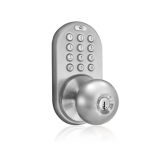
MiLocks, a brand of Morning Industry, specializes in electronic keyless entry solutions including keypad deadbolts, doorknobs, and remote-control handle sets for residential security.
About MiLocks manuals on Manuals.plus
MiLocks is a leading manufacturer of residential electronic locksets, offering a wide variety of keyless entry solutions such as touchpad deadbolts, doorknobs, levers, and handle sets. Operating under Morning Industry Inc. (MiProducts Corp.), the brand focuses on providing simple, functional, and affordable security products that can be installed as direct replacements for standard door locks.
Their product line includes designs in finishes like satin nickel, oil-rubbed bronze, and polished brass, featuring options for keypad codes, remote control fobs, and smartphone integration.
MiLocks manuals
Акыркы колдонмолор manuals+ бул бренд үчүн түзүлгөн.
MiLocks BXF-02OB Digital Deadbolt Door Lock КОЛДОНУУЧУ ЖОЛДАМАСЫ
MiLocks Кепилдик маалыматы
MiLocks программалоо боюнча колдонмонун колдонмосу
MiLocks DKK колдонуучунун колдонмосу
MiLocks орнотуу боюнча колдонмо
MiLocks Кепилдик колдонуучу колдонмосу
MiLocks Keypad Entry Deadbolt Lock Installation Manual
MiLocks TKK-02SN & TKK-02AQ Санарип эшик туткасы кулпусу Колдонуучунун колдонмосу
MiLocks BLEF Smart Door Lock: Орнотуу, программалоо жана көйгөйлөрдү чечүү боюнча колдонмо
MiLocks Latch Backset'ти кантип тууралоо керек
MiLocks модели RF ачкычсыз кирүү кулпусун орнотуу жана мүчүлүштүктөрдү аныктоо боюнча колдонмо
MiLocks manuals from online retailers
MiLocks BTF-02AQ Electronic Keyless Entry Door Lock User Manual
MiLocks BTF-02OB Electronic Keyless Entry Door Lock Instruction Manual
MiLocks DF-02AQ Electronic Keyless Entry Touchpad Deadbolt Door Lock Instruction Manual
MiLocks DF-02SN Electronic Keyless Entry Touchpad Deadbolt Door Lock Instruction Manual
MiLocks XF-02AQ Digital Deadbolt Door Lock User Manual
MiLocks TKK-02P Digital Keypad Door Knob Lock Instruction Manual
MiLocks TKK-02SN Tkk-Sn Digital Keypad Door Knob Lock Instruction Manual
MiLocks XF-02P Digital Deadbolt Door Lock User Manual
MiLocks TF-02SN Keyless Entry Door Lock User Manual
MiLocks TF-02AQ Keyless Entry Door Lock Instruction Manual
MiLocks DKK-02SN Indoor Electronic Touchpad Keyless Entry Door Lock User Manual
MiLocks video guides
Бул бренд үчүн орнотуу, орнотуу жана көйгөйлөрдү чечүү видеолорун көрүңүз.
MiLocks support FAQ
Колдонмолор, каттоо жана бул брендди колдоо жөнүндө жалпы суроолор.
-
How do I reset my MiLocks keypad deadbolt to factory settings?
To delete all codes and reset the lock, press and hold the 'C' (Cancel) button on the back module for approximately 10-15 seconds until you hear a series of confirmation beeps.
-
Why is my MiLocks lock beeping rapidly and not locking?
A rapid beeping sound usually indicates low battery power. Replace the batteries with 4 brand new AA alkaline batteries to resolve the issue.
-
How do I set the lock direction for a left or right-handed door?
On the back module (Part B), locate the switch labeled '1-2'. Set the switch to '1' for right-hand doors or '2' for left-hand doors to ensure the lock operates in the correct direction.
-
Does MiLocks offer a warranty on their products?
Yes, MiLocks typically provides a Lifetime Warranty on the exterior finish, a 25-Year Mechanical Warranty, and a 1-Year Limited Warranty on electronic components.
-
Can I use rechargeable batteries in my electronic lock?
No, the manufacturer recommends using only standard AA alkaline batteries. Do not mix old and new batteries or use rechargeable ones, as this may affect performance.