1. Киришүү
Thank you for choosing the Minolta Dynax 404si. This manual provides essential information for the proper use, setup, and maintenance of your camera. Please read this manual thoroughly before using your camera to ensure optimal performance and longevity.
2. Коопсуздук маалыматы
- Батареянын коопсуздугу: Use only recommended batteries. Do not mix old and new batteries or different types. Dispose of batteries properly.
- Тасманы иштетүү: Load and unload film in subdued light to prevent fogging.
- Линзага кам көрүү: Avoid touching lens surfaces directly. Use a soft, lint-free cloth for cleaning.
- Экологиялык шарттар: Камераны узак убакыт бою өтө жогорку температурага, нымдуулукка же түз күн нуруна дуушар кылбаңыз.
- Балдар: Keep the camera and its accessories out of reach of small children.
3. Пакеттин мазмуну
Пакетиңизде төмөнкү заттар бар экенин текшериңиз:
- Minolta Dynax 404si Camera Body
- Камера Боо
- Дене капкагы
- Көрсөтмө (бул документ)
Note: Lenses, batteries, and film are typically sold separately.
4. Камера бүткөнview
Familiarize yourself with the main components of your Minolta Dynax 404si camera.
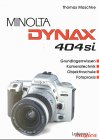
4.1-сүрөт: Фронт view of the Minolta Dynax 404si camera with a standard lens. This image illustrates the lens mount, built-in flash, and grip area.
- Линзаны орнотуу: For attaching interchangeable Minolta A-mount lenses.
- Жапкычты чыгаруу баскычы: Activates autofocus and takes a picture.
- Терүү режими: Selects various shooting modes (e.g., Program, Aperture Priority, Shutter Priority, Manual).
- Viewтапкыч: Сиздин кадрларды түзүү үчүн.
- LCD панели: Displays camera settings and information.
- Камтылган Flash: Provides additional illumination when needed.
5. Орнотуу
5.1 Батареяны орнотуу
- Open the battery compartment cover, usually located at the bottom of the camera.
- Insert the required batteries (e.g., 2x CR2 lithium batteries) according to the polarity indicators (+/-).
- Батарея уясынын капкагын бекем жабыңыз.
5.2 Фильмди жүктөө
- Open the camera back by sliding the latch.
- Пленка картриджин пленка камерасына салыңыз.
- Тасма лидерин алуу катушкасындагы кызыл көрсөткүч белгисине чейин тартыңыз.
- Камераны артка жабыңыз. Камера тасманы автоматтык түрдө биринчи кадрга жылдырат.
5.3 Объективдин тиркемеси
- Камерадан корпустун капкагын, линзанын арткы капкагын чечиңиз.
- Align the red or white index mark on the lens with the corresponding mark on the camera's lens mount.
- Линзаны саат жебеси боюнча, ал ордунан чыккыча айлантыңыз.
6. Иштөө
6.1 Күйгүзүү/өчүрүү
To turn the camera on, rotate the power switch, typically located near the shutter release button, to the 'ON' position. To turn it off, rotate it to 'OFF'.
6.2 Сүрөт тартуунун негизги режимдери
Use the mode dial to select your desired shooting mode:
- P (Автоматтык программа): The camera automatically sets both aperture and shutter speed for balanced exposure.
- A (Апертура артыкчылыгы): You set the aperture, and the camera selects the appropriate shutter speed. Ideal for controlling depth of field.
- S (жабык приоритети): You set the shutter speed, and the camera selects the appropriate aperture. Ideal for controlling motion blur.
- M (кол): Сиз диафрагманы жана жабуунун ылдамдыгын көзөмөлдөйсүз.
6.3 Фокустоо
The Minolta Dynax 404si features autofocus. Press the shutter release button halfway down to activate autofocus. The camera will focus on the subject in the active autofocus area. A green light in the viewfinder indicates successful focus.
6.4 Экспозицияны көзөмөлдөө
In Program, Aperture Priority, and Shutter Priority modes, the camera automatically determines the correct exposure. You can use exposure compensation to lighten or darken your images if desired.
6.5 Flash колдонуу
The built-in flash can be used in low-light conditions. In some automatic modes, the flash will pop up and fire automatically. You can also manually activate or deactivate the flash using the flash button.
7. Техникалык тейлөө
7.1 Тазалоо
- Камеранын корпусу: Камеранын корпусун сүртүү үчүн жумшак, кургак чүпүрөктү колдонуңуз. өжөр кир үчүн, бир аз гampчүпүрөктү суу менен.
- Объектив: Use a lens brush or blower to remove dust. For smudges, use a specialized lens cleaning solution and a microfiber cloth.
- Viewтапкыч: Use a soft brush or air blower to clean the viewтапкыч окуляр.
7.2 Сактоо
When not in use, store your camera in a cool, dry place, away from direct sunlight and extreme temperatures. Remove batteries if the camera will not be used for an extended period to prevent leakage.
8. Кыйынчылыктарды
- Камера күйбөйт: Батарея орнотулганын текшерип, батарейкалардын жаңы экенин текшериңиз.
- Film does not advance: Ensure film is loaded correctly and the camera back is securely closed.
- Автофокус иштебейт: Ensure the lens is properly attached and the autofocus switch on the lens (if present) is set to AF. Check for sufficient light.
- Жарк этпейт: Check flash settings and ensure batteries have enough power.
For more complex issues, consult a qualified camera technician.
9. Техникалык шарттар
| Камера түрү | 35mm SLR (Single-Lens Reflex) |
| Линза орнотуу | Minolta A-mount |
| Фильм түрү | 35mm DX-coded film |
| Автофокус системасы | Phase-detection autofocus |
| Жабык ылдамдыгы диапазону | Typically 30s to 1/2000s, plus Bulb |
| Эсептөө системасы | Multi-segment, center-weighted, spot metering |
| Flash | Built-in pop-up flash |
| Power Source | CR2 lithium batteries (quantity may vary) |
Note: These specifications are typical for the Minolta Dynax 404si model. Actual specifications may vary slightly depending on the specific production batch.
10. Кепилдик жана колдоо
Minolta products typically come with a limited warranty covering manufacturing defects. Please refer to the warranty card included with your original purchase for specific terms and conditions, including the warranty period and coverage details.
For technical support, service, or inquiries regarding your Minolta Dynax 404si, please contact your local authorized Minolta service center or the retailer from whom you purchased the camera. Keep your proof of purchase for warranty claims.


