1. Киришүү
This manual provides detailed instructions for the proper use and maintenance of your Minolta Maxxum 3600HS TTL Shoe Mount Flash. This electronic flash unit is designed to provide powerful and versatile illumination for your photography needs.
The Maxxum 3600HS TTL Flash offers significant power, capable of lighting subjects at distances up to 26 meters when used with an AF 85mm f/1.4 G(D) lens with 85mm flash coverage. Its automatic power zoom function adjusts flash coverage for focal lengths from 24mm to 85mm. An included Wide Angle Adapter extends coverage to 17mm focal length. The compact design of the flash head ensures ease of handling and comfort during use.
2. Коопсуздук маалыматы
Please read and understand all safety precautions before using the flash unit. Improper use can lead to injury or damage to the product.
- Do not attempt to disassemble or modify the flash unit. Internal high-voltage components can cause electric shock.
- Keep the flash unit dry. Exposure to water or moisture can cause malfunction or electric shock.
- Avoid direct eye exposure to the flash light, especially at close range, as it can temporarily impair vision.
- Use only recommended batteries. Incorrect battery types or improper insertion can lead to leakage, overheating, or explosion.
- Балдар жетпеген жерде сактаңыз.
3. Flash Components
Familiarize yourself with the various parts of your Minolta Maxxum 3600HS flash unit.

Сүрөт 3.1: Алдыңкы View. This image shows the front of the Minolta Maxxum 3600HS flash, featuring the main flash tube and the red AF assist beam emitter below the 'MINOLTA' logo.
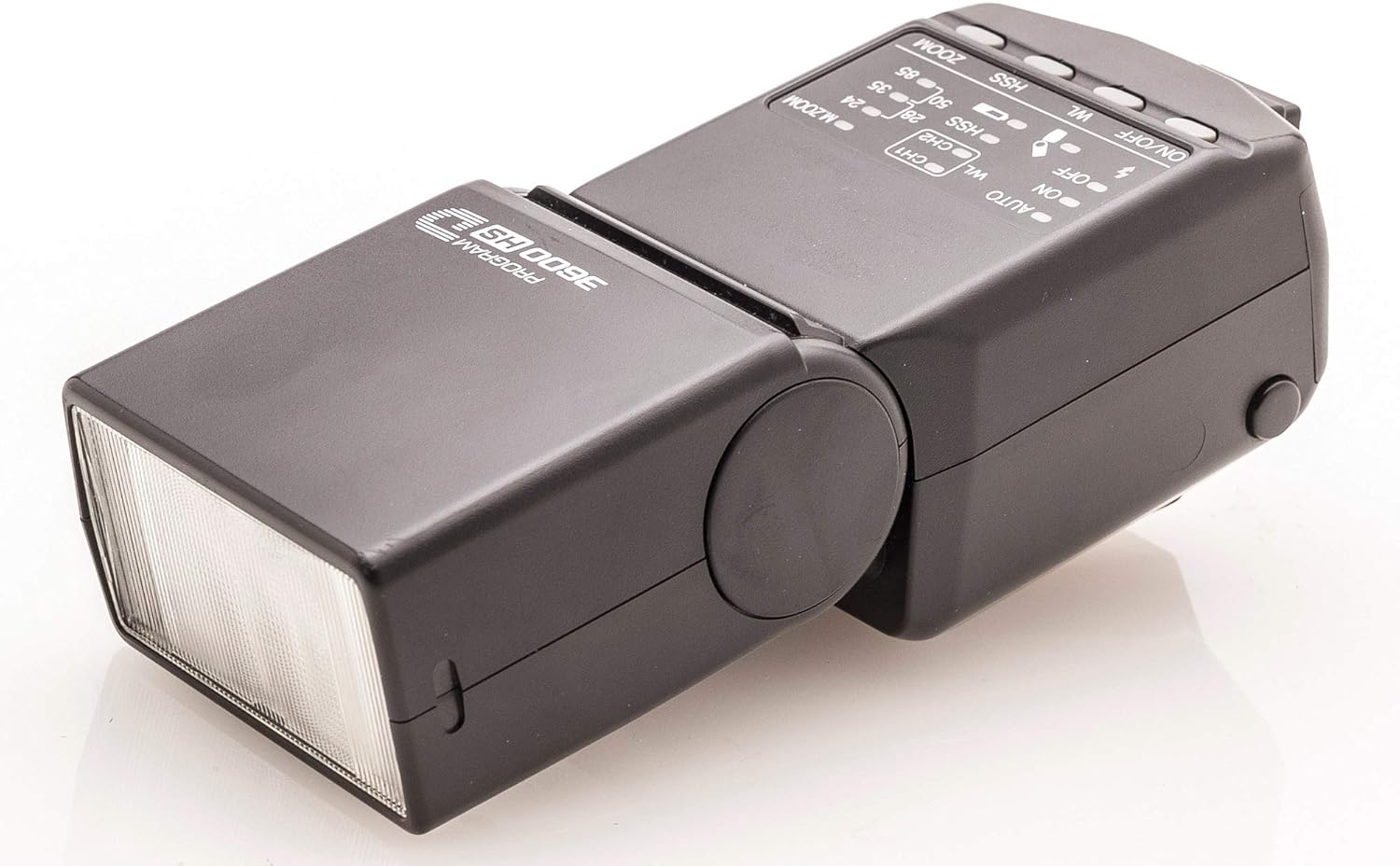
Сүрөт 3.2: Жогорку Башкаруу панели. This image displays the top of the flash head, highlighting the control panel with buttons for ZOOM, HSS (High-Speed Sync), WL (Wireless), and the ON/OFF switch. Various indicators for flash modes (AUTO, M.ZOOM) and channels (CH1, CH2) are also visible.
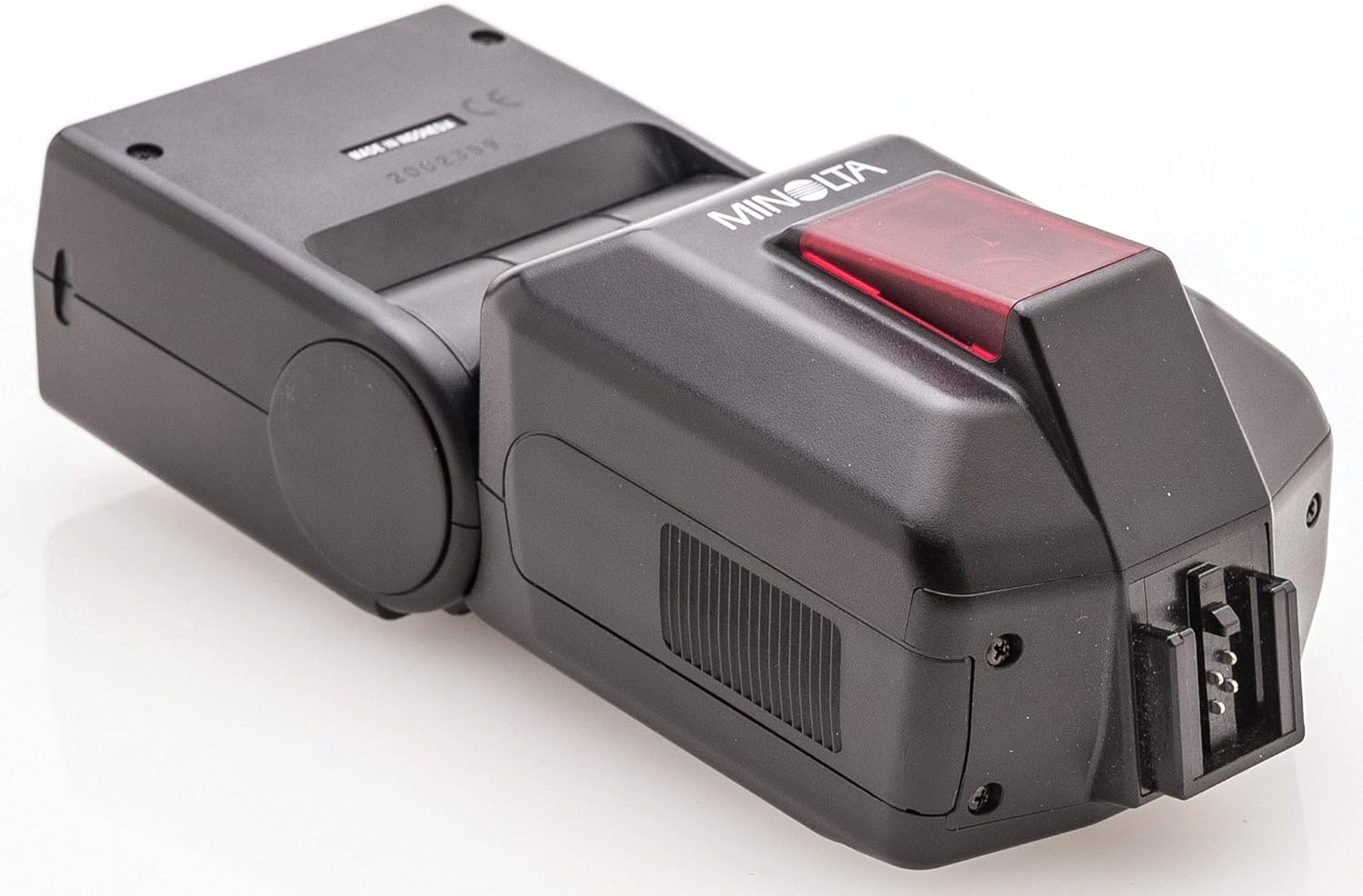
Figure 3.3: Hot Shoe Mount. This image shows the rear of the flash unit, focusing on the hot shoe mount for attachment to a camera and the battery compartment cover.
4. Орнотуу
4.1 Батареяны орнотуу
- Locate the battery compartment cover, typically on the side or rear of the flash unit.
- Open the cover according to the indicator (e.g., slide or press and lift).
- Бөлүмдүн ичинде көрсөтүлгөндөй туура полярдуулукту (+/-) камсыз кылып, төрт (4) AA өлчөмүндөгү батарейканы салыңыз.
- Батарея уясынын капкагын бекем жабыңыз.
4.2 Камерага орнотуу
- Ensure both the camera and flash unit are powered off.
- Slide the flash's hot shoe mount into the camera's hot shoe slot until it clicks into place or is firmly seated.
- If your flash has a locking mechanism (e.g., a locking wheel or lever), secure it to prevent accidental detachment.
5. Операция
5.1 Күйгүзүү/өчүрүү
To power on the flash, slide the ON/OFF switch to the 'ON' position. The flash will begin charging, and an indicator light will illuminate when ready to fire.
5.2 Flash режимдери
The Minolta Maxxum 3600HS supports various flash modes for optimal exposure:
- TTL (Объектив аркылуу) режими: This is the standard automatic mode where the camera measures the light through the lens and controls the flash output for correct exposure.
- Automatic Power Zoom: The flash head automatically adjusts its zoom position to match the focal length of your lens, ensuring efficient light distribution. This covers 24mm to 85mm.
- Wide Angle Adapter: For focal lengths wider than 24mm, attach the included wide-angle adapter to extend coverage down to 17mm.
- Жогорку ылдамдыктагы синхрондоштуруу (HSS): Use the HSS button to enable high-speed synchronization, allowing flash photography at shutter speeds faster than the camera's normal sync speed. This is useful for freezing fast action or using flash in bright ambient light.
- Wireless (WL) Mode: The flash can be used as a wireless remote flash. Refer to your camera's manual for specific wireless flash control settings. Use the WL button to activate and select channels (CH1, CH2).
5.3 Bounce Flash
The flash head can be tilted upwards to bounce light off a ceiling or wall. This technique creates softer, more natural-looking illumination by diffusing the light source. Adjust the flash head to the desired angle for bounce photography.
6. Техникалык тейлөө
6.1 Тазалоо
To clean the flash unit, gently wipe it with a soft, dry cloth. For stubborn dirt, slightly dampen the cloth with water and then wipe dry. Do not use organic solvents such as alcohol or paint thinner, as these can damage the finish.
6.2 Сактоо
When storing the flash for extended periods, remove the batteries to prevent leakage. Store the unit in a cool, dry place, away from direct sunlight and extreme temperatures.
7. Кыйынчылыктарды
If you encounter issues with your flash unit, refer to the following common problems and solutions:
| Көйгөй | Мүмкүн себеп | Чечим |
|---|---|---|
| Flash күйбөйт. | Batteries are dead or incorrectly inserted. Flash is not fully charged. Flash is not securely mounted. | Replace batteries or ensure correct polarity. Wait for the ready indicator light. Re-mount the flash firmly on the camera hot shoe. |
| Сүрөттөр өтө караңгы (экспозициясы жетишсиз). | Subject is too far away. Flash output is too low. Incorrect flash mode. | Move closer to the subject. Ensure flash is in TTL mode. Check camera settings for flash compensation. |
| Сүрөттөр өтө жарык (ашыкча экспозицияланган). | Subject is too close. Flash output is too high. | Increase distance from subject. Check camera settings for flash compensation. |
| Red-eye effect. | Direct flash into subject's eyes. | Use bounce flash or a red-eye reduction feature on your camera if available. |
If the problem persists after trying these solutions, consult a qualified service technician.
8. Техникалык шарттар
- Модел: Minolta Maxxum 3600HS
- Өндүрүүчү: Минолта
- Шайкеш орнотуулар: Бут кийим
- Flash түрү: TTL Shoe Mount Flash
- Чыгуу кубаттуулугу: Lights subjects up to 26 meters (with AF 85mm f/1.4 G(D) lens)
- Zoom камтуусу: Automatic, 24mm to 85mm (17mm with wide-angle adapter)
- Зымсыз байланыш: RF (Радио жыштыгы)
- Түс температурасы: Daylight balanced
- Продукциянын өлчөмдөрү: 6.9 x 4.5 x 3.5 дюйм
- Элемент Салмагы: 1.19 фунт
9. Кепилдик жана колдоо
Specific warranty information for the Minolta Maxxum 3600HS TTL Shoe Mount Flash is not available in the provided product data. For warranty claims or technical support, please refer to the original purchase documentation or contact Minolta customer service directly.


