Introduction
This manual provides essential instructions for the setup, operation, maintenance, and troubleshooting of your Trust Soundwave 1000P PC Speaker system. Please read this manual thoroughly before using the product to ensure proper functionality and longevity.
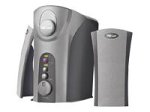
Image: The Trust Soundwave 1000P PC Speaker system, featuring a central subwoofer unit and two compact satellite speakers, designed for computer audio. The subwoofer is typically placed on the floor, while the satellite speakers are positioned on a desk.
Орнотуу нускамалары
Follow these steps to correctly set up your Trust Soundwave 1000P PC Speaker system.
- Пакеттен чыгаруу: Carefully remove all components from the packaging. Ensure you have the subwoofer, two satellite speakers, and all necessary cables.
- Спикердин жайгашуусу:
- Place the subwoofer on the floor, preferably near your computer desk, to optimize bass response. The vertical bass reflex design benefits from clear space around it.
- Position the two satellite speakers on your desk, equidistant from your listening position, for optimal stereo sound.
- Спутниктик динамиктерди туташтыруу: Connect the cables from the satellite speakers to the corresponding output ports on the subwoofer unit. Ensure a secure connection.
- Connecting to Audio Source (PC): Connect the 3.5mm audio jack cable from the subwoofer to the audio output port (usually green) on your computer's sound card.
- Кубат туташуу: Plug the power cable from the subwoofer into a standard electrical outlet.
- Баштапкы күйгүзүү: Turn on the speaker system using the power control, typically located on the subwoofer or a wired remote.
Спикерлерди иштетүү
Once set up, you can begin using your Soundwave 1000P speakers.
- Күйгүзүү/өчүрүү: Use the main power switch or button to turn the system on or off. An indicator light may confirm the power status.
- Үндү көзөмөлдөө: Adjust the overall volume using the dedicated volume knob or controls. Start with a low volume and gradually increase it.
- Басс тууралоо: The subwoofer features an adjustable bass control. Rotate the bass knob to achieve your desired level of deep bass.
- 3D Sound Switch: Activate or deactivate the 3D sound feature using the designated switch. Experiment with this setting to find your preferred audio experience for different content.
- Аудио киргизүү: The system primarily uses an AUX connection. Ensure your audio source is playing sound through its 3.5mm audio output.
Техникалык тейлөө жана кам көрүү
Тийиштүү техникалык тейлөө сиздин динамик системаңыздын узак мөөнөттүү иштешин жана оптималдуу иштешин камсыз кылат.
- Тазалоо:
- Тазалоодон мурун электрди өчүрүңүз.
- Use a soft, dry cloth to wipe down the speaker surfaces.
- Do not use liquid cleaners, aerosols, or abrasive materials, as these can damage the finish or internal components.
- Жайгашкан жери: Avoid placing speakers in direct sunlight, near heat sources, or in areas with high humidity. Ensure adequate ventilation around the subwoofer.
- Кабелдик башкаруу: Зымдарды тыкан кармаңыз жана бузулуп калбашы үчүн кескин ийилип же кыйшайып кетпеши керек.
- Сактагыч: If storing the speakers for an extended period, disconnect them from power, clean them, and store them in a dry, cool place, preferably in their original packaging.
Кыйынчылыктарды табуу боюнча колдонмо
If you encounter issues with your Trust Soundwave 1000P speakers, refer to the following common problems and solutions.
| Көйгөй | Мүмкүн себеп | Чечим |
|---|---|---|
| Динамиктерден үн жок. |
|
|
| Бурмаланган же түшүнүксүз үн. |
|
|
| Сабвуфер бас чыгарбайт. |
|
|
Продукт спецификациялары
Key technical details for the Trust Soundwave 1000P PC Speaker system.
- Модель номери: 12616
- Бренд: Trust
- Динамик түрү: Subwoofer (2.1 system)
- Максималдуу Чыгуу кубаттуулугу: 1000 Ватт
- RMS Wattage: 7 Watt (5 + 2 x 1 Watt RMS)
- Байланыш технологиясы: AUX (3.5 мм уяча)
- Аудио чыгаруу режими: Стерео
- Кубат булагы: Зымдуу электр
- Элемент Салмагы: 10 г
- Монтаж түрү: Tabletop Mount (for satellites), Floor (for subwoofer)
- Башкаруу ыкмасы: тийүү
Кепилдик маалымат
Бул продукт менен келет Чектелген Кепилдик. For specific terms and conditions, including warranty duration and claim procedures, please refer to the warranty card included with your purchase or visit the official Trust webсайт. Кепилдик дооматтар үчүн сатып алганыңыздын далилин сактаңыз.
Кардарларды колдоо
For further assistance, technical support, or inquiries not covered in this manual, please visit the official Trust support webсайтына кириңиз же алардын кардарларды тейлөө бөлүмүнө кайрылыңыз. Байланыш маалыматтарын, адатта, өндүрүүчүнүн веб-сайтынан тапса болот webсайт же продукт таңгак.
Расмий траст Webсайт: www.trust.com


