1. Киришүү
Сатып алганыңыз үчүн рахматasing the NANAO FlexScan L767-R 19-inch Color LCD Display. This manual provides essential information for setting up, operating, and maintaining your monitor. Please read this manual thoroughly before use to ensure proper and safe operation.
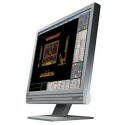
Figure 1: NANAO FlexScan L767-R LCD Monitor. This image shows the monitor from a slight angle, highlighting its slim bezel and adjustable stand.
2. Өзгөчөлүктөрү
The FlexScan L767-R is designed for optimal visual performance and user convenience. Key features include:
- Жандуу түстүү дисплей: Supports approximately 16.77 million full colors for impressive color vibrancy.
- FineContrast Function: Easily adjust brightness and gamma settings to match content (text, images) for optimal viewing.
- Dual Input Support: Equipped with both analog and digital input terminals for versatile connectivity.
- Интегралдык аудио: Features built-in speakers for audio output.
- Эргономикалык стенд: The stand allows for a 50mm vertical height adjustment, enhancing user comfort.
- Non-Glare Surface: The screen surface is non-glare, reducing reflections and eye strain.
3. Орнотуу
Follow these steps to set up your FlexScan L767-R monitor:
- Мониторду таңгактан чыгаруу: Мониторду жана бардык аксессуарларды таңгактан этияттык менен алып чыгыңыз.
- Мониторду жайгаштырыңыз: Place the monitor on a stable, flat surface. Ensure adequate ventilation around the monitor.
- Видео кабелин туташтыруу:
- үчүн Аналогдук туташуу: Connect the D-Sub (VGA) cable from your computer's video output to the analog input port on the monitor.
- үчүн Digital Connection: Connect the DVI cable from your computer's video output to the digital input port on the monitor.
- Connect Audio Cable (Optional): If you wish to use the built-in speakers, connect an audio cable from your computer's audio output to the audio input port on the monitor.
- Кубат кабелин туташтыруу: Plug the power cable into the monitor's power input, then plug the other end into a grounded electrical outlet.
- Күйгүзүү: Press the power button on the monitor. Power on your computer. The monitor should display your computer's screen.
4. Иштөө
This section describes the basic operation of your FlexScan L767-R monitor.
4.1. FineContrast Function
The FineContrast function allows you to quickly switch between different display modes optimized for various content types. Use the dedicated buttons on the monitor's front panel to cycle through modes such as Text, Picture, Movie, and Custom. Each mode adjusts brightness, gamma, and color temperature for the best viewтажрыйбасы.
4.2. Stand Adjustment
The monitor stand offers vertical height adjustment. Gently push or pull the monitor panel up or down to adjust its height within the 50mm range. Ensure the monitor is stable after adjustment.
4.3. Экрандагы дисплей (OSD) менюсу
Access the OSD menu using the control buttons on the front panel to fine-tune settings such as brightness, contrast, color balance, input selection, and more. Refer to the detailed OSD menu guide in the full manual for comprehensive options.
5. Техникалык тейлөө
Мониторду туура тейлөө анын узак мөөнөттүү иштешин жана жакшы иштешин камсыз кылат.
- Экранды тазалоо: Бир аз жумшак, түксүз кездемени колдонуңуз dampened with water or a non-abrasive, monitor-specific cleaning solution. Do not spray liquid directly onto the screen.
- Тазалоо Casing: Мониторду сүртүңүз casing жумшак, кургак чүпүрөк менен. Күчтүү жуучу каражаттарды же эриткичтерди колдонуудан алыс болуңуз.
- Вентиляция: Ашыкча ысып кетүүнүн алдын алуу үчүн монитордогу желдетүү тешиктери жабылбаганын текшериңиз.
- Өчүрүү: Тазалоодон мурун же ал узак убакыт бою колдонулбай кала турган болсо, ар дайым аны өчүрүп, розеткадан сууруп алыңыз.
6. Кыйынчылыктарды
Мониторуңузда көйгөйлөргө туш болсоңуз, төмөнкү жалпы көйгөйлөрдү жана чечимдерди караңыз:
- Экранда сүрөт жок:
- Монитор күйгүзүлгөнүн текшериңиз.
- Verify that the video cable is securely connected to both the monitor and the computer.
- Ensure the correct input source is selected on the monitor (Analog/Digital).
- Сүрөт бурмаланган же бүдөмүк:
- For analog connections, perform an auto-adjustment via the OSD menu.
- Check the display resolution settings on your computer. Ensure it matches the monitor's native resolution (1280x1024).
- Динамиктерден үн жок:
- Verify the audio cable is properly connected.
- Монитордогу жана компьютериңиздеги үн жөндөөлөрүн текшериңиз.
If the problem persists after trying these solutions, please contact EIZO customer support or refer to the comprehensive troubleshooting guide in the full product manual.
7. Техникалык шарттар
| Өзгөчөлүк | Спецификация |
|---|---|
| Бренд | EIZO |
| Модел | L767-R |
| Screen Size | 19 дюйм |
| Резолюция | 1280 x 1024 |
| Screen Surface Description | Жарыксыз |
| Жарыктык | 250 кд/м² |
| Жаңыртуу ылдамдыгы | 60 Гц |
| Арткы жарык технологиясы | CCFL |
| HDMI киргизүү порттору | 0 |
| USB Функциясы | Жок |
| Камтылган динамик | Ооба |
| TV функциясы | Жок |
| 3D Display Support | Колдоого алынбайт |
| Сенсордук панел | Колдоого алынбайт |
| Элемент Салмагы | 10 килограмм |
| Пакеттин өлчөмдөрү | 56 x 53.5 x 22.5 см |
8. Кепилдик жана колдоо
For detailed warranty information, please refer to the warranty card included with your product or visit the official EIZO webсайт. Кепилдиктин шарттары жана шарттары аймакка жараша өзгөрүшү мүмкүн.
For technical support, product inquiries, or service requests, please contact EIZO customer support through their official channels. Keep your product model number (L767-R) and serial number ready when contacting support.
EIZO Official Webсайт: www.eizo.com


