1. Киришүү
This manual provides essential information for setting up, operating, and maintaining your SEGA Saturn Model HST-0014 console. The SEGA Saturn is a fifth-generation home video game console developed by SEGA and released in Japan on November 22, 1994. This specific model is a Japanese import, designed to play NTSC-J region games.
Please read this manual thoroughly before using your console to ensure proper operation and to maximize your gaming experience.
2. Коопсуздук боюнча маанилүү маалымат
To prevent electric shock, fire, or damage to the console, please observe the following safety precautions:
- Электр камсыздоо: Use only the power supply provided with your console or a compatible replacement. Ensure the voltage matches your region's electrical standards (AC 100V for this Japanese import model).
- Вентиляция: Do not block the ventilation slots on the console. Place the console on a flat, stable surface with adequate space around it for air circulation.
- Суюктук жана нымдуулук: Keep the console away from water, moisture, and high humidity. Do not operate with wet hands.
- Жылуулук булактары: Avoid placing the console near heat sources such as radiators, heat registers, stoves, or other heat-producing appliances.
- Тазалоо: Clean the console with a soft, dry cloth. Do not use liquid cleaners or aerosol cleaners.
- Демонтаж: Do not attempt to disassemble or modify the console. Refer all servicing to qualified service personnel.
- Балдар: Keep small children away from the console and its accessories. Small parts can be a choking hazard.
- Көздүн штаммы: Take regular breaks during gameplay to prevent eye strain and fatigue.

Image: Original Japanese instruction manual pages, including safety information.
3. Продукт бүтүп калдыview
The SEGA Saturn Model HST-0014 console is a compact gaming system. Familiarize yourself with its main components:
3.1 Console Unit

Image: SEGA Saturn Model HST-0014 Console (Top View). This image displays the console's top surface, including the disc tray cover, power button, and reset button.
- Disc Lid: Opens to insert game discs.
- Кубат баскычы: Turns the console on and off. (Often red or pink on Japanese models)
- Калыбына келтирүү баскычы: Resets the console during gameplay.
- Контроллердин порттору: Two ports on the front for connecting controllers.
- Кеңейтүү порту: Located on the top, typically for memory cartridges or other accessories.
- Арткы порттор: Includes A/V output, power input, and potentially a communication port.
3.2 Контроллер

Image: SEGA Saturn Controller. This image shows the standard controller with its directional pad, action buttons, and start button.
The standard SEGA Saturn controller features:
- Багыттоочу такта (D-Pad): For movement and menu navigation.
- Аракет баскычтары (A, B, C, X, Y, Z): Used for in-game actions.
- Баштоо баскычы: Pauses games or confirms selections.
- Ийин баскычтары (сол, оң): Located on the top left and right for additional controls.
3.3 Included Cables
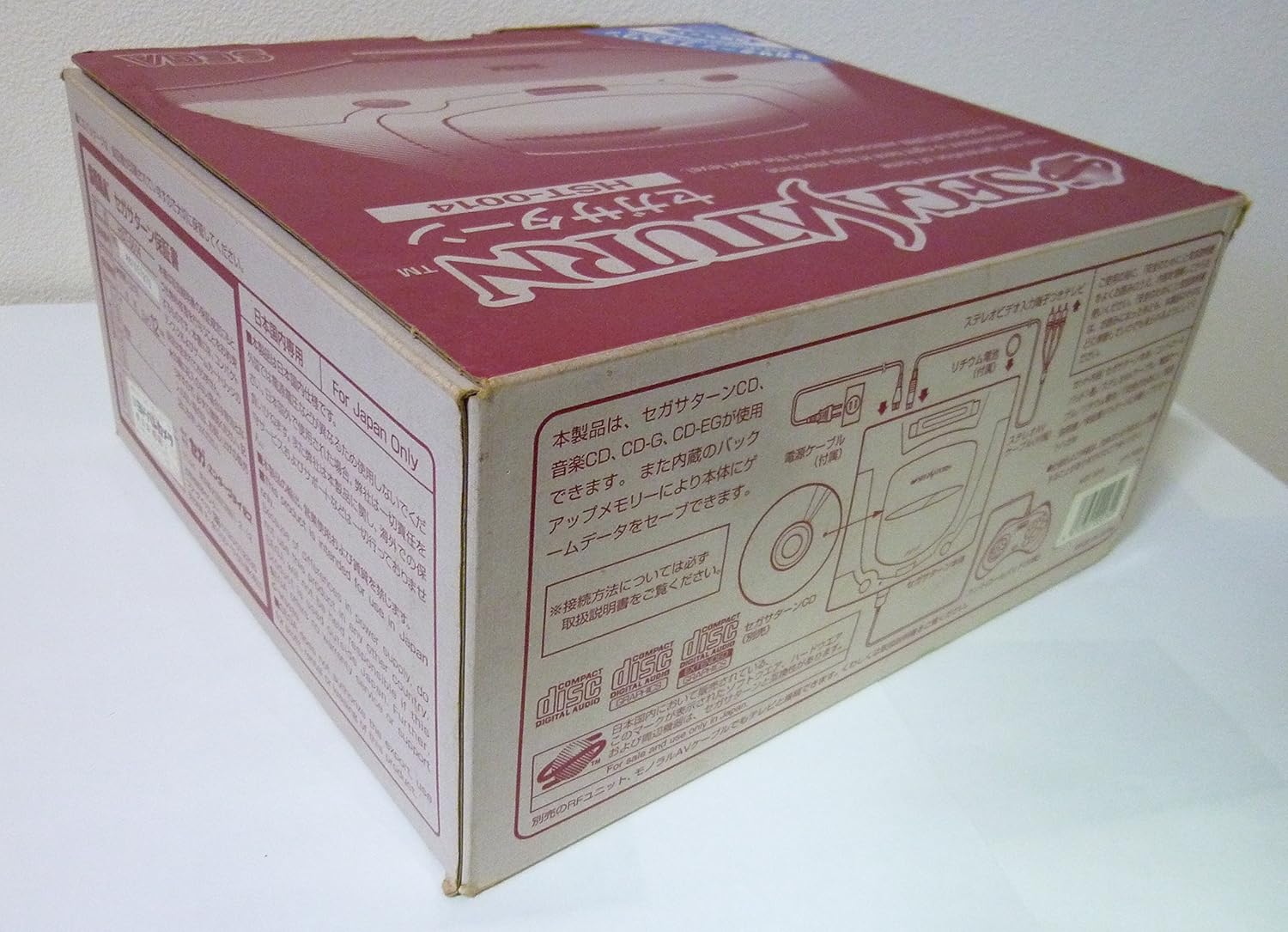
Image: Power and AV Cables. This image displays the necessary cables for connecting the console to power and a television.
- AC электр кабели: Connects the console to an electrical outlet.
- AV Cable: Connects the console to your television for video and audio output (typically RCA composite).
4. Орнотуу нускамалары
Follow these steps to connect your SEGA Saturn console:
- Жайгашкан жери: Place the console on a stable, level surface near your television, ensuring proper ventilation.
- AV кабелин туташтырыңыз:
- Insert the multi-out connector of the AV cable into the A/V OUT port on the back of the SEGA Saturn console.
- Connect the yellow RCA plug to the video input (usually yellow) on your television.
- Connect the white RCA plug to the left audio input (usually white) on your television.
- Connect the red RCA plug to the right audio input (usually red) on your television.
- Кубат кабелин туташтыруу:
- Insert the AC power cable into the AC IN port on the back of the console.
- Plug the other end of the AC power cable into a suitable electrical outlet (AC 100V).
- Контроллерди туташтыруу: Plug the controller cable into one of the controller ports on the front of the console.
- Power On TV: Turn on your television and select the correct AV input channel.
- Күйгүзүү консолу: Press the Power button on the SEGA Saturn console. The SEGA Saturn logo should appear on your screen.
Эскертүү: This console is a Japanese import and operates on AC 100V. Using it with incorrect voltage without a step-down converter can damage the unit.
5. Иштөө нускамалары
5.1 Оюн дискин салуу
- Ensure the console is powered off or at the main menu.
- Gently lift the disc lid on the top of the console.
- Place the game disc onto the spindle with the label side facing up.
- Close the disc lid firmly until it clicks into place.
Маанилүү: This Japanese import console is designed to play NTSC-J region games only. Discs from other regions (e.g., NTSC-U/C, PAL) will not function.
5.2 Оюнду баштоо
- With a game disc inserted and the console powered on, the system will typically boot directly into the game.
- If the console boots to the system menu, navigate to the "Start Game" or "CD Player" option and select it.
5.3 Saving Game Progress
The SEGA Saturn uses internal memory for saving game progress. Some games may also support external memory cartridges (sold separately) inserted into the expansion port. Follow in-game instructions for saving.
5.4 System Menu Navigation
The system menu allows you to manage internal memory, play audio CDs, and adjust system settings. Use the D-Pad and action buttons on your controller to navigate and select options.
6. Техникалык тейлөө жана кам көрүү
- Консольду тазалоо: Wipe the console's exterior with a soft, dry, lint-free cloth. Do not use abrasive cleaners, solvents, or chemical sprays.
- Cleaning Game Discs: Gently wipe game discs from the center outwards with a soft, clean cloth. Avoid touching the data side of the disc.
- Сактагыч: When not in use, store the console and games in a clean, dry, dust-free environment away from direct sunlight and extreme temperatures.
- Диск менен иштөө: Always hold discs by their edges. Avoid bending or scratching discs.
7. Кыйынчылыктарды
| Көйгөй | Мүмкүн себеп | Чечим |
|---|---|---|
| Күч жок | Power cable not connected; power outlet not working; console fault. | Ensure power cable is securely connected. Test the outlet with another device. If still no power, consult a technician. |
| No video/audio on TV | AV cable not connected correctly; incorrect TV input selected; faulty AV cable. | Check AV cable connections to both console and TV. Select the correct AV input on your TV. Try a different AV cable if available. |
| Game disc not loading | Disc lid not closed properly; dirty or scratched disc; incorrect region game; laser lens dirty. | Ensure disc lid is fully closed. Clean the game disc. Verify the game is NTSC-J region. If issues persist, the laser lens may need cleaning by a professional. |
| Контроллер жооп бербей жатат | Контроллер сайылган эмес; контроллер бузук. | Ensure controller is securely plugged into the console. Try a different controller if available. |
If you encounter problems not listed here or if the suggested solutions do not resolve the issue, it is recommended to seek assistance from a qualified electronics repair technician.
8. Техникалык шарттар
| Өзгөчөлүк | Деталь |
|---|---|
| Модель номери | HST-0014 |
| Өндүрүүчү | SEGA |
| Регион кодекси | NTSC-J (Japan) |
| Power Input | AC 100V, 50/60Hz |
| Өлчөмдөрү (болжол менен) | 11.42 x 10.63 x 5.31 дюйм |
| Салмагы (болжол менен) | 4.73 фунт |
| Биринчи жеткиликтүү | 22-октябрь, 1994-жыл |
| Батареяга талап | 1 CR5 battery (for internal clock/memory backup) |

Image: Console bottom label. Note: While the product is listed as HST-0014, this specific label image shows model HST-3220, which is a later revision of the Japanese Saturn. The general specifications remain largely similar for operational purposes.
9. Кепилдик жана колдоо
As this is a Japanese import console, original manufacturer warranty and local support services may not be available in your region. Please refer to the seller or importer for any specific warranty information or support options provided at the time of purchase.
For general inquiries or community support, online forums and retro gaming communities can be valuable resources for troubleshooting and information regarding the SEGA Saturn console.


