1. Киришүү
This manual provides essential information for the setup, operation, maintenance, and troubleshooting of your Microsoft Wheel Optical Mouse, Model D66-00069. Please read this manual thoroughly to ensure optimal performance and longevity of your device.
2. Орнотуу
Follow these steps to connect your Microsoft Wheel Optical Mouse to your computer.
2.1 Системалык талаптар
- PC: Windows XP (Pentium 233-MHz or faster), Windows 2000 (Pentium 133 MHz or higher processor), Windows ME/98 (Pentium 133 MHz or higher processor), Windows NT 4.0 SP Pack 6 or later (Pentium 133 MHz or higher processor).
- 25 MB of available hard-disk space.
- CD-ROM drive (for software installation, if applicable).
- Microsoft Internet Explorer version 5.0 or later (to view Жардам fileс).
- An available PS/2 or Universal Serial Bus (USB) port.
- Mac: 15MB free Hard Drive space, Mac OS X version 10.1 to 10.1.3 (excluding 10.0), Mac OS 8.6 to 9.x, CD-ROM drive, An available Universal Serial Bus (USB) port.
2.2 Чычканды туташтыруу
- Locate an available USB or PS/2 port on your computer.
- Insert the mouse connector into the appropriate port. The mouse is plug-and-play, meaning it should be recognized automatically by your operating system.
- If prompted, follow any on-screen instructions for driver installation. For advanced customization, install the provided software from the CD-ROM drive.
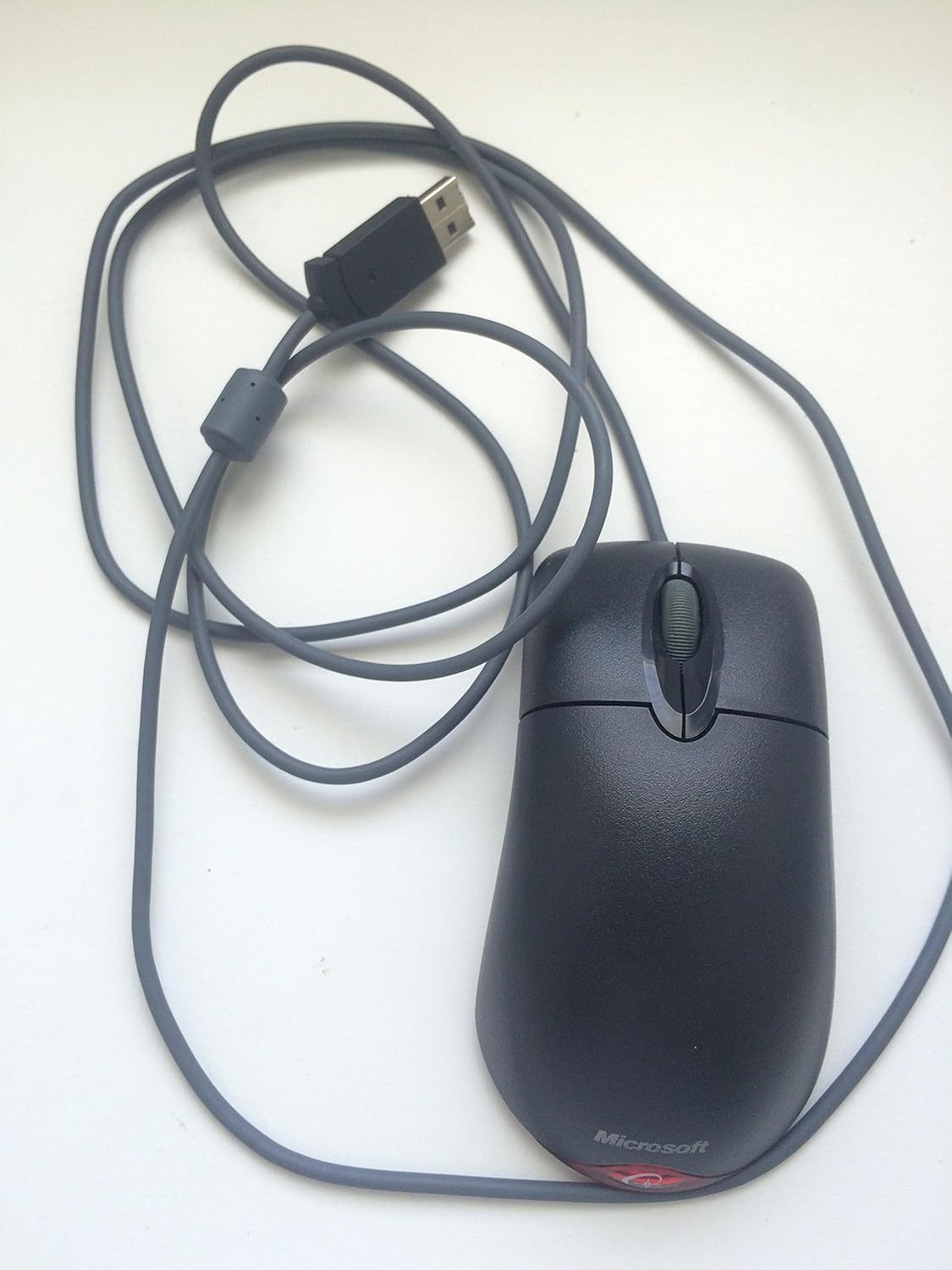
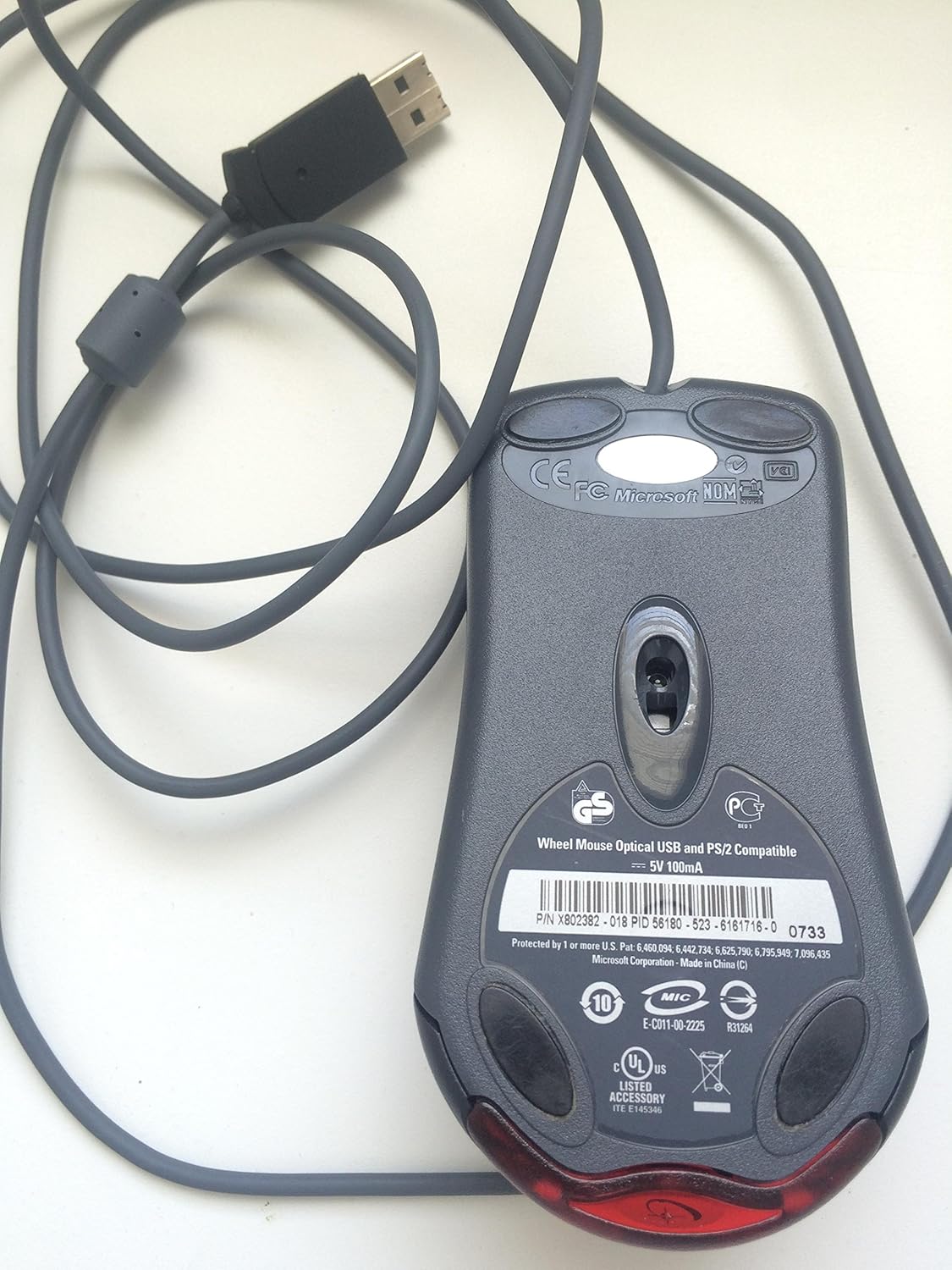
Бул видео жалпы маалымат беретview of the Microsoft Wheel Optical Mouse, demonstrating its physical features and basic functionality.
3. Чычканды иштетүү
The Microsoft Wheel Optical Mouse is designed for intuitive and precise control.
3.1 Негизги функциялар
- Чычкандын сол баскычы: Буюмдарды тандоо, ачуу үчүн колдонулат fileс, жана функцияларды активдештирүү.
- Оң баскычты чыкылдатуу менен чыкылдатыңыз: Used to open context menus for additional options.
- Жылдыруу дөңгөлөгү: Документтерди карап чыгуу үчүн дөңгөлөктү өйдө же ылдый жылдырыңыз жана web pages. Press the wheel down to activate the customizable middle-click function, often used for auto-scrolling or opening links in new tabs.
3.2 IntelliEye Optical Technology
The mouse utilizes IntelliEye optical technology, which tracks mouse movement 6000 times per second. This provides smooth, precise motion on almost any surface, eliminating the need for a mouse pad in most cases.
3.3 Customizable Buttons
The buttons and scroll wheel can be customized using the Microsoft mouse software. This allows you to assign new commands or repetitive tasks to suit your workflow, such as opening a file or web page with a single click.
4. Техникалык тейлөө
To ensure the longevity and optimal performance of your mouse, follow these simple maintenance guidelines:
- Тазалоо: Жумшак, түксүз кездемени жеңил колдонуңуз dampЧычкандын бетин суу же жумшак тазалоочу эритме менен сүртүңүз. Катуу химиялык заттардан же абразивдүү материалдардан алыс болуңуз.
- Оптикалык сенсор: Чычкандын астыңкы жагындагы оптикалык сенсорду таза жана чаңдан же таштандылардан таза кармаңыз. Чычканды ачууга аракет кылбаңыз.asing.
- Кабельге кам көрүү: Avoid sharply bending or twisting the mouse cable to prevent internal damage.
5. Кыйынчылыктарды
If you encounter issues with your Microsoft Wheel Optical Mouse, try the following solutions:
- Чычкан жооп бербейт:
- Ensure the USB or PS/2 connector is securely plugged into the correct port on your computer.
- Try plugging the mouse into a different USB or PS/2 port.
- Компьютериңизди өчүрүп күйгүзүңүз.
- Курсордун туруксуз кыймылы:
- Чычкандын түбүндөгү оптикалык сенсорду тазалаңыз.
- Ensure you are using the mouse on a suitable surface. Highly reflective or transparent surfaces may cause issues.
- Check for any software conflicts or outdated drivers. Reinstalling the mouse software may resolve the issue.
- Баскычтар же айландыруу дөңгөлөгү иштебей жатат:
- Verify that the mouse software is correctly installed and configured.
- Көйгөй чычкан мененби же сиздин системаңыз мененби, аныктоо үчүн чычканды башка компьютерде сынап көрүңүз.
6. Техникалык шарттар
| Өзгөчөлүк | Деталь |
|---|---|
| Бренд | Microsoft |
| Сериялар | Wheel Mouse Optical |
| Модель номери | D66-00069 |
| Аппараттык платформа | Компьютер, планшет |
| Операциялык системанын шайкештиги | Mac OS X v10.1x–10.4x, Windows Vista/XP/Pro/Home/Media Center Edition/Tablet PC Edition/Windows 2000 SP4 + |
| Элемент Салмагы | 14.2 унция |
| Продукциянын өлчөмдөрү (LxWxH) | 9.5 x 9 x 2.25 дюйм |
| Түс | Кара |
| Power Source | Электр зымдары |
| Байланыш технологиясы | USB |
| Кыймылды аныктоо технологиясы | Оптикалык |
7. Кепилдик маалыматы
Бул продукт менен келет 3 жылдык өндүрүүчү кепилдик. For specific terms and conditions, please refer to the warranty documentation included with your purchase or visit the official Microsoft support webсайт.
Юридикалык баш тартуу: Бул продукт ошол бойдон сатылат.
8. Колдоо
Көбүрөөк жардам, техникалык колдоо же эң акыркы драйверлерди жана программалык камсыздоону жүктөп алуу үчүн, расмий Microsoft колдоо кызматына кайрылыңыз. website or contact their customer service. Ensure you have your product model number (D66-00069) available when seeking support.


