Introduction
Welcome to the user manual for your MADCATZ 6080 7-inch Universal Game Screen. This document provides essential information for setting up, operating, maintaining, and troubleshooting your device. Please read these instructions carefully to ensure proper use and to maximize your gaming experience.
Коопсуздук маалыматы
- Аппаратты иштетүүдөн мурун бардык нускамаларды окуп чыгыңыз.
- Түзмөктү суудан же ашыкча нымдуулуктан алыс кармаңыз.
- Аппаратты экстремалдык температурага же тике күн нуруна калтырбаңыз.
- Ашыкча ысып кетүүнүн алдын алуу үчүн туура желдетүүнү камсыз кылыңыз.
- Аппарат менен кошо берилген кубат адаптерин гана колдонуңуз.
- Аппаратты өзүңүз ачууга же оңдоого аракет кылбаңыз. Бардык тейлөөлөрдү квалификациялуу кызматкерлерге тапшырыңыз.
Пакеттин мазмуну
Please verify that all items are present in your package. While specific contents may vary, typically you should find:
- MADCATZ 6080 7-inch Universal Game Screen
- Кубаттуу адаптер
- AV Cable (Composite Video and Stereo Audio)
- Колдонуучунун Колдонмосу (бул документ)
Продукт бүттүview
The MADCATZ 6080 is a compact 7-inch universal game screen designed to provide a portable display solution for various gaming consoles. It features a clear display, integrated speakers, and intuitive controls for an enhanced gaming experience on the go or in a compact setup.
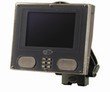
Фронт view of the MADCATZ 6080 7-inch Universal Game Screen, showing the display, control buttons, and speakers.
Негизги өзгөчөлүктөрү:
- 7-inch LCD display for clear visuals.
- Integrated stereo speakers for immersive audio.
- Universal compatibility with gaming consoles via AV input.
- Компакт жана портативдик дизайн.
Жайгашуу
Follow these steps to set up your Universal Game Screen:
- Аппаратты таңгактан чыгаруу: Carefully remove the game screen and all accessories from the packaging.
- Туташуу кубаты: Plug the provided power adapter into the DC IN port on the game screen, then plug the adapter into a standard electrical outlet.
- Connect to Game Console: Connect the AV cable (yellow for video, red/white for audio) from your game console's AV output ports to the corresponding AV input ports on the MADCATZ 6080 screen. Ensure the colors match.
- Position the Screen: Place the screen on a stable, flat surface, ensuring adequate ventilation around the device.
Иштөө нускамалары
Once set up, operating your game screen is straightforward:
- Күйгүзүү/өчүрүү: басыңыз КҮЧ button located on the front panel to turn the screen on or off.
- Үндү көзөмөлдөө: колдонуу VOLUME + жана Көлөмү - аудио чыгаруу деңгээлин тууралоо үчүн баскычтарды басыңыз.
- Дисплейдин жөндөөлөрү: Utilize the menu navigation buttons (often labeled МЕНЮ, UP, ылдый, ТАНДОО) to access and adjust display settings such as brightness, contrast, and color saturation to your preference.
- Киргизүүнү тандоо: If your model supports multiple inputs, use the INPUT or БУЛАК button to cycle through available video inputs until your game console's signal is displayed.
Техникалык тейлөө
Proper maintenance ensures the longevity and performance of your game screen:
- Экранды тазалоо: Use a soft, lint-free cloth specifically designed for electronics screens. Gently wipe the screen to remove dust and smudges. Do not use harsh chemicals or abrasive cleaners.
- Тазалоо Casing: Сыртын сүртүңүз casinжумшак, бир аз d менен gamp кездеме. Ар кандай тешиктерге ным кирүүдөн сактаңыз.
- Сактагыч: Узак мөөнөткө колдонулбаганда, аспапты салкын, кургак жерде, тике күн нурунан жана экстремалдык температурадан алыс сактаңыз.
Проблемаларды чечүү
If you encounter issues with your MADCATZ 6080, refer to the following common problems and solutions:
| Көйгөй | Мүмкүн чечим |
|---|---|
| Күч жок | Ensure the power adapter is securely connected to both the screen and a working electrical outlet. Check if the power button is pressed. |
| Сүрөт жок | Verify that the AV cable is correctly connected to both the screen and the game console. Ensure the game console is powered on and outputting a signal. Check the input selection on the screen if applicable. |
| Үн жок | Check the audio connections of the AV cable. Ensure the volume on the screen is not muted or set too low. Verify the game console's audio output settings. |
| Picture is distorted or unclear | Adjust the brightness, contrast, and color settings in the screen's menu. Ensure the AV cable is not damaged and is securely connected. |
Техникалык шарттар
Technical specifications for the MADCATZ 6080 7-inch Universal Game Screen:
| Өзгөчөлүк | Деталь |
|---|---|
| Модель номери | 6080 |
| Screen Size | 7 дюйм |
| Өндүрүүчү | MadCatz |
| Өлчөмдөрү (L x W x Y) | 24.13 x 21.59 x 16 см |
| Элемент Салмагы | 0.28 г |
| Киргизүү | Composite Video (RCA), Stereo Audio (RCA) |
Кепилдик жана колдоо
For warranty information, please refer to the documentation provided at the time of purchase. MAD CATZ products typically come with a limited warranty covering manufacturing defects. For technical support or further assistance, please visit the official MAD CATZ webсайтында көрсөтүлгөн байланыш маалыматы аркылуу алардын кардарларды тейлөө бөлүмүнө кайрылыңыз webсайт.


