1. Киришүү
The Extech SDL200 is a versatile four-channel thermometer and data logger designed for precise temperature measurement and recording. It supports six types of thermocouples (J, K, E, T, R, S) and two channels for RTD (Pt100Ohm) probes, allowing for a wide range of applications. This device can display individual channel readings (T1, T2, T3, T4) or differential readings (T1-T2). It features an offset adjustment for relative measurements and can store up to 99 readings manually, with an extensive capacity of 20 million readings via a 2GB SD memory card. All recorded data is time-stamped and saved in an Excel-compatible format for easy transfer and analysis on a PC. The SDL200 also includes user-programmable sampling rates, Min/Max recording, Data Hold, Auto Power Off, and a built-in PC interface.
2. Коопсуздук маалыматы
Please read and understand all safety instructions before operating the Extech SDL200. Failure to follow these instructions may result in injury or damage to the device.
- Do not operate the device if it appears damaged or if the insulation is compromised.
- Ensure proper probe connection before taking measurements.
- Аппаратты экстремалдык температурага, нымдуулукка же тике күн нуруна тийгизүүдөн сактаңыз.
- Use only specified battery types and ensure correct polarity during installation.
- Keep the device clean and dry. Refer to the maintenance section for cleaning instructions.
- Аппаратты оңдоого же өзгөртүүгө аракет кылбаңыз. Бардык тейлөөлөрдү квалификациялуу кызматкерлерге тапшырыңыз.
3. Пакеттин мазмуну
Таңгактан чыгарганда бардык буюмдар бар экенин текшериңиз:
- Extech SDL200 Four-Channel Thermometer SD Logger unit
- 6 АА батарейка
- Four general purpose Type K bead wire temperature probes
- SD memory card (2GB)
- Катуу көтөрүүчү куту

3.1-сүрөт: Extech SDL200 unit with four Type K thermocouple probes inserted into the top ports. The display shows temperature readings for T1, T2, T3, and T4.

3.2-сүрөт: The retail packaging box for the Extech SDL200, displaying the brand logo, model name, and UPC code (0793950432105).
4. Продукт бүтүп калдыview
The SDL200 features a clear digital display and intuitive button layout for easy operation. The top of the device includes four input ports for thermocouple probes. The side of the device houses connectivity ports for power and PC interface, along with RTD probe inputs.

4.1-сүрөт: Side view of the Extech SDL200, illustrating the DC 9V power input, RS232 serial port for PC connection, and two RTD (PT100Ohm) probe input ports labeled PT1 and PT2, protected by a rubber flap.

4.2-сүрөт: A set of four yellow Type K bead wire temperature probes with standard mini-connectors, alongside a larger clamp-style temperature probe, demonstrating the variety of probes that can be used with the device.
5. Орнотуу
5.1. Батареяны орнотуу
- Аппараттын артындагы батарея бөлүкчөсүнүн капкагын ачыңыз.
- Insert six (6) AA batteries, ensuring correct polarity as indicated inside the compartment.
- Батарея уясынын капкагын бекем жабыңыз.
5.2. Зонд байланышы
- For thermocouple probes (Type J, K, E, T, R, S), connect them to the four input jacks located at the top of the meter. Ensure the correct thermocouple type is selected in the device settings if applicable.
- For RTD (Pt100Ohm) probes, connect them to the PT1 and PT2 ports on the side of the device (refer to Figure 4.1).
5.3. SD картаны киргизүү
- Locate the SD card slot, typically on the side or bottom of the device.
- Insert the provided 2GB SD memory card into the slot until it clicks into place.
- To remove, gently push the card inward until it springs out.
6. Иштөө нускамалары
6.1. Күйгүзүү/өчүрүү
басыңыз КҮЧ аппаратты күйгүзүү же өчүрүү үчүн баскыч.
6.2. Basic Temperature Measurement
- Connect the desired temperature probes.
- Power on the device. The display will show real-time temperature readings for the connected channels (T1, T2, T3, T4).
- басыңыз T1-T2 button to switch between individual channel display and differential temperature (T1-T2) display.
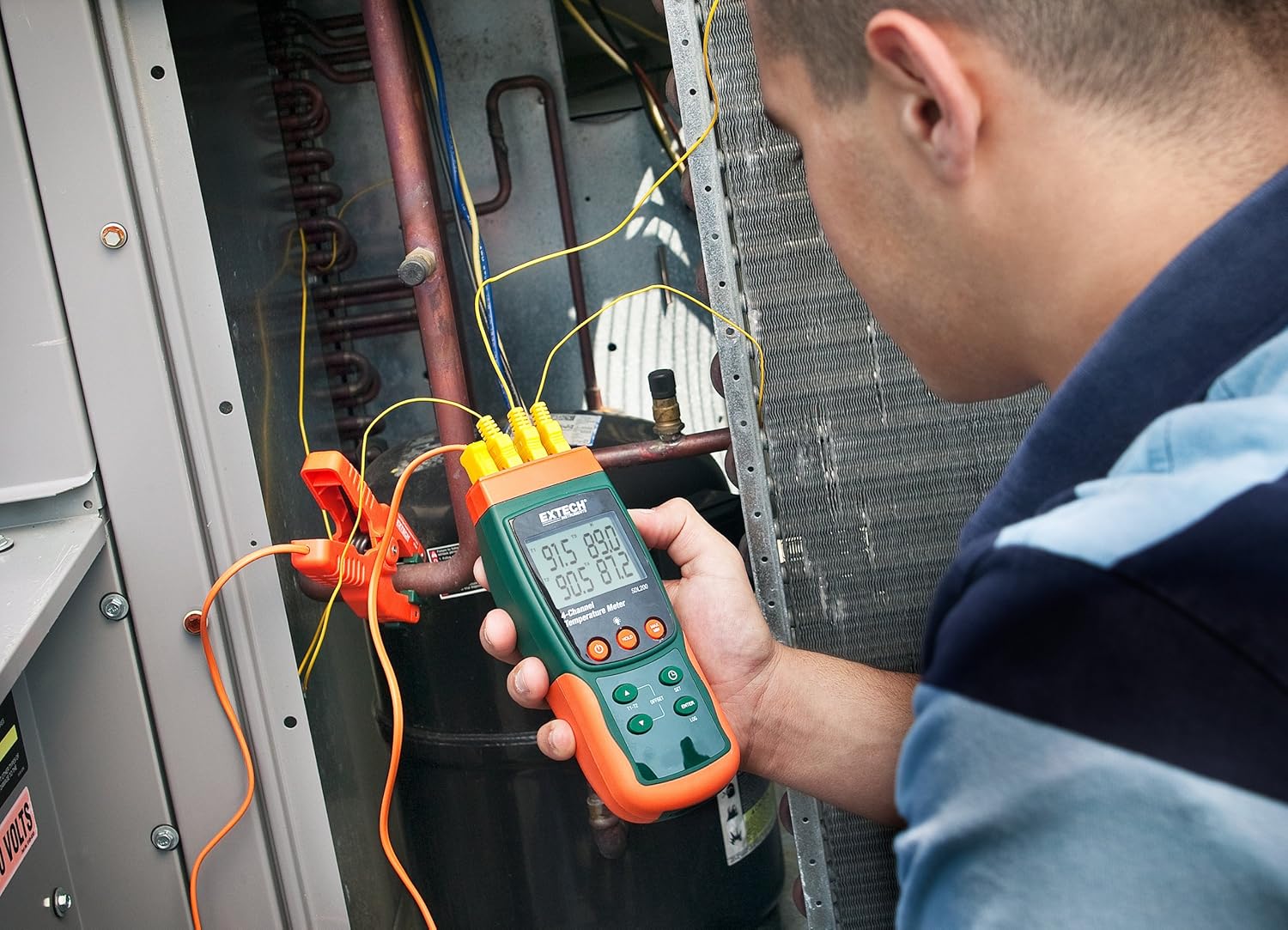
6.1-сүрөт: A technician utilizing the Extech SDL200 to monitor multiple temperature points on an HVAC system, demonstrating its application in industrial and scientific settings.
6.3. Маалыматтарды каттоо
The SDL200 can record temperature data to the SD card with a real date and time stamp.
- Set Sampлинг чен: колдонуу SET button to access settings and adjust the sampлинг ылдамдыгы (1ден 3600 секундага чейин).
- Жазууну баштоо: басыңыз LOG button to begin recording data to the SD card. A logging indicator will appear on the display.
- Журнал жазууну токтотуу: басыңыз LOG button again to stop data recording.
- Маалыматтарды өткөрүү: Remove the SD card and insert it into a computer to access the data, which is saved in Excel (.xls) format.
6.4. Min/Max and Data Hold
- Минималдуу/Макс: басыңыз МАКС/МИН button to display the maximum or minimum recorded temperature since the function was activated. Press again to cycle through Max, Min, and current readings.
- Дайындарды кармоо: басыңыз БЕРҮҮ button to freeze the current readings on the display. Press again to release.
6.5. Offset Adjustment
колдонуу OFFSET button to perform a zero function for relative measurements. Consult the full manual for detailed calibration procedures.
6.6. Автоматтык түрдө өчүрүү
The device features an Auto Power Off function to conserve battery life. This can typically be disabled or adjusted in the settings menu if continuous operation is required.
6.7. PC Interface
The built-in RS232 PC interface allows for real-time data streaming and advanced control using compatible software (sold separately or available for download from Extech's website). Connect the device to your PC using an appropriate RS232 cable.
7. Техникалык тейлөө
7.1. Тазалоо
Wipe the device clean with a soft, damp cloth. Do not use abrasive cleaners or solvents. Ensure the device is dry before storage or further use.
7.2. Батареяны алмаштыруу
Дисплейде батарейка аз индикатору пайда болгондо батарейкаларды алмаштырыңыз. Батареяны орнотуу көрсөтмөлөрү үчүн 5.1-бөлүмдү караңыз.
7.3. Сактоо
When not in use for extended periods, remove the batteries and store the device in its hard carrying case in a cool, dry place.
8. Кыйынчылыктарды
- Түзмөк күйбөйт: Батареянын орнотулушун текшерип, батарейкалары түгөнүп калбагандыгын текшериңиз. Керек болсо алмаштырыңыз.
- Температуранын туура эмес көрсөткүчтөрү: Verify probe connections are secure and that the correct probe type is selected (if applicable). Ensure probes are not damaged.
- Data logging not working: Check if the SD card is properly inserted and has sufficient free space. Ensure the logging function is activated.
- PC connection issues: Verify the RS232 cable connection and ensure the correct drivers and software are installed on your PC.
9. Техникалык шарттар
| Өзгөчөлүк | Спецификация |
|---|---|
| Бренд | Extech |
| Модель аты | SDL200 |
| Өзгөчө өзгөчөлүк | 4-Channel Datalogging |
| Дисплей түрү | Санарип |
| Байланыш технологиясы | USB (via RS232 interface) |
| Power Source | Батарея менен иштейт (6 AA батарейкасы камтылган) |
| Жогорку температура рейтинги | 2732 градус Фаренгейт |
| Жооп убактысы | 1 секунд |
| Datalogging Capacity | 20M readings via 2G memory card |
| Sampling Rate | 1 to 3600 seconds (user programmable) |
| Термопардын түрлөрү | J, K, E, T, R, S (4-channel) |
| RTD зонддору | Pt100Ohm (2-channel) |
| Камтылган компоненттер | Batteries, Bead wire temperature probes, memory card, case |
| Элемент Салмагы | 1.1 фунт |
| Элементтин узундугу | 7.2 дюйм |
| Сырткы материал | Поликарбонат (PC) |
| Specification Met | CE |
10. Кепилдик жана колдоо
Extech products are designed for reliability and performance. For warranty information, technical support, or service inquiries, please refer to the official Extech webсайтка же кардарларды тейлөө бөлүмүнө кайрылыңыз. Сатып алуу квитанциясын кепилдик дооматтары үчүн сатып алуунун далили катары сактаңыз.
Кошумча ресурстар үчүн, баш багыңыз Extech Store on Amazon.


