Altec Lansing iM9 inMotion Mobile Speaker Dock for iPod
User Manual
Introduction
The Altec Lansing iM9 inMotion Mobile Speaker Dock is a portable audio system designed for Apple iPods with a dock connector. It offers robust sound quality with MaxxBass technology and can be powered by AC or batteries, making it suitable for various environments. This manual provides detailed instructions for setup, operation, maintenance, and troubleshooting to ensure optimal performance of your device.
Жайгашуу
Кутуда эмне бар
- iM9 speaker system
- Универсалдуу электр энергиясы
- Deluxe backpack
- Printed user's guide
- Quick connect instructions
Күйгүзүлүүдө
The iM9 can be powered by the included AC adapter or by four (4) C batteries (not included). For AC power, connect the universal power supply to the 'DC IN' jack on the speaker and plug it into a wall outlet. For battery power, open the battery compartment and insert four C batteries, ensuring correct polarity.
Docking Your iPod
The iM9 is compatible with various iPod models including iPod mini, iPod nano 1G, 2G, 3G; iPod 3G, 4G, 5G, 5.5G, 6G; and iPod Touch 2G. Эскертүү: There is no video support for iPod nano 3G or iPod classic 6G. To dock your iPod, gently align it with the 30-pin connector in the center of the speaker dock and press down until it is securely seated. The cradle swings out for easy loading.

Сүрөт 1: Алдыңкы view of the Altec Lansing iM9 speaker dock, showing the central iPod docking cradle.
Connecting Auxiliary Devices
An input jack is available for connecting other audio devices such as CD players or DVD players using a standard 3.5mm audio cable. Connect one end of the cable to the auxiliary input on the iM9 and the other end to the headphone or audio output of your external device.
Иштөө нускамалары
Basic Playback and Volume Control
Once your iPod is docked or an auxiliary device is connected, power on the iM9. Use the '+' and '-' buttons located on the top of the unit to adjust the volume. You may also need to adjust the volume on your iPod or connected device.
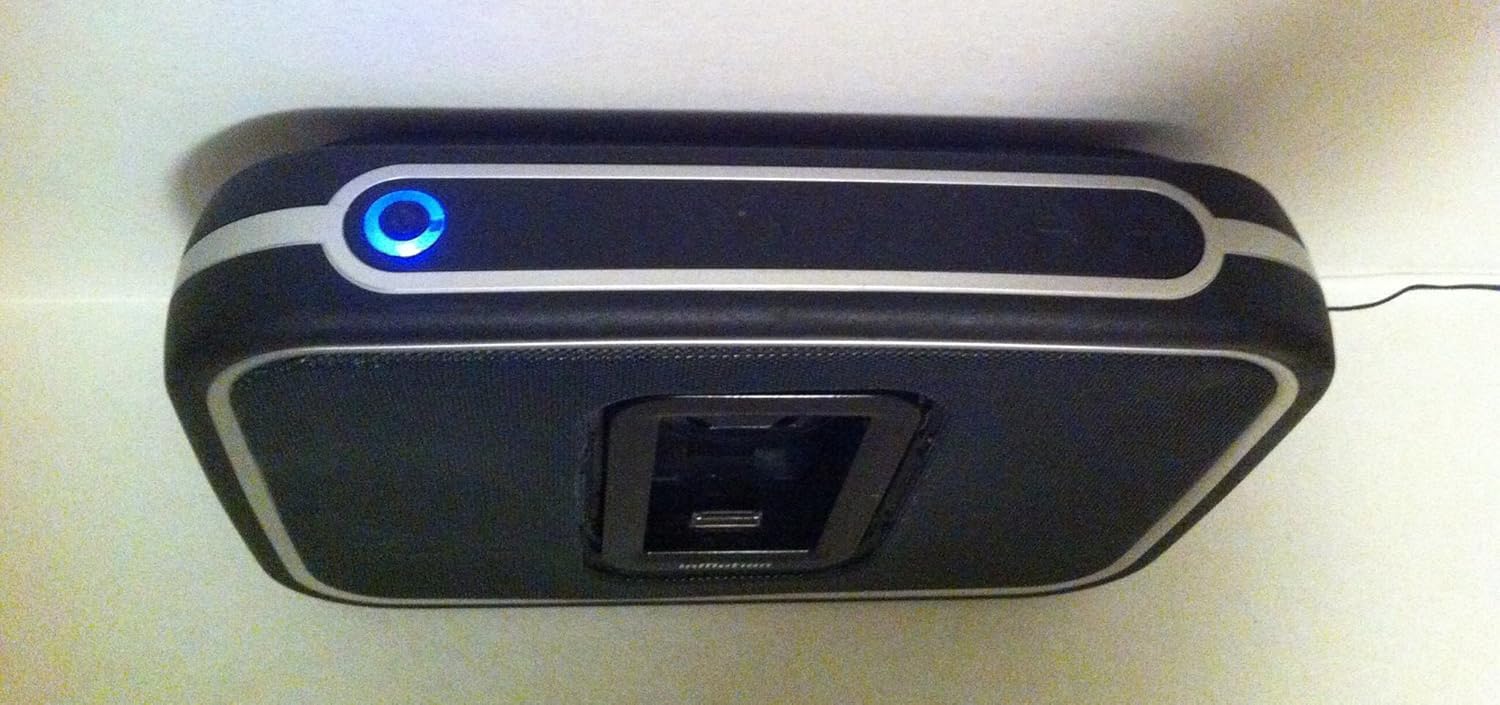
2-сүрөт: Жогорку view of the Altec Lansing iM9, highlighting the power indicator and volume controls.
MaxxBass Technology
The iM9 features integrated MaxxBass technology, which enhances bass response without the need for a separate subwoofer. This technology is automatically active to provide a full-bodied sound experience.
Charging Your iPod
When the iM9 is connected to AC power and your iPod is docked, the iPod will charge automatically. This allows you to listen to music while ensuring your iPod is ready for portable use.
Video Output
For iPod photo and iPod with video models, the iM9 offers video output capabilities. Connect a compatible video cable (not included) from the iM9 to your television to view videos or photos from your iPod on a larger screen.
Техникалык тейлөө
Тазалоо
To clean the exterior of your iM9, use a soft, dry cloth. Avoid using liquid cleaners, abrasive pads, or chemical solvents, as these can damage the finish or internal components.
Батареяга кам көрүү
If using batteries, ensure they are inserted correctly according to the polarity indicators. For optimal battery life, use high-quality C batteries. If the unit will not be used for an extended period, it is recommended to remove the batteries to prevent potential leakage and damage.
Проблемаларды чечүү
- Кубат жок: Ensure the AC adapter is securely plugged into both the speaker and a working wall outlet. If using batteries, check that they are correctly installed and not depleted. Replace batteries if necessary.
- Үн жок: Verify that your iPod is properly docked or that the auxiliary device is securely connected. Check the volume levels on both the iM9 and your iPod/connected device. Ensure the iPod is playing audio.
- iPod Not Charging: Charging only occurs when the iM9 is connected to AC power. Ensure the AC adapter is plugged in. Note that some newer iPod Touch or iPhone models may not charge when docked with the iM9, though audio playback should still function.
- Бурмаланган үн: Reduce the volume on both the iM9 and your audio source. Ensure the audio source is not playing a corrupted file. Check for any interference from other electronic devices.
- iPod Not Recognized: Ensure the iPod is fully seated in the dock connector. Try removing and re-docking the iPod. Ensure your iPod model is compatible with the iM9's docking feature.
Техникалык шарттар
| Өзгөчөлүк | Деталь |
|---|---|
| Продукциянын өлчөмдөрү | 13.5 x 12.6 x 7 дюйм |
| Элемент Салмагы | 3.97 фунт (болжол менен 4 фунт) |
| Power Source | AC Adapter or 4 C Batteries |
| Шайкеш түзмөктөр | iPod mini, iPod nano 1G/2G/3G, iPod 3G/4G/5G/5.5G/6G, iPod Touch 2G |
| Аудио интерфейс | 3.5 мм аудио киргизүү |
| Өндүрүүчү | ALTEC LANSING |
| Модель номери | IM9 |
Кепилдик жана колдоо
This product is sold as-is. For specific warranty information or technical support, please refer to the documentation provided with your original purchase or contact Altec Lansing customer service directly. You can also visit the official Altec Lansing webкошумча жардам жана продукт маалымат алуу үчүн сайт.
Көбүрөөк маалымат алуу үчүн, киргиле Amazon'догу Altec Lansing дүкөнү.


