1. Киришүү
The Extech EX330 is a compact, autoranging digital multimeter designed for a wide range of electrical and electronic measurements. Its robust design and comprehensive features make it an essential tool for professionals and hobbyists alike. This manual provides detailed instructions for the safe and effective use of your EX330 multimeter.
Key features of the EX330 include:
- Камтылган контактсыз AC томtage detector (NCV) for enhanced safety.
- Large 4000-count LCD display for clear readings.
- Automatic ranging for simplified operation.
- Чаралар AC/DC Voltage, AC/DC Current, Resistance, Capacitance, Frequency, Duty Cycle, and Temperature.
- Diode test and Continuity check functions.
- Data Hold and Max Hold features.
- Durable rubber holster for protection.
- UL listed Cat III 600V safety rating.

2. Баштоо
2.1. Батареяны орнотуу
The EX330 multimeter requires two AAA batteries for operation. To install or replace batteries:
- Мультиметрдин өчүрүлгөнүн текшериңиз.
- Бирдиктин артындагы батарея отсегин табыңыз.
- Батарея бөлүкчөсүнүн капкагын ачуу үчүн бурагычты колдонуңуз.
- Бөлүмдүн ичинде көрсөтүлгөндөй туура полярдуулукка (+ жана -) карап, эки AAA батарейкасын салыңыз.
- Батарея уясынын капкагын ордуна коюңуз жана аны бурама менен бекитиңиз.
2.2. Сыноо линияларын туташтыруу
The multimeter comes with a set of red and black test leads. Proper connection is crucial for accurate and safe measurements.
- Кара сыноо зымын ар дайым туташтырыңыз COM (Жалпы) киргизүү уячасы.
- Көпчүлүк үчүн томtage, resistance, and continuity measurements, connect the red test lead to the V/Ω/µA/CAP/Hz/Temp киргизүү уячасы.
- 400мАга чейинки ток өлчөөлөрү үчүн кызыл тестирлөө өткөргүчтү туташтырыңыз mA киргизүү уячасы.
- For high current measurements up to 10A, connect the red test lead to the 10A киргизүү уячасы.

3. Иштөө нускамалары
3.1. Күйгүзүү/өчүрүү
To turn the multimeter on, rotate the function switch from the ӨЧҮРҮҮ position to any desired measurement function. To turn the multimeter off, rotate the function switch back to the ӨЧҮРҮҮ позиция.
3.2. Function Selection (Rotary Dial)
The large rotary dial on the front of the multimeter allows you to select the desired measurement function. The EX330 features automatic ranging, which simplifies operation by automatically selecting the correct measurement range.
- VAC / ВDC: Measures AC or DC Voltage.
- mA / 10A: Measures AC or DC Current (milliampмурда же ampere).
- Ω: Measures Resistance.
- CAP: Measures Capacitance.
- Гц /%: Measures Frequency and Duty Cycle.
- ° F / ° C: Measures Temperature in Fahrenheit or Celsius.
- Диод / Үзгүлтүксүздүк: Tests diodes and checks for circuit continuity.
3.3. Контактсыз томtage (NCV) аныктоо
The NCV feature allows for quick detection of AC voltage without direct contact, enhancing safety when working with electrical systems. To use the NCV function, press and hold the NCV button. The top of the meter will illuminate and an audible tone will sound if AC voltagе аныкталат.

3.4. Томtage Өлчөө (AC/DC)
өлчөө үчүн томtage:
- Айлануучу дискти коюңуз VAC or VDC ылайыктуу.
- Кара сыноо тилкесин төмөнкүгө туташтырыңыз COM джек жана кызыл тест алып барат V/Ω/µA/CAP/Hz/Temp джек.
- Сыноо зонддорун өлчөнө турган схема же компонент боюнча параллель туташтырыңыз.
- Томду окуңузtage дисплейдеги e мааниси.

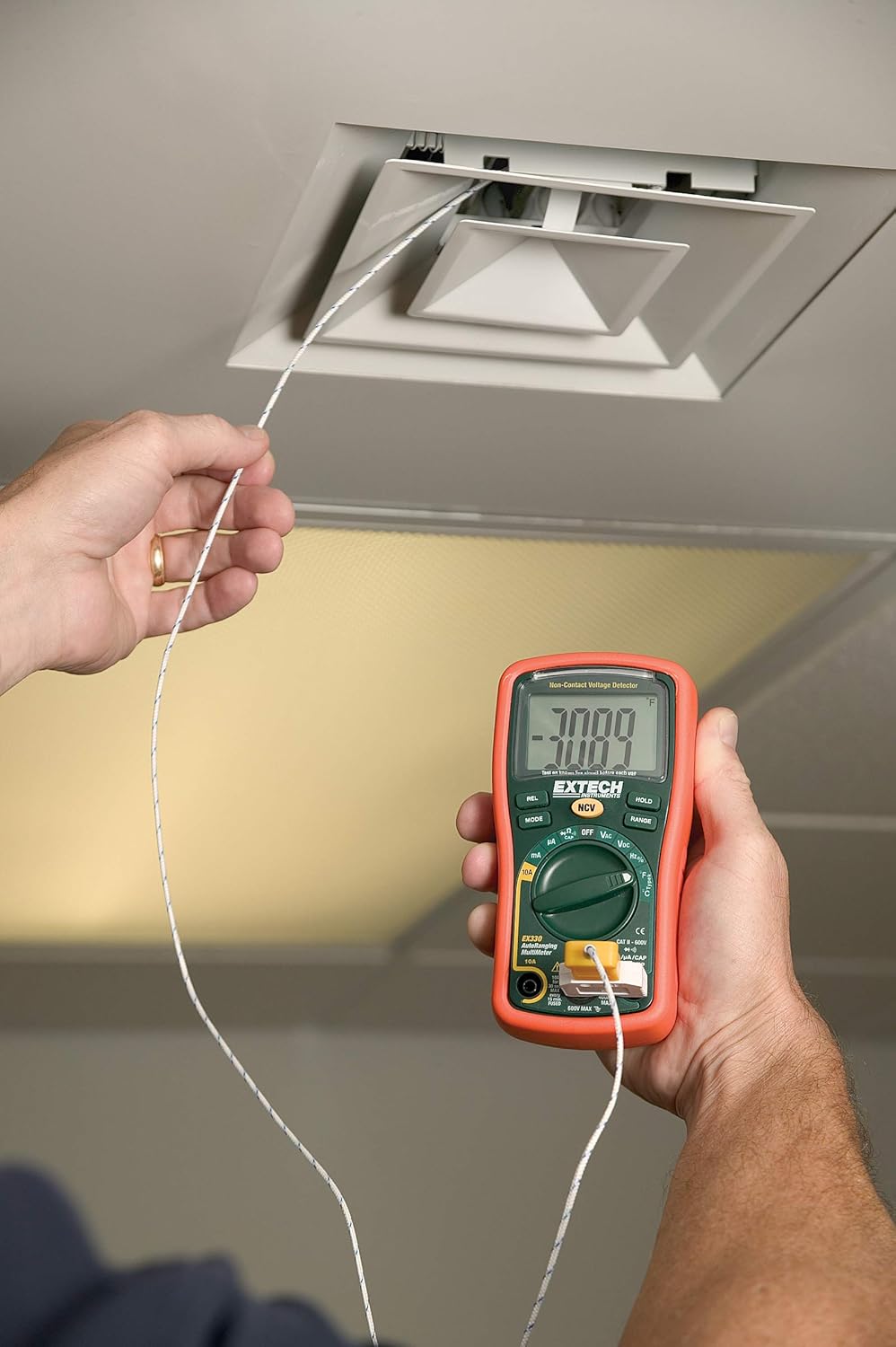
3.5. Temperature Measurement (Type K)
The EX330 includes a Type K temperature probe for accurate temperature readings.
- Айлануучу дискти коюңуз °F or °C.
- Plug the Type K temperature probe into the V/Ω/µA/CAP/Hz/Temp жана COM киргизүү уячалары, полярдуулукту сактоо.
- Температуралык зонддун учун температурасы өлчөнө турган объекттин үстүнө же жанына кой.
- Allow time for the reading to stabilize on the display.
3.6. Data Hold and Max Hold
- басыңыз БЕРҮҮ Учурдагы көрсөткүчтү дисплейде тоңдуруу үчүн баскычты басыңыз. Бошотуу үчүн кайра басыңыз.
- басыңыз РЕЖИМ button repeatedly while in certain functions to cycle through sub-functions or to activate MAX Hold, which captures and displays the maximum measured value.
3.7. Продукт өзгөчөлүктөрү бүттүview
Кыскача көрүү үчүн бул видеону көрүңүзview of the Extech EX330's key features and applications.
Видео 3.1: Бүттүview of Extech EX330 Multimeter features, including AC/DC voltage measurement, 4000-count display, built-in non-contact voltage detector, and Type K temperature measurement.
3.8. Accuracy Demonstration
This video demonstrates the accuracy and reliability of Extech multimeters, showcasing two units providing consistent readings when measuring voltagе электр булагы.
Video 3.2: Demonstration of two Extech multimeters measuring voltage from a power supply, highlighting their consistent and accurate readings over time.
4. Техникалык тейлөө жана кам көрүү
4.1. Тазалоо
Мультиметрди тазалоо үчүн жумшак, d колдонуңузamp cloth. Do not use abrasives or solvents. Ensure the unit is off and disconnected from any circuits before cleaning.
4.2. Батареяны алмаштыруу
When the battery indicator appears on the display, replace the batteries as described in Section 2.1. Prompt battery replacement ensures continued accuracy and proper operation.
4.3. Сактагычты алмаштыруу
If the multimeter fails to measure current, the fuse may need replacement. Refer to the specifications for the correct fuse type and rating. Fuse replacement should only be performed by qualified personnel.
5. Кыйынчылыктарды
This section addresses common issues you might encounter with your EX330 multimeter.
| Көйгөй | Мүмкүн себеп | Чечим |
|---|---|---|
| Дисплей жок же күңүрт дисплей | Өлгөн же аз батареялар | Батареяларды алмаштырыңыз (2.1-бөлүм) |
| Туура эмес окуулар | Incorrect function selected, poor test lead connection, damaged test leads | Verify function, check connections, replace test leads if damaged |
| Учурдагы өлчөө жок | Күйгүзүүчү | Сактагычты алмаштырыңыз (4.3-бөлүм) |
| NCV аныкталбайт томtage | Тtage too low, interference, or incorrect usage | камсыз кылуу томtage is within detectable range, minimize interference, follow NCV instructions (Section 3.3) |
6. Техникалык шарттар
| Спецификация | Нарк |
|---|---|
| Дисплей | 4000 даана LCD дисплей |
| AC/DC Voltage | 600 В чейин |
| AC / DC ток | 10А чейин |
| Каршылык | 40MΩ чейин |
| Сыйымдуулук | 100 мкФ чейин |
| Жыштык | 10 МГц чейин |
| Температура (К түрү) | -4…1382°F (-20…750°C) |
| Байланышсыз томtage (NCV) | 100дөн 600VACга чейин |
| Power Source | 2 x AAA батарейкалар (киргизилген) |
| Өлчөмдөрү (L x W x Y) | 5.7 x 2.9 x 1.6 дюйм |
| Салмагы | 9.9 унция (0.28 кг) |
| Коопсуздук рейтинги | UL listed Cat III - 600V |
| Келип чыккан өлкө | Кытай |

7. Кепилдик жана колдоо
7.1. Кепилдик маалыматы
The Extech EX330 Autoranging Mini Multimeter is covered by a 1 жылдык тетиктерге жана эмгек гарантиясына from the date of purchase. This warranty covers defects in materials and workmanship under normal use. It does not cover damage resulting from misuse, unauthorized modifications, accidents, or neglect.
7.2. Кардарларды колдоо кызматы
For technical assistance, troubleshooting, or warranty claims, please contact Extech customer support. Refer to the official Extech webакыркы байланыш маалыматы үчүн сайтка же продуктунун таңгагына кайрылыңыз.


