1. Киришүү
This manual provides instructions for the installation, operation, and maintenance of the Leviton PJ26-E 1-Gang Decora/GFCI Wallplate. This wallplate is designed to cover a single Decora or GFCI device, offering a clean and finished appearance. Its midway size provides additional wall coverage, which can help conceal minor wall surface irregularities.
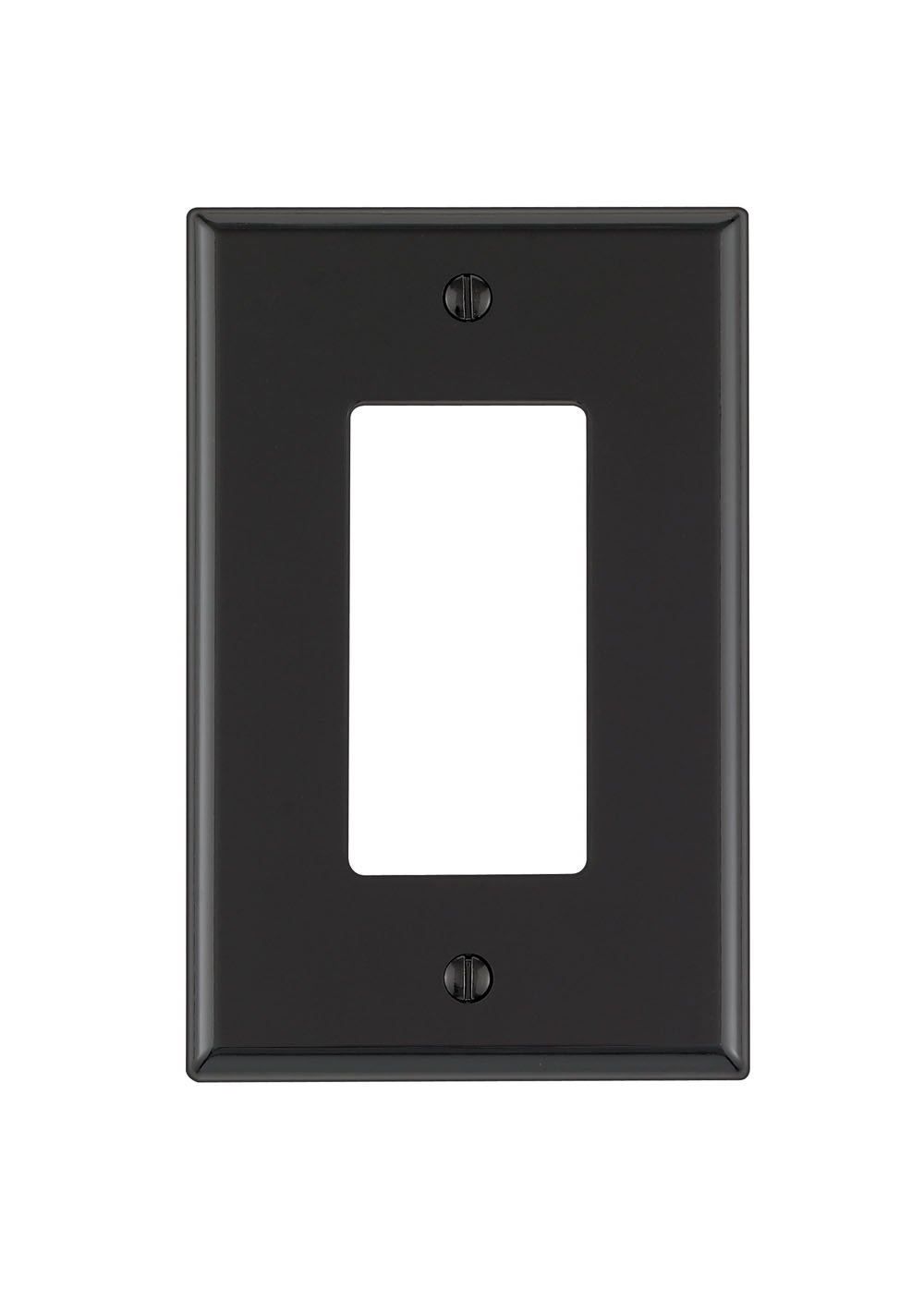
Image 1.1: Leviton PJ26-E 1-Gang Decora/GFCI Wallplate in Black. This image shows the front view of the wallplate, designed to accommodate one Decora-style electrical device or GFCI outlet.
Негизги өзгөчөлүктөрү:
- 1-Gang Configuration: Designed for a single electrical device.
- Midway Size: Provides slightly larger coverage than standard wallplates, ideal for concealing wall imperfections.
- Thermoplastic Nylon Construction: Ensures durability and resistance to impact, abrasion, fading, and discoloration.
- Коммерциялык класс: Built for robust performance and longevity.
- Түсү: Black finish for a sleek aesthetic.
2. Коопсуздук маалыматы
ЭСКЕРТҮҮ: To avoid fire, shock, or death, turn off power at the circuit breaker or fuse box and test that the power is off before wiring. Always use caution when working with electrical components.
- Бардык электр жумуштары квалификациялуу электрик тарабынан же жергиликтүү электр эрежелерине ылайык аткарылышын камсыз кылыңыз.
- Do not install if the wallplate or device appears damaged.
- Бул продукт ички колдонуу үчүн гана арналган.
- Балдардан алыс болуңуз.
3. Пакеттин мазмуну
- 1 x Leviton PJ26-E 1-Gang Decora/GFCI Wallplate (Black)
- Mounting Screws (matching color)
4. Техникалык шарттар
| Атрибут | Деталь |
|---|---|
| Модель номери | PJ26-E |
| Бренд | Левитон |
| Конфигурация | 1-Бандасы |
| Өлчөмү | Midway |
| Түс | Кара |
| Материал | Термопластикалык нейлон |
| Аяктоо түрү | Нейлон |
| Продукциянын өлчөмдөрү | 2.76"W x 4.6"H |
| Орнотуу түрү | Screw-In (Device Mount) |
| Элемент Салмагы | 0.704 унция |
| UPC | 078477205846 |
5. Орнотуу
Follow these steps to properly install your Leviton wallplate:
- Кубатты өчүрүү: Locate the circuit breaker or fuse box that controls the power to the outlet or switch you are working on. Turn off the power completely. Verify the power is off using a voltage сыноочу.
- Remove Old Wallplate: Carefully unscrew and remove the existing wallplate from the electrical device.
- Жаңы дубал тактасынын орду: Place the Leviton PJ26-E wallplate over the electrical device, aligning the screw holes.
- Коопсуз дубал тактасы: Insert the provided mounting screws into the wallplate holes and gently tighten them until the wallplate is snug against the wall. Do not overtighten, as this can crack the wallplate.
- Күчтү калыбына келтирүү: Дубал плитасы бекем орнотулгандан кийин, автоматтык өчүргүчкө же сактагыч кутусуна кайтып келип, электр кубатын кайра күйгүзүңүз.
6. Операция
The Leviton PJ26-E wallplate is a passive component designed to cover and protect electrical devices. Once installed, no further operational steps are required. It provides a finished look and helps prevent accidental contact with wiring behind the device.
7. Техникалык тейлөө
- Тазалоо: To clean the wallplate, use a soft, damp кездеме. Абразивдүү тазалагычтардан, эриткичтерден же катуу химиялык заттардан алыс болуңуз, алар финишке зыян келтириши мүмкүн.
- Текшерүү: Periodically check the wallplate for any signs of damage, cracks, or discoloration. If damage is observed, replace the wallplate to maintain safety and appearance.
- Тыюучулук: Ensure the mounting screws remain tight. If the wallplate becomes loose, gently retighten the screws.
8. Кыйынчылыктарды
- Wallplate does not fit: Ensure you have the correct size and configuration (1-gang Decora/GFCI) for your electrical device.
- Wallplate appears loose: Gently tighten the mounting screws. If the problem persists, check if the electrical device itself is securely mounted to the electrical box.
- Wallplate is damaged: If the wallplate is cracked or broken, it should be replaced immediately to ensure safety and aesthetics.
9. Кепилдик жана колдоо
This Leviton product comes with a standard warranty. For specific warranty details, claims, or technical support, please refer to the official Leviton website or contact Leviton customer service directly. Keep your purchase receipt as proof of purchase.
Leviton Customer Service: Кошумча жардам алуу үчүн, кириңиз www.leviton.com же алардын колдоо линиясына кайрылыңыз.


