Introduction
This manual provides comprehensive instructions for the safe and proper installation, operation, and maintenance of the Peerless PA730 Universal Articulating Wall Mount. This mount is designed to securely hold flat panel displays ranging from 10 to 29 inches. Please read all instructions carefully before beginning installation.
Коопсуздук маалыматы
- Ensure the mounting surface can support the combined weight of the mount and the display.
- Always locate wall studs or use appropriate anchors for secure installation.
- 25 фунттан (11.3 кг) ашпаңыз.
- Use caution when handling tools and heavy equipment.
- кичинекей бөлүктөрүн балдардан алыс кармаңыз.
- Эгер орнотуунун кайсы бир бөлүгүнө ишенбесеңиз, квалификациялуу адиске кайрылыңыз.
Пакеттин мазмуну
Орнотууну улантуудан мурун бардык компоненттер бар экенин текшериңиз.
- Peerless-AV PA730 Articulating Wall Mount
- VESA адаптери
- Орнотуу жабдуулары (бурамалар, шайбалар, аралыктар)
- Screen Attachment Hardware
- Окуу куралы (бул документ)
- Allen wrenches for adjustment
- Cable management clips/ties
Орнотуу жана орнотуу
This section details the steps for mounting the PA730 to a wall and attaching your display.
1. Монтаждоо ордун даярдаңыз
Identify a suitable location on the wall. Use a stud finder to locate a wooden stud for optimal security. Mark the drilling points for the wall plate. If mounting to concrete or brick, use appropriate wall anchors (not always included, but often provided for drywall).
2. Дубал плитасын бекитиңиз
Drill pilot holes at the marked locations. Secure the wall plate of the mount to the wall using the provided lag bolts or appropriate anchors. Ensure the mount is level before fully tightening.
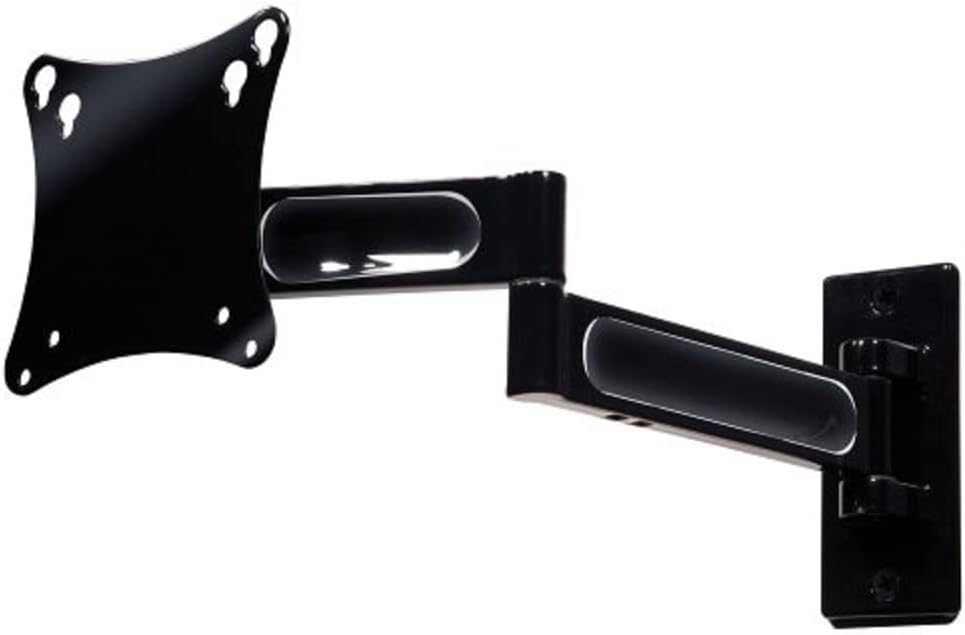
Image 1: The Peerless PA730 Articulating Wall Mount, showing the wall plate, articulating arm, and VESA plate.
3. Attach VESA Plate to Display
Locate the VESA mounting holes on the back of your display (typically 75x75mm or 100x100mm). Select the correct screws and spacers from the provided hardware. Attach the VESA adapter plate securely to the back of your display.
4. Mount Display to Arm
Carefully lift the display and align the VESA plate attached to the display with the mounting mechanism on the articulating arm. Slide the display into place, ensuring it is securely seated. Tighten any locking screws to prevent accidental dislodgement.
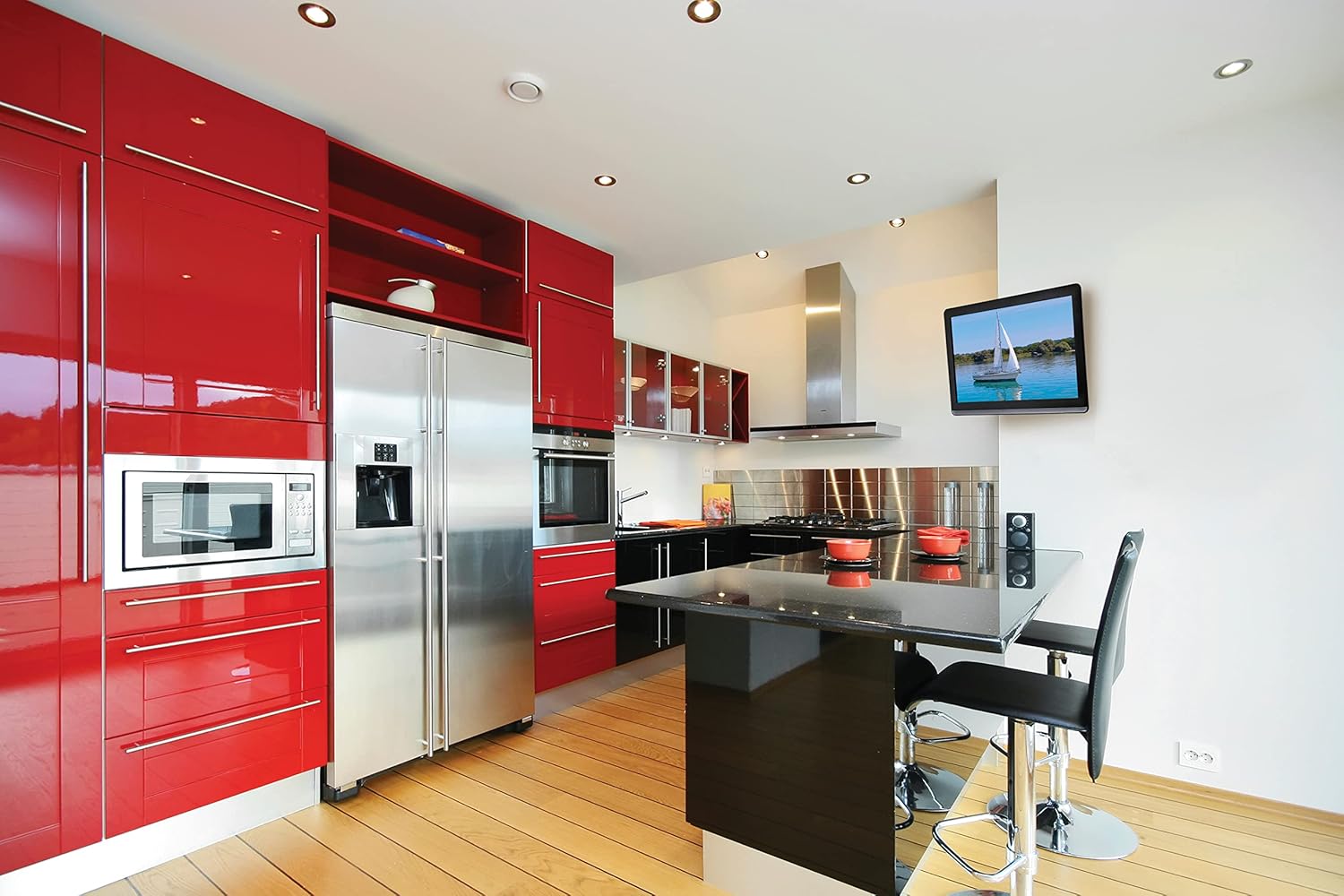
Сүрөт 2: Мурункуample of a television mounted using the Peerless PA730 Articulating Wall Mount in a kitchen setting.
5. Кабелдик башкаруу
Use the integrated cable management system or provided clips/ties to route your display's cables along the articulating arm. This helps maintain a clean appearance and prevents cables from snagging during adjustments.
Тоо иштетүү
The PA730 mount offers versatile positioning options:
- Кеңейтүү/чектөө: Gently pull or push the display to extend it up to 14.46 inches (367mm) from the wall or retract it to 2.42 inches (61mm).
- Айлануучу: The articulating arm allows for up to ±90° of swivel, enabling you to adjust the viewгоризонталдуу бурч.
- Россия: The one-touch tilt mechanism provides ±35° of tilt adjustment to optimize vertical viewбурчтарды өзгөртүү жана жаркыроону азайтуу.
- Roll/Leveling: After installation, you can adjust the screen's roll by ±5° to ensure it is perfectly level. Use the provided Allen wrenches to loosen and tighten the adjustment bolts as needed.
Техникалык тейлөө
- Periodically check all mounting screws and bolts to ensure they remain tight.
- Орноткучту жумшак, кургак чүпүрөк менен тазалаңыз. Абразивдүү тазалоочу каражаттардан алыс болуңуз.
- If the articulating arm becomes too stiff or too loose, use the provided Allen wrenches to adjust the tension at the pivot points.
Проблемаларды чечүү
- Mount feels too stiff/loose: Use the included Allen wrenches to adjust the tension bolts at the articulating joints. Loosen for easier movement, tighten for more resistance.
- Display is not level: Utilize the ±5° roll adjustment feature. Loosen the appropriate bolt, adjust the screen, and re-tighten.
- Mount is not secure: Re-check all wall mounting hardware. Ensure the mount is anchored into a wall stud or appropriate heavy-duty anchors are used. Do not exceed weight capacity.
Техникалык шарттар
| Өзгөчөлүк | Деталь |
|---|---|
| Модел | PA730 |
| Бренд | Peerless-AV |
| Compatible Display Sizes | 10 дюймдан 29 дюймга чейин |
| Максималдуу Салмак сыйымдуулугу | 25 фунт (11.3 кг) |
| Дубалдан узартуу | 2.42 дюймдан (61 мм) 14.46 дюймга чейин (367 мм) |
| Айлануучу | ±90° |
| Тит | ±35° |
| Roll/Leveling | ±5° |
| VESA шайкештиги | 75x75мм, 100x100мм |
| Материал | Металл |
| Продукциянын өлчөмдөрү | 2.9 x 11.7 x 10 дюйм (орнотууда гана) |
| Элемент Салмагы | 2.8 фунт |
Кепилдик жана колдоо
The Peerless-AV PA730 Articulating Wall Mount is backed by a limited five-year warranty. For technical support, replacement parts, or warranty claims, please contact Peerless-AV customer service. Refer to the official Peerless-AV webучурдагы байланыш маалыматы үчүн сайт.


