1. Киришүү
The Samson R10S is a dynamic multimedia microphone designed for a wide range of applications, including karaoke, multimedia presentations, and portable recording. It features a high-quality neodymium, multi-axis shock-mounted microphone element for exceptional sound reproduction and clarity. Its cardioid pickup pattern helps to reduce feedback and unwanted noise, focusing on the sound source directly in front of the microphone. The R10S is built for durability and ease of use, making it a versatile tool for various audio needs.
2. Өзгөчөлүктөрү
- Ideal for karaoke, multimedia, or portable recording applications.
- Neodymium, multi-axis shock-mounted microphone element for clear audio.
- Cardioid pickup pattern to minimize feedback and isolate sound.
- High gain output and low impedance design.
- Frequency response of 80Hz-12kHz, optimized for vocal and multimedia use.
- Convenient On/Off switch for easy control.
- Hardwired 1/8" (3.5mm) microphone cable for direct connection.
- Includes a 1/8" to 1/4" (3.5mm to 6.35mm) cable adapter for broader compatibility.
- Comes with a desktop stand for convenient placement.
3. Пакеттин мазмуну
Сураныч, пакетте төмөнкү нерселерди текшериңиз:
- Samson R10S Dynamic Microphone with hardwired 1/8" cable
- 1/8" to 1/4" Cable Adapter
- Иш столунун микрофону
4. Орнотуу
Follow these steps to set up your Samson R10S microphone:
- Микрофонду таңгактан чыгаруу: Carefully remove the microphone, cable adapter, and desktop stand from their packaging.
- Attach the Desktop Stand: If desired, attach the microphone to the included desktop stand. The stand provides stability and allows for hands-free use.
- Түзмөгүңүзгө туташуу:
- For devices with a 1/8" (3.5mm) microphone input (e.g., most computers, portable recorders, some karaoke machines), plug the hardwired 1/8" cable directly into the microphone input jack.
- For devices with a 1/4" (6.35mm) microphone input (e.g., some amplifiers, mixers, or karaoke machines), first connect the included 1/8" to 1/4" adapter to the microphone's 1/8" cable, then plug the adapter into the 1/4" input jack on your device.
- Микрофонду жайгаштырыңыз: Place the microphone on a stable surface using the desktop stand, or hold it comfortably for vocal performance. Ensure the front of the microphone (where the Samson logo and R10S model name are visible) is facing the sound source.
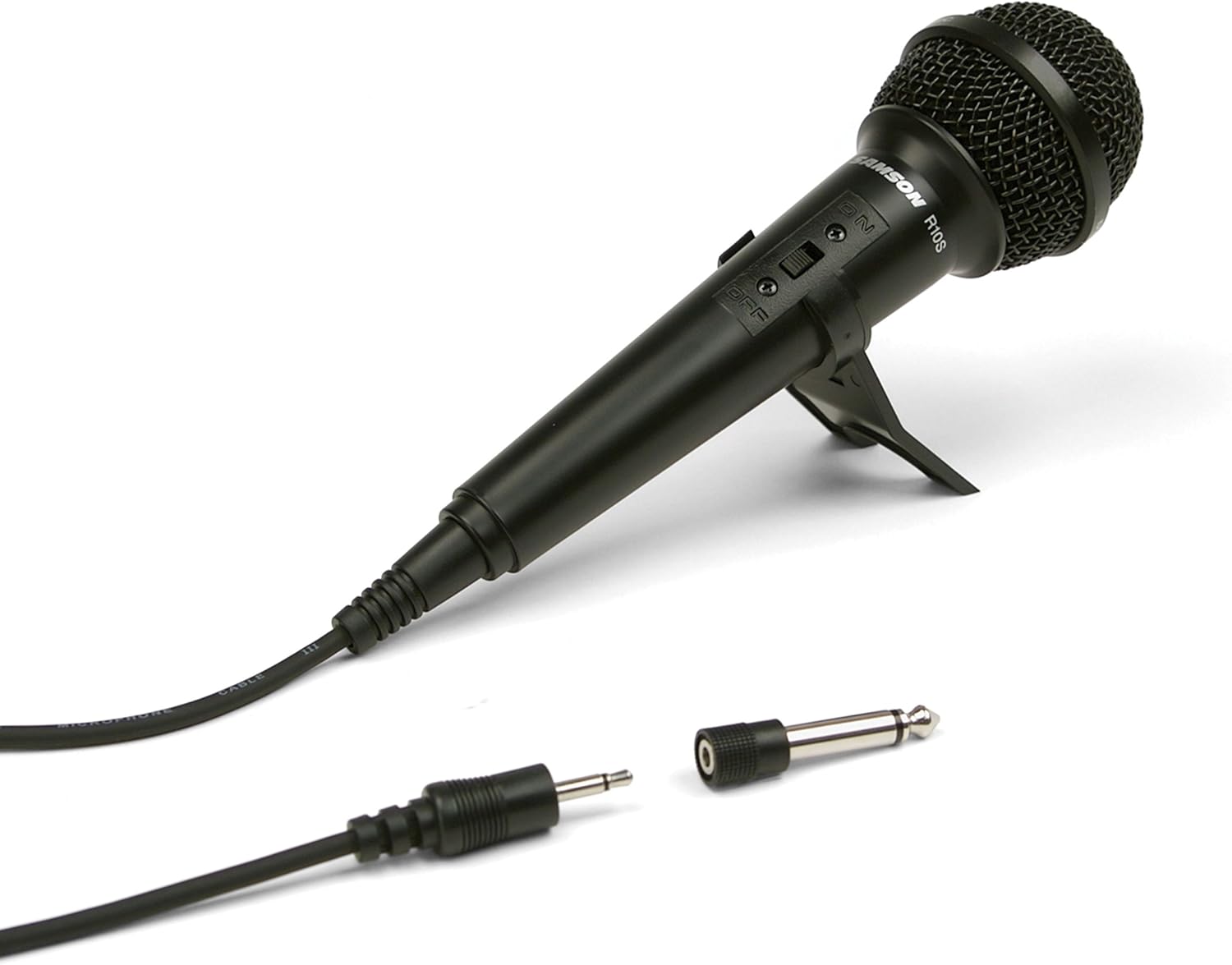
Image: The Samson R10S microphone, featuring its integrated On/Off switch, hardwired 1/8-inch cable, and the included 1/4-inch adapter. The microphone is also shown with its detachable desktop stand.
5. Микрофонду иштетүү
The Samson R10S features a simple On/Off switch for convenient operation.
- Күйгүзүү: Locate the On/Off switch on the microphone body. Slide the switch to the "ON" position to activate the microphone.
- Өчүрүү: When you are finished using the microphone, slide the switch to the "OFF" position to deactivate it. This conserves power and prevents unwanted noise from being picked up.
- Киргизүү деңгээлдерин тууралоо: On your connected device (e.g., karaoke machine, computer, mixer), adjust the microphone input level or gain to an appropriate setting. Start with a low level and gradually increase it until the desired volume is achieved without distortion.
- Микрофондун жайгашуусу: For optimal sound quality, hold the microphone approximately 2-6 inches (5-15 cm) from your mouth or the sound source. Experiment with distance to find the best sound for your application.
6. Техникалык тейлөө
To ensure the longevity and optimal performance of your Samson R10S microphone, follow these maintenance guidelines:
- Тазалоо: Микрофондун корпусун сүртүү үчүн жумшак, кургак чүпүрөктү колдонуңуз. Суюк тазалагычтарды же эриткичтерди колдонбоңуз, анткени алар финишке же ички компоненттерге зыян келтириши мүмкүн.
- Сактагыч: When not in use, store the microphone in a clean, dry place, away from extreme temperatures, humidity, and direct sunlight.
- Колдонуу: Avoid dropping the microphone or subjecting it to strong impacts, as this can damage the internal microphone element.
- Кабельге кам көрүү: Do not excessively bend or pull on the hardwired cable. Store the cable neatly coiled to prevent kinks and damage.
7. Кыйынчылыктарды
If you encounter issues with your Samson R10S microphone, refer to the following common problems and solutions:
| Көйгөй | Мүмкүн себеп | Чечим |
|---|---|---|
| Үн чыгышы жок | Microphone is OFF | Slide the On/Off switch to the "ON" position. |
| Үн чыгышы жок | Туура эмес туташуу | Ensure the microphone cable (with or without adapter) is fully inserted into the correct microphone input jack on your device. |
| Үн чыгышы жок | Device input level too low | Increase the microphone input volume or gain on your connected device. |
| Sound is distorted or crackling | Device input level too high | Decrease the microphone input volume or gain on your connected device. |
| Sound is weak or muffled | Микрофон булактан өтө алыс | Move the microphone closer to the sound source (e.g., your mouth). |
| Excessive feedback (squealing) | Microphone too close to speakers or pointed at them | Reposition the microphone away from speakers. Reduce the microphone volume. |
8. Техникалык шарттар
| Өзгөчөлүк | Деталь |
|---|---|
| Модель номери | SCR10S |
| Микрофон түрү | Динамикалык |
| Полярдык үлгү | Кардиоиддик (бир багыттуу) |
| Frequency Response | 80Гц - 12кГц |
| Аудио сезгичтиги | 52 дБ |
| Импеданс | Төмөн импеданс |
| Байланыш | Hardwired 1/8" (3.5mm) cable |
| Адаптер камтылган | 1/8" to 1/4" (3.5mm to 6.35mm) |
| Controls | Күйгүзүү/өчүрүү |
| Өлчөмдөрү (L x W x Y) | 6 x 6 x 15 inches (approximate product dimensions) |
| Элемент Салмагы | 5.3 унция |
| Материал | Crystal (referring to microphone element material) |
| Сунушталган колдонуу | Караоке |
9. Кепилдик маалыматы
Samson Technologies warrants its products to be free from defects in materials and workmanship for a specified period from the date of original purchase. This warranty is subject to the terms and conditions outlined in the full warranty statement, which can typically be found on the manufacturer's official website or included with the product packaging. Please retain your proof of purchase for warranty claims.
10. Колдоо
For technical support, service, or further information regarding your Samson R10S microphone, please visit the official Samson website or contact their customer service department. Contact details and support resources are typically available on the manufacturer's webсайт.
Webсайт: www.samsontech.com


