Introduction
This user manual provides detailed instructions for the Kodak Easyshare C913 9.2 MP Digital Camera. Please read this manual thoroughly before using your camera to ensure proper operation and to maximize its features. Keep this manual for future reference.
1. Орнотуу
1.1 Камераны ачуу
Пакетте бардык буюмдар бар экенин текшериңиз:
- Kodak Easyshare C913 санарип камерасы
- Kodak alkaline AA batteries or equivalent
- USB кабели
- Билек боо
- Getting started guide with Kodak EasyShare software
- Custom camera insert for optional Kodak EasyShare camera and printer docks
1.2 Батареяларды орнотуу
The Kodak Easyshare C913 requires two AA batteries. For optimal performance and longevity, it is recommended to use high-quality alkaline or rechargeable AA batteries.
- Батарея бөлүмүнүн эшигин камеранын астыңкы жагына жайгаштырыңыз.
- Батарея бөлүмүн ачуу үчүн кулпуну жылдырыңыз.
- Insert two AA batteries, ensuring correct polarity (+ and - terminals match the indicators inside the compartment).
- Батарея бөлүкчөсүнүн эшигин чыкылдатканга чейин бекем жабыңыз.
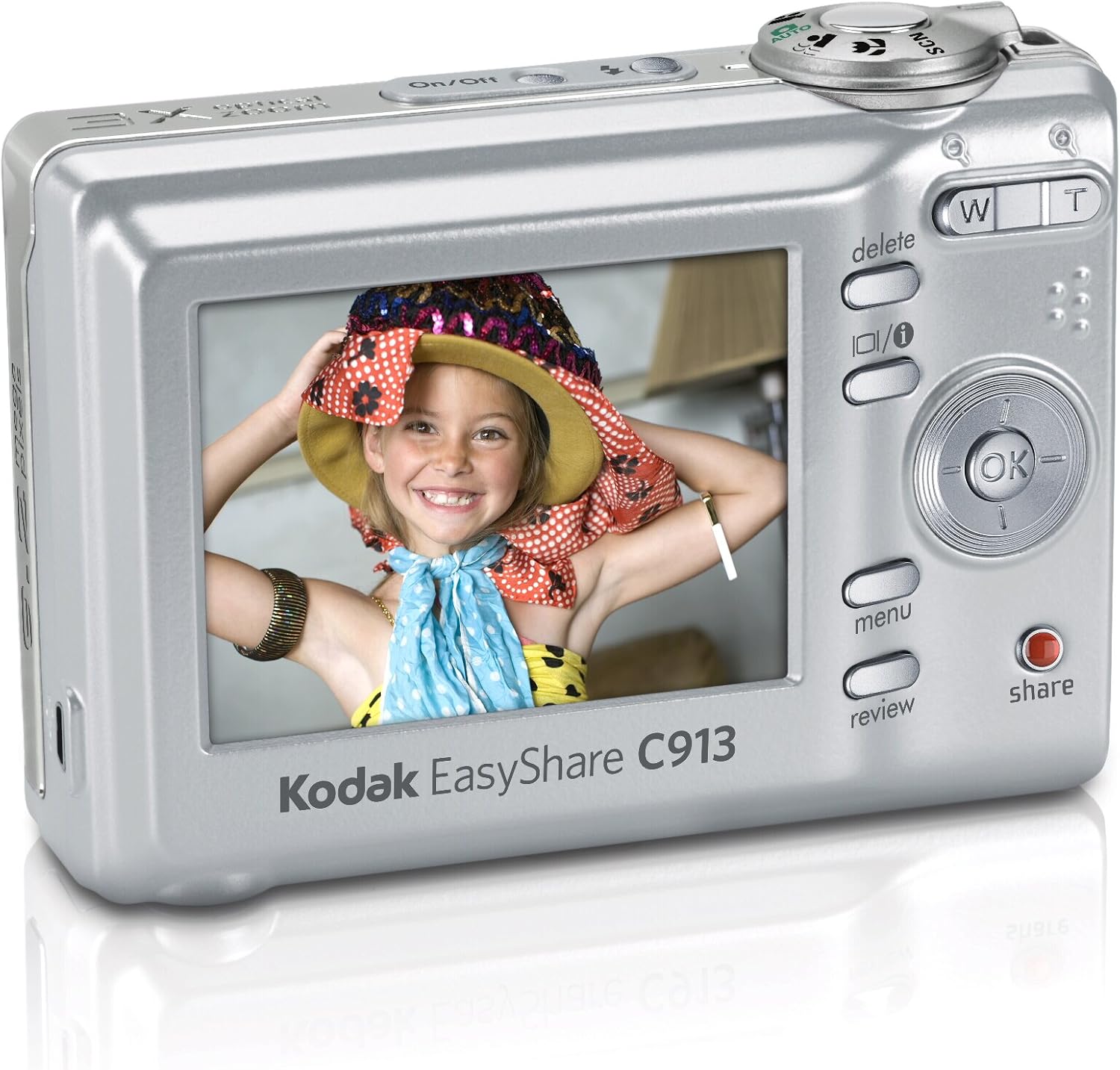
1-сүрөт: Арткы view of the Kodak Easyshare C913, displaying the LCD screen and various control buttons. The battery compartment is located on the bottom of the camera.
1.3 Эстутум картасын салуу
The camera supports SD/SDHC memory cards (not included). A memory card is required to store a large number of photos and videos.
- Эстутум картасынын уячасын, адатта, батарея бөлүмүнүн жанына жайгаштырыңыз.
- Эстутум картасынын уячасынын капкагын ачыңыз.
- Insert the SD/SDHC card with the metal contacts facing the front of the camera until it clicks into place.
- Эстутум картасынын уячасынын капкагын жабыңыз.
Эскертүү: The camera has 16 MB of internal memory for temporary storage if a memory card is full or not inserted.
1.4 Билек боону бекитүү
Attach the wrist strap to the designated loop on the camera body to prevent accidental drops.
2. Камераны иштетүү
2.1 Күйгүзүү/өчүрүү
басыңыз On/Off камераны күйгүзүү же өчүрүү үчүн анын үстүндө жайгашкан баскычты басыңыз. Күйгүзүлгөндө линза созулат.
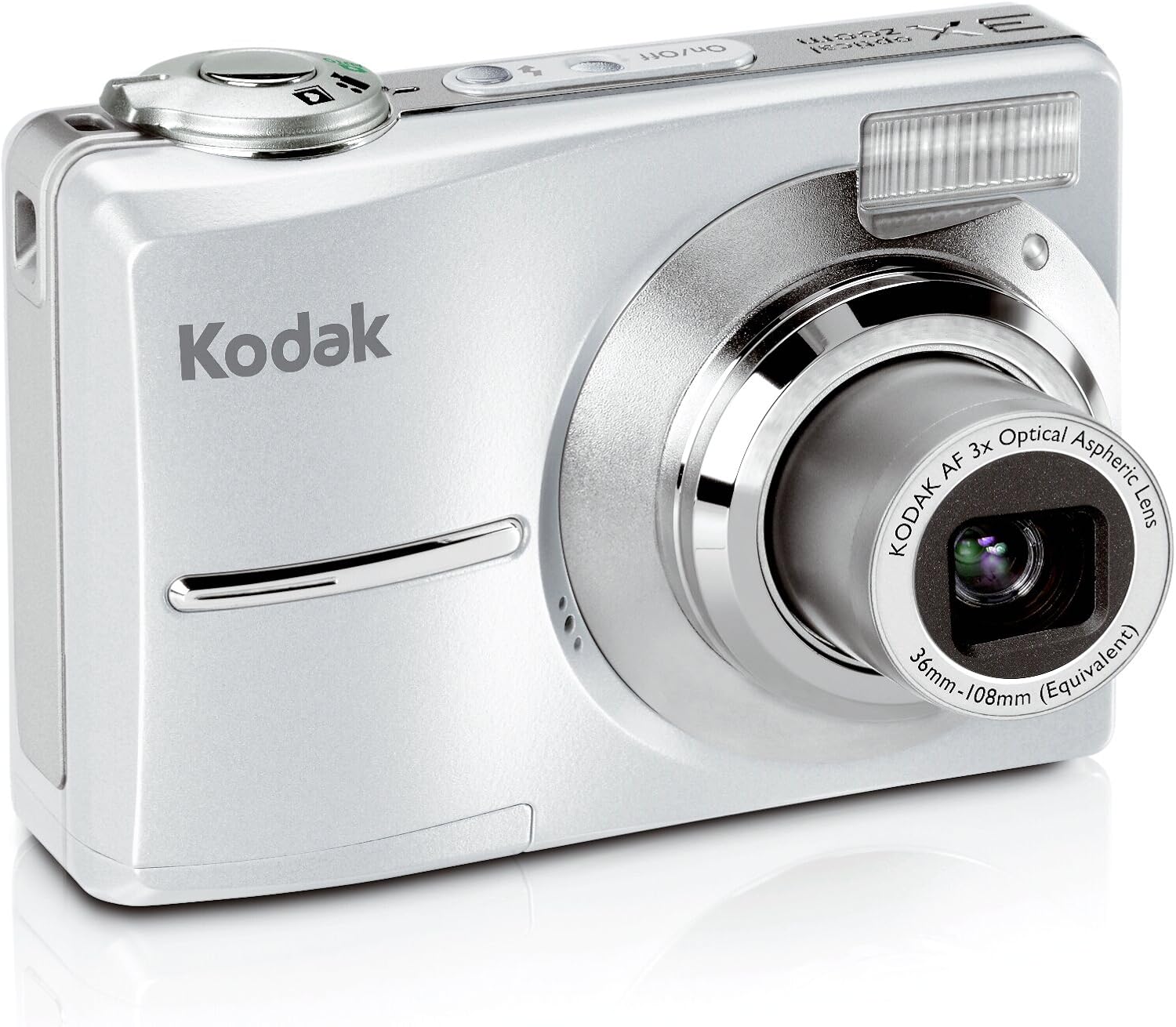
Сүрөт 2: Алдыңкы view of the Kodak Easyshare C913, showing the lens extended and the flash unit. The On/Off button is visible on the top panel.
2.2 Taking Pictures
- Камераны күйгүзүңүз.
- Frame your shot using the 2.4-inch color LCD display.
- Use the zoom buttons (W for Wide, T for Telephoto) to adjust the focal length. The camera features a 3x optical zoom and 5x digital zoom.
- Press the shutter button halfway down to focus. The focus indicator will illuminate.
- Сүрөттү тартуу үчүн жапкычты толугу менен ылдый басыңыз.
2.3 Сахна режими
The camera offers various scene modes to optimize settings for different shooting conditions. Access these modes through the camera's menu system.
- Авто: Standard mode for general photography.
- Спорт: For capturing fast-moving subjects.
- Портрет: Ideal for close-up shots of people, often blurring the background.
- Кар: Adjusts exposure for bright, reflective snow scenes.
- Фейерверк: Optimizes settings for capturing fireworks displays.
- Арткы жарык: Helps properly expose subjects that are backlit.
2.4 түс режимдери
Experiment with different color modes to achieve desired artistic effects:
- Түсү: Standard full-color photography.
- Black & White: Captures images in monochrome.
- Сепия: Applies a warm, brownish tone for an antique look.
2.5 Видео жаздыруу
The camera can capture VGA video with audio.
- Switch the camera to video mode (refer to the on-screen icons or mode dial).
- Жазууну баштоо үчүн жапкычты басыңыз.
- Жазууну токтотуу үчүн жапкычты кайра басыңыз.
On-camera editing features allow for basic video manipulation.
2.6 Reviewing and Sharing Images
басыңыз Review баскычына view captured photos and videos on the 2.4-inch LCD. Use the directional pad to navigate.
арналган Бөлүшүү баскычы сизге мүмкүнчүлүк берет tag images for easy printing or emailing when connected to a computer with Kodak EasyShare software.
2.7 Өзгөчөлүктөр
- Бүдөмүктү азайтуу: This technology automatically minimizes camera shake or subject movement to produce clearer pictures.
- High ISO: The camera supports high ISO settings (up to 1000) for improved performance in low-light conditions and when capturing fast action.
- Kodak Perfect Touch Technology: This feature enhances pictures by improving brightness and revealing details in dark shadows.
- Internal Memory Plus: If your memory card becomes full, the camera can temporarily store images in its 16 MB internal memory.
3. Техникалык тейлөө
3.1 Камераны тазалоо
- Камеранын корпусун тазалоо үчүн жумшак, түксүз чүпүрөктү колдонуңуз.
- For the lens and LCD screen, use a specialized lens cleaning cloth and solution. Avoid harsh chemicals or abrasive materials.
- Gently blow away dust from the lens before wiping.
3.2 Батареяга кам көрүү
- Камера узак убакыт бою колдонулбаса, батареяларды алып салыңыз.
- For frequent use, consider investing in high-quality rechargeable AA batteries and a charger to reduce waste and ensure consistent power.
3.3 Сактоо
Store the camera in a cool, dry place away from direct sunlight, extreme temperatures, and high humidity. Use a camera case to protect it from dust and physical damage.
4. Кыйынчылыктарды
| Көйгөй | Мүмкүн себеп | Чечим |
|---|---|---|
| Camera does not turn on or turns off immediately. |
|
|
| Сүрөттөр бүдөмүк. |
|
|
| "Эс тутум толук" катасы. |
|
|
| Батареянын иштөө мөөнөтү начар. |
|
|
5. Техникалык шарттар
| Өзгөчөлүк | Деталь |
|---|---|
| Модел | Kodak Easyshare C913 |
| Сүрөт сенсору | 9.2 мегапиксел |
| Оптикалык масштаб | 3x (36-108 mm equivalent) |
| Digital Zoom | 5x |
| Дисплей | 2.4-inch Indoor/Outdoor Color LCD |
| Видео тартуу | VGA with audio |
| Сактагыч медиа | SD/SDHC card slot, 16 MB internal memory |
| Батареялар | 2 x AA батарейкалар |
| Өлчөмдөрү (W x Y x D) | 3.58 x 0.98 x 2.44 дюйм (болжол менен) |
| Салмагы | 4.8 унция (батареясыз) |
| Image Stabilization | Санариптик, оптикалык |
| Колдоого алынган File Формат | MP4 (for video) |
| Аспект катышы | 16:9, 3:2 |
6. Кепилдик маалыматы
For detailed warranty information regarding your Kodak Easyshare C913 Digital Camera, please refer to the warranty card included in your product packaging or visit the official Kodak support webсайт. Кепилдиктин шарттары жана шарттары аймакка жана сатып алуу күнүнө жараша өзгөрүшү мүмкүн.
7. Кардарларды колдоо кызматы
If you require further assistance or have questions not covered in this manual, please contact Kodak customer support. You can typically find contact information (phone numbers, email, or online chat) on the official Kodak webсайт.
Онлайн ресурстар: www.kodak.com/go/support


