1. Киришүү
This manual provides detailed instructions for the proper use and maintenance of your LEXON NEO 8 Optical Watch, model LM88-O. Please read this manual thoroughly before using your watch to ensure optimal performance and longevity.
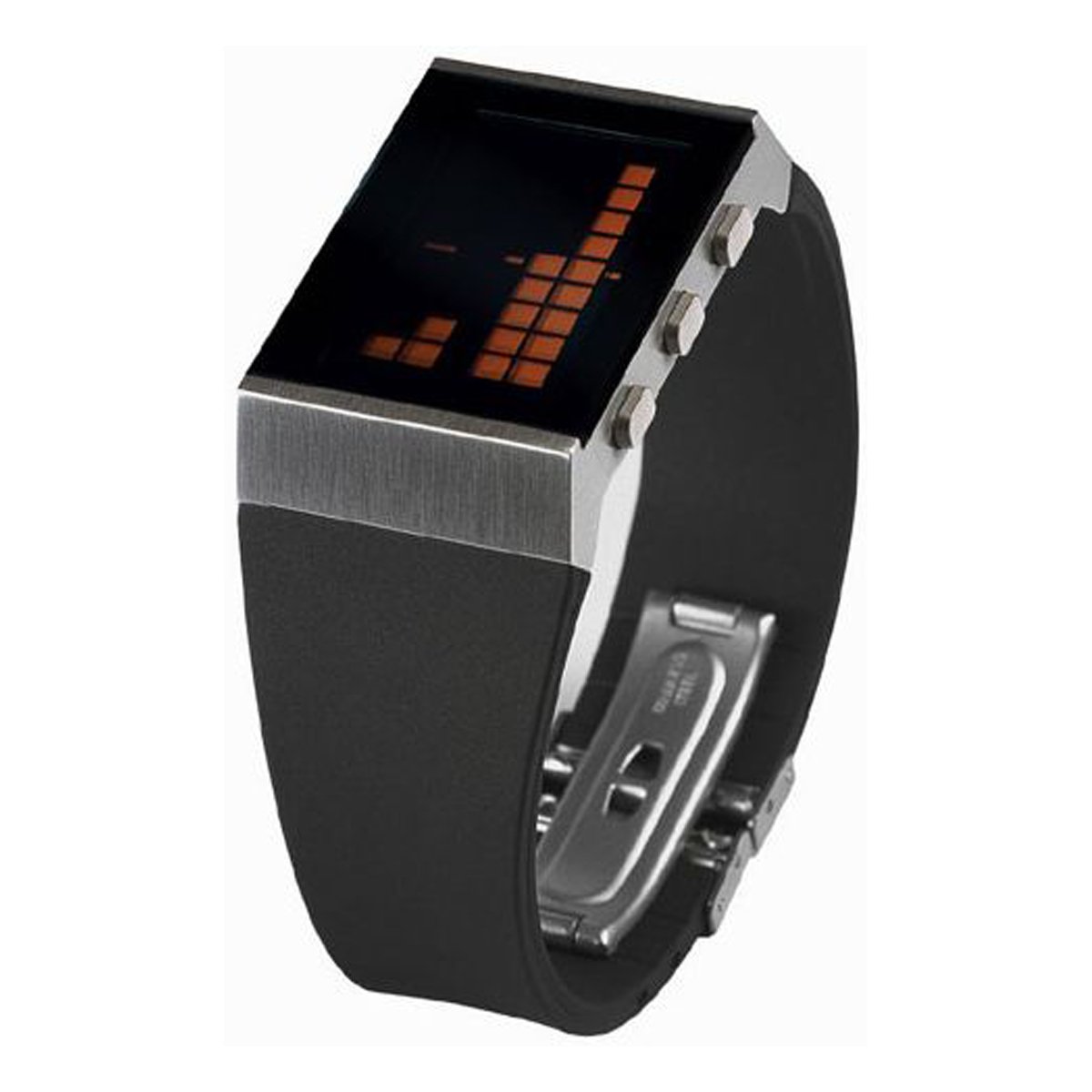
1-сүрөт: The LEXON NEO 8 Optical Watch, featuring a matte chrome casing and a black rubber strap with orange details.
2. Орнотуу
2.1 Батареяны орнотуу
The LEXON NEO 8 Optical Watch requires one CR2016 battery for operation. If the display is blank or dim, the battery may need to be installed or replaced.
- Кичинекей бурагыч менен сааттын арткы капкагын этияттык менен алып салыңыз.
- Insert one CR2016 battery with the positive (+) side facing up.
- Replace the back cover, ensuring it is securely fastened to maintain water resistance.
2.2 Баштапкы убакытты орнотуу
After battery installation, set the current time and date.
- Press and hold the 'MODE' button (usually located on the side) until the time display begins to flash.
- Use the 'ADJUST' button to change the flashing digits (hours, minutes, year, month, day).
- Press 'MODE' again to move to the next setting.
- Once all settings are correct, press 'MODE' one last time to exit the setting mode.
3. Иштөө нускамалары
3.1 Basic Time Display
In normal mode, the watch displays the current time. Pressing the 'LIGHT' button will illuminate the LCD display for better visibility in low light conditions.
3.2 12/24 саат форматы
To switch between 12-hour (AM/PM) and 24-hour (military) time formats:
- In time setting mode (refer to Section 2.2), navigate to the hour setting.
- Press the 'ADJUST' button until the desired format appears (e.g., 'PM' for 12-hour or no indicator for 24-hour).
- Confirm by pressing the 'MODE' button.
3.3 Ойготкуч функциясы
Ойготкучту орнотуу жана иштетүү үчүн:
- Press the 'MODE' button repeatedly until the alarm setting screen appears (often indicated by an alarm icon).
- Use the 'ADJUST' button to set the desired alarm time.
- Press 'MODE' to confirm the alarm time.
- To turn the alarm on or off, press the 'ADJUST' button while on the alarm setting screen. An alarm icon will typically appear on the main display when the alarm is active.
3.4 Day Display
The watch automatically displays the current day of the week. This is typically shown alongside the date. Ensure the date is set correctly for accurate day display.
3.5 Light Function (LCD)
Press the 'LIGHT' button (usually located on the top left or right side) to briefly illuminate the LCD display. This feature is useful for checking the time in dark environments.
4. Техникалык тейлөө
4.1 Тазалоо
Саатыңызды тазалоо үчүн аны жумшак, кургак чүпүрөк менен акырын сүртүңүз. Өтө кир болсо, бир азamp cloth can be used, followed by immediate drying. Avoid using chemical cleaners or abrasive materials, as these can damage the watch's finish and components.
4.2 Батареяны алмаштыруу
When the display becomes dim or the watch stops functioning, it is time to replace the CR2016 battery. Refer to Section 2.1 for battery installation instructions. It is recommended to have battery replacement performed by a qualified technician to ensure proper sealing and water resistance.
4.3 Жалпы кам көрүү
- Саатты экстремалдык температурага (ысык же муздак) же температуранын кескин өзгөрүшүнө жол бербеңиз.
- Do not expose the watch to strong magnetic fields.
- While the watch may have some water resistance, avoid prolonged submersion or operating buttons underwater unless specifically stated otherwise for your model.
- Саатты соккулардан жана кулап түшүүдөн коргоңуз.
5. Кыйынчылыктарды
| Көйгөй | Мүмкүн себеп | Чечим |
|---|---|---|
| Дисплей бош же күңүрт. | Батарея аз же өлүк. | CR2016 батареясын алмаштырыңыз (2.1-бөлүмдү караңыз). |
| Убакыт туура эмес. | Time not set correctly or accidental reset. | Убакытты жана датаны баштапкы абалга келтириңиз (2.2-бөлүмдү караңыз). |
| Ойготкуч угулбайт. | Ойготкуч иштетилген эмес же туура эмес орнотулган. | Ensure the alarm is turned ON and the time is set correctly (refer to Section 3.3). |
| Баскычтар жооп бербейт. | Батарея көйгөйү же ички бузук. | Try replacing the battery. If the issue persists, contact customer support. |
6. Техникалык шарттар
- Өндүрүүчү моделдин номери: 2910215
- Өлчөмү: Approximately 4 cm (Length) x 3 cm (Width) x 1.2 cm (Thickness) (Based on 1.6 x 1.2 x 0.5 inches)
- Салмагы: 0.73 кг (1.7 фунт)
- Материал: Matte chrome casing, black rubber strap
- Келип чыккан өлкө: Кытай
- Функциялары: Alarm, 12/24 hour display, Day display, LCD Light function
- Электр камсыздоо: CR2016 x 1
7. Кепилдик жана колдоо
Specific warranty information for the LEXON NEO 8 Optical Watch, model LM88-O, is not provided in this manual. Please refer to the product packaging or the retailer's website for details regarding warranty coverage and customer support contact information.


