Продукт бүттүview
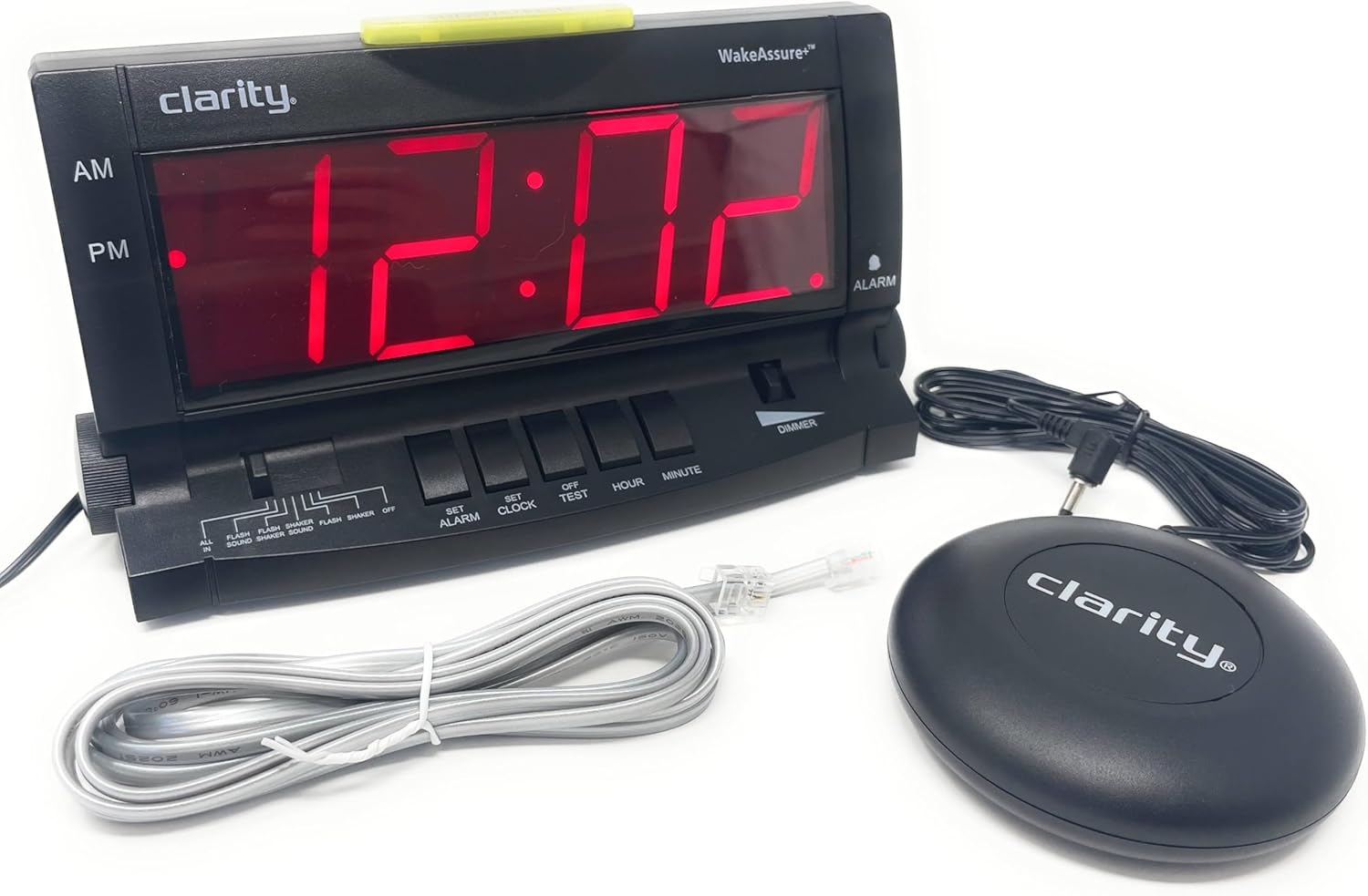
The Clarity Wake Assure+ Desktop Alarm Clock is designed to provide a reliable and effective wake-up solution, especially for heavy sleepers, the deaf, and the hard of hearing. It combines a loud audible alarm with a powerful vibrating bed shaker to ensure you never miss an important wake-up call.
Негизги өзгөчөлүктөр төмөнкүлөрдү камтыйт:
- Guaranteed Wake-Up: Choose between a loud audible alarm (up to 85dB), a powerful vibrating bed shaker, or both.
- Customizable Alarm: Adjustable volume and tone settings for the audible alarm.
- Окууга оңой дисплей: Large 1.8-inch digital LCD display with full dimmable functionality to reduce light disturbance.
- Батареянын камдык көчүрмөсү: Maintains time and program settings during power outages with a standard 9V battery (not included).
- Built-in Telephone Jack: Alerts users to incoming phone calls, beneficial for landline users or those with videophones.
- AC менен иштейт: Plugs into any standard wall outlet, eliminating the need for frequent battery replacements for primary operation.
Жайгашуу
- Пакеттен чыгаруу: Carefully remove all components from the packaging. Verify that you have the alarm clock unit, vibrating bed shaker, and AC power adapter.
- Кубат туташуу: Insert the small plug of the AC power adapter into the 9V DC jack located on the back of the alarm clock. Plug the AC adapter into a standard wall outlet. The display will illuminate.

2-сүрөт: Арткы view of the alarm clock, highlighting the 9V DC power input and the vibrating shaker port. - Батареянын камдык көчүрмөсүн орнотуу (милдеттүү эмес, бирок сунушталат): Бийлик үчүнtage protection, open the battery compartment on the back of the unit and insert one standard 9V battery (not included). Close the compartment securely. This battery will maintain time and alarm settings during a power interruption.
- Connecting the Vibrating Bed Shaker: Plug the cord of the vibrating bed shaker into the dedicated shaker port on the back of the alarm clock. Place the shaker under your pillow or mattress for optimal vibration.
- Убакытты коюу:
- басып, кармап туруңуз СААТТЫ КОЮ баскычы.
- Кармап жатканда СААТТЫ КОЮ, басыңыз HOUR button to adjust the hour. Observe the AM/PM indicator.
- Кармап жатканда СААТТЫ КОЮ, басыңыз MINUTE мүнөттү жөндөө үчүн баскыч.
- бошотуңуз СААТТЫ КОЮ туура убакыт коюлганда баскычын басыңыз.
- Connecting to Telephone Line (Optional): If you wish to be alerted to incoming phone calls, connect a telephone line cord (included) from your wall jack to either the LINE 1 or LINE 2 port on the side of the alarm clock.
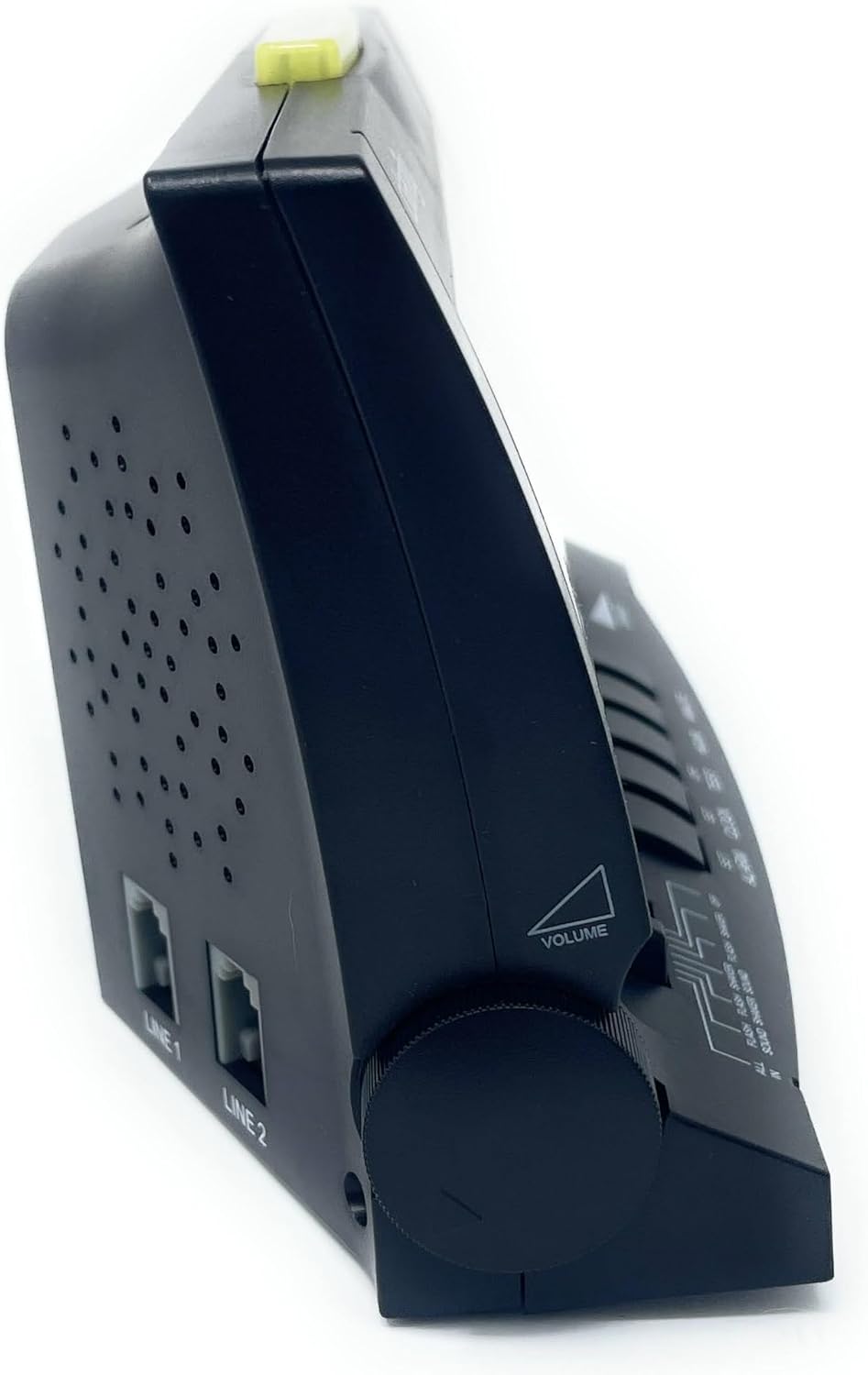
3-сүрөт: Каптал view of the alarm clock, illustrating the volume control knob and the telephone line input jacks.
Иштөө нускамалары
Ойготкучту орнотуу
- басып, кармап туруңуз АЛАРМДЫ КОЮУ баскычы.
- Кармап жатканда АЛАРМДЫ КОЮУ, басыңыз HOUR button to adjust the alarm hour. Observe the AM/PM indicator.
- Кармап жатканда АЛАРМДЫ КОЮУ, басыңыз MINUTE ойготкуч мүнөтүн жөндөө үчүн баскыч.
- бошотуңуз АЛАРМДЫ КОЮУ button when the desired alarm time is set.
- Ойготкучту иштетүү үчүн, баскычын жылдырыңыз Сигнал режими switch (located on the front panel) to your preferred setting:
- БАРДЫГЫ: Activates sound, flash, and shaker.
- FLASH SOUND SHAKER: Activates flash, sound, and shaker.
- ЖАРЫК ҮН: Activates flash and sound.
- FLASH SHAKER: Activates flash and shaker.
- ҮН: Activates sound only.
- SHAKER: Activates shaker only.
- ӨЧҮК: Ойготкуч өчүрүлгөн.

Сүрөт 4: Алдыңкы view of the alarm clock, showing the large digital display and the alarm mode selection switch.
Adjusting Alarm Volume and Tone
- Көлөмү: айлантыңыз VOLUME knob located on the left side of the unit to increase or decrease the audible alarm volume.
- Обон: айлантыңыз ООН knob located on the right side of the unit to adjust the pitch (frequency) of the audible alarm. This is particularly useful for individuals with specific hearing loss frequencies.

5-сүрөт: Каптал view of the alarm clock, illustrating the tone control knob.
Тындырма функциясы
Сигнал чыкканда чоң баскычты басыңыз SNOOZE/КАЛПЫНА КЕЛТИРҮҮ bar located on the top of the unit to temporarily silence the alarm. The alarm will sound again after approximately 9 minutes.

Диммер функциясы
жылдырыңыз DIMMER switch (located on the front panel) to adjust the brightness of the digital display. This allows you to set the display to a comfortable level for day or night viewing.
Telephone Call Alert
If connected to a telephone line, the alarm clock will provide an alert (flash, sound, or shaker, depending on alarm mode settings) when an incoming call is detected, even if the alarm is not set to go off.
Техникалык тейлөө
- Тазалоо: To clean the alarm clock, wipe the exterior surfaces with a soft, dry cloth. Do not use abrasive cleaners, waxes, or solvents as they may damage the finish. Ensure the unit is unplugged before cleaning.
- Батареяны алмаштыруу: Эгерде камдык батарея орнотулган болсо, 9V батареяны жыл сайын алмаштырып туруңуз же электр жарыгы өчүрүлгөн учурда саат убактысын жоготуп алсаtage.
- Сактагыч: If storing the unit for an extended period, unplug it from the power outlet and remove the 9V battery.
Проблемаларды чечүү
| Көйгөй | Мүмкүн себеп | Чечим |
|---|---|---|
| Сааттын дисплейи бош. | No power, AC adapter unplugged, or power outage with no battery backup. | Ensure AC adapter is securely plugged into the clock and a working wall outlet. Install a fresh 9V battery for backup. |
| Alarm does not sound/vibrate/flash. | Alarm not set, alarm mode switch set to OFF, or volume too low. | Verify alarm time is set correctly. Check that the ALARM MODE switch is set to a desired alert option (e.g., ALL IN, SOUND, SHAKER). Increase volume if using audible alarm. Ensure shaker is properly connected. |
| Дисплей өтө жарык/күңүрт. | Dimmer switch setting. | Adjust the DIMMER switch on the front panel to your preferred brightness level. Note: The display has specific brightness levels, not a continuous dimming range. |
| Telephone alert not working. | Telephone line not connected, or alarm mode not set to include flash/sound/shaker. | Ensure telephone line is securely connected to the clock and wall jack. Check that the ALARM MODE switch is set to an option that includes a visual, audible, or vibratory alert. |
| Убакыт бийликтен кийин туура эмесtage. | No 9V battery installed, or battery is depleted. | Install a fresh 9V battery for battery backup. Reset the time if necessary. |
Техникалык шарттар
| Өзгөчөлүк | Деталь |
|---|---|
| Бренд | Ачыктык |
| Модель номери | 600 |
| Дисплей түрү | Digital LCD (1.8" tall) |
| Ойготкучтун үнү | 85дБ чейин |
| Power Source | AC-Powered with 9V Battery Backup (battery not included) |
| Продукциянын өлчөмдөрү | 6.5"W x 4"H |
| Элемент Салмагы | 2.45 фунт |
| Материал | Пластик |
| Өзгөчөлүктөр | Vibrating Bed Shaker, Adjustable Tone, Dimmable Display, Telephone Jack |
Кепилдик маалымат
The Clarity Wake Assure+ Desktop Alarm Clock comes with a Чектелген Кепилдик. Please refer to the warranty card included in your product packaging for specific terms, conditions, and duration of coverage. Retain your proof of purchase for warranty claims.
Кардарларды колдоо
For technical assistance, troubleshooting beyond this manual, or warranty inquiries, please contact Clarity customer support. Contact information can typically be found on the manufacturer's webсайтында же продуктунун таңгагында.
You may also visit the product page on Amazon for additional resources and frequently asked questions: Amazon продукт бети


