Introduction
This manual provides instructions for the KODAK Easyshare C190 Digital Camera. Please read this manual thoroughly before using your camera to ensure proper operation and to maximize its features. Keep this manual for future reference.
Жайгашуу
1. Камераны ачуу
Бардык компоненттерди таңгактан кылдаттык менен алып салыңыз. Төмөнкү нерселердин бар экенин текшериңиз:
- KODAK Easyshare C190 Digital Camera
- Билек боо
- USB кабели
- Колдонуучунун колдонмосу (бул документ)
- Note: Batteries and SD/SDHC memory card are not included and must be purchased separately.
2. Батареяларды орнотуу
The KODAK Easyshare C190 uses AA batteries. Locate the battery compartment on the bottom or side of the camera. Open the compartment cover, insert two fresh AA batteries, ensuring correct polarity (+/-), then close the cover securely.
3. Эстутум картасын салуу
The camera supports SD and SDHC memory cards. Open the memory card slot cover, typically located near the battery compartment. Insert the memory card with the metal contacts facing the correct direction (refer to the diagram inside the compartment). Push until it clicks into place. Close the cover.
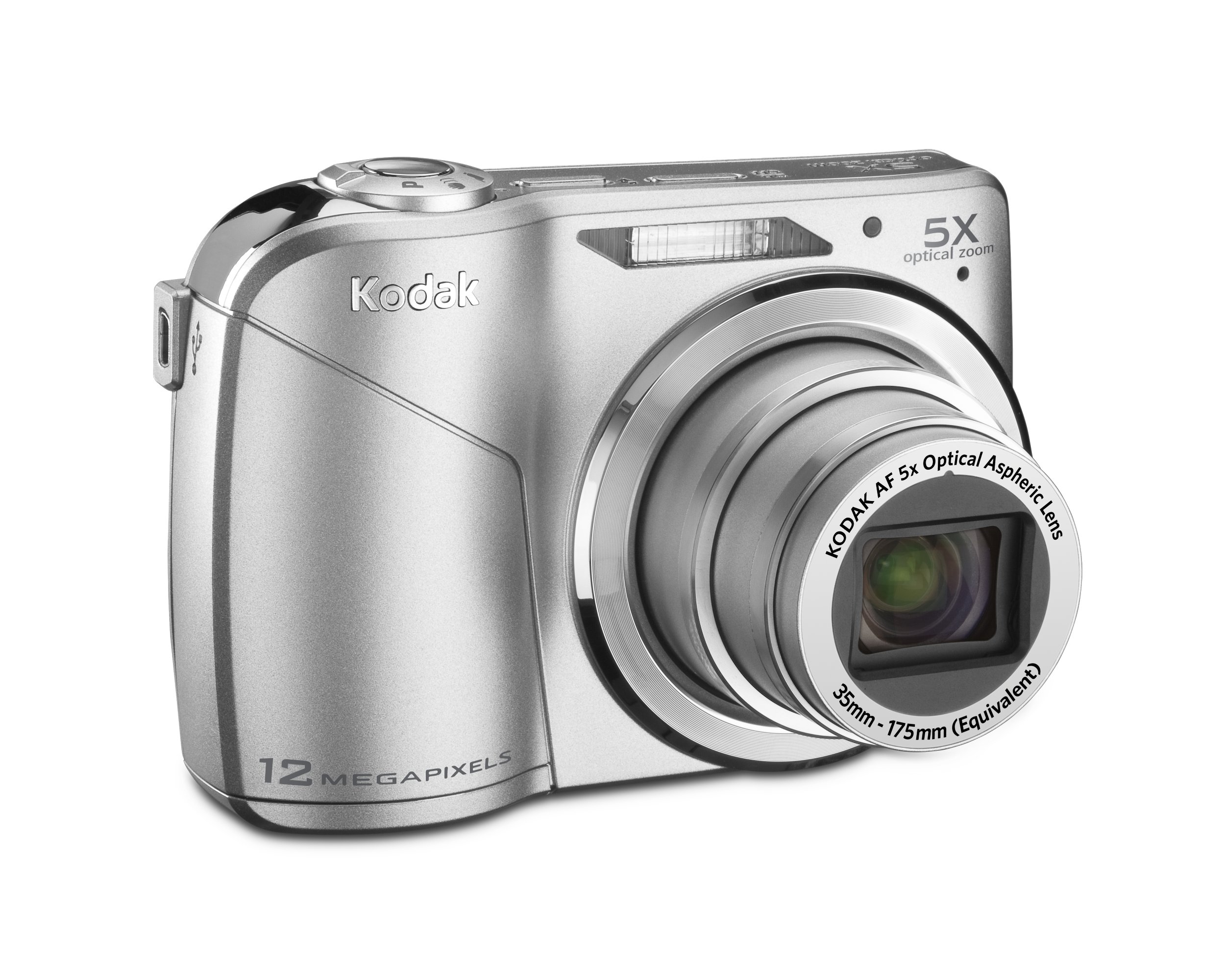
Image: KODAK Easyshare C190 Digital Camera. This image shows the overall design of the camera, including the lens and LCD screen.
Камераны иштетүү
1. Күйгүзүү / Өчүрүү
басыңыз Күч button, usually located on the top of the camera, to turn it on. Press and hold the button again to turn it off.
2. Сүрөт тартуу
- Режимди тандоо: Use the mode dial (if present) or menu to select a shooting mode (e.g., Auto, Program, Scene). The camera features Smart тартуу, which automatically identifies the scene and adjusts settings for optimal results.
- Сиздин кадр: Сүрөттү түзүү үчүн 2.7 дюймдук LCD экранды колдонуңуз.
- Чоңойтуу: Use the zoom lever/buttons to adjust the 5x optical zoom.
- Фокус: Press the shutter button halfway down to allow the camera to focus. The camera will confirm focus, often with a green box or beep.
- Тартуу: Press the shutter button fully down to take the picture. The camera has a 12-megapixel resolution for detailed images.
3. Видеолорду жаздыруу
Switch the camera to video mode (if available via a dedicated button or mode dial). Press the shutter button to start recording and press it again to stop. Videos are recorded without sound during zoom operations.
4. ViewСүрөттөрдү/видеолорду алуу жана башкаруу
басыңыз Review or Ойнотуу баскычына view your captured images and videos on the 2.7-inch LCD screen. Use the directional pad to navigate through your media. Options for deleting, protecting, or sharing may be available through the menu.
5. өткөрүп берүү Fileс компьютерге
Connect the camera to your computer using the provided USB cable. The camera should appear as a removable drive. You can then copy photos and videos directly to your computer. KODAK Easyshare software may be available for enhanced management and sharing features.
Техникалык тейлөө
1. Камераны тазалоо
- Объектив: Use a soft, lint-free cloth specifically designed for camera lenses. Gently wipe in a circular motion. Avoid harsh chemicals.
- LCD экран: Use a soft, dry cloth. For stubborn smudges, a specialized LCD screen cleaner can be used sparingly.
- Камеранын корпусу: Wipe with a soft, dry cloth. Do not use water or cleaning solutions directly on the camera.
2. Батареяга кам көрүү
Remove batteries when the camera will not be used for an extended period to prevent leakage. Store batteries in a cool, dry place. Dispose of used batteries according to local regulations.
3. Сактоо
Store the camera in a dry, dust-free environment, away from extreme temperatures and direct sunlight. Use a camera case for protection during transport.
Проблемаларды чечүү
| Көйгөй | Мүмкүн болгон себеп / Чечим |
|---|---|
| Камера күйбөйт. |
|
| "Эстутум картасынын катасы" билдирүүсү. |
|
| Сүрөттөр бүдөмүк. |
|
| LCD screen is difficult to see in bright light. |
|
Техникалык шарттар
- Модель аты: KODAK Easyshare C190
- Чечим: 12-мегапиксел
- Оптикалык масштаб: 5x
- LCD экран: 2.7 дюймдук
- Сүрөттү турукташтыруу: Санариптик, оптикалык
- Фото сенсор технологиясы: CCD
- Колдоого алынган File Формат: JPEG
- Максималдуу фокус узундугу: 175 миллиметр
- Maximum Көзөнөк: 2.8 миллиметр
- Кеңейтилген ISO минималдуу: 64
- Ченөө: Мульти, Борборлоштурулган, Spot
- Эстутум картасын колдоо: SD/SDHC (not included)
- Продукциянын өлчөмдөрү: 3.78 x 0.75 x 2.32 дюйм
- Элемент Салмагы: 4.8 унция
- Өндүрүүчү: Kodak
- Модель номери: 8871840
Кепилдик жана колдоо
For warranty information and technical support, please refer to the documentation provided at the time of purchase or visit the official KODAK support webсайт. Кепилдик дооматтар үчүн сатып алганыңыздын далилин сактаңыз.
Official KODAK Store: Amazon'догу KODAK дүкөнү


