1. Киришүү
The APC Back-UPS Pro 700VA (Model BR700G) is an Uninterruptible Power Supply (UPS) designed to provide reliable battery backup and surge protection for your electronic devices. This unit ensures continuous power during outages and protects against damaging power fluctuations, making it ideal for home and office computer systems, networking equipment, and other sensitive electronics.
It features Automatic Voltage Regulation (AVR) to maintain stable voltage levels, user-replaceable batteries for extended product life, and multiple outlets for comprehensive protection.

1-сүрөт: алдыңкы жагы view of the APC Back-UPS Pro 700VA (BR700G).
2. Коопсуздук маалыматы
Please read and understand all safety instructions before installing or operating the UPS. Failure to follow these instructions may result in electric shock, fire, or serious injury.
- Do not open the UPS enclosure. There are no user-serviceable parts inside except for the battery.
- UPSти жерге туташтырылган розеткага гана туташтырыңыз.
- Do not use the UPS in direct sunlight, near heat sources, or in excessively humid environments.
- UPSтин айланасында туура вентиляцияны камсыз кылыңыз. Вентиляция тешиктерин жаап албаңыз.
- Disconnect the UPS from the power outlet before performing any maintenance or battery replacement.
- The battery contains hazardous materials. Dispose of batteries properly according to local regulations.
3. Пакеттин мазмуну
Пакетте бардык буюмдар бар экенин текшериңиз:
- APC Back-UPS Pro 700VA (BR700G) Unit
- USB кабели
- Колдонуучунун Колдонмосу (бул документ)
4. Орнотуу
Follow these steps to set up your APC Back-UPS Pro 700VA:
- UPSти ачып алыңыз: Carefully remove the UPS and all accessories from the packaging.
- Батареяны туташтыруу: The battery may be disconnected for shipping. Refer to the battery installation instructions (usually located on the unit or a separate quick-start guide) to connect it properly.
- UPSти жайгаштырыңыз: Place the UPS on a flat, stable surface away from direct sunlight, excessive heat, or moisture. Ensure adequate airflow around the unit.
- Дубал розеткасына туташуу: Plug the UPS power cord directly into a grounded two-pole, three-wire wall receptacle. Avoid using extension cords or surge strips.
- Түзмөктөрдү туташтыруу:
- Plug critical equipment (computer, monitor, external hard drives, wireless router) into the Battery Backup & Surge Protected outlets. These outlets provide power during outages.
- Plug non-critical equipment (printer, scanner) into the Жөн гана толкун outlets. These outlets provide surge protection but no battery backup.

2-сүрөт: Арткы view of the UPS showing communication ports and outlets.
- Connect Data Lines (Optional): For network and coaxial line protection, connect your network cable (RJ45) and coaxial cable through the designated "IN" and "OUT" ports on the UPS.
- USB туташтыруу (кошумча): Connect the provided USB cable from the UPS "Data Port" to your computer's USB port for power management software communication.
5. Иштөө нускамалары
Күйгүзүү/өчүрүү: Press the power button on the front of the UPS to turn it on or off.
Көрсөткүчтөр: The front panel features an LCD display that provides real-time information about the UPS status, including load level, battery charge, estimated runtime, and Automatic Voltage Regulation (AVR) status.

Сүрөт 3: Алдыңкы view of the UPS with LCD display.
Automatic Voltage Регламент (AVR): The UPS automatically corrects minor voltage fluctuations (brownouts and overvoltages) without switching to battery power, preserving battery life for actual power outages.
Үн сигналдары: The UPS emits audible alarms to indicate various conditions such as on-battery operation, low battery, or overload. Refer to the troubleshooting section for alarm interpretations.
6. Өзгөчөлүктөрү
- 700VA / 420W Battery Backup: Provides sufficient power to keep essential electronics running during power interruptions.
- Жалпысынан 6 соода түйүнү: Includes 3 outlets for battery backup and surge protection, and 3 outlets for surge protection only. This allows for flexible connection of critical and non-critical devices.
- Automatic Voltage Регламент (AVR): Maintains safe voltage conditions by automatically adjusting high and low voltages to stable levels, protecting connected equipment and extending battery life.
- User Replaceable Battery: The battery is designed to be user-replaceable, allowing for easy maintenance and extending the overall lifespan of the UPS unit.
- Network Dataline Protection: Safeguards your network connection from surges and spikes traveling through Ethernet cables.
- Коаксиалдуу коргоо: Offers protection for coaxial cable connections, such as those used for cable modems or set-top boxes.
- USB байланыш порту: Enables connection to a computer for advanced power management, monitoring, and automatic shutdown features via software like PowerChute.
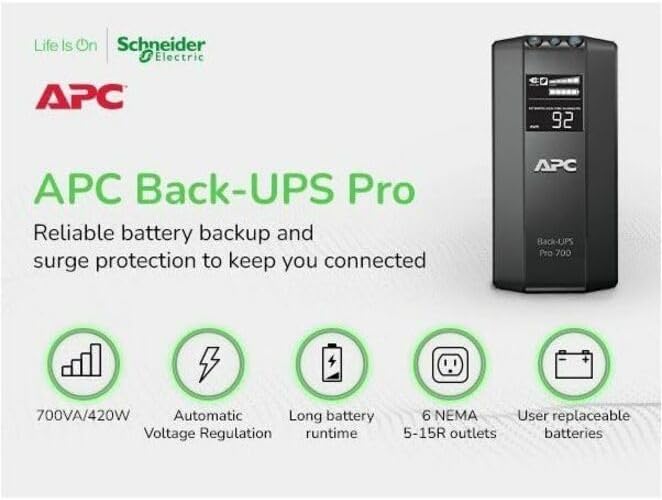
Figure 4: Key features of the APC Back-UPS Pro 700VA.
7. Техникалык тейлөө
- Батареяны алмаштыруу: The battery typically lasts 3-5 years. When the battery needs replacement, the UPS will indicate this via an alarm or display message. Always use genuine APC replacement batteries. Disconnect the UPS from the wall outlet before replacing the battery.
- Тазалоо: Periodically clean the exterior of the UPS with a dry cloth. Do not use liquid cleaners or solvents. Ensure ventilation openings are free from dust and debris.
- Battery Self-Test: The UPS performs automatic self-tests. You can also initiate a manual self-test by pressing and holding the power button for a few seconds (refer to the full user guide for specific instructions).
8. Кыйынчылыктарды
If you encounter issues with your UPS, refer to the table below for common problems and solutions. For more detailed troubleshooting, consult the full User Manual PDF linked in the Support section.
| Көйгөй | Мүмкүн себеп | Чечим |
|---|---|---|
| UPS күйбөйт. | Battery not connected; UPS not plugged in; Overload. | Ensure battery is connected. Plug UPS into a live wall outlet. Reduce load by unplugging non-essential devices. |
| UPS тынымсыз сигнал берет. | On battery; Low battery; Overload. | Save work and shut down computer. Allow battery to recharge. Reduce connected load. |
| "Имараттын зымдарындагы ката" индикатору күйүп турат. | Wiring problem in wall outlet (e.g., missing ground). | Consult a qualified electrician to inspect the building wiring. |
9. Техникалык шарттар
| Атрибут | Нарк |
|---|---|
| Модель номери | BR700G |
| Кубаттуулугу | 700VA / 420W |
| Киргизүү көлөмүtage | 120 вольт |
| Продукциянын өлчөмдөрү | 17.32 x 10.08 x 5.67 дюйм |
| Элемент Салмагы | 15.76 фунт |
| Батарея түрү | Lead Acid (1 x 12V included) |
| Адаттагы толуктоо убактысы | 12 саат |
| Соода түйүндөрү | 6 total (3 Battery Backup, 3 Surge Only) |
10. Кепилдик жана колдоо
For detailed warranty information and technical support, please refer to the official APC website or the comprehensive user guides provided below.
APC offers protection plans for extended coverage. Please check with your retailer for available options.


