1. Киришүү
This manual provides essential instructions for the safe and effective use of your Leica V-LUX 20 digital camera. Please read it thoroughly before operating the camera and keep it for future reference. The Leica V-LUX 20 is a 12.1-megapixel digital camera featuring a 12x optical zoom lens and a 3.0-inch LCD, designed for high-quality photography and HD video recording.
2. Коопсуздук маалыматы
- Батареянын коопсуздугу: Use only the specified Lithium-Ion battery and charger. Do not expose batteries to excessive heat, direct sunlight, or dispose of them in fire. Keep batteries out of reach of children.
- Суу каршылык: Бул камера жок суу өткөрбөйт. Сууга же жогорку нымдуулукка дуушар кылбаңыз.
- Линзага кам көрүү: Do not touch the lens surface directly. Clean with a soft, lint-free cloth designed for optical lenses.
- Иштөө чөйрөсү: Avoid using the camera in extreme temperatures, dusty environments, or near strong magnetic fields.
- Демонтаж: Камераны ажыратууга же өзгөртүүгө аракет кылбаңыз. Бардык тейлөөлөрдү квалификациялуу кызматкерлерге тапшырыңыз.
3. Баштоо жана орнотуу
3.1. Батареяны заряддоо
Insert the Lithium-Ion battery into the supplied charger and connect the charger to a power outlet. The charging indicator will show the charging status. Ensure the battery is fully charged before first use.
3.2. Эстутум картасын салуу
The camera supports SD, SDHC, and SDXC memory cards. Open the battery/card compartment cover. Insert the memory card into the slot with the contacts facing the correct direction until it clicks into place. Close the cover securely.
Note: A memory card is not included with the camera and must be purchased separately.
3.3. Баштапкы күйгүзүү жана орнотуулар
Slide the ON/OFF switch to the ON position. Upon first power-on, you may be prompted to set the language, date, and time. Follow the on-screen instructions using the directional pad and MENU/SET button.

Сүрөт: Жогорку view of the Leica V-LUX 20 camera. This image displays the camera's top panel, highlighting the ON/OFF slide switch on the right, the shutter button, and the mode dial with various shooting options like P, A, S, M, SCN, MS1, MS2, and CUST. The zoom lever (W/T) is integrated around the shutter button.
4. Камераны иштетүү
4.1. Камеранын башкаруу элементтериview
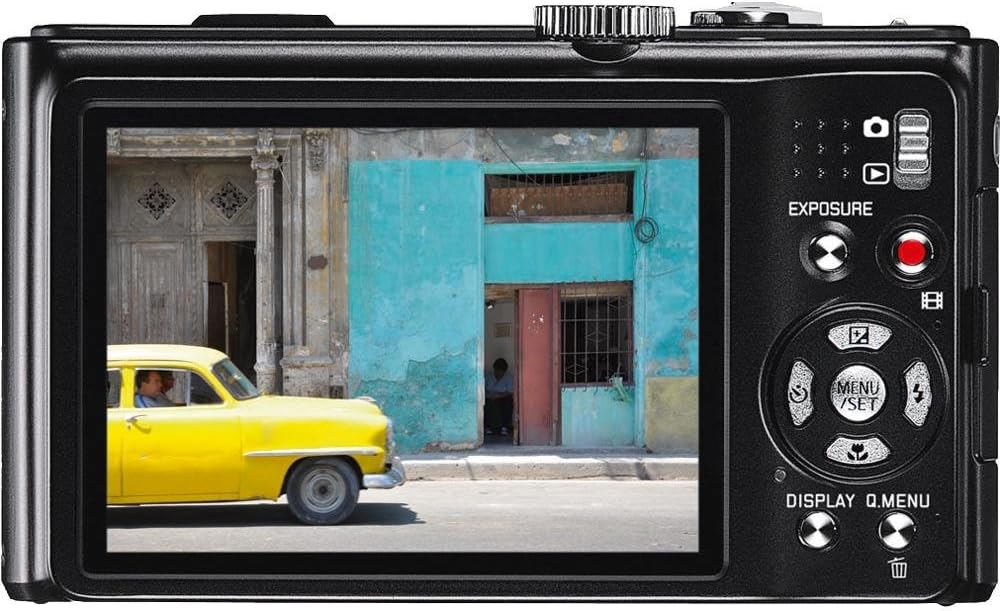
Сүрөт: Арткы view of the Leica V-LUX 20 camera. This image shows the 3.0-inch LCD screen, the exposure compensation button, the dedicated video record button, and the directional pad with MENU/SET, DISPLAY, and Q.MENU functions. The zoom controls are also visible on the right side of the screen.
Негизги башкаруу элементтери менен таанышып алыңыз:
- ON/OFF которуу: Located on the top panel, used to power the camera on or off.
- Жабык баскычы: Фокустоо үчүн жарымын, сүрөткө тартуу үчүн толук басыңыз.
- Чоңойтуу рычагы (W/T): Surrounds the shutter button, used to adjust the 12x optical zoom (W for wide, T for telephoto).
- Терүү режими: Selects various shooting modes (Program, Aperture Priority, Shutter Priority, Manual, Scene, Custom).
- МЕНЮ/ОРНОТУУ баскычы: Accesses the camera's menu system and confirms selections.
- Багыттоочу такта: Navigates through menus and settings. Also controls flash, self-timer, and exposure compensation in shooting mode.
- DISPLAY/Q.MENU Button: Toggles display information or accesses the Quick Menu for common settings.
- Видео жаздыруу баскычы: Видео жазууну баштоо жана токтотуу үчүн атайын баскыч.
4.2. Autofocus and Exposure
The camera features automatic exposure control and various autofocus modes including Multi, Center-weighted, and Spot metering. The autofocus system uses TTL (Through-The-Lens) detection with 11 autofocus points. For optimal focus, press the shutter button halfway until the focus indicator appears.
4.3. Flash режимдери
The built-in flash offers several modes, including Auto and scene-specific flash modes. Access flash settings via the directional pad or Quick Menu to select the appropriate mode for your lighting conditions.
5. Атуу режимдери
The mode dial on the top of the camera allows you to select different shooting modes:
- Автоматтык режим: The camera automatically sets all parameters for optimal results.
- AE программасы (P): The camera sets aperture and shutter speed, but you can adjust other settings.
- Диафрагма артыкчылыктуулугу AE (A): Сиз апертураны орнотосуз, ал эми камера жабуунун ылдамдыгын орнотот.
- Жабык приоритети AE (S): Сиз жабуунун ылдамдыгын, ал эми камера диафрагманы орнотот.
- Кол менен экспозиция (M): Сиз диафрагманы жана жабуунун ылдамдыгын көзөмөлдөйсүз.
- Көрүнүш режимдери (SCN): Pre-set modes for specific situations (e.g., Portrait, Landscape, Sports) to optimize settings automatically.
- Custom Modes (CUST, MS1, MS2): Allows you to save and quickly recall your preferred camera settings.
The camera captures images at 12.1 megapixels and supports JPEG file format. Optical Image Stabilization helps reduce blur from camera shake.
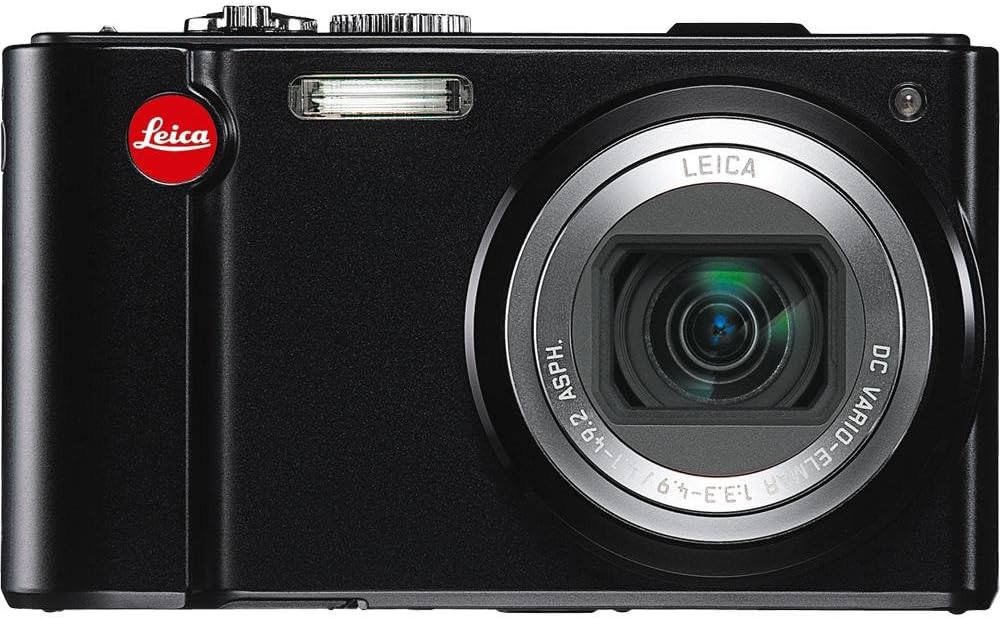
Сүрөт: Фронт view of the Leica V-LUX 20 camera. This image showcases the camera's 12x Leica DC Vario-Elmar optical zoom lens, the built-in flash, and the Leica branding. The lens is shown in an extended position, indicating its zoom capability.
6. Видео жаздыруу
The Leica V-LUX 20 can record high-definition video. To start recording, press the dedicated red video record button on the back of the camera. Press it again to stop recording.
- Видеонун чечилиши: Supports 720p HD video at 60 frames per second (1280 x 720), as well as lower resolutions like 848 x 480 (30 fps), 640 x 480 (30fps), and 320 x 240 (30 fps).
- Zoom during Video: The 12x optical zoom can be used while recording video.
- File Формат: Videos are saved in MJPEG format.
7. Ойнотуу
үчүн view your photos and videos, slide the power switch to the 'Play' position (or press the playback button if available, though the review mentions a slide switch for viewing stored pictures). Use the directional pad to navigate through your captured media. You can zoom in on photos or play videos using the controls.
8. Башка түзмөктөргө туташуу
8.1. USB туташуу
Connect the camera to a computer using a USB cable (not included) to transfer photos and videos. The camera is compatible with USB 2.0 devices. Your computer will recognize the camera as a removable storage device.
8.2. HDMI чыгышы
Камераны HDTVге же мониторго туташтыруу үчүн HDMI кабелин (кошулмада жок) колдонуңуз viewing your media on a larger screen. The camera features a built-in HDMI port.
9. Техникалык тейлөө жана кам көрүү
- Камеранын корпусун тазалоо: Wipe the camera body with a soft, dry cloth. For stubborn dirt, use a slightly damp чүпүрөк, анан кылдат кургатуу.
- Линзаны тазалоо: Use a lens brush to remove dust, then gently wipe with a lens cleaning cloth. Avoid using abrasive materials.
- ЖК экранын тазалоо: Жумшак, кургак чүпүрөктү колдонуңуз. Тактарды кетирүү үчүн, LCD дисплейлер үчүн атайын иштелип чыккан экран тазалагычты колдонуңуз.
- Батареяны сактоо: If storing the camera for an extended period, remove the battery. Store batteries in a cool, dry place.
- Сактагыч: Камераны кургак, жакшы желдетилген жерде, түз күн нурунан жана өтө жогорку температурадан алыс сактаңыз.
10. Кыйынчылыктарды
| Көйгөй | Мүмкүн болгон себеп / Чечим |
|---|---|
| Камера күйбөйт. | Battery may be depleted. Recharge the battery. Ensure the battery is inserted correctly. |
| Сүрөткө тартуу мүмкүн эмес. | Memory card may be full or not inserted correctly. Check card status or replace. Battery may be low. |
| Сүрөттөр бүдөмүк. | Ensure optical image stabilization is active. Check focus. Use a faster shutter speed in low light. |
| Flash күйбөйт. | Flash mode may be set to 'Off' or 'Red-eye Reduction' (which delays firing). Check flash settings. |
| Компьютерге туташуу мүмкүн эмес. | Ensure USB cable is securely connected. Check computer's USB port. Try a different USB cable. |
11. Техникалык шарттар
- Модель аты: V-LUX 20
- Фото сенсордун чечилиши: 12.1 депутат
- Сенсор түрү: CCD (1/2.33 inches)
- Оптикалык масштаб: 12x
- Объектив: Leica DC Vario-Elmar 1:3.3-4.9 / 4.1-49.2mm ASPH (25-300mm equivalent in 35mm format)
- Сүрөттү турукташтыруу: Оптикалык
- Экрандын өлчөмү: 3.0 дюймдук LCD (460 000 чекит)
- Колдоого алынган File Форматтары: JPEG (Stills), MJPEG (Video)
- Видеонун чечилиши: Up to 1280 x 720 (60 fps)
- Сактоочу медиа: SD/SDHC/SDXC cards
- Байланыш: HDMI, USB 2.0
- Батарея түрү: Литий ион
- Элемент Салмагы: 7.68 унция
- Өзгөчөлүктөр: GPS module for geographical data registration.
12. Кепилдик жана колдоо
For warranty information and technical support, please refer to the documentation provided at the time of purchase or visit the official Leica website. Contact Leica customer service for assistance with product issues or repairs.


