1. Продукт бүтүп калдыview
The MANHATTAN SuperSpeed USB 3.0 A-Male to Micro B-Male Cable (Model 325417) is designed for high-speed data transfer and reliable connectivity between SuperSpeed USB devices and a SuperSpeed USB hub or computer. This cable supports data transfer rates up to 5 Gbps, which is significantly faster than Hi-Speed USB 2.0. Its construction includes full shielding, molded boots, and a flexible PVC jacket to minimize EMI interference and ensure maximum conductivity, providing efficient and stable data transmissions.
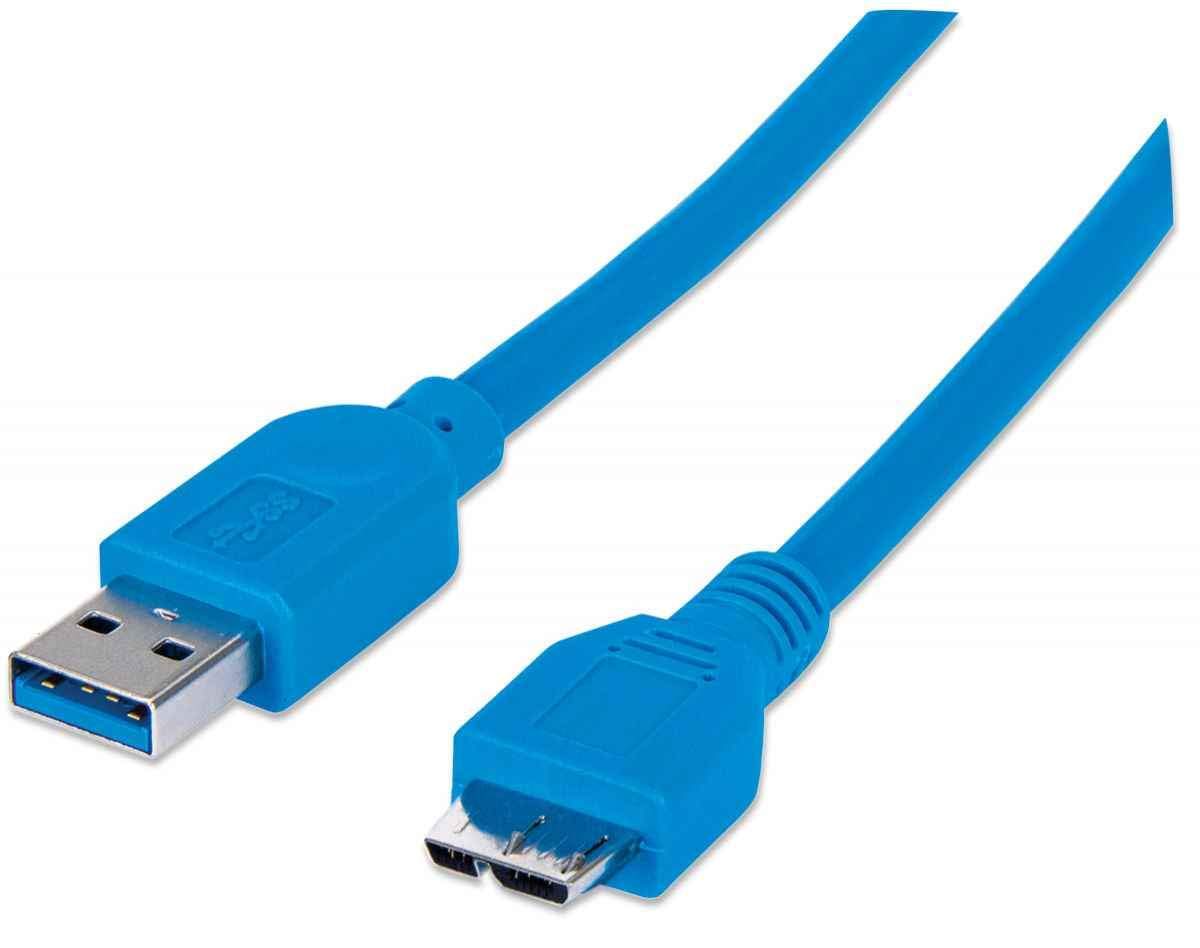
Figure 1: MANHATTAN SuperSpeed USB 3.0 A-Male to Micro B-Male Cable. This image displays the full length of the blue USB 3.0 cable with its A-Male and Micro B-Male connectors.
2. Орнотуу нускамалары
2.1 Кабелди туташтыруу
Follow these steps to properly connect your MANHATTAN SuperSpeed USB 3.0 cable:
- Identify the USB 3.0 A-Male connector (typically rectangular with a blue interior) on one end of the cable.
- Identify the USB 3.0 Micro B-Male connector (a smaller, trapezoidal connector with a blue interior) on the other end.
- Insert the USB 3.0 A-Male connector into an available USB 3.0 port on your computer, laptop, or USB hub. Ensure the port is also USB 3.0 compatible for optimal performance.
- Insert the USB 3.0 Micro B-Male connector into the corresponding Micro B port on your SuperSpeed USB device (e.g., external hard drive, camera).
- Ensure both connections are firm and secure.

Figure 2: Close-up of the USB 3.0 A-Male and Micro B-Male connectors. This image shows both ends of the cable, illustrating their distinct shapes and blue internal coloring, which signifies USB 3.0 compatibility.
3. Операция
3.1 Маалыматтарды өткөрүү
Once connected, the cable facilitates high-speed data transfer between your computer/hub and the connected device. SuperSpeed USB 3.0 allows for bi-directional data transfer at speeds up to 5 Gbps, enabling quick synchronization and backup of large files. The actual transfer speed may vary depending on the capabilities of the connected devices and the system's overall performance.
3.2 Электр энергиясын жеткирүү
In addition to data transfer, the cable also provides power to compatible devices. This allows you to charge or power your Micro B-enabled device directly from the USB 3.0 port of your computer or hub, eliminating the need for a separate power adapter for some devices.
4. Кароо жана тейлөө
- Колдонуу: Avoid sharp bends or kinks in the cable, as this can damage the internal wiring and shielding.
- Тазалоо: Use a soft, dry cloth to clean the cable and connectors. Do not use harsh chemicals or abrasive materials.
- Сактагыч: Колдонулбай турганда, кабелди бош ороп, салкын, кургак жерде, күн нуру түз тийбеген жана өтө жогорку температурадан алыс сактаңыз.
- Туташуу/ажыратуу: Кабелди сайганда же сууруп алганда, ар дайым туташтыргычтын корпусун кармаңыз, кабелдин өзүн тартпаңыз.
5. Кыйынчылыктарды
| Маселе | Мүмкүн чечим |
|---|---|
| Device not recognized or detected. |
|
| Маалыматтарды өткөрүү ылдамдыгы жай. |
|
| үзгүлтүктүү байланыш. |
|
6. Техникалык шарттар
| Өзгөчөлүк | Деталь |
|---|---|
| Бренд | МАНХЕТТАН |
| Модель номери | 325417 |
| Туташтыргыч түрү | USB 3.0 A-Male to Micro B-Male |
| Кабель түрү | USB |
| Маалыматтарды өткөрүү ылдамдыгы | 5 Гбит/сек чейин (SuperSpeed USB 3.0) |
| Шайкеш түзмөктөр | Laptop, PC, SuperSpeed USB Micro B devices |
| Өзгөчө өзгөчөлүк | Маалыматтарды өткөрүү, жогорку ылдамдык |
| Продукциянын өлчөмдөрү | 6 x 3.6 x 1.06 дюйм (таңгак); 1.76 унция |
| Түс | Көк |

3-сүрөт: Детальдуу view of the USB 3.0 A-Male and Micro B-Male connectors. This image provides a close-up perspective of the connector ends, showing the internal structure and pin configuration.
7. Кепилдик маалыматы
The MANHATTAN SuperSpeed USB 3.0 A-Male to Micro B-Male Cable (Model 325417) is backed by a Өмүр бою кепилдик. This warranty covers defects in materials and workmanship under normal use. For specific terms and conditions, please refer to the official MANHATTAN webсайтка же кардарларды колдоо менен байланышыңыз.

Figure 4: Product packaging displaying the 'LIFETIME WARRANTY' seal. This image shows the product in its retail packaging, highlighting the warranty information.
8. Колдоо жана байланыш маалыматы
For technical support, product inquiries, or further assistance, please visit the official MANHATTAN webсайтка же кардарларды тейлөө бөлүмүнө кайрылыңыз.
- Официалдуу Webсайт: www.manhattan-products.com
- караңыз website for regional contact details and support resources.


