1. Киришүү
This manual provides instructions for the installation, configuration, and operation of the D-Link DGS-1210-10P 10-Port Gigabit Smart Managed PoE+ Switch. The DGS-1210-10P is designed to offer functionality, security, and manageability for small to medium businesses, supporting Power over Ethernet (PoE+) and advanced Layer 2 features.
2. Пакеттин мазмуну
Пакетиңизде төмөнкү заттар бар экенин текшериңиз:
- D-Link DGS-1210-10P Switch
- Кубаттуу адаптер
- Электр кабели
- 8 Бурама
- 4 резина буттары
- 2 Rackmount Brackets
- Ыкчам орнотуу колдонмосу
- Ресурстук CD
Эгер кандайдыр бир нерсе жок же бузулуп калса, жардам алуу үчүн жергиликтүү D-Link сатуучусуна кайрылыңыз.
3. Продукт бүтүп калдыview
3.1 алдыңкы панели
The front panel of the DGS-1210-10P features 8 Gigabit PoE+ ports and 2 Gigabit SFP optical ports, along with LED indicators for power, link/activity, and PoE status.

Figure 1: Front Panel of DGS-1210-10P Switch
3.2 Арткы панель
The rear panel includes the power input connector and a grounding screw.
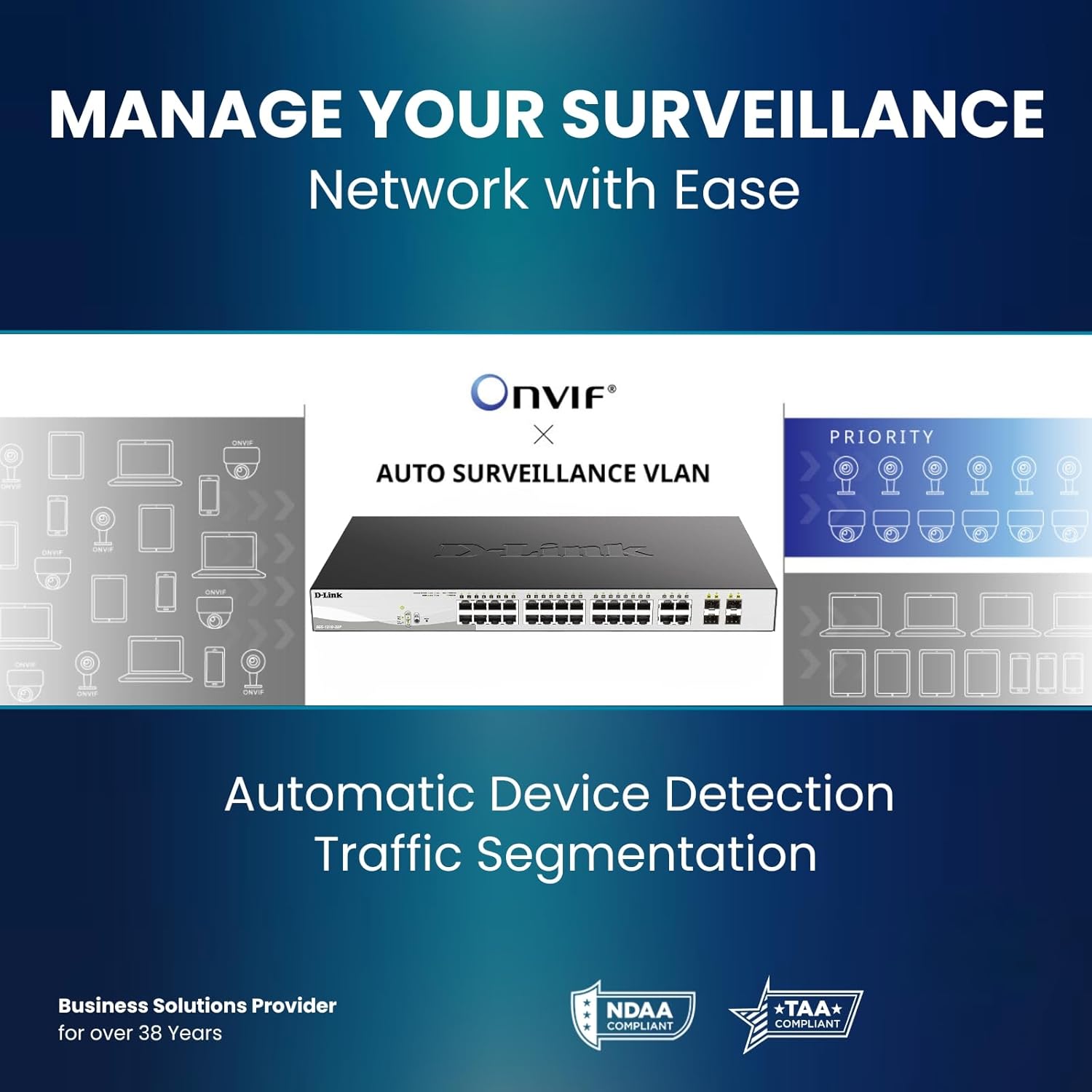
Figure 2: Rear Panel of DGS-1210-10P Switch
4. Орнотуу
Follow these steps to set up your DGS-1210-10P switch:
- Физикалык жайгаштыруу: Place the switch on a flat surface or mount it in a standard 19-inch equipment rack using the provided rackmount brackets. Ensure adequate ventilation around the switch.
- Кубат туташуу: Connect the power adapter to the switch's power input and then plug the power cord into a suitable power outlet.
- Тармак туташуусу: Connect your network devices (e.g., computers, servers, routers) to the RJ45 Gigabit ports using standard Ethernet cables. For devices requiring power, connect them to the PoE+ enabled ports.
- Жогорку шилтемеге туташуу: Use the SFP ports for high-speed uplinks to other switches or network devices, typically with fiber optic transceivers (not included).
- Баштапкы конфигурация: Коммутаторду төмөнкү аркылуу башкарууга болот web-based interface. Refer to the Quick Installation Guide for initial IP address and login details to access the management interface.

Figure 3: Benefit of PoE for simplified cabling
5. Иштөө нускамалары
The DGS-1210-10P operates as a plug-and-play device for basic network connectivity. For advanced features and management, use the web-негизделген интерфейс.
5.1 Power over Ethernet (PoE+)
The 8 PoE+ ports deliver up to 30W per port, with a total power budget of 65W, to compatible devices such as IP cameras, wireless access points, and VoIP phones. This eliminates the need for separate power cables for these devices.

Figure 4: PoE+ Flexibility
5.2 Smart Managed Features
The switch offers a range of Layer 2+ features accessible through its web интерфейс:
- VLAN'лар: Жакшыртылган коопсуздук жана майнаптуулук үчүн тармагыңызды сегменттерге бөлүңүз.
- Кызматтын сапаты (QoS): Маанилүү тиркемелер үчүн тармактык трафикке артыкчылык бериңиз.
- Шилтемелерди бириктирүү: Өткөрүү жөндөмдүүлүгүн жана резервдик көчүрмөнү жогорулатуу үчүн бир нече портторду бириктириңиз.
- Spanning Tree Protocol (STP): Тармактык циклдердин алдын алуу.
- IGMP Snooping: Optimize multicast traffic for applications like IP TV.
- Статикалык багыттоо: Enable basic inter-VLAN routing.

Figure 5: Advanced Traffic Handling and Security
5.3 Surveillance Mode
The dedicated Surveillance Mode simplifies the deployment and management of IP surveillance networks. It automatically detects ONVIF-compliant devices and optimizes video traffic.

Figure 6: Surveillance Mode Interface
5.4 PD Alive
PD Alive функциясы жооп бербеген PoE түзмөктөрүн автоматтык түрдө өчүрүп-күйгүзөт, иштебей калуу убактысын азайтат жана кол менен кийлигишүүсүз тармактын үзгүлтүксүз жеткиликтүүлүгүн камсыз кылат.
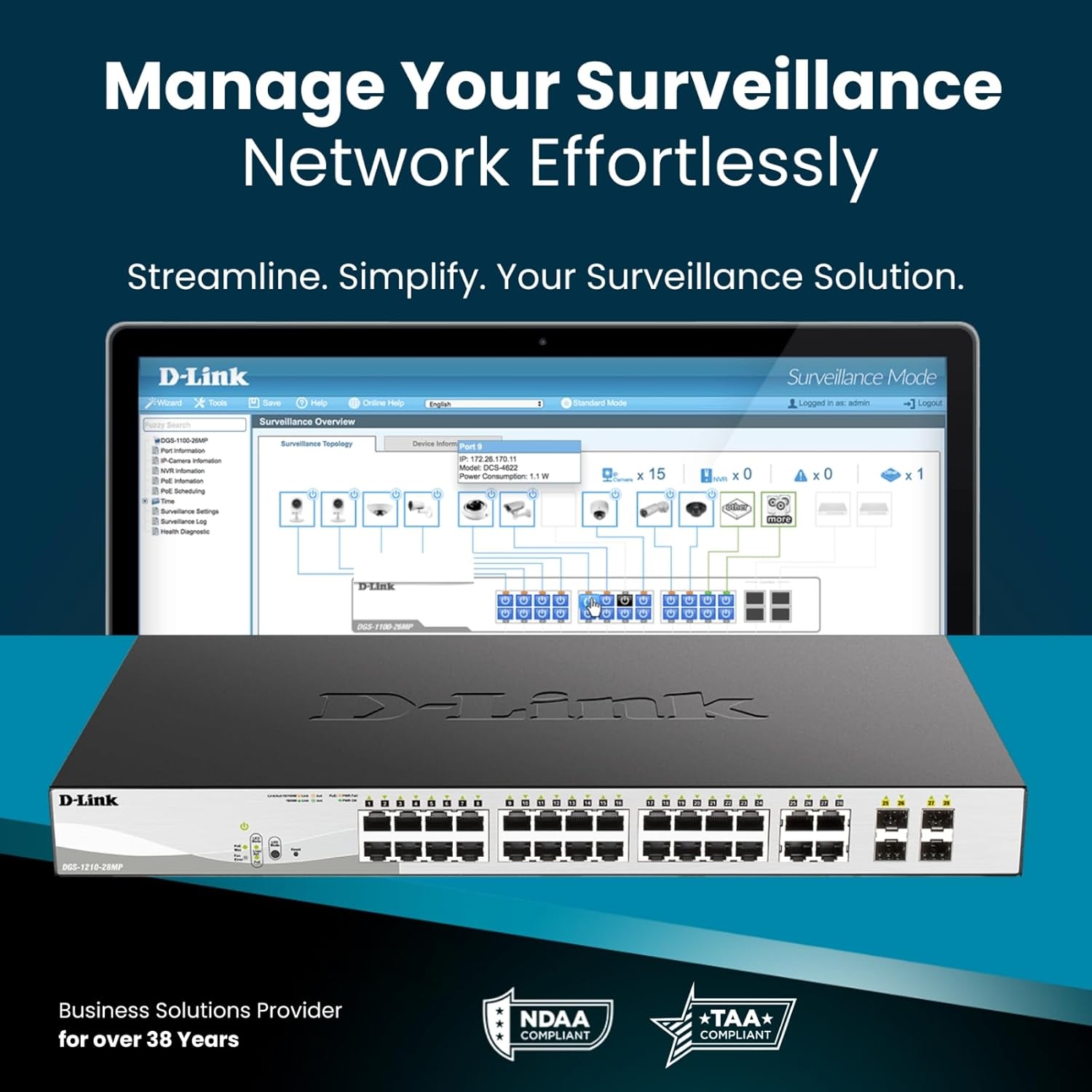
Figure 7: PD Alive Functionality
6. Техникалык тейлөө
To ensure optimal performance and longevity of your DGS-1210-10P switch, consider the following maintenance practices:
- Программалык камсыздоонун жаңыртуулары: D-Link колдоосун дайыма текшерип туруңуз webакыркы микропрограммалык камсыздоо версиялары үчүн сайт. Микропрограмманы жаңыртуу жаңы функцияларды, иштин натыйжалуулугун жакшыртууларды жана коопсуздук жаңыртууларын камсыздай алат.
- Физикалык тазалоо: Keep the switch free from dust and debris. Use a soft, dry cloth for cleaning. Ensure ventilation openings are clear.
- Экологиялык шарттар: Operate the switch within the recommended temperature and humidity ranges specified in the product specifications. Avoid exposing the device to direct sunlight or excessive heat.
- Кабелдик башкаруу: Ensure all network cables are properly organized and secured to prevent accidental disconnections or damage.
7. Кыйынчылыктарды
If you encounter issues with your DGS-1210-10P switch, refer to the following common troubleshooting steps:
- Кубат жок: Ensure the power cord is securely connected to both the switch and the power outlet. Verify the power outlet is functional. Check the power LED on the front panel.
- Шилтеме жок/Аракет: Check the Ethernet cable connections between the switch and the connected device. Ensure the connected device is powered on and functioning correctly. Verify the link/activity LED for the respective port.
- PoE түзмөгү күйбөй жатат: Confirm the connected device is PoE compatible and within the switch's power budget (65W total, 30W per port). Check the PoE status LED for the port. If PD Alive is enabled, the switch may attempt to reboot the device.
- Кирүү мүмкүн эмес Web Интерфейс: Verify that your computer's IP address is in the same subnet as the switch's management IP address. Ensure there are no IP address conflicts on the network. Try resetting the switch to factory defaults (refer to the Quick Installation Guide for the reset procedure).
- Тармактын жай иштеши: Check for excessive network traffic or loops. Utilize the switch's management interface to monitor port statistics, bandwidth usage, and enable features like QoS if necessary.
For more detailed troubleshooting, consult the full product manual available on the D-Link support webсайт.
8. Техникалык шарттар
| Өзгөчөлүк | Спецификация |
|---|---|
| Модель номери | DGS-1210-10P |
| Порттардын саны | 10 (8 PoE+ Gigabit, 2 SFP Gigabit) |
| PoE+ порттору | 8 |
| Порт үчүн максималдуу PoE кубаттуулугу | 30 Вт |
| Жалпы PoE кубаттуулугу бюджети | 65 Вт |
| Interface Type | PoE, SFP |
| Маалыматтарды өткөрүү ылдамдыгы | Секундасына 2000 Мегабит (Толук дуплекс) |
| Иштин материалы | Металл |
| Өлчөмдөрү (L x W x Y) | 11.2 x 5 x 1.73 дюйм |
| Элемент Салмагы | 3.1 фунт |
| Тtage | 2.4 Вольт (Ички иштөө көлөмүtage, киргизүү эмес) |
| Учурдагы рейтинг | 1 Amps |
| Башкаруу | Web-based GUI, Nuclias Connect (optional) |
| Шайкештик | NDAA Compliant, IEEE 802.3az Energy Efficient Ethernet (EEE) |
9. Кепилдик маалыматы
The D-Link DGS-1210-10P Smart Managed PoE+ Switch is backed by D-Link's Limited Lifetime Warranty. This warranty provides long-term confidence in the quality and reliability of your network infrastructure. For specific terms and conditions of the warranty, please refer to the warranty documentation included with your product or visit the official D-Link webсайт.
10. Колдоо
For technical support, product documentation, and software updates, please visit the official D-Link support webсайт. Кардарларды тейлөө кызматы үчүн Көп берилүүчү суроолорду, көйгөйлөрдү чечүү боюнча көрсөтмөлөрдү жана байланыш маалыматын таба аласыз.
D-Link колдоо Webсайт: www.dlink.com/support
11. Продукт видеосу бүттүview
Бул видеону генерал үчүн көрүңүзview of D-Link switch solutions, which includes information relevant to this product model.
Video: D-Link Switch Solutions for Home, Gaming, SOHO, and SMB. This video provides an overview of D-Link's range of switches and their applications, including how they can expand network connectivity for various devices.


