1. Киришүү
Thank you for choosing the Takstar E 340 Karaoke Microphone. This manual provides essential information for the proper setup, operation, and maintenance of your microphone. Please read this manual thoroughly before using the product to ensure optimal performance and longevity.
2. Продукт бүтүп калдыview
The Takstar E 340 is a high-quality unidirectional handheld dynamic microphone designed for clear vocal reproduction, ideal for karaoke and general speech applications. It features a robust construction and a design focused on user comfort and sound clarity.
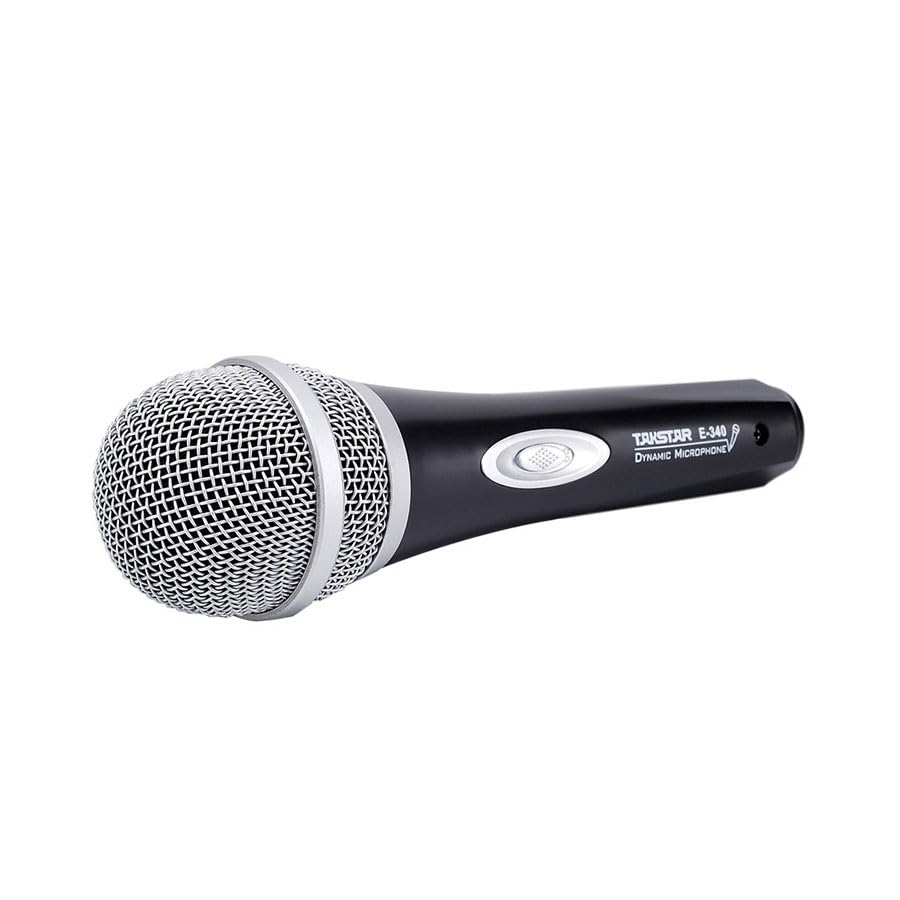
Figure 2.1: Takstar E 340 Handheld Dynamic Microphone. This image shows the full view of the microphone, highlighting its black body and silver grille.
Негизги өзгөчөлүктөрү:
- Бир багыттуу полярдык үлгү: Фондук ызы-чууну азайтып, алдыңкы тараптан келген үнгө басым жасайт.
- Динамикалык капсула: Provides clear and powerful sound reproduction.
- Туруктуу курулуш: Plastic housing with a paint finish for comfortable handling and durability.
- XLR байланышы: Utilizes a dual-core XLR cable for clear signal transmission and noise interference shielding.
- Жеңил дизайн: Ensures ease of use and portability.

2.2-сүрөт: Детальдуу view of the Takstar E 340 microphone highlighting its internal dynamic capsule and the robust construction. This image illustrates the quality components and design features.
Компоненттин идентификациясы:
- Микрофон торлору: Protects the microphone capsule and helps shape the sound.
- Микрофондун корпусу: Houses the internal components and provides a comfortable grip.
- Күйгүзүү/өчүрүү: Controls the microphone's power.
- XLR Output Connector: For connecting the microphone to an audio interface or karaoke machine.
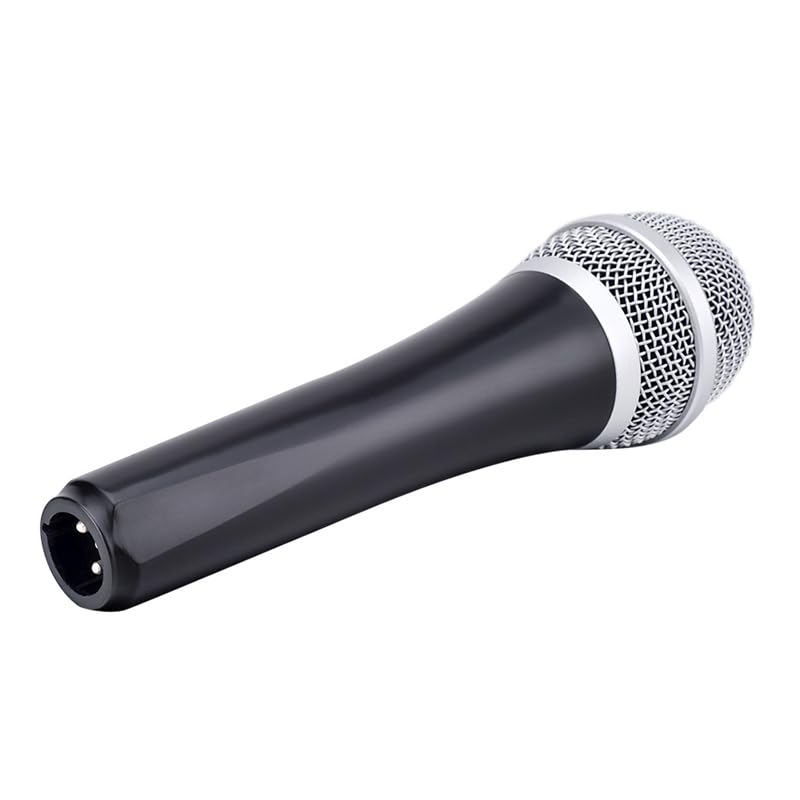
Figure 2.3: The XLR output connector located at the base of the Takstar E 340 microphone. This is where the microphone cable connects.
3. Орнотуу нускамалары
- Микрофонду таңгактан чыгаруу: Carefully remove the Takstar E 340 microphone and any included accessories from its packaging.
- Кабелди туташтыруу: Insert the XLR end of your microphone cable into the XLR output connector at the base of the microphone. Ensure it clicks securely into place.
- Аудио түзмөккө туташуу: Connect the other end of the microphone cable (e.g., 1/4-inch jack or USB Type-C, depending on your cable) to the microphone input of your karaoke machine, mixer, or audio interface.
- Күйгүзүү: Ensure your audio device is powered on and its volume is set to a low level before activating the microphone.
4. Иштөө нускамалары
- Turn On the Microphone: Locate the On/Off switch on the microphone body and slide it to the 'ON' position.
- Позициялоо: Hold the microphone approximately 2-6 inches (5-15 cm) from your mouth for optimal sound pickup. Experiment with distance to find the best sound for your voice and environment.
- Үндү тууралоо: Gradually increase the volume on your connected audio device until the desired sound level is achieved. Avoid setting the volume too high to prevent feedback or distortion.
- Бир багыттуу алып кетүү: The E 340 is a unidirectional microphone, meaning it primarily picks up sound from the front. Point the top of the microphone directly towards the sound source (your mouth) for the clearest audio.
- Өчүрүү: When finished, slide the On/Off switch to the 'OFF' position and then turn off your audio device.
5. Кароо жана тейлөө
- Тазалоо: Use a soft, dry cloth to clean the microphone body. For the grille, a soft brush can be used to gently remove dust or debris. Do not use liquid cleaners or solvents.
- Сактагыч: Store the microphone in a dry, cool place away from direct sunlight and extreme temperatures. If possible, use a protective case to prevent physical damage.
- Колдонуу: Микрофонду түшүрүп жибербеңиз же ага катуу тийбеңиз, анткени бул ички компоненттерге зыян келтириши мүмкүн.
- Кабельге кам көрүү: Always grasp the connector, not the cable, when plugging or unplugging. Avoid bending or kinking the cable excessively.
6. Кыйынчылыктарды
| Көйгөй | Мүмкүн себеп | Чечим |
|---|---|---|
| Үн чыгышы жок | Microphone switch is OFF Кабель туура эмес туташтырылган Audio device input volume too low Faulty cable or audio device input | Slide switch to 'ON' Ensure cable is securely connected at both ends Increase input volume on audio device Test with a different cable or audio input |
| Төмөн же бурмаланган үн | Микрофон үн булагынан өтө алыс Input volume too high (distortion) Damaged microphone capsule | Hold microphone closer to mouth Reduce input volume on audio device Contact customer support if damage is suspected |
| Пикир (ыйлоо) | Microphone too close to speakers Көлөмү өтө бийик Microphone pointed at speakers | Increase distance between microphone and speakers Reduce overall volume Ensure microphone is not pointed directly at speakers |
7. Техникалык шарттар
| Өзгөчөлүк | Спецификация |
|---|---|
| Модел | E340 |
| Полярдык үлгү | Бир багыттуу |
| Микрофон форма фактору | Колдук |
| Импеданс | 600 Ом |
| Сигнал-ызы-чуу катышы (SNR) | 72 дБ |
| Frequency Response | 16 KHz |
| Аудио сезгичтиги | 54 децибел |
| Байланыш технологиясы | UHF (via cable) |
| Туташтыргыч түрү | USB Type-C (implied for cable connection, typically XLR on mic) |
| Шайкеш түзмөктөр | Караоке машинасы |
| Power Source | Электр зымдары |
| Элемент Салмагы | 580 г |
| Пакеттин өлчөмдөрү | 24.8 x 12.6 x 8 см |
| Өзгөчө өзгөчөлүк | Adjustable Headband (Note: This feature is typically associated with headsets, but listed in product specifications.) |
8. Кепилдик жана колдоо
For warranty information and customer support, please refer to the documentation provided at the time of purchase or visit the official Takstar webсайт. Ар кандай кепилдик дооматтары үчүн сатып алганыңыздын далилин сактаңыз.