1. Киришүү
The Honeywell Home ECONOswitch RPLS740B is a 7-day solar programmable switch designed to automate the control of lighting and motors. This device allows for customized scheduling to enhance convenience and energy efficiency in your home. It is compatible with various lighting types and motor-operated appliances for both indoor and outdoor applications.
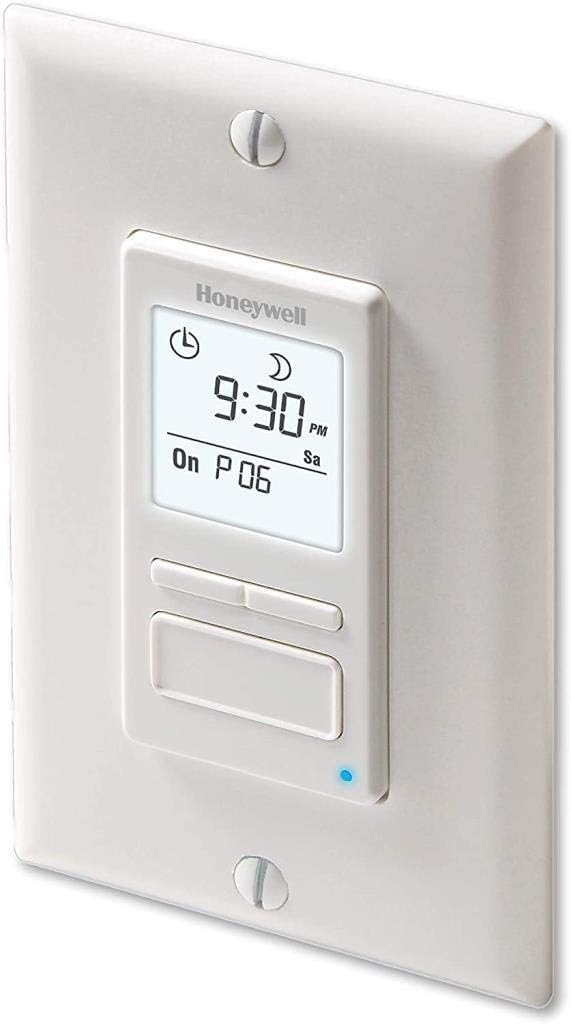
Figure 1: Honeywell Home RPLS740B ECONOswitch installed in a wall plate.
2. Негизги өзгөчөлүктөрү
- 7 күндүк программалоо мүмкүнчүлүгү: Allows up to 7 on-and-off schedules per week, configurable daily or weekly.
- Solar Timetable Function: Automatically adjusts on/off times based on local sunrise and sunset, calculated from latitude and longitude input.
- Ар тараптуу шайкештик: Works with LED, CFL, incandescent, halogen, and fluorescent lighting. Also controls motor-operated appliances such as ceiling fans, bathroom fans, pond pumps, and pool pumps (up to 1800W, 3/4 HP on 120V).
- Бир нече иштөө режимдери: Includes automatic, manual (conventional on/off switch), and random modes for flexible control.
- Automatic Daylight Saving Adjustment: Automatically updates for daylight saving time.
- Power Outage Коргоо: Program settings are retained during power outages.
- Арткы жарык дисплей: Large, backlit screen for clear viewing, even at night, with an option to stay lit at low intensity as a nightlight.
- Коопсуздук өзгөчөлүгү: Random mode turns lights on and off at irregular intervals to simulate occupancy when away from home.
3. Коопсуздук маалыматы
ЭСКЕРТҮҮ: Электр шок коркунучу.
- Always cut power at the circuit breaker or fuse box before installing or servicing the switch to avoid electric shock.
- This switch requires a neutral wire (typically white wires joined together) inside the electrical box for proper operation. It cannot be used in installations without a neutral wire.
- Эгерде сиз орнотуу процессинин кайсы бир бөлүгү боюнча күмөн санасаңыз, квалификациялуу электрикке кайрылыңыз.
- Бардык зым байланыштары коопсуз жана туура изоляцияланганын текшериңиз.
4. Орнотуу
4.1. Орнотууга чейинки текшерүү тизмеси
- Verify that your electrical box contains a neutral wire.
- Ensure the circuit breaker for the switch location is turned OFF.
- Gather necessary tools: screwdriver, wire strippers, electrical tape, wire connectors (provided).
4.2. Электр зымдары боюнча нускамалар
- Автоматтык өчүргүчтөн электр кубатын өчүрүңүз.
- Учурдагы дубал плитасын жана которгучту алып салыңыз.
- Identify the wires: Line (hot), Load, and Neutral. The RPLS740B has three wires: black (Line), blue (Load), and white (Neutral).
- Connect the white wire from the RPLS740B to the neutral wires in the electrical box using a wire connector.
- Connect the black wire from the RPLS740B to the incoming line (hot) wire from the circuit breaker.
- Connect the blue wire from the RPLS740B to the load wire (going to the light or motor).
- Secure all connections with wire connectors and electrical tape.
- Carefully push the wires back into the electrical box.
4.3. Которгучту орнотуу
- Mount the RPLS740B switch into the electrical box using the provided screws.
- Attach a standard decorative wall plate (not included) over the switch.
- Автоматтык өчүргүчтөгү кубаттуулукту калыбына келтириңиз.
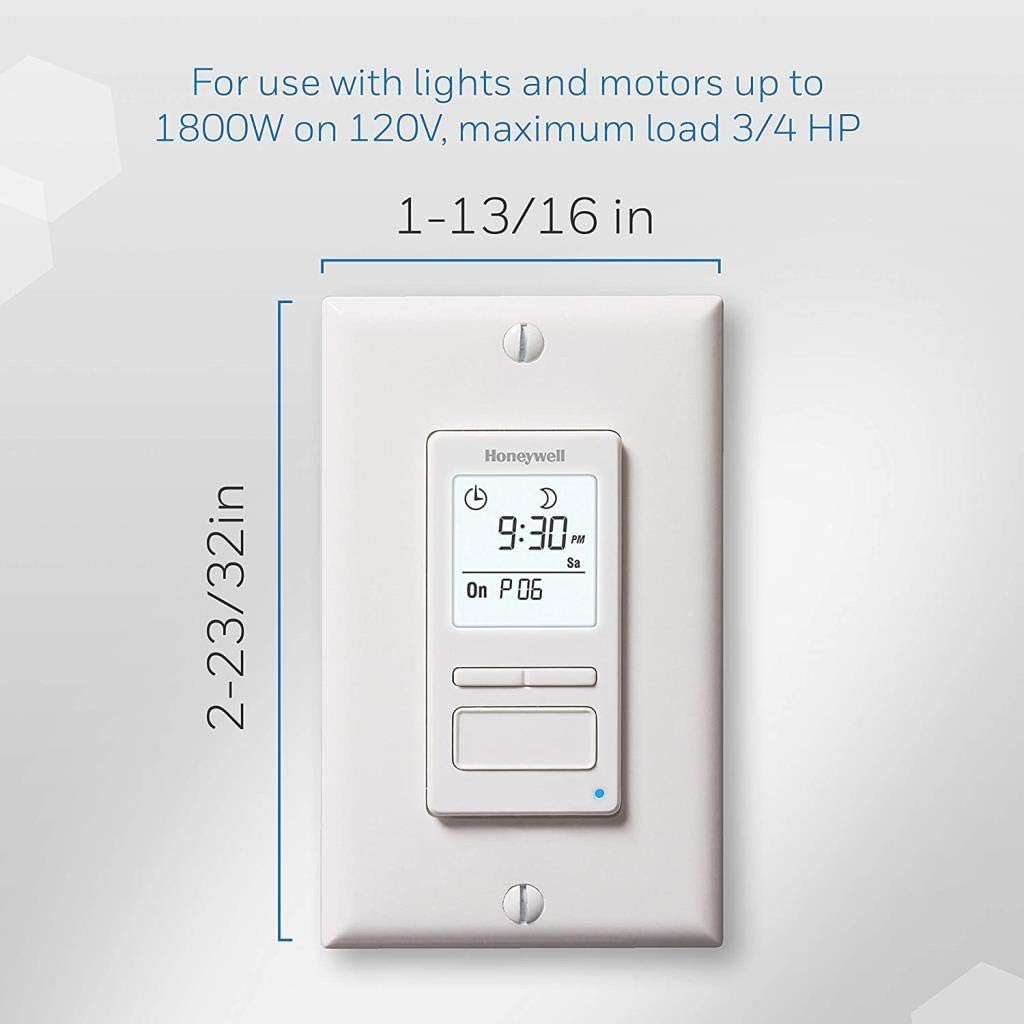
Figure 2: Dimensions of the Honeywell Home RPLS740B ECONOswitch.
5. Баштапкы орнотуу
Биринчи күйгүзүлгөндө же узакка созулган кубаттан кийинtage, the switch will require initial setup.
- Убакыт жана датаны коюу: Use the navigation buttons to set the current time, AM/PM, day of the week, and date.
- Set Latitude and Longitude: Enter your home's latitude and longitude. This allows the solar timetable function to accurately calculate local sunrise and sunset times. Refer to the instruction manual for detailed steps on entering these values.
- Жайкы убакыт (DST): Enable or disable the automatic DST adjustment feature.

Сүрөт 3: Жакын пландан view of the switch's backlit display and control buttons.
6. Иштөө режимдери
The RPLS740B offers three primary operating modes:
- Автоматтык режим: The switch operates according to the programmed schedules, including solar timetable adjustments.
- Кол режими: The switch functions as a conventional on/off switch. Press the main button to toggle the connected load on or off. This temporarily overrides any active program without deleting it.
- Кокус режим: Activates lights at random times to create an illusion of occupancy, enhancing home security when you are away.

Figure 4: The switch offers various modes for flexible control.
7. Программалоо графиктери
The switch allows for up to 7 programmable periods (P1 to P7) per week. Each period can be set for a specific day, weekdays, weekends, or all 7 days.
7.1. Setting On/Off Times
- Программалоо режимине өтүү үчүн "Программа" баскычын басыңыз.
- Select the desired program number (P1-P7) using the navigation buttons.
- Set the 'ON' time for the selected program. You can choose a specific time or select 'Sunrise' for automatic adjustment.
- Set the 'OFF' time for the selected program. You can choose a specific time or select 'Sunset' for automatic adjustment.
- Select the days of the week for which this program will be active.
- Repeat for all desired programs.
- Орнотууларды сактоо үчүн программалоо режиминен чыгыңыз.

Figure 5: The simple 3-button interface facilitates programming.
7.2. Solar Timetable Adjustment
The solar timetable can be adjusted by up to an hour before or after actual sunrise/sunset times to suit specific needs or environmental conditions.
8. Техникалык тейлөө
- The RPLS740B is designed for maintenance-free operation.
- Clean the display and buttons with a soft, dry cloth. Avoid abrasive cleaners or solvents.
- Ичинде колдонуучу тейлей турган бөлүктөр жок.
9. Кыйынчылыктарды
| Көйгөй | Мүмкүн себеп | Чечим |
|---|---|---|
| Которуу күйгүзүлбөйт. | No power to the switch; missing neutral wire. | Check circuit breaker. Verify neutral wire connection. |
| Lights/motors do not turn on/off as programmed. | Incorrect programming; incorrect time/date/latitude. | Review and adjust programmed schedules, time, date, and latitude/longitude settings. |
| Lights/motors flicker or remain dimly lit (for CFL/LED). | Incompatible load type (for older SCR-based timers). | The RPLS740B is designed to be compatible with LED/CFL. If flickering occurs, ensure proper wiring and bulb compatibility. |
| Display is blank after power outage. | Узакка созулган бийликtage exceeding 4 hours. | Reset time and date. Programmed schedules should be retained. |
10. Техникалык шарттар
| Өзгөчөлүк | Деталь |
|---|---|
| Модель номери | RPLS740B |
| Бренд | Honeywell Home |
| Түс | Ак |
| Материал | Пластик |
| Элемент Салмагы | 4 унция (0.25 фунт) |
| Продукциянын өлчөмдөрү | 1.69 x 1.5 x 4.06 дюйм |
| Орнотуулардын саны | 7 (programs per week) |
| Ватtage | 1800 ватт (макс) |
| Ат күчү | 3/4 HP (at 120V) |
| Тtage | 120V |
| Которуу түрү | 1-жол |
| Монтаж түрү | Камтылган |
| Шайкештик | LED, CFL, Incandescent, Halogen, Fluorescent |
| Сертификация | cULus |
11. Кепилдик жана колдоо
The Honeywell Home RPLS740B ECONOswitch is backed by a 1 жылдык чектелген кепилдик.
For technical support, troubleshooting assistance, or warranty claims, please refer to the contact information provided in the product packaging or visit the official Honeywell Home webсайт.