1. Киришүү
The KODAK PLAYSPORT (Zx5) HD Waterproof Pocket Video Camera is designed for capturing high-definition videos and photos in various environments. Its robust construction makes it shockproof, dustproof, and waterproof up to 10 feet (3 meters), ideal for active lifestyles. This manual provides essential information for setting up, operating, and maintaining your camera.

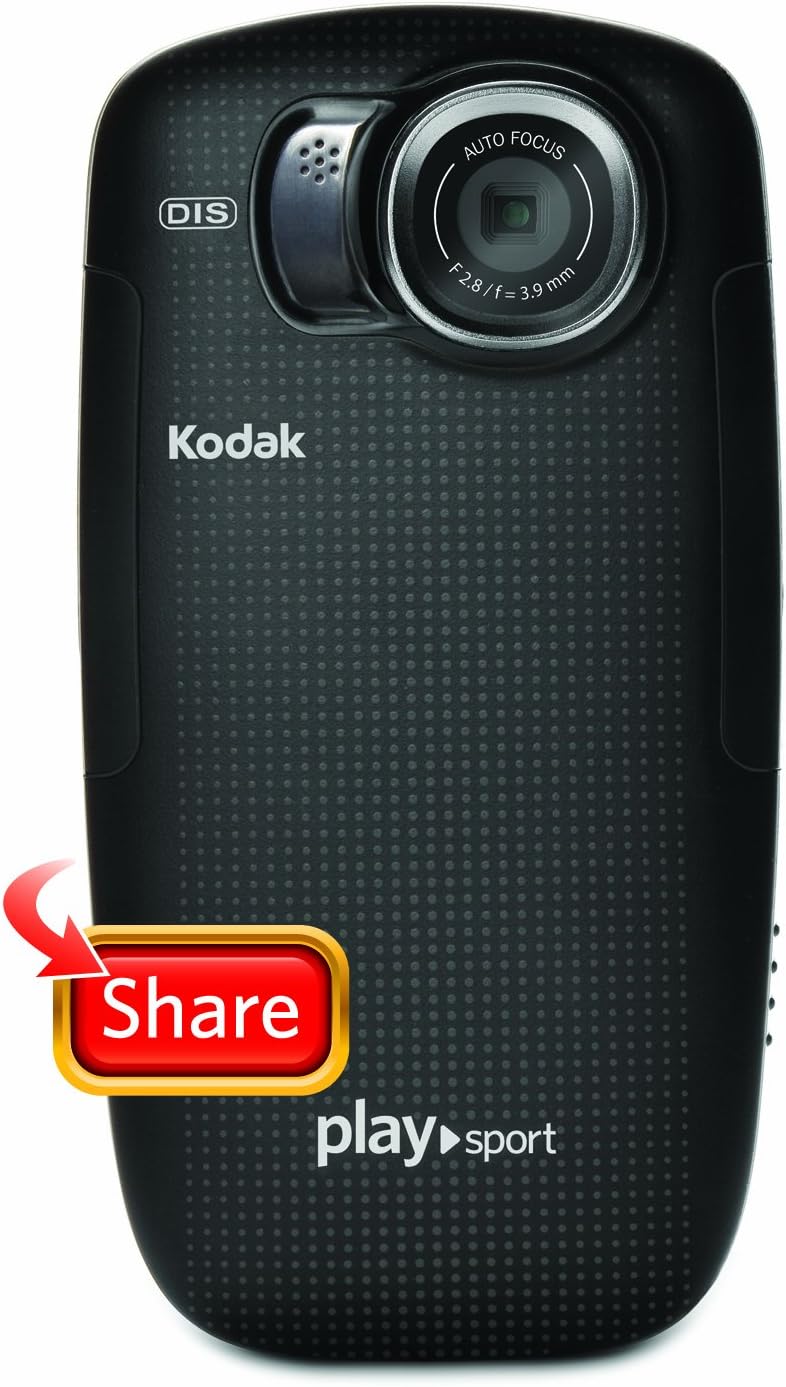
Сүрөт 1: Алдыңкы view of the Kodak PlaySport (Zx5) HD Waterproof Pocket Video Camera in Black.
2. Кутуда эмне бар
- Kodak PlaySport (Zx5) HD Waterproof Pocket Video Camera
- User Manual
3. Продукциянын өзгөчөлүктөрү
- Shockproof, dustproof, and waterproof up to 10 ft (3 meters)
- Kodak's Share button for easy sharing
- Full 1080p HD videos and 5 MP HD stills
- Built-in digital image stabilization for sharper videos
- On-camera editing capabilities
4. Орнотуу
4.1 Батареяны орнотуу
- Locate the battery compartment door on the camera.
- Батарея бөлүмүн ачуу үчүн кулпуну жылдырыңыз.
- Insert the Lithium Ion battery, ensuring correct orientation according to the diagram inside the compartment.
- Close the battery compartment door securely until it latches.
4.2 Эстутум картасын орнотуу
The camera uses SDHC flash memory cards.
- With the battery compartment open, locate the SDHC card slot.
- Insert the SDHC card into the slot until it clicks into place.
- Батарея уясынын эшигин жабыңыз.
4.3 Камераны заряддоо
Use the provided USB cable to charge the camera. Connect the micro-USB end to the camera's charging port and the USB-A end to a compatible USB power adapter (not included) or a computer.
5. Иштөө нускамалары
5.1 Күйгүзүү/өчүрүү
Press and hold the power button located on the top of the camera to turn it on or off.
5.2 Видеолорду жаздыруу
- Камераны күйгүзүңүз.
- Press the dedicated record button (usually marked with a red dot) to start recording.
- Жазууну токтотуу үчүн жаздыруу баскычын кайра басыңыз.
5.3 Сүрөт тартуу
- Камераны күйгүзүңүз.
- Switch to photo mode if necessary (refer to on-screen menu).
- Сүрөткө тартуу үчүн жапкычты басыңыз.
5.4 Чоңойтуу функциясы
Use the zoom controls (W for wide, T for telephoto) to adjust the digital zoom during recording or photo capture.
5.5 Ойнотуу
Access the playback mode via the menu to review your recorded videos and photos on the camera's 2-inch screen.
5.6 Connecting to a TV/Computer
The camera supports HDMI connectivity for viewing content on a TV. Use a mini-HDMI to HDMI cable (sold separately). For computer connection, use the USB cable to transfer files.
Сүрөт 2: Артка view of the Kodak PlaySport (Zx5) showing the screen and control buttons.

Сүрөт 3: Алдыңкы view of the Kodak PlaySport (Zx5) with the screen displaying a captured image.
6. Техникалык тейлөө
6.1 Тазалоо
After using the camera in saltwater, rinse it thoroughly with fresh water and pat dry. Ensure all access flaps are open to dry completely to prevent salt buildup and hinge issues.
6.2 Батареяга кам көрүү
Charge the battery fully before each use. Store the camera and battery in a cool, dry place when not in use.
7. Кыйынчылыктарды
7.1 Камера күйбөй жатат
- Батарея туура салынганын жана толук заряддалганын текшериңиз.
- Кубат баскычын бир нече секунд басып туруңуз.
7.2 Poor Audio Quality with External Microphone
Some users have reported issues with external microphone input. Ensure the microphone is properly connected. If issues persist, consider using the built-in microphone or alternative audio recording methods.
7.3 Access Flaps Jamming
Regularly clean and dry the camera, especially after saltwater exposure, to prevent salt or debris from causing the access flaps to jam.
7.4 On-Camera Editing Issues
For long videos, on-camera trimming may cause the device to lock up. It is recommended to offload videos to a computer and use dedicated video editing software for extensive edits.
8. Техникалык шарттар
| Өзгөчөлүк | Деталь |
|---|---|
| Бренд | КОДАК |
| Модель аты | PlaySport (Zx5) |
| Видео тартуунун резолюциясы | 1080p |
| Натыйжалуу дагы эле чечим | 5 депутат |
| Flash эс тутум түрү | SDHC |
| Screen Size | 2 дюйм |
| Сууга туруктуулук деңгээли | Waterproof (up to 10 ft / 3 meters) |
| Image Stabilization | Санарип |
| Digital Zoom | 4x |
| Байланыш технологиясы | HDMI, USB |
| Элемент Салмагы | 125 грамм |
9. Кепилдик жана колдоо
For warranty information or technical support, please refer to the documentation included with your product or visit the official KODAK support website. Contacting the manufacturer directly is recommended for any product-related inquiries.

Image 4: The Kodak PlaySport (Zx5) camera submerged in water, demonstrating its waterproof capability.


