Introduction
Thank you for choosing the SINGER Cordless Smart Scissors. This innovative cutting tool is designed to provide effortless cutting for various materials, enhancing your crafting and household tasks. Please read this manual thoroughly before first use to ensure safe and optimal operation of your device.
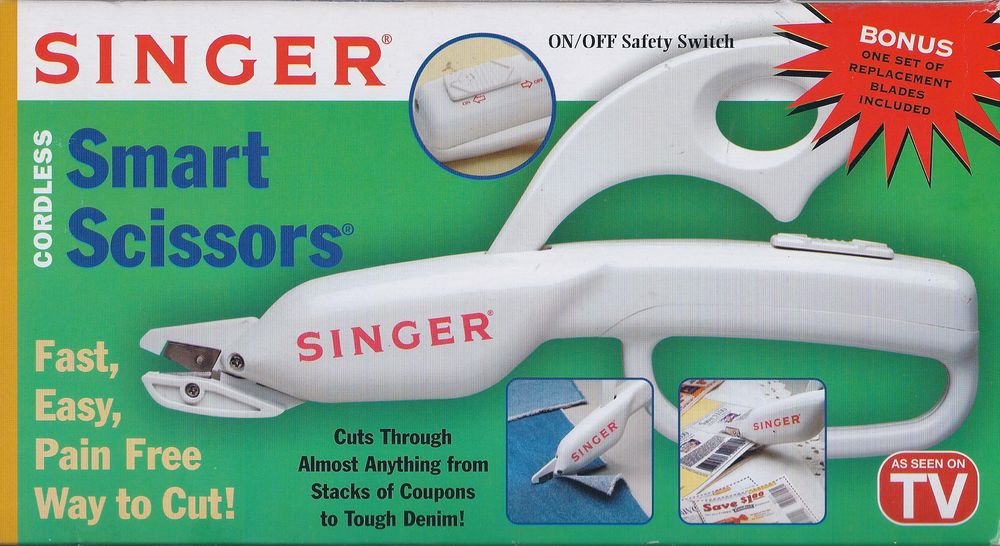
Image: The SINGER Cordless Smart Scissors, a white handheld device designed for easy cutting. It features an ergonomic handle and a visible cutting blade mechanism.
Коопсуздук нускамалары
Өрт, электр тогуна урунуу жана жеке жаракат алуу коркунучун азайтуу үчүн электр шаймандарын колдонууда ар дайым негизги коопсуздук чараларын сактаңыз.
- Keep hands and body parts away from the cutting blades during operation.
- Do not allow children to operate this device. Store out of reach of children.
- Use only for intended purposes as described in this manual.
- Аппаратты сууга же башка суюктуктарга салбаңыз.
- Turn off and remove batteries before cleaning or changing blades.
- Inspect blades for damage before each use. Replace dull or damaged blades immediately.
- Do not attempt to cut extremely hard or thick materials that may damage the blades or motor.
Пакеттин мазмуну
Сураныч, пакеттин мазмунун текшерип, бардык буюмдар бар экенин текшериңиз:
- 1 x SINGER Cordless Smart Scissors unit
- 1 x Set of Replacement Blades
- 1 х Инструкция (бул документ)
Жайгашуу
Before using your Cordless Smart Scissors, you will need to install the batteries.
- Locate the battery compartment cover, usually on the handle.
- Бөлүктү ачуу үчүн капкакты жылдырыңыз же ачыңыз.
- Insert the required batteries (e.g., 2 x AA batteries, not included) according to the polarity indicators (+/-).
- Батарея уясынын капкагын бекем жабыңыз.
- Ensure blades are securely attached. If replacing, refer to the "Maintenance" section.
Иштөө нускамалары
Натыйжалуу жана коопсуз иштөө үчүн төмөнкү кадамдарды аткарыңыз:
- Күйгүзүү: Locate the power switch or button, typically on the handle. Press or slide it to the "ON" position. The blades will begin to move.
- Кесүү: Position the material you wish to cut between the blades. Gently guide the scissors along the desired cutting line. The motorized blades will do the work.
- Материалдык шайкештик: These scissors are designed to cut various materials including fabric, paper, cardboard, and tough denim. Avoid extremely thick or rigid materials that may strain the motor or damage the blades.
- Өчүрүү: After use, press or slide the power switch to the "OFF" position. Ensure the blades have stopped moving before setting the device down.
Техникалык тейлөө
Proper maintenance ensures the longevity and performance of your Cordless Smart Scissors.
Тазалоо
- Always turn off the device and remove batteries before cleaning.
- Use a soft, dry cloth to wipe down the body of the scissors.
- Carefully remove any fabric fibers or debris from around the blades using a small brush or tweezers.
- Абразивдүү тазалагычтарды колдонбоңуз же аппаратты сууга салбаңыз.
Бычакты алмаштыруу
Dull blades can reduce cutting efficiency. Replace blades as needed using the included replacement set.
- Ensure the device is turned off and batteries are removed.
- Locate the blade release mechanism (refer to diagrams if available, or typically a small screw/latch).
- Carefully remove the old blades, handling them by the non-sharp edges.
- Insert the new blades, ensuring they are correctly aligned and secured.
- Test the scissors on a scrap piece of material before resuming normal use.
Проблемаларды чечүү
If you encounter issues with your Cordless Smart Scissors, refer to the following common problems and solutions:
| Көйгөй | Мүмкүн себеп | Чечим |
|---|---|---|
| Scissors not turning on. | Өлүк же туура эмес салынган батарейкалар. | Батареянын полярдуулугун текшериңиз же жаңы батарейкалар менен алмаштырыңыз. |
| Пычактар натыйжалуу кеспейт. | Dull blades, debris caught in blades, or material is too thick. | Clean blades, replace blades, or try cutting thinner material. |
| Motor sounds weak or stalls. | Low battery power or attempting to cut overly thick material. | Replace batteries. Reduce material thickness. |
Техникалык шарттар
| Бренд | ЫРЧЫ |
| Модел | Cordless Smart Scissors |
| Түс | Ак |
| Бычактын материалы | Дат баспаган болот |
| Handle Material | Пластик |
| Элемент Салмагы | 3.2 унция |
| Колдун багыты | Эки тараптуу |
| Пакеттин өлчөмдөрү | 10.5 x 5.6 x 1.8 дюйм |
Кепилдик жана колдоо
For warranty information and customer support, please refer to the documentation included with your purchase or visit the official SINGER webсайт. Ар кандай кепилдик дооматтары үчүн сатып алганыңыздын далилин сактаңыз.
Онлайн колдоо: www.singer.com/support