Introduction
This instruction manual provides comprehensive guidance for the installation, operation, maintenance, and troubleshooting of your Intel Classic DH61CR Desktop Motherboard. Please read this manual thoroughly before proceeding with installation or operation to ensure proper functionality and to prevent damage to the product or other components.
The Intel DH61CR motherboard is designed to support Intel LGA 1155 socket processors and DDR3 memory, offering a reliable foundation for personal computer systems.
Орнотуу жана орнотуу
1. Пакеттен чыгаруу жана компонентти бүтүрүүview
Carefully remove the motherboard from its packaging. Inspect all components for any signs of damage. Ensure all accessories listed in the product documentation are present.
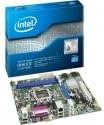
Image: The Intel DH61CR Desktop Motherboard shown alongside its retail packaging. This image provides a visual reference for the product and its initial presentation.
Familiarize yourself with the layout of the motherboard, including the CPU socket, RAM slots, expansion slots, and various connectors.
2. CPU орнотуу (LGA 1155 Socket)
- LGA 1155 CPU розеткасын энелик платадан табыңыз.
- Жүктөө рычагын акырын ылдый түртүп, CPU розеткасынын кармагычын ачуу үчүн аны капталга тартыңыз.
- CPUдагы үч бурчтук белгини розеткадагы тиешелүү белги менен тууралаңыз. Процессорду мажбурлабастан розеткага этияттык менен салыңыз.
- Кармоочу рамканы жаап, жүктөө рычагын кайра бекитилген абалына түртүп бекитиңиз.
- Apply a thin, even layer of thermal paste to the top of the CPU (if not pre-applied to the cooler).
- Install the CPU cooler according to its manufacturer's instructions, ensuring it is securely fastened and making good contact with the CPU.
3. RAM орнотуу (DDR3)
- Identify the DDR3 memory slots. The Intel DH61CR supports DDR3 RAM.
- Эстутум уясынын эки учундагы клиптерди ачыңыз.
- DDR3 эстутум модулундагы оюкту эс уячасындагы ачкыч менен тууралаңыз.
- Модулду бекемдеп, клиптер ордуна орнотмоюнча эстутум модулунун эки учуна катуу басыңыз.
4. Сактагыч түзмөктү орнотуу
Connect your SATA hard drives or solid-state drives to the SATA ports on the motherboard using SATA data cables. Ensure the power cables from your power supply are also connected to these devices.
5. Энергия менен камсыздоо байланыштары
- 24 пин ATX кубат туташтыргычын кубат булагыңыздан энелик платадагы негизги розеткага туташтырыңыз.
- Connect the 4-pin (or 8-pin, if applicable) ATX 12V power connector to the CPU power socket.
- Бардык кубат туташуулары коопсуз экенин текшериңиз.
6. Front Panel Connections
Connect the front panel cables from your computer case (power button, reset button, HDD LED, power LED, USB ports, audio jacks) to the corresponding headers on the motherboard. Refer to the motherboard's silkscreen labels for correct pin assignments.
7. Expansion Cards
Install any necessary expansion cards (e.g., graphics card, network card) into the appropriate PCIe x16 or PCIe x1 slots. Secure them with the case's retention mechanism.
Иштөө нускамалары
1. Биринчи жүктөө
After all components are installed and connected, connect your monitor, keyboard, and mouse. Power on the system. The system should display the BIOS POST screen. If not, refer to the Troubleshooting section.
2. BIOS/UEFI мүмкүнчүлүгү
To access the BIOS/UEFI setup utility, press the designated key (commonly Del, F2, же F10) during the initial boot sequence. The exact key is usually displayed on the screen during POST.
Within the BIOS/UEFI, you can configure boot order, system time, hardware settings, and other advanced options. Save changes before exiting.
Техникалык тейлөө
1. Тазалоо
Regularly clean the interior of your computer case to prevent dust buildup, which can lead to overheating. Use compressed air to remove dust from fans, heatsinks, and motherboard components. Ensure the system is powered off and unplugged before cleaning.
2. BIOS жаңыртуулары
Intel колдоосун мезгил-мезгили менен текшерип туруңуз website for BIOS updates for your DH61CR motherboard. BIOS updates can improve system stability, add support for new hardware, or fix bugs. Follow the instructions provided by Intel carefully when performing a BIOS update to avoid system damage.
Проблемаларды чечүү
Эгерде сиз көйгөйлөргө туш болсоңуз, кайраview төмөнкү жалпы көйгөйлөрдү чечүү кадамдары:
- Кубат жок: Ensure all power cables (24-pin ATX, 4-pin CPU) are securely connected. Check the power supply unit (PSU) switch and wall outlet.
- Дисплей жок: Verify the monitor is connected and powered on. Ensure the graphics card (if dedicated) is properly seated and powered. If using integrated graphics, confirm the monitor is connected to the motherboard's video output.
- Системалык сигналдар: A series of beeps during startup usually indicates a hardware issue. Consult the motherboard's beep code guide (often found on the manufacturer's support website) to diagnose the specific problem (e.g., RAM error, graphics card issue).
- Системанын туруксуздугу/бузуулар: Check for proper CPU cooler installation and thermal paste application. Ensure RAM modules are correctly seated. Test memory with diagnostic tools. Update drivers and BIOS.
- Иштетүү системасы жүктөлбөй жатат: Verify the boot order in BIOS/UEFI. Check SATA cable connections to storage devices. Ensure the operating system is correctly installed on a bootable drive.
For persistent issues, consult the Intel support webсайтка же алардын техникалык колдоосуна кайрылыңыз.
Техникалык мүнөздөмөлөр
| Өзгөчөлүк | Спецификация |
|---|---|
| Бренд | Intel |
| Модель аты | DH61CRB3 |
| CPU розетка | LGA 1155 |
| Шайкеш процессорлор | Intel Core i3-2100, Intel Core i5-2400, Intel Core i7-2600, Pentium |
| Чипсет түрү | Intel H61 Express |
| RAM эс технологиясы | DDR3 |
| Максималдуу RAM | 8 ГБ |
| Memory Clock Speed | 1333 МГц |
| Шайкеш түзмөктөр | Персоналдык компьютер |
| Сактагыч интерфейси | Serial ATA/300 |
| Кеңейтүү уячалары | 1 x PCIe x16 слоту |
| Video Output | CPU Dependent Video |
| Платформа | Windows 7, Windows Vista Ultimate |
| Продукциянын өлчөмдөрү | 10.5 x 8.5 x 2 дюйм |
| Элемент Салмагы | 1.9 фунт |
| Өндүрүүчү | INTEL |
| Дата биринчи жеткиликтүү | 30-апрель, 2012-жыл |
Кепилдик жана колдоо
Warranty information for the Intel Classic DH61CR Desktop Motherboard is typically provided with the product at the time of purchase or can be found on the official Intel webсайт. Кепилдик дооматтары үчүн сатып алганыңыздын далилин сактап коюңуз.
For technical support, driver downloads, and additional documentation, please visit the official Intel support website. You can often find detailed FAQs and community forums there to assist with common issues.
Note: Intel's official support channels are the primary resource for product-specific assistance.


