1. Киришүү
This manual provides instructions for the setup, operation, and maintenance of your Acctim 14193 Eclipse Solar Dual Power Alarm Clock. This clock features a hybrid power system, utilizing solar energy during the day and battery power at night. It includes a crescendo alarm with snooze functionality and Smartlite technology for automatic display illumination in low light conditions.
2. Коопсуздук маалыматы
- Do not expose the clock to extreme temperatures, direct sunlight for prolonged periods (beyond normal operation), or high humidity.
- Саатты түшүрүүдөн же катуу соккулардан сактаныңыз.
- Саатты өз алдынча бөлүүгө же оңдоого аракет кылбаңыз. Квалификациялуу тейлөө кызматкерлерине кайрылыңыз.
- Колдонулган батарейкаларды жергиликтүү эрежелерге ылайык жок кылыңыз.
3. Пакеттин мазмуну
Сураныч, бардык элементтер бар экенин текшериңиз:
- Acctim 14193 Eclipse Solar Dual Power Alarm Clock
- 2 x AA батарейкалар (алдын ала орнотулган же өзүнчө камтылган)
4. Продукт бүтүп калдыview
Familiarize yourself with the clock's components and controls.
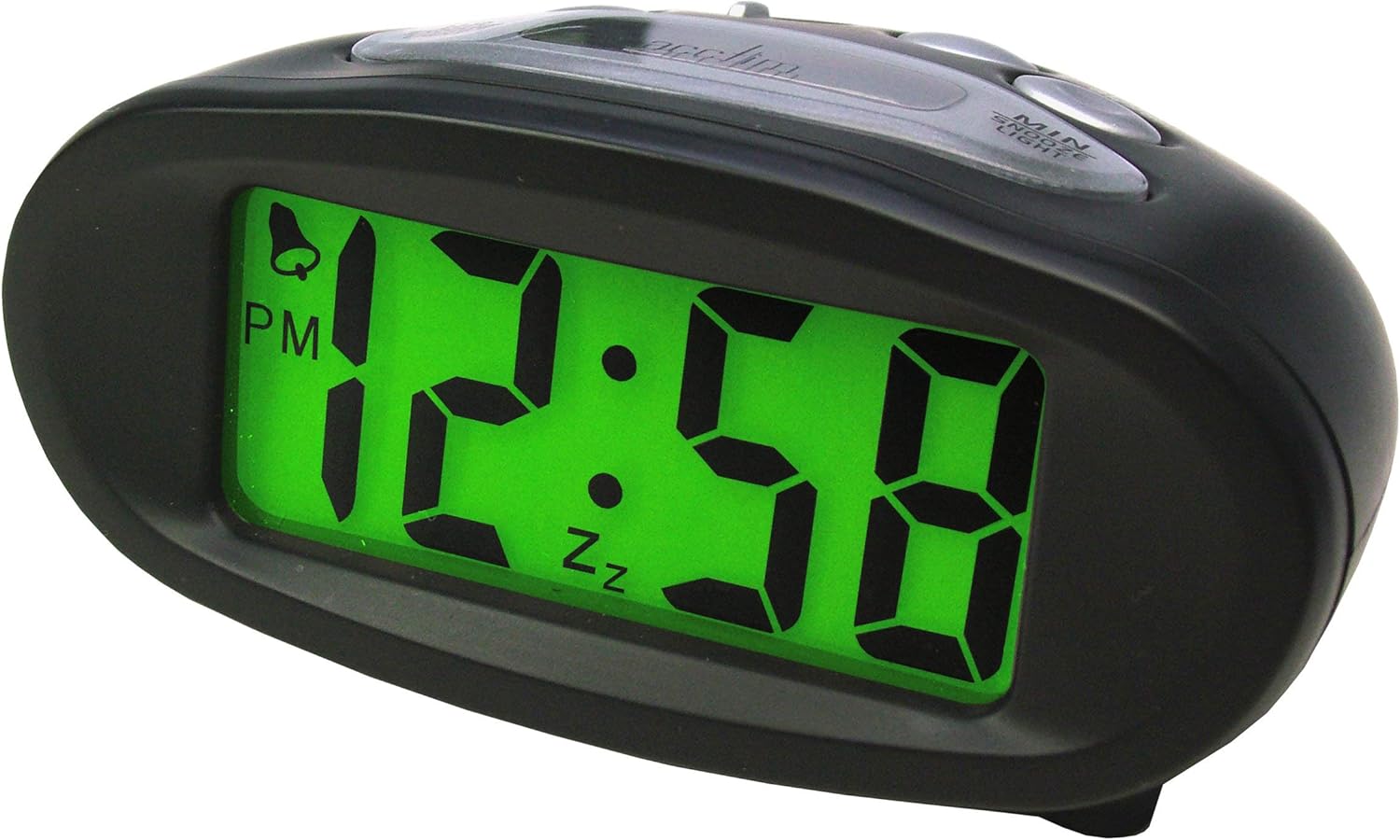
Сүрөт 4.1: Алдыңкы View (Illuminated Display)
This image shows the front of the Acctim 14193 alarm clock with its digital display illuminated in green, showing the time 12:58 PM. The clock has a black, oval-shaped casing.

Сүрөт 4.2: Алдыңкы View (Unilluminated Display)
This image displays the front of the Acctim 14193 alarm clock with its digital display unilluminated, showing the time 12:58 PM. The clock maintains its black, oval-shaped design.

4.3-сүрөт: Жогорку жана арткы View (Башкаруулар)
This image provides a top-rear view of the Acctim 14193 alarm clock, highlighting the control buttons and the solar panel. The buttons are labeled for functions such as ALARM ON/OFF, ALARM SET, TIME SET, and a LIGHT switch with OFF, LO, and HI settings. The solar panel is visible on the top surface.
4.1 Башкаруу каражаттары жана өзгөчөлүктөрү
- Дисплей: Digital time display.
- Күн панели: Located on the top surface, charges the clock during daylight.
- HR баскычы: Used to adjust hours.
- MIN баскычы: Used to adjust minutes.
- ТЫНЧТЫК/ЖАРЫК баскычы: Activates snooze during alarm, provides temporary backlight.
- СИГНАЛДЫ КҮЙГҮЗҮҮ/ӨЧҮРҮҮ которгучу: Сигнализация функциясын өчүрөт/күйгүзөт.
- ALARM SET баскычы: Сигнал орнотуу режимине кирет.
- TIME SET баскычы: Убакытты орнотуу режимине кирет.
- LIGHT Switch (OFF/LO/HI): Controls the Smartlite backlight intensity.
5. Орнотуу
5.1 Батареяны орнотуу
The clock requires 2 x AA batteries (included). If batteries are not pre-installed or need replacement:
- Locate the battery compartment cover on the underside of the clock.
- Капкакты алып салыңыз.
- Туура полярдуулукту (+ жана -) камсыз кылып, 2 AA батарейкасын салыңыз.
- Батарея бөлүкчөсүнүн капкагын бекем орнотуңуз.
5.2 Solar Power Functionality
The Acctim Eclipse clock utilizes a hybrid power system. The solar panel on top of the clock charges the internal system during daylight hours, reducing battery consumption. For optimal performance, place the clock in an area that receives ambient light during the day. The clock will automatically switch to battery power at night or in low-light conditions.
6. Иштөө нускамалары
6.1 Убакытты коюу
- басып, кармап туруңуз УБАКЫТТЫ ОРНОТУУ баскычын сааттын цифралары жаркылдай баштаганга чейин басыңыз.
- басыңыз HR button repeatedly to adjust the hour. Pay attention to the AM/PM indicator.
- басыңыз УБАКЫТТЫ ОРНОТУУ Саатты ырастоо жана мүнөт жөндөөсүнө өтүү үчүн баскычын кайра басыңыз. Мүнөттөрдүн сандары күйүп-өчүп турат.
- басыңыз MIN мүнөттөрдү тууралоо үчүн кайра-кайра баскычын басыңыз.
- басыңыз УБАКЫТТЫ ОРНОТУУ Мүнөттөрдү ырастоо жана убакытты коюу режиминен чыгуу үчүн баскычын акыркы жолу басыңыз.
6.2 Сигналды коюу
- басып, кармап туруңуз Сигналды орнотуу ойготкуч сааттын сандары өчө баштаганга чейин баскычты басыңыз.
- басыңыз HR button repeatedly to adjust the alarm hour. Observe the AM/PM indicator.
- басыңыз Сигналды орнотуу Ойготкучтун саатын ырастоо жана ойготкуч мүнөтүн жөндөөсүнө өтүү үчүн баскычын кайра басыңыз. Ойготкучтун мүнөтүнүн сандары күйүп-өчүп турат.
- басыңыз MIN Ойготкучтун мүнөттөрүн тууралоо үчүн баскычын кайра-кайра басыңыз.
- басыңыз Сигналды орнотуу button one last time to confirm the alarm minutes and exit alarm setting mode.
6.3 Ойготкучту иштетүү/өчүрүү
колдонуу КҮЙГҮЗҮҮ / КҮЧҮРҮҮ switch located on the top of the clock to enable or disable the alarm. When the alarm is active, an alarm icon (often a bell) will appear on the display.
6.4 Тындыруу функциясы
Сигнал чыкканда чоң баскычты басыңыз SNOOZE / LIGHT button on the top of the clock. The alarm will temporarily stop and sound again after approximately 5-10 minutes (standard snooze duration).
6.5 Backlight Functions (Smartlite & Manual)
- Smartlite Technology: The clock features Smartlite technology, which automatically illuminates the display for easy night time viewing. Control its intensity using the ЖАРЫК switch (OFF/LO/HI).
- ӨЧҮК: Smartlite feature is disabled.
- LO: Low intensity automatic backlight.
- САЛАМ: High intensity automatic backlight.
- Кол менен жарыктандыруу: басыңыз SNOOZE / LIGHT button at any time to activate a temporary blue backlight for approximately 4 seconds, providing additional illumination.
7. Техникалык тейлөө
7.1 Тазалоо
Саатты жумшак, кургак чүпүрөк менен сүртүңүз. Абразивдүү тазалоочу каражаттарды же химиялык эриткичтерди колдонбоңуз, анткени алар сааттын пластигин бузушу мүмкүн.asing же дисплей.
7.2 Батареяны алмаштыруу
When the display dims significantly or the clock functions become erratic, it may be time to replace the batteries. Refer to Section 5.1 for battery installation instructions. Always replace both AA batteries simultaneously with new ones.
8. Кыйынчылыктарды
| Көйгөй | Мүмкүн себеп | Чечим |
|---|---|---|
| Дисплей күңүрт же бош. | Low batteries or insufficient light for solar charging. | Replace batteries (Section 5.1). Ensure the clock is placed in an area with adequate ambient light for solar charging. |
| Ойготкуч угулбайт. | Alarm is not activated or alarm time is incorrect. | Check the ALARM ON/OFF switch (Section 6.3). Verify the alarm time is set correctly (Section 6.2). |
| Убакыт туура эмес. | Time was not set correctly or batteries were removed. | Reset the time (Section 6.1). |
| Smartlite backlight not working. | LIGHT switch is set to OFF or insufficient ambient light. | Ensure the LIGHT switch is set to LO or HI (Section 6.5). Test in a darker environment. |
9. Техникалык шарттар
| Бренд | Acctim |
| Модель номери | 14193 |
| Түс | Кара |
| Дисплей түрү | Санарип |
| Power Source | Battery Powered, Solar Powered (Hybrid) |
| Батареялар | 2 x AA (киргизилген) |
| Өзгөчөлүктөр | Alarm, Snooze, Smartlite Automatic Backlight, Manual Blue Backlight |
| Өлчөмдөрү (L x W x Y) | 105 мм x 50 мм x 75 мм (болжол менен 4.13 x 1.97 x 2.95 дюйм) |
| Элемент Салмагы | 0.11 килограмм (болжол менен 3.87 унция) |
10. Кепилдик жана колдоо
The Acctim 14193 Eclipse Solar Dual Power Alarm Clock comes with a 1 жылдык кепилдик сатып алынган күндөн тартып. Бул кепилдик нормалдуу колдонуудагы өндүрүш кемчиликтерин камтыйт.
For warranty claims, technical support, or further assistance, please contact your retailer or the manufacturer directly. Please retain your proof of purchase.


