Introduction
This manual provides detailed instructions for the safe installation, operation, and maintenance of your Utilitech 3-Light 123-Watt Bronze Dusk-to-Dawn Security Light. Please read all instructions carefully before beginning installation and retain this manual for future reference. This security light is designed for outdoor use and features a built-in motion sensor and photo-control for automated operation.
Коопсуздук маалыматы
ЭСКЕРТҮҮ: Электр тогуна урунуу коркунучу бар. Орнотуудан же тейлөөдөн мурун сактагычты же автоматтык өчүргүчтү электр кубатынан ажыратыңыз.
- Бул продуктту колдонуудагы орнотуу кодуна ылайык буюмдун курулушу жана иштеши жана ага байланыштуу коркунучтар менен тааныш адам тарабынан орнотулушу керек.
- камсыз кылуу voltage is 120 Volts AC, 60 Hz.
- Use only suitable bulbs as specified in the 'Specifications' section.
- Арматураны өзгөртүүгө аракет кылбаңыз. Ар кандай өзгөртүүлөр кепилдикти жокко чыгарып, коопсуздукка коркунуч келтириши мүмкүн.
- This fixture is UL Safety Listed, ensuring compliance with recognized safety standards.
Пакеттин мазмуну
Before beginning installation, ensure all parts are present. If any part is missing or damaged, do not attempt to assemble, install, or operate the product.
- Security Light Fixture (1)
- Монтаждоочу жабдыктар (бурамалар, зым гайкалар ж.б.)
- Колдонмо (1)
Орнотуу жана орнотуу
This security light is designed for wall mount installation and requires hardwiring to an existing electrical circuit.
1. Орнотууга даярданыңыз
- Түзмөк орнотула турган розетка кутусуна автоматтык өчүргүчтөн же сактагыч кутудан электрди өчүрүңүз.
- Жабдууну жана анын компоненттерин кылдаттык менен ачып алыңыз.
2. Арматураны орнотуу
- Берилген бурамалар аркылуу монтаждык кронштейнди электр түйүнүнүн кутусуна бекитиңиз. Анын бекем бекитилишин текшериңиз.
- Feed the electrical wires from the junction box through the center hole of the mounting bracket.
3. Зымдарды туташтыруу
- Connect the bare copper ground wire from the fixture to the ground wire from the junction box using a wire nut.
- Зым гайкасын колдонуп, арматурадан чыккан ак (нейтралдуу) зымды туташтыргыч кутучадан чыккан ак (нейтралдуу) зымга туташтырыңыз.
- Зым гайкасын колдонуп, арматурадан чыккан кара (ысык) зымды туташтыргыч кутучадан чыккан кара (ысык) зымга туташтырыңыз.
- Бардык зымдарды бириктирүүчү кутуга кылдаттык менен салыңыз.
4. Securing the Fixture and Installing Bulbs
- Align the fixture with the mounting bracket and secure it with the provided screws. Ensure a tight seal against the mounting surface to prevent water intrusion.
- Install three (3) Halogen or compact fluorescent bulbs (not included) into the sockets. Do not exceed the maximum wattage specified in the 'Specifications' section.
- Adjust the light heads to the desired direction.
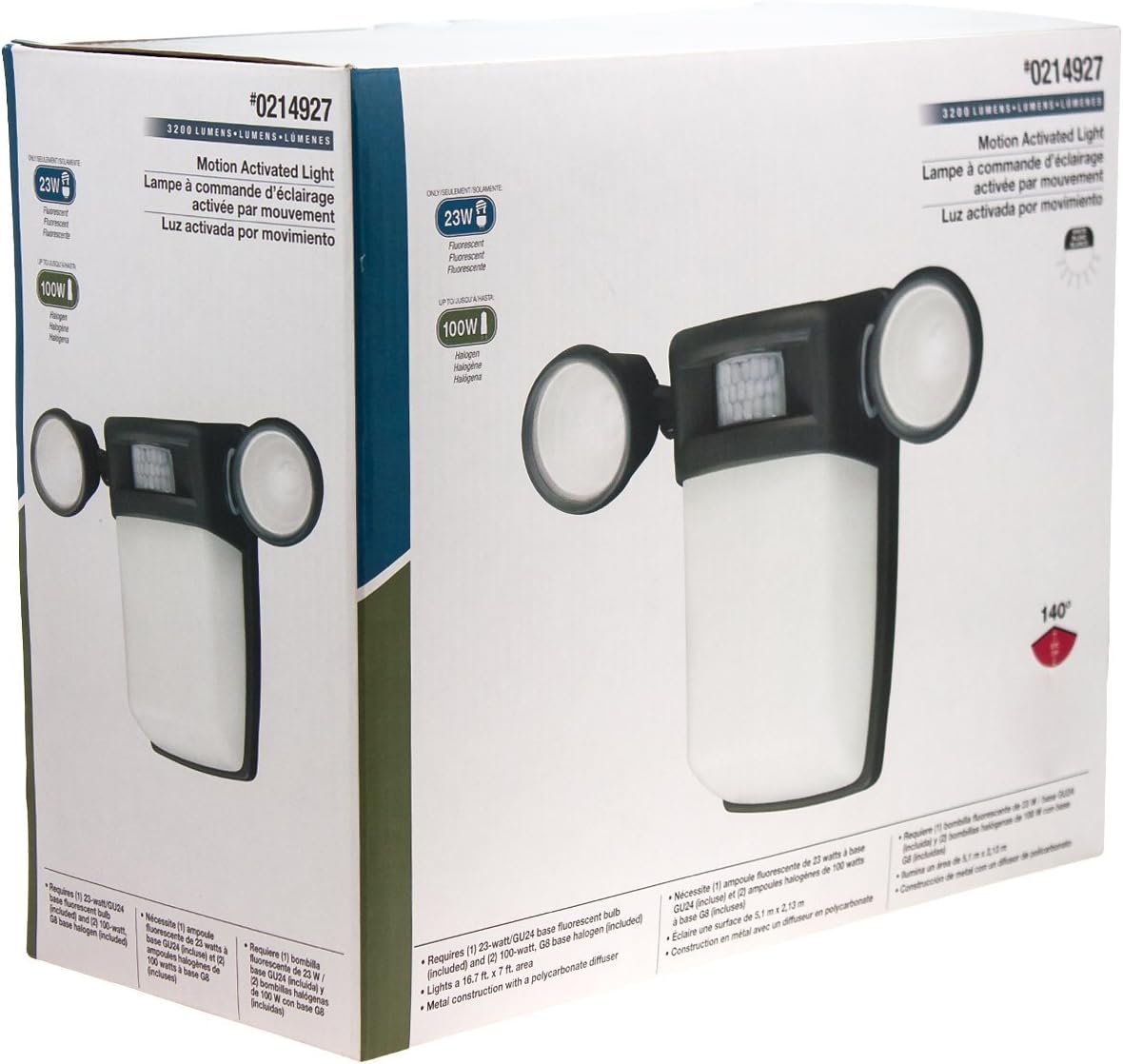
Сүрөт 1: Алдыңкы view of the Utilitech 3-Light 123-Watt Bronze Dusk-to-Dawn Security Light in its retail packaging. This image shows the overall design with three adjustable light heads and the central motion sensor.

2-сүрөт: Каптал view of the Utilitech 3-Light 123-Watt Bronze Dusk-to-Dawn Security Light in its retail packaging. This perspective highlights the depth of the fixture and the positioning of the light heads relative to the main body.
Иштөө нускамалары
This security light is equipped with both a photo-control sensor for dusk-to-dawn operation and a 140° automatic motion sensor for enhanced security.
Күүгүмдөн таңга чейин өзгөчөлүк
The integrated photo-control sensor detects ambient light levels. The light will automatically turn on at dusk and turn off at dawn, providing continuous illumination during nighttime hours. No manual adjustment is typically required for this feature.
Кыймыл сенсорунун иштеши
The 140° automatic motion sensor detects movement within its range. When motion is detected, the light will activate for a set duration. The fixture may include adjustable settings for sensitivity and duration. Refer to the specific controls on your fixture for adjustment. Some models may also feature remote control capabilities for these settings.
Жарык баштарын тууралоо
The three light heads are adjustable. Gently pivot each light head to direct illumination to your desired coverage area.
Техникалык тейлөө
Үзгүлтүксүз техникалык тейлөө оптималдуу иштөөнү камсыз кылат жана коопсуздук чырагыңыздын иштөө мөөнөтүн узартат.
- Тазалоо: Мезгил-мезгили менен аппаратты жумшак, гamp cloth. Do not use abrasive cleaners or solvents, as they may damage the finish or electrical components. Ensure power is off before cleaning.
- Лампаны алмаштыруу: Turn off power at the circuit breaker before replacing bulbs. Allow bulbs to cool completely before handling. Replace with three (3) Halogen or compact fluorescent bulbs of the specified wattage.
- Сенсор тазалоо: Keep the motion sensor lens and photo-control sensor free of dirt, dust, and obstructions to ensure proper operation.
Проблемаларды чечүү
Эгерде коопсуздук жарыгыңыз күтүлгөндөй иштебей жатса, төмөнкү кеңири таралган көйгөйлөрдү жана чечимдерди караңыз:
| Көйгөй | Мүмкүн себеп | Чечим |
|---|---|---|
| Жарык таптакыр күйбөйт. | No power, faulty bulbs, wiring issue, or defective sensor. | Check circuit breaker. Ensure bulbs are correctly installed and not burnt out. Verify wiring connections. If issues persist, consult a qualified electrician. |
| Жарык тынымсыз күйүп турат. | Motion sensor sensitivity too high, duration setting too long, or photo-control sensor obstructed/faulty. | Adjust motion sensor sensitivity and duration settings. Ensure photo-control sensor is not blocked by debris or external light sources. |
| Жарык күндүз күйөт. | Photo-control sensor is obstructed or in a shaded area. | Ensure the photo-control sensor is exposed to natural daylight and not covered by dirt or obstructions. |
| Motion sensor does not detect movement. | Sensor sensitivity too low, obstructed view, or incorrect angle. | Increase sensor sensitivity. Clear any obstructions from the sensor's field of view. Adjust the sensor's angle to cover the desired area. |
Техникалык шарттар
| Өзгөчөлүк | Спецификация |
|---|---|
| Бренд | Utilitech |
| Модель номери | 0214927 |
| Тtage | 120 вольт AC, 60 Гц |
| Ватtage | 123 Ватт (жалпы) |
| Лампанын түрү | Halogen or Compact Fluorescent (3 bulbs required) |
| Жарык баштар | 3, жөнгө салынуучу |
| Motion Sensor Angle | 140 градус |
| Күүгүмдөн таңга чейин өзгөчөлүк | Yes, photo-control sensor |
| Материал | Металл |
| Бүтүрүү | Бронза |
| Монтаж түрү | Дубалга орнотуу |
| Өлчөмдөрү (H x W x D) | 10.25 дюйм x 13.5 дюйм x 5.75 дюйм |
| Элемент Салмагы | 3.5 фунт |
| Коопсуздук тизмеси | UL тизмеленген |


