1. Продукт бүтүп калдыview
The Denon AVR3312CI is a 7.2 channel integrated network A/V surround receiver designed to be the central component of your home theater system. It delivers high-quality audio with 125 watts per channel and offers extensive network functionality, including AirPlay and compatibility with the Denon Remote App. The receiver also features an auto-setup function with an included microphone for optimized sound calibration.
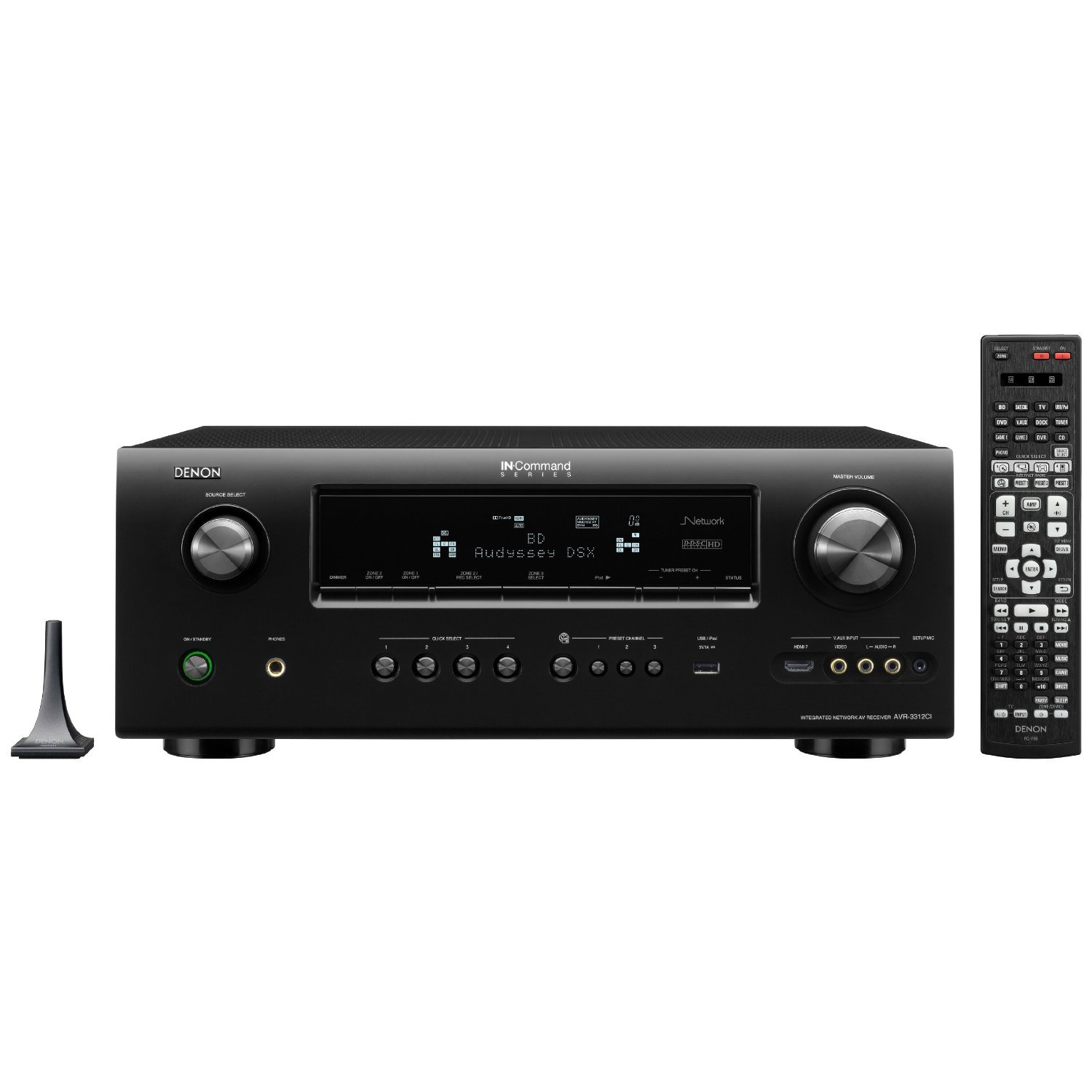
Фронт view of the Denon AVR3312CI receiver, showing the display, control knobs, and input jacks.
Негизги өзгөчөлүктөрү:
- 7.2 channel Integrated Network A/V Receiver
- HDMI 1.4a with 7 inputs and 2 outputs, supporting 3D content
- AirPlay Ready for wireless audio streaming
- Дискреттик күч Amplifiers rated at 125 watts per channel
- Network functionality for streaming and control via Denon Remote App
- Audyssey MultEQ XT auto setup with microphone
2. Коопсуздук маалыматы
Please read these safety instructions carefully before operating your Denon AVR3312CI receiver. Keep this manual for future reference.
- Кубат булагы: Түзмөктү AC розеткасына гана туташтырыңызtage арткы панелде көрсөтүлгөн.
- Вентиляция: Ensure adequate ventilation. Do not block ventilation openings. Allow sufficient space around the unit for proper heat dissipation.
- Суу жана ным: Агрегатты жамгырга, нымга, тамчылатууга же чачыратууга дуушар кылбаңыз. Ваза сыяктуу суюктуктар толтурулган нерселерди аппараттын үстүнө койбоңуз.
- Чет өлкөлүк объекттер: Агрегаттын тешиктерине эч кандай бөтөн нерселерди киргизбеңиз.
- Тазалоо: Тазалоодон мурун блокту розеткадан сууруп алыңыз. Кургак чүпүрөктү гана колдонуңуз.
- Тейлөө: Агрегатты өзүңүз тейлөөгө аракет кылбаңыз. Бардык тейлөөлөрдү квалификациялуу тейлөө кызматкерлерине тапшырыңыз.
- Жайгашкан жери: Place the unit on a flat, stable surface. Avoid placing it near heat sources or in direct sunlight.
3. Пакеттин мазмуну
Төмөндө саналган нерселердин бардыгы пакетте камтылганын текшериңиз:
- Denon AVR3312CI A/V Surround Receiver
- Алыстан башкаруу бирдиги
- AAA Batteries (2) for the remote control
- Audyssey Setup Microphone
- Колдонуучунун Колдонмосу (бул документ)
- Электр кабели
4. Орнотуу
4.1 Динамиктерди бириктирүү
Connect your speakers to the corresponding terminals on the rear panel of the AVR3312CI. Ensure correct polarity (+ to + and - to -) for each speaker. The receiver supports a 7.2 channel configuration.
- Front Left/Right Speakers
- Борбордук спикер
- Surround Left/Right Speakers
- Surround Back Left/Right Speakers (or assignable for Zone 2/3 or bi-amping)
- Subwoofer Pre-Outs (2 for dual subwoofers)
4.2 Connecting Audio/Video Devices
Use HDMI cables for optimal audio and video quality. Connect your source devices (Blu-ray player, game console, cable box, etc.) to the HDMI INPUT ports on the receiver. Connect your TV or projector to one of the HDMI OUTPUT ports.
- HDMI кириштери: Connect up to 7 HDMI source devices.
- HDMI чыгуулары: Connect up to 2 HDMI displays simultaneously.
- Башка киргизүүлөр: Analog audio, digital optical/coaxial, and component video inputs are also available for legacy devices.
4.3 Тармактык туташуу
Connect an Ethernet cable from your router or network switch to the NETWORK port on the rear of the receiver. This enables network features such as AirPlay, internet radio, and control via the Denon Remote App.
4.4 Күйгүзүү жана баштапкы конфигурация
After all connections are made, plug the power cord into an AC outlet. Turn on the receiver using the power button on the front panel or the remote control. Follow the on-screen setup wizard to configure basic settings, including speaker setup using the Audyssey MultEQ XT microphone for automatic room calibration.
5. Иштөө нускамалары
5.1 Күйгүзүү/өчүрүү
басыңыз КҮЧ ресиверди күйгүзүү же өчүрүү үчүн алдыңкы панелдеги же пульттун баскычын басыңыз.
5.2 Киргизүүнү тандоо
Use the input selector buttons on the front panel or the remote control (e.g., BD / DVD, ОЮН, CBL/SAT) to switch between connected audio/video sources.
5.3 Үндү башкаруу
Алдыңкы панелдеги же чоң баскычты колдонуп башкы үнүн тууралаңыз VOLUME +/- алыстан башкаруудагы баскычтар.
5.4 Үн режимдери
басыңыз КИНО, МУЗЫКА, же ОЮН buttons on the remote to select appropriate surround sound modes. Further adjustments can be made through the on-screen menu.
5.5 Тармактын өзгөчөлүктөрү
- AirPlay: Stream music wirelessly from your Apple devices. Select the AVR3312CI from the AirPlay menu on your device.
- Denon Remote App: Download the Denon Remote App for iOS or Android devices to control the receiver from your smartphone or tablet.
- Интернет радиосу: Access a wide variety of internet radio stations through the receiver's network connection.
5.6 Алыстан башкарууну колдонуу
The included remote control provides full functionality for the receiver. Ensure the two AAA batteries are correctly inserted. Point the remote control directly at the receiver's front panel sensor.
6. Техникалык тейлөө
6.1 Агрегатты тазалоо
To clean the receiver, first disconnect the power cord from the wall outlet. Use a soft, dry cloth to wipe the exterior surfaces. Do not use abrasive cleaners, waxes, or solvents as they may damage the finish.
6.2 Вентиляция
Periodically check that the ventilation openings on the top and sides of the receiver are not obstructed by dust or other objects. Proper ventilation is crucial for preventing overheating and ensuring long-term performance.
7. Кыйынчылыктарды
If you encounter issues with your Denon AVR3312CI, refer to the following common troubleshooting steps:
- Кубат жок: Ensure the power cord is securely plugged into both the receiver and a working AC outlet. Check the power button on the front panel.
- Үн жок: Verify that speakers are correctly connected and polarity is correct. Check the volume level and ensure the mute function is not active. Confirm the correct input source is selected.
- Видео чыгаруу жок: Ensure HDMI cables are securely connected between the source device, receiver, and TV. Select the correct input source on both the receiver and the TV. Try bypassing the receiver by connecting the source directly to the TV to isolate the issue.
- Тармакка туташуу маселелери: Check the Ethernet cable connection. Ensure your router is functioning correctly. Restart your router and the receiver.
- Алыстан башкаруу иштебейт: Check and replace the AAA batteries. Ensure there are no obstructions between the remote and the receiver's sensor.
For persistent issues, consult the comprehensive troubleshooting section in the full owner's manual or contact Denon customer support.
8. Техникалык шарттар
| Өзгөчөлүк | Спецификация |
|---|---|
| Модель номери | AVR3312CI |
| Продукт өлчөмдөрү (W x D x H) | 17.1 x 15 x 6.7 дюйм |
| Элемент Салмагы | 26 фунт |
| Бренд | Денон |
| Байланыш технологиясы | Ethernet, HDMI, USB |
| Controller Type | Алыстан |
| Өзгөчөлүктөр | Dual Subwoofer Outputs, FLAC HD Decoding, Full HD Support, iPod Connectivity |
| Шайкеш түзмөктөр | Смартфон, Динамик |
| Жалпы HDMI порттору | 7 Киргизүү, 2 Чыгуу |
| Аудио чыгаруу режими | Курчап |
| Көлөмдүү үн каналынын конфигурациясы | 7.2 |
| Видеону коддоону колдоо | H.264, H.265/HEVC, MPEG-4 |
| Батареялар талап кылынат | 2 AAA (кошулган) |
9. Кепилдик жана колдоо
9.1 Кепилдик маалыматы
The Denon AVR3312CI Integrated Network A/V Surround Receiver is backed by a three-year warranty from the date of purchase. This warranty covers defects in materials and workmanship under normal use. Please retain your proof of purchase for warranty claims.
9.2 Кардарларды колдоо
For technical assistance, warranty service, or further inquiries, please visit the official Denon website or contact Denon customer support directly. Contact information can typically be found on the Denon webсайтында же продуктунун таңгагында.