1. Киришүү
This manual provides detailed instructions for the setup, operation, and maintenance of your Craftsman 139.53753 Garage Door Remote Control. This remote is designed for use with specific garage door openers.
1.1 Шайкештик
The Craftsman 139.53753 remote control is compatible with Craftsman, Liftmaster, Do-It, Master-Mechanic, Raynor, and Chamberlain garage door openers that utilize Security+ ERT technology, manufactured in 2005 or later. Key indicators for compatibility include:
- Your garage door opener has a КЫЗГЫЛТ КӨК program/learn button on the back or side of the powerhead.
- Your garage door opener has a КЫЗГЫЛТ КӨК antenna wire.
- Your original remote control has КАРА баскычтар.
- Your original remote control or opener indicates "315 MHz" frequency.
Маанилүү: This remote is not compatible with systems using other types of coding or different learn button colors (e.g., red, orange, green, yellow).
2. Коопсуздук маалыматы
Please read and understand all safety warnings before operating your garage door opener and remote control. Improper use can result in serious injury or property damage.
- Пультту балдар жетпеген жерде сактаңыз.
- Гараждын эшигин толук толтурулганда гана ачыңыз view, free of obstructions, and the opener is properly adjusted.
- Do not allow children to play with the garage door opener or remote control.
- Гараж эшигиңиздин ачкычынын коопсуздук системасын ай сайын сынап көрүңүз.
- Батареяларды жергиликтүү эрежелерге ылайык туура жок кылыңыз.
3. Пакеттин мазмуну
Сиздин пакетте төмөнкү элементтер болушу керек:
- Craftsman 139.53753 Garage Door Remote Control
- Визордук клип
- CR2 литий батареясы (алдын ала орнотулган же өзүнчө)
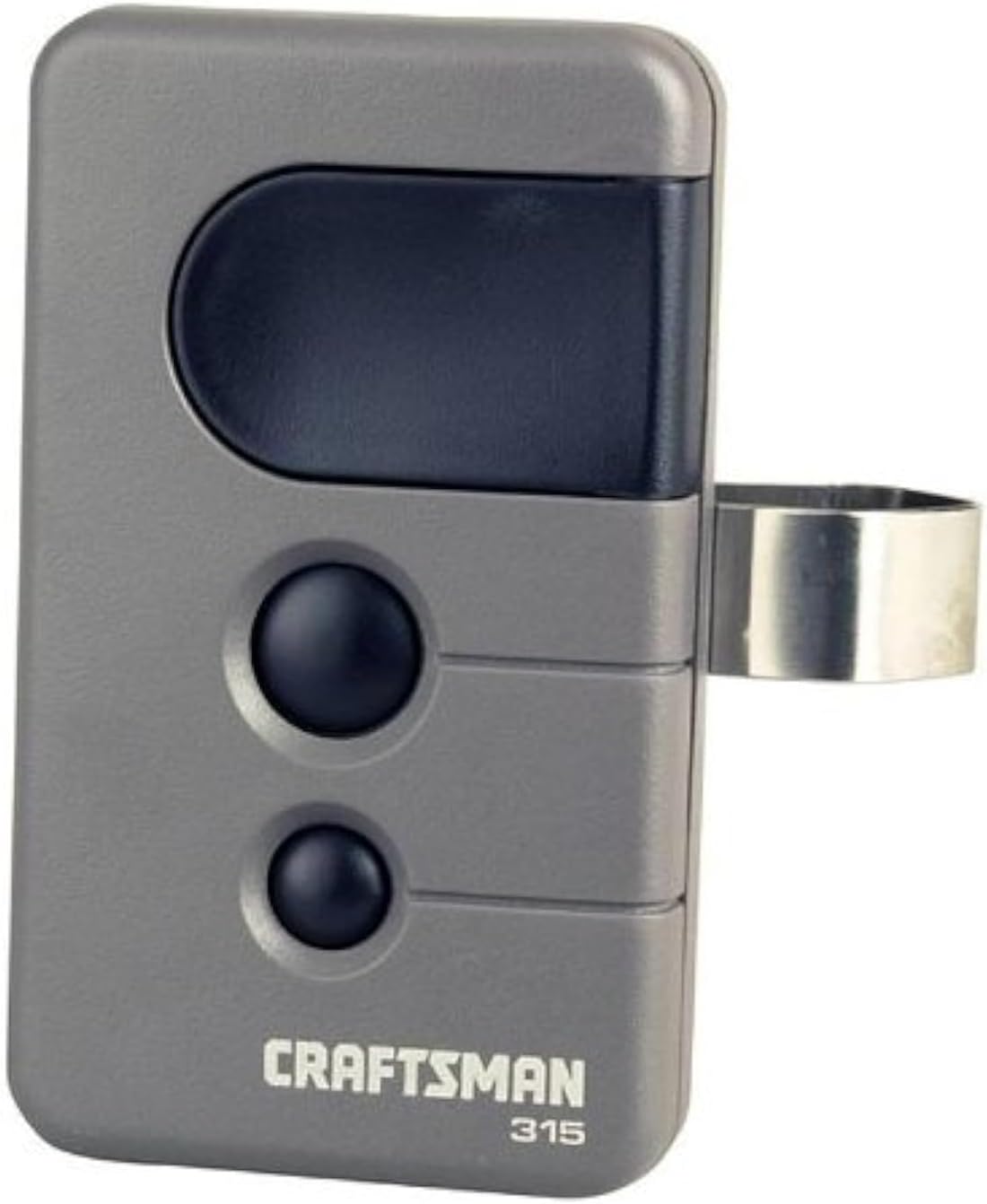
Image of the Craftsman 139.53753 garage door remote control. It is grey with a large black button at the top and two smaller black buttons below it. A metal clip is attached to the side for visor mounting. The brand 'CRAFTSMAN' and '315' are printed on the bottom front.
4. Орнотуу жана программалоо
Follow these steps to program your Craftsman 139.53753 remote control to your compatible garage door opener. Ensure you have access to your garage door opener's motor unit.
- "Үйрөнүү" баскычын табыңыз: On your garage door opener's motor unit, locate the КЫЗГЫЛТ КӨК learn button. This button is typically found on the back or side panel of the motor unit.
- Үйрөнүү режимин иштетүү: басып, дароо коё бериңиз КЫЗГЫЛТ КӨК learn button. The learn indicator light on the opener will illuminate steadily for 30 seconds, indicating it is in programming mode.
- Пультту программалоо: Within 30 seconds of activating the learn mode, press and hold the desired button on your new Craftsman remote control.
- Программалоону ырастоо: Continue holding the remote button until the garage door opener's light flashes or you hear two clicks. This indicates that the remote has been successfully programmed.
- Чыгаруу баскычы: Release the button on the remote control.
- Сыноо операциясы: Press the programmed button on your remote control to test its operation. The garage door should activate.
If you are programming multiple garage doors, repeat these steps for each door, using a different button on the remote for each opener.
5. Пультту иштетүү
Your Craftsman 139.53753 remote control is designed for simple operation.
- Opening/Closing the Garage Door: Press the programmed button on the remote control once to activate your garage door opener. The door will begin to open or close. Pressing the button again during operation will stop the door. Pressing it a third time will reverse its direction.
- Multiple Doors: If you have programmed multiple garage doors to different buttons on your remote, simply press the corresponding button for the desired door.
- Security+ 3-Function: This remote transmits a new security code each time a button is pressed, enhancing security.
6. Техникалык тейлөө
6.1 Батареяны алмаштыруу
The remote control uses one CR2 Lithium battery. When the remote's range decreases or the indicator light on the remote dims, it is time to replace the battery.
- Алыстан башкаруу пультун C ачыңызasing: Алыстан башкаруу пультун c этияттык менен ачыңызasing. This usually involves prying it open with a small flat-head screwdriver at a designated notch.
- Эски батареяны алып салуу: Remove the old CR2 Lithium battery.
- Жаңы батареяны салыңыз: Insert a new CR2 Lithium battery, ensuring the positive (+) terminal is facing the correct direction as indicated inside the battery compartment.
- Жабуу Casing: Алыстан башкаруу пультун c баскычын басыңызasing кайра бекем бириктирилет.
- Сыноо пульту: Test the remote control to ensure it is functioning correctly.
Эскертүү: Эски батареяларды жергиликтүү эрежелерге ылайык таштаңыз.
7. Кыйынчылыктарды
If your remote control is not functioning as expected, refer to the following common issues and solutions:
| Көйгөй | Мүмкүн себеп | Чечим |
|---|---|---|
| Remote does not activate the garage door. |
|
|
| Алыстан байланышуу аралыгы начар. |
|
|
| Гараждын эшиги күтүүсүздөн ачылып/жабылып калат. |
|
|
8. Техникалык шарттар
- Модель номери: 139.53753
- Бренд: УСТАТ
- Жыштыгы: 315 МГц
- Шайкештик: Garage door openers with PURPLE learn button (Security+ ERT technology, 2005+)
- Баскычтардын саны: 3 (for up to three garage doors)
- Коопсуздук өзгөчөлүктөрү: Security+ 3-Function (transmits a new security code every time)
- Батарея түрү: 1 x CR2 Lithium (not included, but often pre-installed)
- Элемент Салмагы: Болжол менен 2.4 унция
- Өлчөмдөрү: Болжол менен 5.5 x 2.8 x 1 дюйм (Пакеттин өлчөмдөрү)
- Түсү: Кара, Боз
9. Кепилдик жана колдоо
For warranty information or technical support regarding your Craftsman 139.53753 Garage Door Remote Control, please refer to the documentation provided with your purchase or contact Craftsman customer service directly. Contact details can typically be found on the official Craftsman webсайтында же продуктунун таңгагында.
Кошумча ресурстар үчүн, сиз иш сапары менен болот CRAFTSMAN Store on Amazon.


