1. Киришүү
This manual provides comprehensive instructions for the setup, operation, and maintenance of your InFocus IN124 DLP Projector. Please read this manual thoroughly before using the projector to ensure proper functionality and to maximize its lifespan.
The InFocus IN124 is designed to deliver clear and bright projections, suitable for various environments including home cinema and business presentations. Its compact design and robust features make it a versatile display solution.
2. Продукциянын компоненттери
Upon unboxing your InFocus IN124 DLP Projector, please verify that all the following components are included:
- InFocus IN124 DLP Projector Unit
- Алыстан башкаруу
- Электр кабели
- VGA Cable (may vary by region/package)
- User Manual (this document, typically on CD or downloadable)
If any items are missing or damaged, please contact InFocus customer support immediately.
3. Орнотуу
3.1 Физикалык жайгаштыруу
Position the projector on a stable, flat surface or mount it securely to a ceiling. Ensure adequate ventilation around the unit to prevent overheating. Maintain a clear path between the projector lens and the projection surface (screen or wall).
3.2 Түзмөктөрдү туташтыруу
The InFocus IN124 supports various input sources. Connect your source device (e.g., laptop, DVD player, gaming console) to the projector using the appropriate cable.
- HDMI: For high-definition digital video and audio. Connect an HDMI cable from your source device to the HDMI port on the projector.
- VGA: For analog video input, commonly used with computers. Connect a VGA cable from your computer's VGA output to the VGA input on the projector.
- Композиттик видео: Стандарттык сапаттагы видео үчүн. Тиешелүү портко композиттик видео кабелди (сары RCA) туташтырыңыз.
- Аудио кириш/чыгыш: Connect external audio devices if needed.
3.3 Күйгүзүү
Бардык керектүү кабелдерди туташтыргандан кийин:
- Кубат кабелин проекторго, андан кийин розеткага туташтырыңыз.
- Press the power button on the projector's control panel or the remote control. The power indicator light will change, and the projector lamp жарык кылат.
- Allow a few moments for the projector to warm up and display the image.
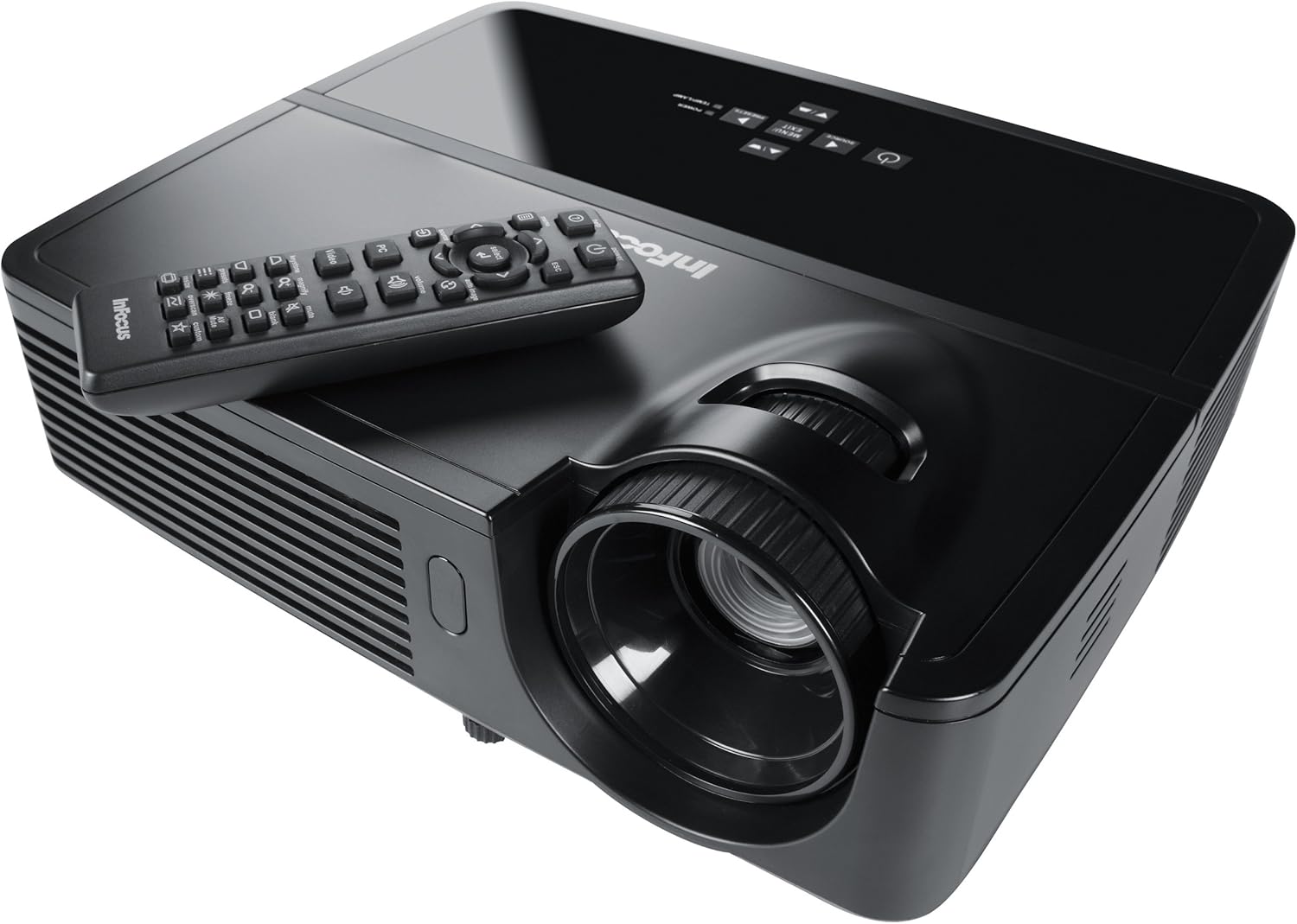
Figure 1: InFocus IN124 DLP Projector with its remote control. The image shows the top-down view of the black projector unit, highlighting the lens, ventilation grilles, and the control panel. The remote control is placed on top of the projector.
4. Проекторду иштетүү
4.1 Негизги башкаруу каражаттары
The projector can be operated using the control panel on the unit or the included remote control.
- Кубат баскычы: Проекторду күйгүзөт же өчүрөт.
- Булак баскычы: Cycles through available input sources (HDMI, VGA, Video).
- Меню баскычы: Accesses the on-screen display (OSD) menu for settings adjustments.
- Жебе баскычтары: Navigate through menu options and adjust values.
- Киргизүү/Тандоо баскычы: Менюдагы тандоолорду ырастайт.
- Үн баскычтары: Аудио чыгаруу деңгээлин тууралайт.
- Негизги ташты оңдоо: Трапеция сымал бурмалоону оңдоо үчүн сүрөттүн формасын тууралайт.
- Фокус шакеги: Manually adjust the lens to sharpen the image.
4.2 Меню багыттоо жана орнотуулар
Press the "Menu" button to open the On-Screen Display (OSD). Use the arrow keys to navigate through categories such as "Picture," "Display," "Setup," and "Advanced." Press "Enter" to select a category or option. Adjust settings like brightness, contrast, color temperature, aspect ratio, and resolution to optimize your viewтажрыйбасы.
4.3 3D функциясы
The InFocus IN124 is 3D-ready. To experience 3D content, you will need compatible 3D source material, a 3D-capable player, and active DLP Link 3D glasses (sold separately). Refer to your 3D source device's manual for specific setup instructions.
5. Техникалык тейлөө
Үзгүлтүксүз техникалык тейлөө проектордун оптималдуу иштешин камсыздайт жана анын иштөө мөөнөтүн узартат.
5.1 Линзаны тазалоо
Use a soft, lint-free cloth specifically designed for optical lenses. Gently wipe the lens surface to remove dust or smudges. Avoid using abrasive cleaners or excessive force, which can scratch the lens.
5.2 Аба чыпкаларын тазалоо
The projector has air filters to prevent dust from entering the internal components. Locate the filter cover (refer to the diagram in the full manual if available) and remove it. Clean the filter using a small brush or a vacuum cleaner with a brush attachment. Replace the filter securely.
5.3 Лamp Алмаштыруу
Проектор лamp чектүү өмүрү бар. Качан лamp индикатор жарыгы күйөт же сүрөт күңүрт болуп калат, л. алмаштырууга убакыт келдиampПроекторду иштетүүдөн мурун ар дайым толугу менен муздаганча күтүңүз.amp replacement. Consult the full service manual or a qualified technician for detailed lamp replacement procedures specific to the IN124 model.
6. Кыйынчылыктарды
Бул бөлүмдө проекторуңузда жолуга турган жалпы маселелер каралат.
| Көйгөй | Мүмкүн себеп | Чечим |
|---|---|---|
| Сүрөт көрсөтүлгөн жок | Incorrect input source selected; Loose cable connection; Projector not powered on. | Press the "Source" button to cycle inputs; Check all cable connections; Ensure projector is powered on and lamp күйүп турат. |
| Сүрөт бүдөмүк | Out of focus; Incorrect resolution setting. | Adjust the focus ring on the lens; Adjust the resolution setting in the OSD menu or on your source device. |
| Сүрөт трапеция түрүндө | Проектор экранга перпендикуляр эмес. | Use the keystone correction feature (digital or manual) to square the image. Reposition the projector if possible. |
| Аудио жок | Volume too low; Incorrect audio input selected; Muted. | Increase volume; Check audio cable connections; Ensure projector or source device is not muted. |
| Проектор ысып, өчүп калат | Бөгөттөлгөн желдетүү; Кир аба чыпкасы. | Ensure clear space around vents; Clean air filter as per maintenance section. |
For issues not listed here, please refer to the comprehensive online support resources or contact InFocus customer service.
7. Техникалык шарттар
Below are the key technical specifications for the InFocus IN124 DLP Projector:
| Өзгөчөлүк | Деталь |
|---|---|
| Модель номери | IN124 |
| Дисплей технологиясы | DLP |
| Native Resolution | 1280x720 (HD) |
| Жарыктык | 3200 люменге чейин |
| Контраст катышы | 3000:1 |
| Байланыш | HDMI, VGA, Composite Video |
| Өзгөчөлүктөр | 3D даяр |
| Продукциянын өлчөмдөрү (L x W x Y) | 12.99 x 12.99 x 5.9 дюйм |
| Элемент Салмагы | 4.78 фунт (2.17 кг) |
| Электр камсыздоо | 100-240 Volts at 50-60 Hz |
| Сунушталган колдонуу | Үй кинотеатры |
8. Кепилдик жана колдоо
InFocus provides a limited warranty for the IN124 DLP Projector. For detailed warranty terms and conditions, please refer to the warranty card included with your product or visit the official InFocus webсайт. Сатып алуу квитанциясын кепилдик дооматтары үчүн сатып алуунун далили катары сактаңыз.
For technical support, troubleshooting assistance beyond this manual, or service requests, please contact InFocus customer support through their official website or the contact information provided in your product documentation. Online resources, including FAQs and driver downloads, may also be available.


