1. Продукт бүтүп калдыview
The ViewSonic PJD5353 is a short throw DLP projector designed for business and education environments. It offers XGA 1024x768 native resolution, 2500 ANSI lumens brightness, and a 3000:1 contrast ratio for clear and vibrant images. Its short throw lens allows for large images from a minimal distance, making it suitable for various room sizes.
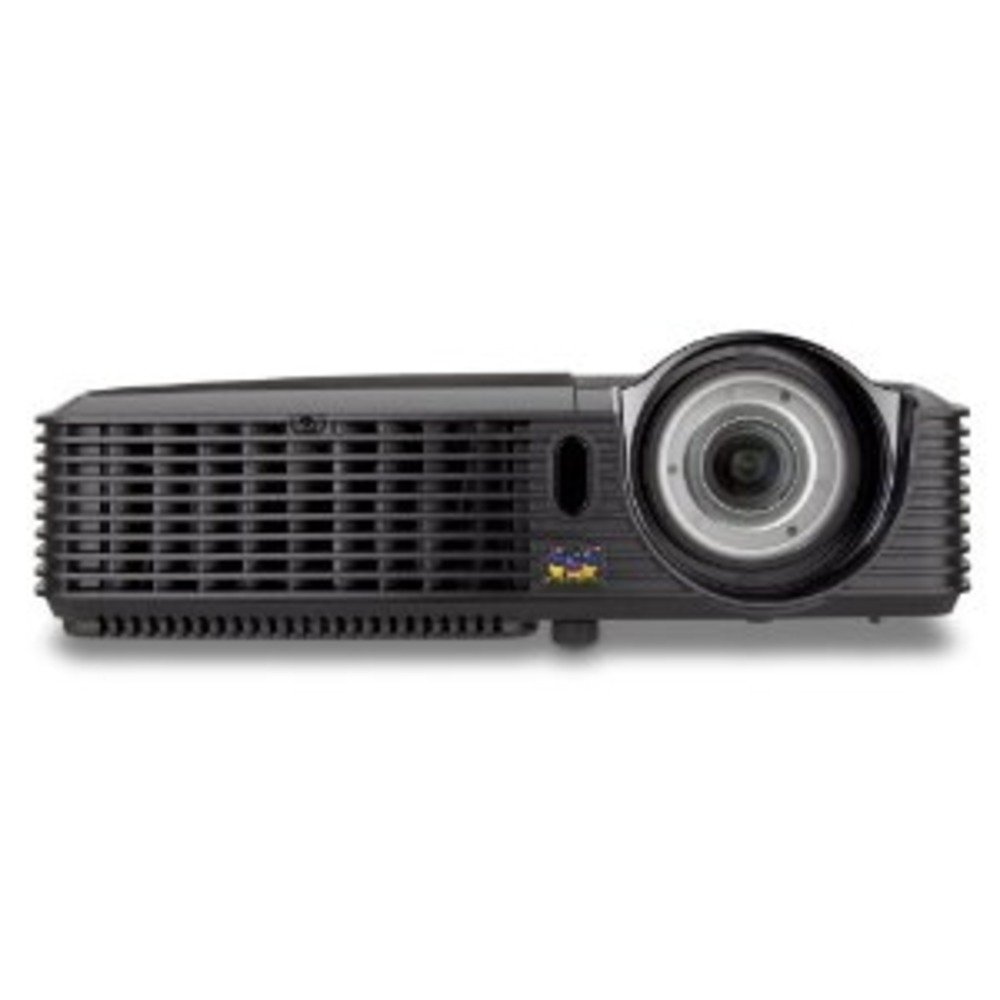
1.1-сүрөт: ViewSonic PJD5353 DLP Projector. This image displays the projector from an angled perspective, highlighting the projection lens on the front and the control panel located on the top surface.
Негизги өзгөчөлүктөрү:
- XGA 1024x768 DLP projector with 2500 ANSI Lumens and 3000:1 Contrast.
- Short Throw Ratio (TR 0.68) for large images in small spaces.
- Multiple input options: HDMI, dual RGB in, composite, S-video, RGB out, audio in/out, RS232.
- Supports HD 720p and 1080i/p via HDMI.
- 120Hz/3D-Ready technology powered by DLP Link for PC-based 3D applications.
- Digital keystone correction of +/- 40 degrees.
- Интеграцияланган 1W динамик.
- Lightweight and portable at 5.7 lbs.
- Lamp life of 5000 hours (Normal mode) / 6000 hours (Eco mode).
- Apple Mac compatible.
- 8 preset picture modes (e.g., bright, cinema, whiteboard).
- Eco Mode for energy savings, extended lamp life, and reduced operating noise.
- Includes remote control with batteries.
2. Орнотуу
2.1 Пакеттен чыгаруу жана жайгаштыруу
Carefully remove the projector and all accessories from the packaging. Place the projector on a stable, flat surface. Due to its short throw capability, the projector can be positioned close to the projection screen or wall. For example, a 50-inch image can be achieved from approximately 27 inches away.
2.2 Кубатты туташтыруу
- Электр шнурунун проектордун кубат киресине туташтырыңыз.
- Электр шнурунун экинчи учун жерге туташтырылган электр розеткасына сайыңыз.
2.3 Видео булактарын туташтыруу
The PJD5353 offers various input ports for connecting different devices:
- HDMI: For high-definition digital video and audio. Supports HD 720p and 1080i/p signals.
- VGA (RGB In): For connecting computers via a VGA cable. Two VGA inputs are available.
- Композиттик видео: Стандарттык аныктамалуу видео булактары үчүн.
- S-Video: For improved standard definition video sources.
- Аудио кирүү: Тышкы аудио булактарын туташтыруу үчүн.
Connect your desired video source (e.g., laptop, DVD player) to the corresponding input port on the projector using the appropriate cable.
2.4 Баштапкы күйгүзүү жана фокусту жөндөө
- Түзмөктү күйгүзүү үчүн проектордогу же пульттагы кубат баскычын басыңыз. Кубат индикаторунун жарыгы күйөт.
- Allow a few moments for the projector lamp to warm up and display an image.
- Adjust the focus ring around the lens until the image on the screen is sharp and clear.
- Use the keystone correction function (digital +/- 40 degrees) via the projector's menu or remote control to square the image if the projector is not perfectly perpendicular to the screen.
3. Операция
3.1 Негизги башкаруу каражаттары
The projector can be controlled using the control panel on the top of the unit or the included remote control.
- Кубат баскычы: Проекторду күйгүзөт же өчүрөт.
- Булак баскычы: Cycles through available input sources (HDMI, VGA1, VGA2, Video, S-Video).
- Меню баскычы: Орнотууларды тууралоо үчүн экрандагы дисплей (OSD) менюсуна кирет.
- Жебе баскычтары: OSD менюсунун параметрлери аркылуу өтүңүз.
- Кирүү баскычы: OSD менюсундагы тандоолорду ырастайт.
- Keystone Buttons: Adjusts vertical keystone correction.
3.2 Сүрөт режимдери
The projector features 8 preset picture modes optimized for different viewing environments and content types. These include:
- Жарык
- Кино
- Ак такта
- Жана башкалар.
Select the appropriate picture mode from the OSD menu to enhance your viewтажрыйбасы.
3.3 Эко режими
Activate Eco Mode to reduce power consumption, extend lamp life, and lower operating noise. This mode is ideal for situations where maximum brightness is not required.
3.4 3D функциясы
The PJD5353 is 120Hz/3D-Ready, powered by DLP Link. To utilize 3D features, you will need compatible 3D content, a 3D-capable source device (e.g., PC with 3D software), and DLP Link 3D glasses (sold separately).
4. Техникалык тейлөө
4.1 Лamp Жашоо жана алмаштыруу
Проектор лamp has an estimated life of 5000 hours in Normal mode and 6000 hours in Eco mode. When the lamp колдонуу мөөнөтү аяктаганда, эскертүүчү билдирүү пайда болушу мүмкүн, жеamp indicator light may illuminate. Refer to the full user manual for detailed lamp replacement instructions. Always use genuine ViewSonic replacement lamps.
4.2 Тазалоо
- Проектор Casing: жумшак колдонуу, damp cloth with a mild detergent to clean the exterior. Avoid abrasive cleaners.
- Объектив: Gently wipe the lens with a soft, lint-free cloth specifically designed for optical surfaces. Do not use liquid cleaners directly on the lens.
- Аба желдеткичтери: Аба агымынын туура болушун камсыз кылуу жана ысып кетүүнүн алдын алуу үчүн аба желдеткичтерин мезгил-мезгили менен текшерип жана тазалап туруңуз. Жумшак щетканы же кысылган абаны колдонуңуз.
Абайлаңыз: Always unplug the projector from the power outlet before cleaning.
5. Кыйынчылыктарды
Жалпы маселелер жана чечимдер:
- Экранда сүрөт жок:
- Проектордун күйгүзүлгөнүн жана lamp жарыктандырылган.
- Видео кабели проекторго да, булак түзмөгүнө да бекем туташтырылганын текшериңиз.
- Press the "Source" button on the projector or remote to select the correct input source.
- Check the resolution settings of your source device; ensure it is compatible with the projector's supported resolutions.
- Үн жок:
- Эгер HDMI колдонуп жатсаңыз, аудио HDMI кабели аркылуу жөнөтүлүп жатканын текшериңиз.
- If using an analog audio cable, ensure it is properly connected to the "Audio In" port.
- Проектордогу жана булак түзмөгүндөгү үн жөндөөлөрүн текшериңиз.
- Ensure the integrated speaker is enabled in the projector's OSD menu.
- Алыстан башкаруу иштебейт:
- Check and replace the batteries in the remote control (2 AA batteries are included).
- Алыстан башкаруу пульту менен проектордун инфракызыл кабыл алгычынын ортосунда эч кандай тоскоолдуктар жок экенин текшериңиз.
- Пультту түз эле проекторго багыттаңыз.
- Сүрөт бурмаланган же бүдөмүк:
- Линзанын фокус шакегин тууралаңыз.
- Use the keystone correction function to correct trapezoidal distortion.
- Ensure the projector is placed on a stable surface and is not vibrating.
For more detailed troubleshooting, refer to the complete user manual or visit the ViewSonic колдоо webсайт.
6. Техникалык шарттар
| Өзгөчөлүк | Description |
|---|---|
| Модель номери | PJD5353 |
| Дисплей технологиясы | DLP |
| Native Resolution | XGA (1024 x 768) |
| Жарыктык | 2500 ANSI челинин |
| Контраст катышы | 3000:1 |
| Ыргытуу катышы | 0.68 (Short Throw) |
| Keystone Correction | Digital +/- 40 degrees (Vertical) |
| Lamp Жашоо (Нормалдуу/Эко) | 5000 / 6000 саат |
| Байланыш | HDMI, 2x VGA In, Composite Video, S-Video, Audio In/Out, RS232 |
| HD колдоо | 720p, 1080i/p (via HDMI) |
| 3D даяр | 120Hz/DLP Link |
| Integrated Speaker | 1W |
| Продукциянын өлчөмдөрү | 9.2 x 11.2 x 3.2 дюйм |
| Элемент Салмагы | 5.7 фунт |
| Камтылган аксессуарлар | Remote control with 2 AA batteries |
7. Кепилдик жана колдоо
7.1 Кепилдик маалыматы
Бул ViewSonic product is covered by a limited warranty. For specific warranty terms and conditions, including duration and coverage details, please refer to the warranty card included with your product or visit the official ViewSonic webсайт. Кепилдик дооматтар үчүн сатып алганыңыздын далилин сактаңыз.
7.2 Кардарларды колдоо
For technical assistance, product registration, or to download the complete user manual, please visit the official ViewSonic колдоо webсайтына кириңиз же алардын кардарларды тейлөө бөлүмүнө кайрылыңыз. Байланыш маалыматын, адатта, төмөнкү жерден тапса болот ViewSonic webсайтында же продуктунун таңгагында.


