Introduction
The Sandberg 133-73 USB 3.0 Multi Card Reader is a versatile and high-speed device designed to provide instant access to various memory card formats. Crafted from durable aluminum, this card reader offers a reliable and efficient solution for transferring data from your digital cameras, smartphones, and other devices to your computer. Its plug-and-play functionality ensures ease of use across all major operating systems.
Продукт өзгөчөлүктөрү
- Колдонууга оңой: Designed for straightforward operation and portability.
- First-Class Quality: Constructed with premium materials for durability and performance.
- Колдонууга оңой: Simple plug-and-play setup with no drivers required for most operating systems.
- USB 3.0 SuperSpeed: Achieves data transfer speeds of up to 5 Gbit/s.
- Кеңири шайкештик: Supports a broad range of memory card types including CompactFlash, Memory Stick, Memory Stick Micro, SD Card, and xD Picture Card.
- Бышык алюминий Casing: Provides robust protection and a sleek design.
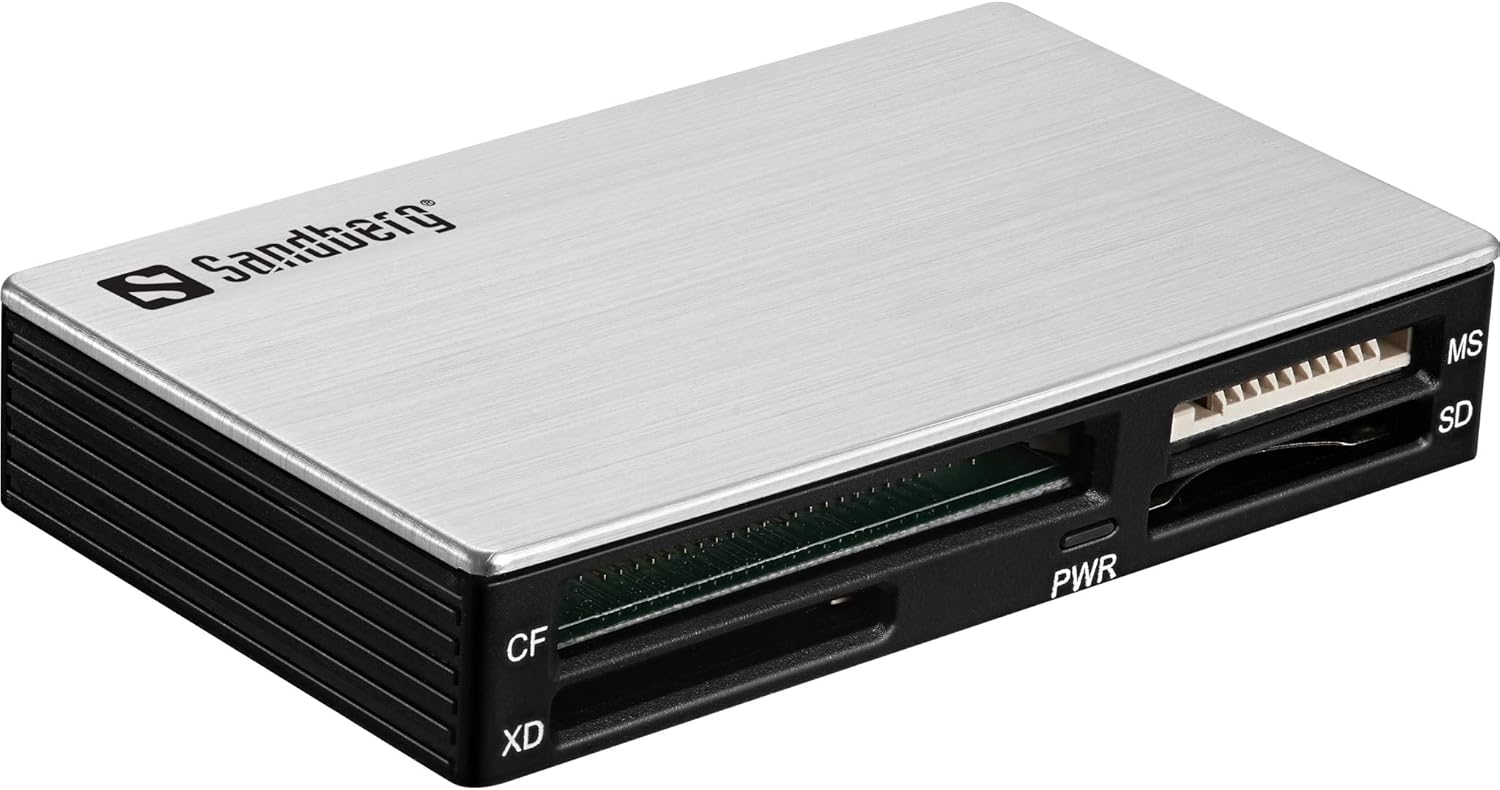
Image: The Sandberg 133-73 USB 3.0 Multi Card Reader, showcasing its aluminum casing and multiple card slots (CF, XD, SD, MS) with a power indicator light.
Орнотуу колдонмосу
- Аппаратты таңгактан чыгаруу: Carefully remove the Sandberg USB 3.0 Multi Card Reader from its packaging.
- Компьютерге туташуу: Plug the USB connector of the card reader into an available USB 3.0 port on your computer. While compatible with USB 2.0, a USB 3.0 port is recommended for optimal performance and transfer speeds.
- Драйверди орнотуу (Автоматтык түрдө): The card reader is designed to be plug-and-play. Your operating system (Windows, macOS, Linux) should automatically detect the device and install any necessary drivers. No manual driver installation is typically required.
- Күч көрсөткүчү: Once connected, the "PWR" indicator light on the card reader will illuminate, indicating that the device is receiving power and is ready for use.

Image: A visual representation of the card reader in use, highlighting its seamless integration into a modern workspace. This device acts as an adapter that simplifies technology and provides access to all memory card types.
Иштөө нускамалары
- Эстутум картасын салыңыз: Gently insert your memory card into the corresponding slot on the card reader. Ensure the card is inserted correctly, aligning with the slot's shape and pin configuration. Do not force the card.
- CF (CompactFlash): Insert into the wider slot with multiple pins.
- XD (xD Picture Card): Insert into the designated smaller slot.
- SD (Secure Digital): Insert into the SD slot. This slot also supports SDHC, SDXC, and miniSD/microSD with an adapter.
- MS (Memory Stick): Insert into the Memory Stick slot. This slot also supports MS Pro, MS Duo, MS Pro Duo, and M2 with an adapter.
- Маалыматтарга жетүү: Once the card is inserted, your computer's operating system will typically recognize it as a removable drive. You can then access the card's contents through "My Computer" (Windows) or "Finder" (macOS).
- Өткөрүлүүдө Files: Сүйрөп барып таштаңыз files to and from the memory card as you would with any other drive. For optimal speed, ensure you are connected to a USB 3.0 port.
- Аппараттык каражаттарды коопсуз алып салуу: Before disconnecting the card reader or removing the memory card, always safely eject the device from your operating system to prevent data corruption. Right-click the drive icon in your system tray (Windows) or drag the drive icon to the Trash (macOS) and select "Eject".
Техникалык тейлөө
- Тазалоо: Use a soft, dry, lint-free cloth to clean the exterior of the card reader. Do not use liquid cleaners or aerosols.
- Сактагыч: Store the card reader in a cool, dry place away from direct sunlight and extreme temperatures. When not in use, it is advisable to keep it in its original packaging or a protective pouch to prevent dust and damage.
- Нымдуулуктан качыңыз: Аппаратты суудан жана жогорку нымдуулуктан алыс кармаңыз.
- Этияттык менен мамиле кылуу: Avoid dropping the device or subjecting it to strong impacts. Do not bend or twist the USB cable excessively.
Проблемаларды чечүү
- Problem: The card reader is not recognized by the computer.
- Ensure the USB cable is securely connected to both the card reader and a functioning USB port on your computer.
- Try connecting the card reader to a different USB port on your computer.
- Компьютериңизди өчүрүп күйгүзүңүз.
- Операциялык системаңыздын жаңыртылганын текшериңиз.
- Problem: Memory card is not detected when inserted.
- Ensure the memory card is fully and correctly inserted into the appropriate slot. Do not force the card.
- Check if the memory card itself is damaged or corrupted. Try the card in another device if possible.
- Verify that the memory card is compatible with the card reader (e.g., not a format not listed in specifications).
- For CompactFlash (CF) cards, ensure proper alignment with the pins in the slot. Some users have reported difficulty with CF card insertion; ensure the card is oriented correctly and gently push it in without excessive force to avoid bending pins.
- Маселе: Маалыматтарды өткөрүү ылдамдыгы жай.
- Ensure the card reader is connected to a USB 3.0 port on your computer. USB 2.0 ports will result in significantly slower speeds.
- Verify that your memory card supports high-speed data transfer (e.g., Class 10 SD cards, UHS-I/II).
- Фондо иштеп жаткан, тутум ресурстарын талап кылган бардык керексиз тиркемелерди жабыңыз.
Техникалык шарттар
| Бренд | Сандберг |
| Модель номери | 5705730133732 |
| Түс | Алюминий |
| Тtage | 5 вольт |
| Колдоого алынган карталардын түрлөрү | CompactFlash, Memory Stick, Memory Stick Micro, SD Card, xD Picture Card |
| Power Source | Mechanical (Bus-powered via USB) |
| Аппараттык платформа | PC |
| Операциялык системанын шайкештиги | Бардык операциялык системалар (Windows, macOS, Linux) |
| Продукт Салмагы | 46 г |
| Байланыш технологиясы | USB (USB 3.0 interface) |
| Маалыматтарды өткөрүү ылдамдыгы | Up to 5 Gbit/s (USB 3.0 SuperSpeed) |
| Шайкеш түзмөктөр | Camera, Laptop, Desktop, Tablet, Smartphone, Game Console, Printer |
Кепилдик жана колдоо
The Sandberg 133-73 USB 3.0 Multi Card Reader comes with a 5 жылдык кепилдик, ensuring long-term reliability and peace of mind. For technical support, troubleshooting assistance beyond this manual, or warranty claims, please visit the official Sandberg webсайтка же кардарларды тейлөө бөлүмүнө кайрылыңыз. Кепилдикти текшерүү үчүн сатып алганыңыздын далилин сактаңыз.
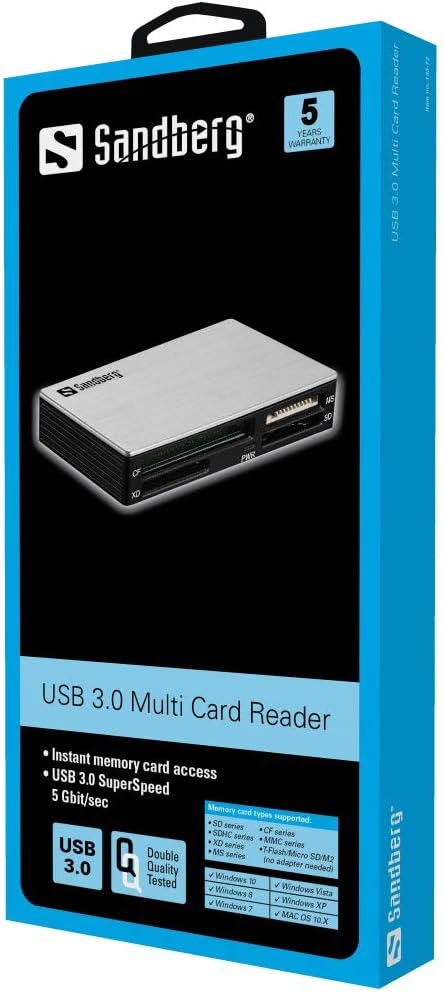
Image: The product packaging, clearly indicating "5 Years Warranty" and "USB 3.0 Multi Card Reader".


