Introduction
This manual provides essential information for the setup, operation, and maintenance of your Logitech USB Keyboard for Business. Designed for efficiency and durability, this keyboard offers a comfortable and reliable typing experience for various computing environments.

Сүрөт: жогорудан төмөнгө view of the Logitech USB Keyboard for Business, showcasing анын толук макети.
Жайгашуу
The Logitech USB Keyboard for Business is designed for simple plug-and-play functionality. No additional software or drivers are typically required for basic operation on compatible systems.
Баскычтопту туташтыруу
- Компьютериңизден жеткиликтүү USB портун табыңыз.
- Баскычтоптун USB туташтыргычын USB портуна бекем киргизиңиз.
- Wait for your operating system to recognize the new hardware. This process is usually automatic and takes a few seconds.
- Баскычтоп азыр колдонууга даяр.

Image: The Logitech K120 keyboard, highlighting its plug-and-play USB connectivity.
Иштөө нускамалары
This keyboard features a standard 104-key layout, including a full-size F-key row and a dedicated number pad, providing comprehensive functionality for business and general use.
Негизги өзгөчөлүктөрү
- Low-Profile Ачкычтар: Designed for a quiet and comfortable typing experience.
- Толук өлчөмдөгү макет: Includes a complete set of keys, F-keys, and a numeric keypad for efficient data entry.
- Bold, Bright Characters: Key legends are designed to be easy to read and resistant to wear.
- Жөндөлүүчү кыйшаюучу буттар: Allows for personalized ergonomic adjustment to suit your typing preference.

Image: A hand positioned on the keyboard, demonstrating the familiar and comfortable typing experience.

Image: A detailed diagram illustrating key features such as spill-proof design, deep-profile keys, full-size layout, adjustable height, Windows layout, and the integrated number pad.
Узактыгы жана дизайн
The Logitech USB Keyboard for Business is built to withstand daily use and common office accidents, ensuring long-lasting performance.
Төгүлүүгө туруктуу дизайн
This keyboard features a spill-resistant design, meaning accidental liquid spills can drain out without damaging the internal components. This feature is tested under limited conditions (maximum of 60 ml liquid spillage). It is important not to immerse the keyboard in liquid.

Image: The keyboard surface with water droplets, demonstrating its spill-resistant capabilities.
Adjustable Typing Angle
The integrated adjustable tilt legs allow you to customize the keyboard's angle for a more comfortable and ergonomic typing position, reducing strain during extended use.
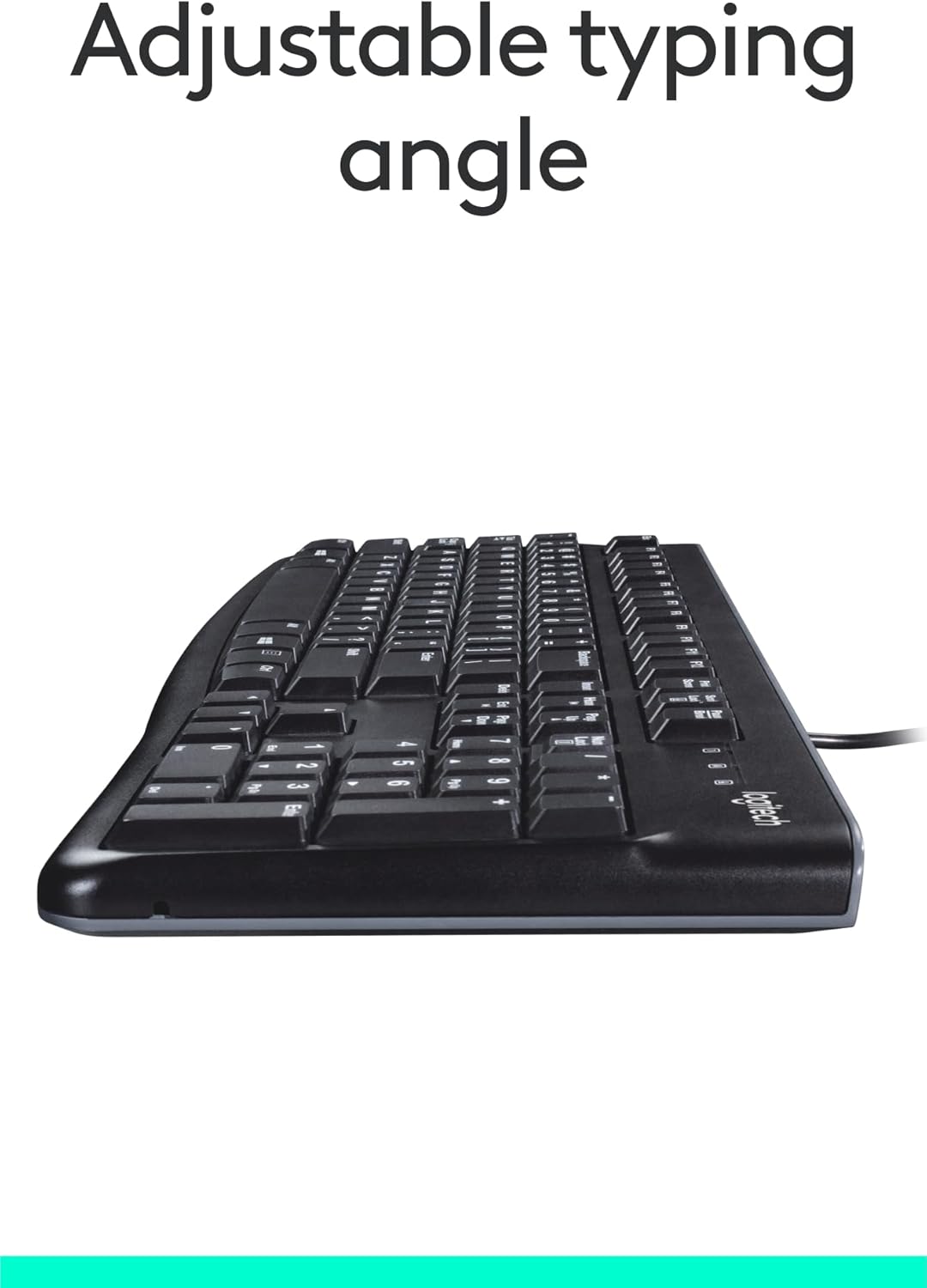
Сүрөт: каптал view of the keyboard with its adjustable tilt legs extended, showing the elevated typing angle.
Техникалык тейлөө
Proper care and cleaning will help maintain the performance and appearance of your keyboard.
Тазалоо нускамалары
- Тазалоодон мурун клавиатураны компьютерден ажыратыңыз.
- Бир аз жумшак, түксүз кездемени колдонуңуз dampклавиатуранын бетин сүртүү үчүн суу же жумшак тазалоо эритмеси менен иштетиңиз.
- Avoid using harsh chemicals, abrasive cleaners, or solvents, as these can damage the keyboard's finish and key legends.
- Ачкычтардын арасын тазалоо үчүн чаңды жана калдыктарды тазалоо үчүн кысылган абаны колдонуңуз.
- Компьютериңизге кайра туташтыруудан мурун клавиатура толугу менен кургак экенин текшериңиз.
Проблемаларды чечүү
If you encounter issues with your Logitech USB Keyboard for Business, try the following troubleshooting steps:
Баскычтоп жооп бербейт
- USB туташуусун текшерүү: Ensure the keyboard's USB cable is securely plugged into a working USB port on your computer. Try a different USB port.
- Компьютерди кайра иштетүү: Жөнөкөй кайра күйгүзүү көбүнчө туташуу маселелерин чечет.
- Башка компьютерде сыноо: If possible, connect the keyboard to another computer to determine if the issue is with the keyboard or your original computer's setup.
- Түзмөк башкаргычын текшерүү (Windows): Open Device Manager, locate 'Keyboards', and check for any error indicators. You may need to update or reinstall the keyboard driver (though typically not required for this plug-and-play model).
Keys Not Functioning Correctly
- Таза ачкычтар: Ensure no debris is lodged under the non-functioning keys. Use compressed air to clear any obstructions.
- Төгүлгөн зыян: If the keyboard has been exposed to a significant liquid spill, allow it to dry completely. If issues persist, internal damage may have occurred.
Техникалык шарттар
| Өзгөчөлүк | Деталь |
|---|---|
| Бренд | Logitech |
| Модель номери | FBA_920-002582 |
| Байланыш технологиясы | USB, USB-A |
| Keyboard Description | Эргономикалык |
| Ачкычтардын саны | 104 |
| Материал | Пластик |
| Операциялык системанын шайкештиги | Windows 10 (and compatible with other standard OS) |
| Элемент Салмагы | 1.52 фунт (болжол менен 689 грамм) |
| Продукциянын өлчөмдөрү (LxWxH) | 18.43 x 7.24 x 7.24 дюйм (болжол менен 46.8 x 18.4 x 18.4 см) |

Image: Visual representation of the keyboard with its key dimensions and weight detailed.
Пакеттин мазмуну
The retail package for the Logitech USB Keyboard for Business typically includes the following:
- Logitech USB Keyboard for Business (Model: FBA_920-002582)

Image: The Logitech USB Keyboard for Business, indicating it is the primary item included in the product package.
Кепилдик жана колдоо
Logitech products are manufactured to high quality standards and are backed by a limited hardware warranty. For specific warranty terms and conditions, please refer to the warranty information provided with your product at the time of purchase or visit the official Logitech support webсайт.
For technical support, frequently asked questions, and driver downloads (if applicable), please visit the official Logitech support page or the Amazon'догу Logitech дүкөнү.


