1. Продукт бүтүп калдыview
The AcuRite 10-inch LED digital clock is designed for clear time display in various environments such as homes, offices, or classrooms. It features large, easy-to-read numbers and multiple lighting options, including an auto-dim mode for comfortable viewing at night. The clock is powered by an included 9-foot power adapter and offers integrated cord storage for a tidy setup. It can be wall-mounted using built-in keyholes or placed on a tabletop with its fold-out stand.

Сүрөт 1: Алдыңкы view of the AcuRite 75114M LED Digital Clock.
2. Камтылган компоненттер
- AcuRite 75114M 10-inch LED Digital Clock
- Instruction Manual
- Power Adapter (9-foot cord)
Note: 2 AA batteries are required for battery backup functionality and are not included.
3. Орнотуу
3.1 Саатты иштетүү
The clock operates using the included 9-foot power adapter. Plug the adapter into a standard electrical outlet. The clock requires continuous power to function. For convenience, the clock features integrated cord storage to manage excess cable.

Figure 2: Integrated cord storage on the back of the clock.
3.2 Батареянын резервдик көчүрмөсүн орнотуу
Электр энергиясы өчүп турганда батареянын камдык көчүрмөсүн сактоо функциясы үчүнtages, install 2 AA batteries (not included) into the battery compartment located on the back of the clock. The display will not be active during battery backup mode, but the clock will maintain accurate timekeeping.

Figure 3: Back of the clock with battery compartment and controls.
3.3 Жайгаштыруу параметрлери
- Дубалга орнотуу: Use the integrated keyholes on the back of the clock to securely mount it to a wall. Ensure appropriate wall anchors and screws are used for stability.
- Стол үстүндө колдонуу: Utilize the fold-out stand on the back of the clock for stable placement on a desk, shelf, or table.
4. Иштөө нускамалары
4.1 Убакытты жана датаны орнотуу
The clock features control buttons on the back for setting the time and date. Refer to Figure 3 for button locations.
- басып, кармап туруңуз SET убакыт орнотуу режимине өтүү үчүн баскыч.
- колдонуу UP жана ылдый саатты тууралоо үчүн баскычтарды басыңыз, анан басыңыз SET ырастоо жана мүнөттөргө жылдыруу үчүн.
- Repeat the process for minutes, then for the year, month, and day.
- The clock supports a 12-hour format (AM/PM indicator will be displayed).
4.2 Дисплейдин жарыктыгын жөндөө
The clock offers six different lighting settings, including an auto-dim mode. Use the dedicated brightness control button (often labeled with a sun icon or similar, refer to Figure 3) to cycle through the available brightness levels. The auto-dim mode automatically adjusts the display brightness based on ambient light conditions.
4.3 Маалыматты көрсөтүү
The clock displays the current time in large digits. Additionally, it shows the temperature, day of the week, and the current date.
5. Техникалык тейлөө
5.1 Тазалоо
Саатты тазалоо үчүн, дисплейди акырын сүртүп,asing жумшак менен, гamp cloth. Avoid using abrasive cleaners or solvents, as these may damage the surface.
5.2 Батареяны алмаштыруу
Эгерде саат тез-тез электр кубатын күйгүзүп турсаtages and the time is not maintained, the AA backup batteries may need to be replaced. Open the battery compartment on the back of the clock, remove the old batteries, and insert new ones, ensuring correct polarity.
6. Кыйынчылыктарды
| Көйгөй | Мүмкүн себеп | Чечим |
|---|---|---|
| Сааттын дисплейи бош. | No power from adapter. | Кубат адаптери саатка да, иштеп жаткан электр розеткасына да бекем сайылганын текшериңиз. |
| Time is incorrect after a power interruption. | Камдык батареялар өлүп калган же орнотулган эмес. | Install or replace 2 AA batteries in the battery compartment. Reset the time manually if necessary. |
| Саат убакытты жоготот же туура эмес иштейт. | Internal clock drift or power fluctuations. | Manually reset the time. If inaccuracy persists, contact AcuRite customer support. |
| Дисплей өтө жарык же өтө күңүрт. | Жарыктык жөндөөсүн тууралоо керек. | Use the brightness control button on the back of the clock to cycle through the six lighting settings, including auto-dim mode. |
7. Техникалык шарттар
| Өзгөчөлүк | Деталь |
|---|---|
| Бренд | AcuRite |
| Модель номери | 75114M |
| Түс | Ак |
| Дисплей түрү | Digital LED |
| Өзгөчө өзгөчөлүк | Light Up, Auto-Dimming |
| Продукциянын өлчөмдөрү | 10"W x 5.5"H |
| Power Source | Corded Electric (9-foot adapter), Battery Powered (backup) |
| Батареялар талап кылынат | No (for main operation), Yes (2 AA for backup, not included) |
| Монтаж түрү | Дубалга монтаждоо, стол |
| Материал | Пластик |
| Элемент Салмагы | 1.3 фунт |
| Байланыш технологиясы | Power (AC adapter) |
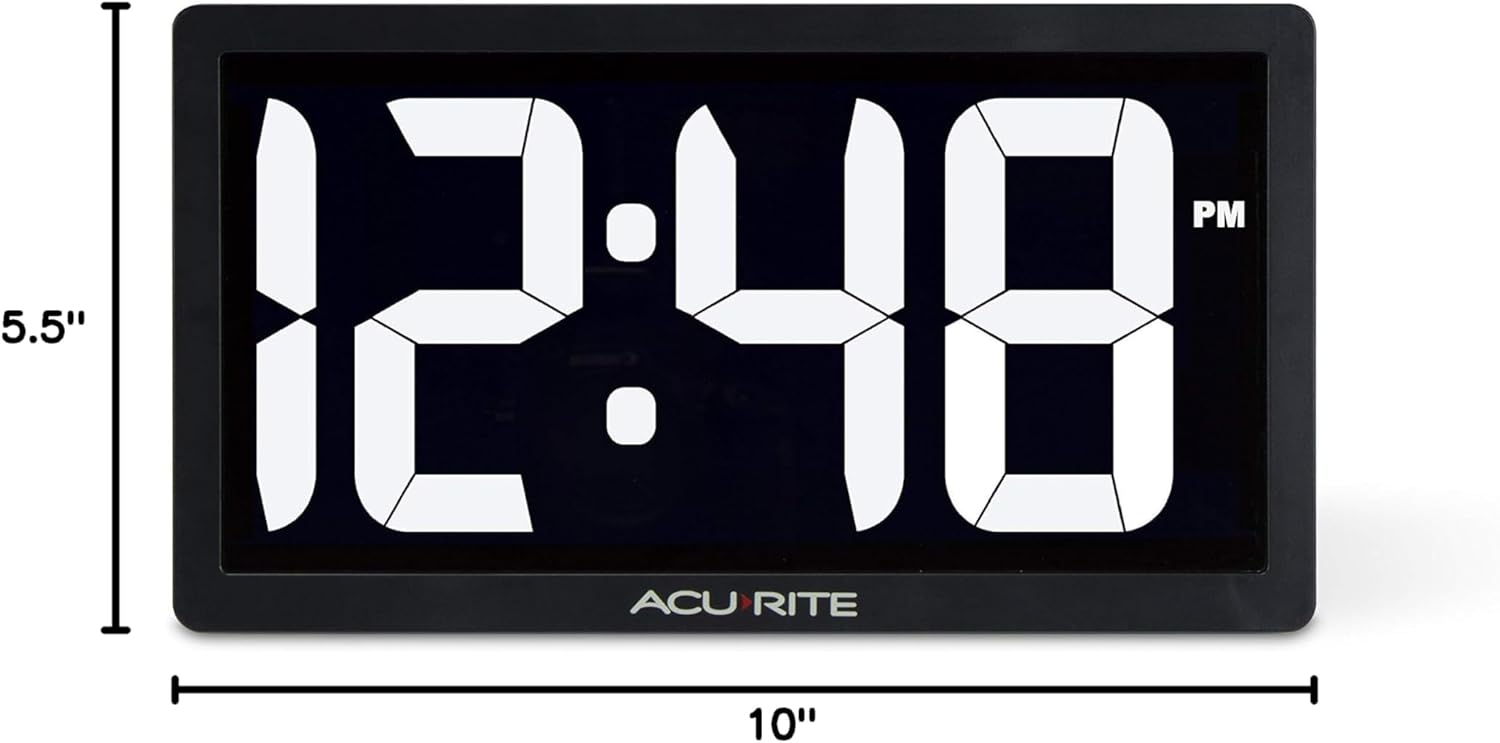
Figure 4: Product dimensions of the AcuRite 75114M clock.
8. Кепилдик жана колдоо
8.1 Кепилдик маалыматы
This AcuRite 75114M LED Digital Clock comes with a one-year limited warranty. Please retain your proof of purchase for warranty claims.
8.2 Кардарларды колдоо
For technical assistance, troubleshooting not covered in this manual, or warranty inquiries, please contact AcuRite customer support. Refer to the official AcuRite webучурдагы байланыш маалыматы үчүн сайт.