Продукт бүттүview
The Fitbit Aria Wi-Fi Smart Scale is designed to help you track your weight, body fat percentage, and Body Mass Index (BMI) with ease. This stylish black scale connects to your home Wi-Fi network and can recognize up to 8 different users, automatically syncing individual data to their respective Fitbit accounts.

1-сүрөт: жогорудан ылдыйга view of the Fitbit Aria Wi-Fi Smart Scale.
Негизги өзгөчөлүктөр төмөнкүлөрдү камтыйт:
- Automatic Wi-Fi Sync: Aria syncs automatically and wirelessly through your home Wi-Fi network.
- Көп колдонуучуну таануу: Automatically recognizes up to eight different people, syncing data to their private Fitbit dashboards.
- Комплекстүү өлчөөлөр: Measures weight, percentage body fat, and BMI.
- Батарея менен иштейт: Uses 4 AA batteries (included), eliminating the need for a power cord.
- Туруктуу дизайн: Features a tempered glass platform and ABS base, designed to work in humid bathroom environments.
Орнотуу колдонмосу
Follow these steps to set up your Fitbit Aria Wi-Fi Smart Scale:
- Батареяны орнотуу: Open the battery compartment on the underside of the scale and insert the 4 AA batteries provided.
- Download Fitbit App: To set up for the first time and view your stats, you'll need the Fitbit app. Download it on your smartphone (iPhone 4S and later, iPad 3rd Gen and later, leading Android and Windows devices) or use a computer (Windows XP and later, Mac OS X 10.5 and up).
- Wi-Fi'га туташуу: The Aria scale syncs automatically and wirelessly through your home Wi-Fi network. Ensure your network meets the requirements: Wireless 802.11b, WEP/WPA/WPA2 personal security, Automatic (DHCP) IP setup (static IP configuration not supported). Follow the in-app instructions to connect your scale to your Wi-Fi network.
- Create/Log In to Fitbit Account: If you don't have one, create a free Fitbit account. Log in to your account through the app.
- Колдонуучуларды кошуу: The scale automatically recognizes up to eight different people. You can add and manage users through your Fitbit account settings.
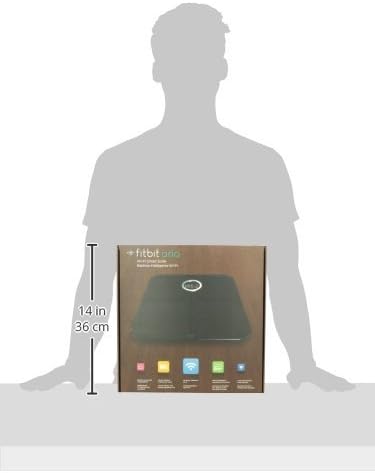
Figure 2: Packaging showing the approximate dimensions of the Fitbit Aria scale (31.2 cm x 31.2 cm x 3.3 cm).
Иштөө нускамалары
Using your Fitbit Aria Wi-Fi Smart Scale is straightforward:
- Жайгашкан жери: For the most reliable readings, place the scale on a hard, flat surface (not carpet).
- Кадам: Step onto the scale barefoot. Ensure your feet are dry and positioned evenly on the tempered glass platform. The scale will automatically turn on.
- Өлчөө: The scale will display your weight first, then calculate and display your body fat percentage and BMI. It will also show your initials if it recognizes you.
- Дайындарды синхрондоштуруу: Once the measurement is complete, the scale will automatically sync the data to your Fitbit account via Wi-Fi. You can view your progress, trends, and other health metrics on the Fitbit app or dashboard.
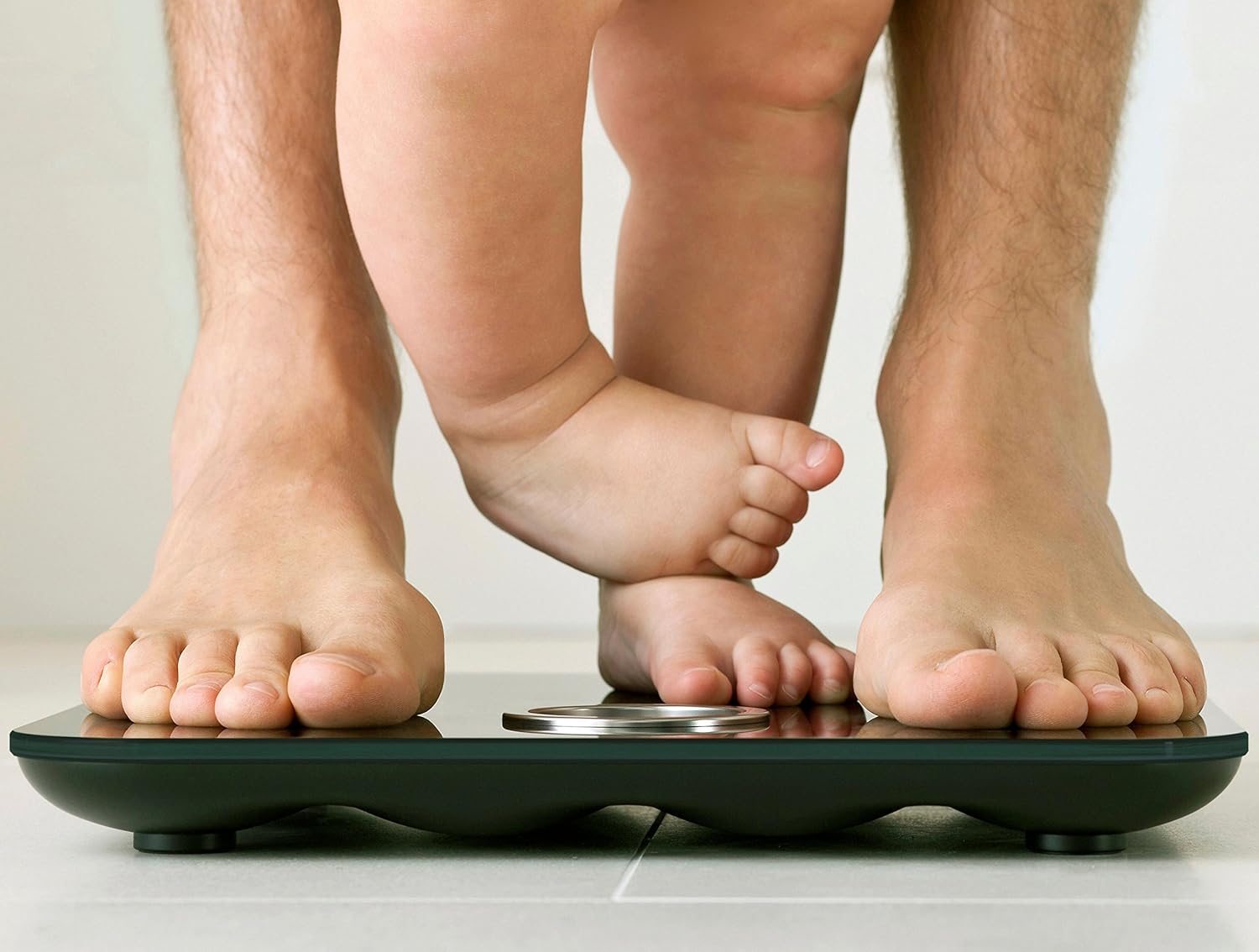
Figure 3: Proper foot placement on the Fitbit Aria Wi-Fi Smart Scale for accurate measurements.
Маанилүү коопсуздук эскертүүсү:
- • Do not use if you have a pacemaker or other internal medical device, or are pregnant.
- • Not intended for use by children under 10.
Техникалык тейлөө
To ensure the longevity and accuracy of your Fitbit Aria Wi-Fi Smart Scale, follow these maintenance guidelines:
- Тазалоо: Wipe the glass platform with a damp cloth and mild detergent. Avoid abrasive cleaners. Thoroughly dry the glass top after cleaning.
- Суу каршылык: The Aria is designed for humid bathroom environments. Some condensation will not damage it. However, the scale should not be submerged. Avoid splashing large amounts of water on the scale.
- Батареяны алмаштыруу: The scale uses 4 standard 1.5V size AA batteries. Replace them when the low battery indicator appears on the display or in the Fitbit app.
- Сактагыч: Store the scale in a dry place away from extreme temperatures.
Проблемаларды чечүү
If you encounter issues with your Fitbit Aria Wi-Fi Smart Scale, consider the following:
- Туура эмес окуулар: Ensure the scale is placed on a hard, flat surface. Soft surfaces like carpet can affect accuracy.
- Дисплей/кубат жок: Батареялар туура орнотулганын жана заряды жетиштүү экендигин текшериңиз. Зарыл болсо, батарейкаларды алмаштырыңыз.
- Wi-Fi туташуу маселелери:
- Verify your Wi-Fi network is 802.11b compatible and uses WEP/WPA/WPA2 personal security.
- Ensure your router is set to Automatic (DHCP) IP setup. Static IP configuration is not supported.
- Try restarting your Wi-Fi router and the scale.
- Ensure the scale is within range of your Wi-Fi network.
- User Recognition Problems: Профессионалыңызды камсыз кылыңызfile information (height, age, gender) is accurate in your Fitbit account. Step on the scale barefoot and dry.
- Тайгаланып кетүү коркунучу: To prevent slipping or accidents, thoroughly dry the glass top and your feet before stepping on the scale.
Техникалык шарттар
| Өзгөчөлүк | Деталь |
|---|---|
| Модель номери | FB201B |
| Продукциянын өлчөмдөрү | 12.28 x 1.31 x 12.28 дюйм; 4.7 фунт |
| Салмак диапазону | 9-158 кг (20-350 фунт) |
| Байланыш технологиясы | Wi-Fi (802.11b) |
| Power Source | 4 AA батарейка (кошулган) |
| Иштөө температурасы | 41° – 104° F (5° – 40° C) |
| Салыштырмалуу нымдуулук | 0-95% |
| Өндүрүүчү | Fitbit Inc. |
| Биринчи жеткиликтүү күн | 9-апрель, 2012-жыл |
Кепилдик жана колдоо
For detailed warranty information and further support, please refer to the official Fitbit website or the comprehensive user guide available in PDF format:
For any issues not covered in this manual, please contact Fitbit customer support.


